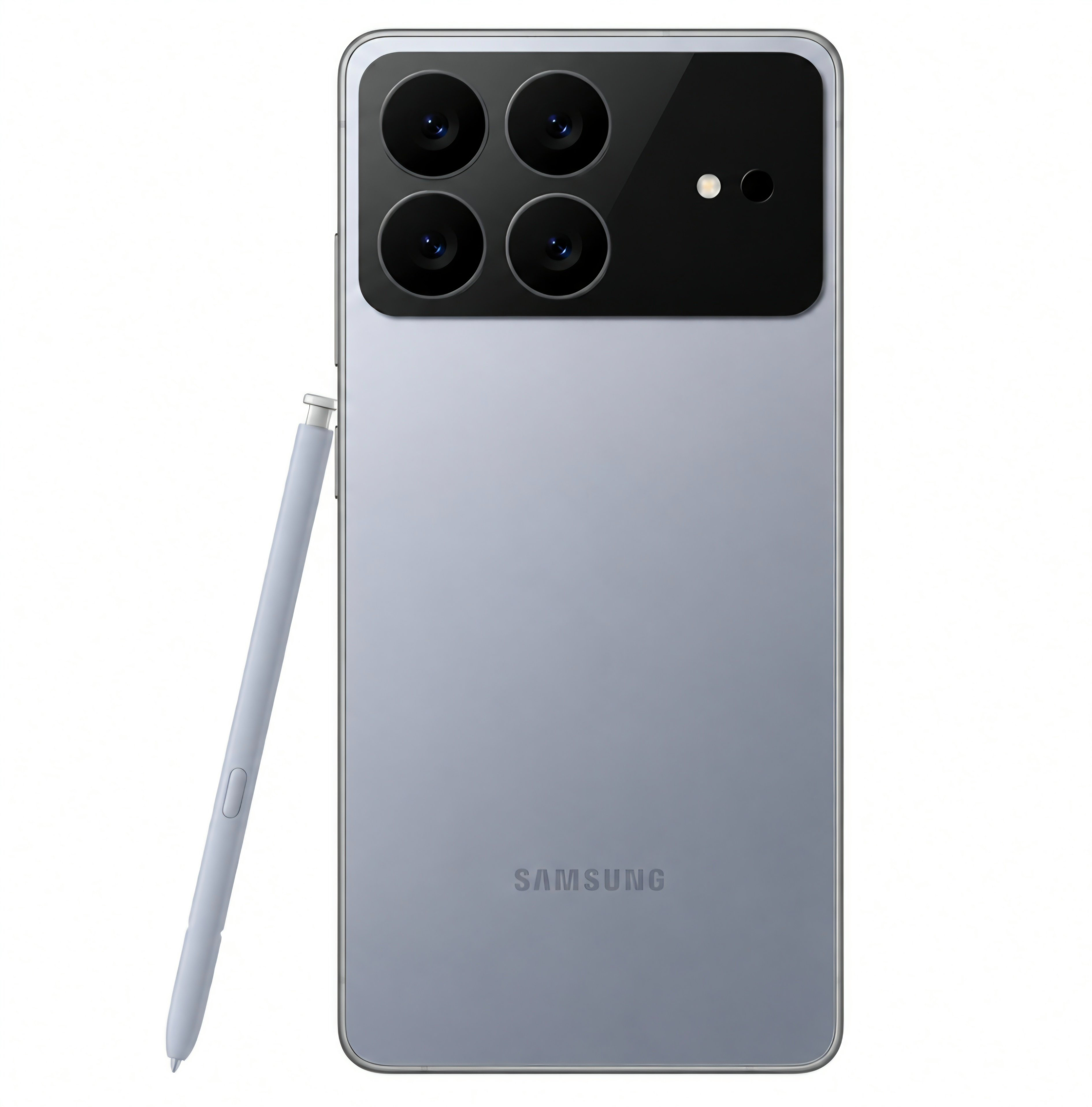
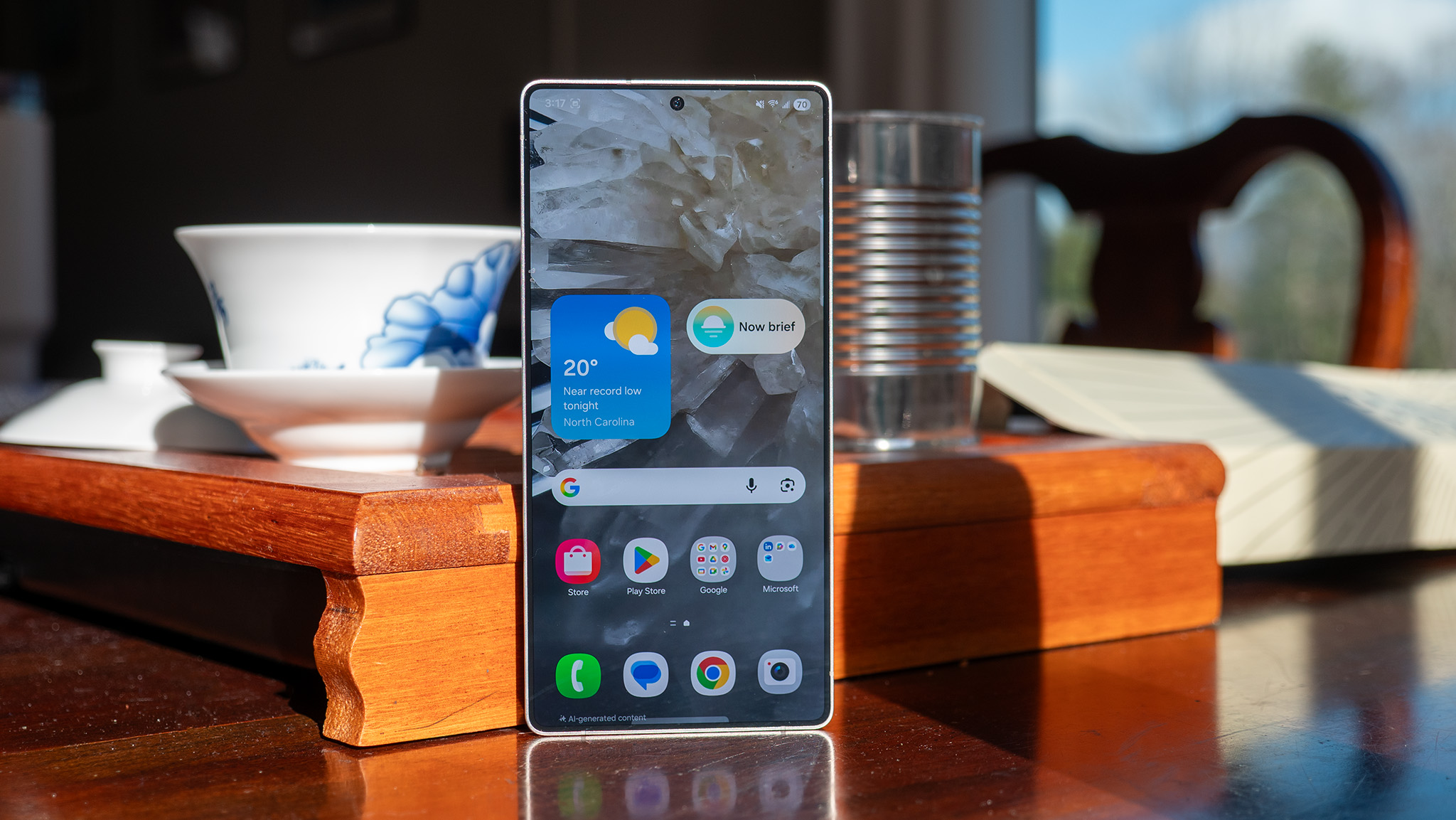
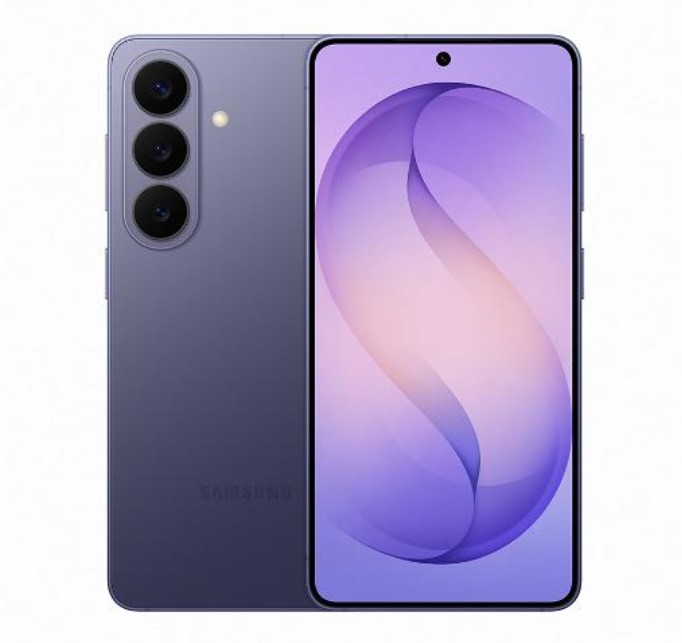
A new Galaxy S27 Ultra leak suggests Samsung could ditch its long-running floating camera ring design in favor of a unified camera module.
A rumored 5,700mAh silicon-carbon battery could deliver a major boost in battery life over previous Ultra models.
Snapdragon 8 Elite Gen 6 Pro for Galaxy and up to 16GB of RAM are tipped to power the flagship.
Samsung may finally be moving away from small incremental updates to make some serious structural upgrades with its next flagship model. Freshly leaked specs shared by tipster Anthony (@TheGalox_) on X suggest the upcoming Galaxy S27 Ultra could bring major hardware upgrades in multiple areas.
The tipster says that Samsung seems set to take on the silicon-carbon battery tech with a massive 5,700mAh capacity. That's a big jump over previous generations, promising much longer endurance for heavy power users.
Galaxy S27 Ultra | Updated leaks• 6.9 inch QHD+ Privacy Display• Snapdragon 8 Elite Gen 6 Pro for Galaxy • 16mp selfie camera with OISOIS• 200mp main, 50mp UW, 50mp 5x Telephoto & Second Telephoto• 5700mah Silicon-Carbon battery• 12/16GB memory pic.twitter.com/1t8qW9wMuuJuly 31, 2026
On the front, we might see an upgraded 16MP selfie shooter that now packs optical image stabilization (OIS) for steady video logging and crisp low-light shots. Samsung could put a 200MP main sensor on the back, paired with three 50MP lenses: an ultrawide, a 5x telephoto camera, and a second dedicated telephoto sensor for extended zoom ranges.
(Image credit: @TheGalox_ / X)
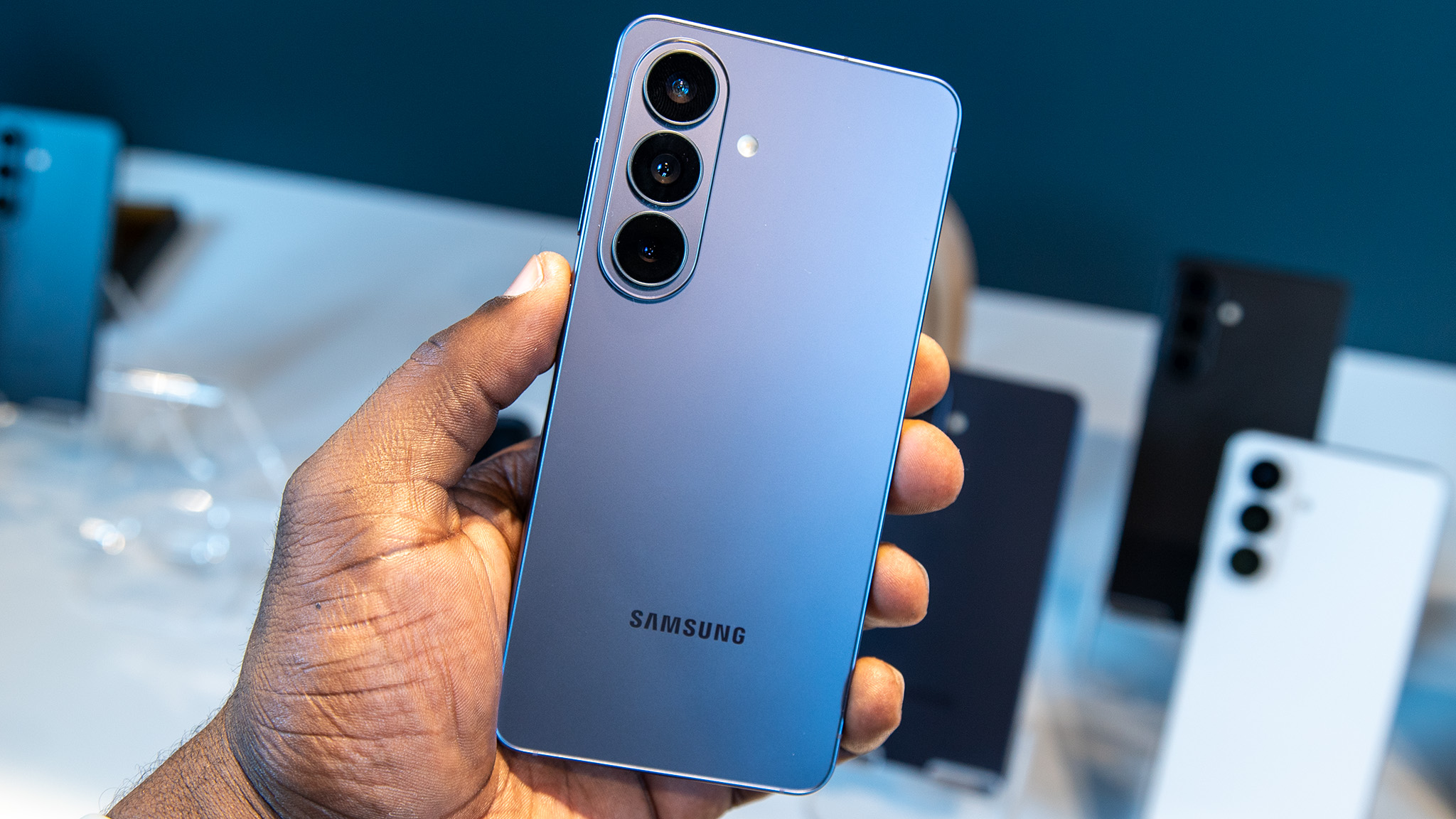
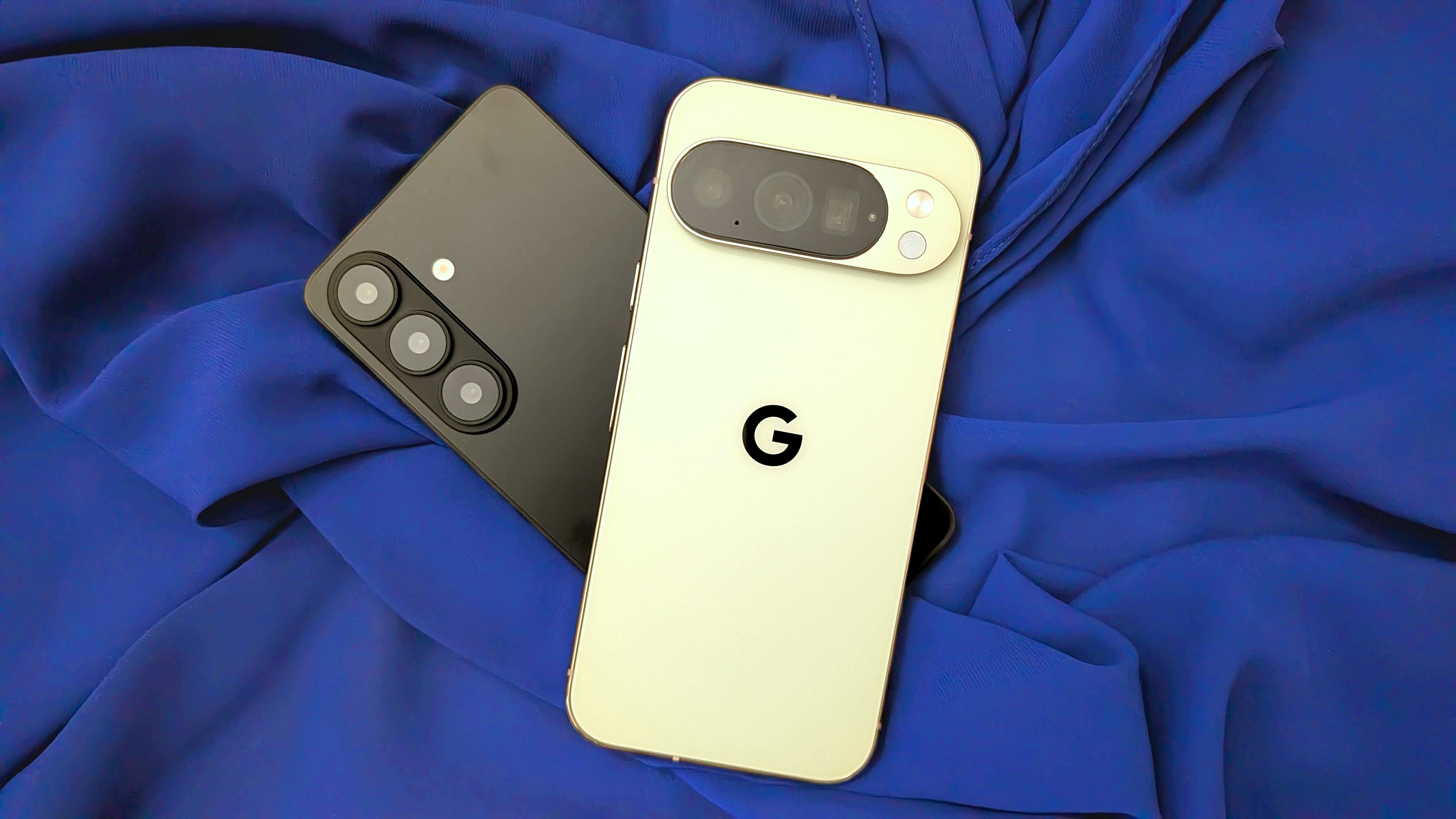
The leak also hints at a new design for the Galaxy S27 Ultra’s camera module. The next flagship is said to feature a redesigned camera housing that brings the rear sensors into a more unified module, moving away from the familiar layout Samsung has used since the Galaxy S22 Ultra. That would be one of the largest visual changes to the Ultra lineup in years.
Nonetheless, early leaks can change before official production lines are rolled out. But if these specs hold up for the official reveal, Samsung is poised to set an aggressive high-water mark for premium smartphones.
from Latest from Android Central https://ift.tt/tOQLnvV
via IFTTT
Android 17 QPR1 Beta 8 eliminates the long-running audio bug that caused random crackling, distortion, and loud static on Pixel devices.
The audio issue lingered across multiple beta releases and generated 30+ reports in Google's issue tracker before this fix.
Build CP31.260623.010 arrives two weeks after Beta 7, focusing purely on system stability and bug fixes ahead of the official September Feature Drop release.
Google has released Android 17 QPR1 Beta 8, fixing one of the most frustrating bugs Pixel testers have been dealing with: distorted audio that would randomly blast loud static during media playback or notifications.
The update, build CP31.260623.010, comes a little over two weeks after Beta 7 and is another cleanup release before the Pixel Feature Drop in September.
Google’s changelog says the biggest fix is for an issue with managing buffers in the audio framework that could cause unexpected crackling, corruption, and bursts of static. It’s a problem that has persisted over many QPR1 beta releases, spawning more than 30 separate tickets in Google’s issue tracker.
Beta 8 is available for eligible Pixel devices enrolled in the Android Beta Program, including the Pixel 6 series through the latest Pixel 10 lineup. There is, however, one big exception. Pixel 6 and Pixel 6 Pro owners still get this QPR1 Beta 8 update, but it’s basically the end of the line for those phones. Google has already confirmed that those models won’t be moving on to Android 17 QPR2, with the stable Android 17 QPR1 release expected to be their last major software update this September.
Beta 8 might finally make the preview stable enough for you to use on a daily basis if you’ve been putting off trying it because of audio glitches. Otherwise, you might want to hold off a little longer because the polished, stable QPR1 release is now just around the corner.
from Latest from Android Central https://ift.tt/3aAtmGX
via IFTTT
MVNO deals are hardly uncommon, but using one of these prepaid wireless carriers generally means you're stuck with a single Big Three network. At RedPocket Mobile, however, you get to choose between Verizon, AT&T, or T-Mobile, ensuring you receive the best possible wireless coverage in your area.
For a limited time, the MVNO is running some deals that make their cheap wireless plans even cheaper. Pay monthly and you can get your first month of the popular Plus plan for only $10. If you'd rather pay a bit more for annual coverage, it's also worth mentioning that you can get a full year of the Essentials plan for as little as $80. That shakes out to just over $6 per month!
These are instant discounts at checkout, not rebates, and RedPocket Mobile lets you keep your existing phone number and device with zero hassle. Most folks use MVNO carriers to keep things simple, and no company is simpler than RedPocket.
Need a new phone plan? Switch to RedPocket Mobile and you'll score 50% off your first month of the Plus or Premium plan (now $10 and $15, respectively). Alternatively, pay for a full year of service up front and you'll get up to four months free depending on the plan you choose. That's $40 off Essentials and $60 off the Plus and Premium annual plans!
RedPocket Mobile offers three phone plans — Essentials, Plus, and Premium. All three give you unlimited talk and text in addition to some impressive international benefits that include unlimited calling to over 20 countries and roaming in over 60 countries around the globe.
The Essentials and Plus plans also come with 3GB and 20GB of 5G data, respectively, while the comprehensive Premium plan gives you 50GB of data and 10GB of mobile hotspot data every month.
All of RedPocket Mobile's current deals are pretty impressive for users on a budget, but I'd argue that the Plus annual plan offers the best value here. For a single payment of 180 bucks, you're getting a full 12 months of coverage on the Big Three network of your choosing. That's like getting three free months of wireless instantly at checkout, and you're able to bring your own device and activate within minutes.
Sure, you miss out on some of the premium perks offered by more expensive unlimited plans, but if you just want a wireless provider that's simple, affordable, and gimmick-free, consider giving RedPocket Mobile a shot.
from Latest from Android Central https://ift.tt/Ju7Rx0d
via IFTTT
Tecno has revealed a new concept phone with a next-generation, truly bezel-less display ahead of its debut at IFA 2026.
The concept features a 0mm display border, which fully removes the physical black edge around the smartphone's screen.
Tecno says achieving this required advanced internal stacking, structural re-engineering, and new screen-packing techniques.
We've all been dreaming about a bezel-less smartphone, and thanks to Tecno's new concept, we may be closer to that dream more than ever.
While brands like OPPO, Xiaomi, and Vivo usually grab the headlines, Tecno has quietly been innovating behind the scenes. Last year at IFA, the company showcased its ultra-slim Spark concept, which eventually launched earlier this year as an iPhone Air competitor.
Now, ahead of IFA 2026, Tecno is back with another concept, this time focusing on a next-generation bezel-less display.
(Image credit: Tecno)
For those unfamiliar with the term, the bezel is the black border that surrounds your smartphone's display. Smartphone makers have spent years trying to shrink it as much as possible, but even today, devices like Google's Pixel A-series phones and several mid-range Samsung smartphones still have fairly noticeable bezels.
Tecno is now claiming to have eliminated them entirely. Ahead of its IFA 2026 ShowStoppers debut in September, the company has unveiled a concept phone with what it calls a true 0mm display border, essentially removing the visible black frame around the screen.
(Image credit: Tecno)
According to Tecno, "eliminating the bezel required rethinking the smartphone from the inside out." The company says it achieved this through advanced internal stacking, structural re-engineering, and new screen packing techniques.
Tecno says this will allow for a genuinely unique experience, since content like videos will now fill the entire screen. And for gamers, it should provide an even more expansive view during gameplay.
Based on the concept renders the company has shared with the media, it's still pretty hard to picture exactly how the device might look in real life and in the hand. That said, we'll be going hands-on with Tecno's concept smartphone once it's showcased at IFA 2026.
from Latest from Android Central https://ift.tt/BV6eyRb
via IFTTT
TL;DR: Less than two weeks before the Pixel 11 series launch, Amazon is slashing up to $250 off the unlocked Google Pixel 10 and Pixel 10 Pro.
It's official: Google will be unveiling the Pixel 11 series on August 12th, but if you don't wait to wait, there are plenty of Google Pixel 10 deals worth checking out today. In fact, since so many retailers are trying to clear stock ahead of the 2026 phones' launch, some of the deals on display meet or exceed the offers we saw during the holiday season last year.
Most of the best offers are coming from wireless carriers, but if you prefer the simplicity of unlocked phones, you're in luck: Amazon is slashing $200 off the Google Pixel 10 and $250 off the Google Pixel 10 Pro, representing the best discounts I've seen since Prime Day in June. Stock appears to be low — the Pixel 10 Pro XL is completely sold out, in fact — so don't wait too long if you're interested: these are likely among the final discounts we'll see for the unlocked devices.
Last chance! Score up to $250 off the Pixel 10 series
Days before the big Pixel 11 launch on August 12th, Amazon is attempting to clear its remaining Google Pixel 10 stock by slashing a straight $200 off the price of the flagship phone.
Although it's about to reach last-gen status, the Google Pixel 10 remains an excellent device in 2026, with a powerful Tensor processor, long-lasting battery, and a suite of exclusive AI-boosted camera features. It's also the first Google phone to receive full Qi2 magnetic charging support. View Deal
If you need a bit more power, the Google Pixel 10 Pro is the answer. Currently $250 off at Amazon, this feature-packed flagship takes the foundation of the base model Pixel 10 and adds a better display, more RAM, and an upgraded camera system.
As of writing, only the Jade color variant is receiving the $250 discount, so be sure to hop on this deal before it sells out. View Deal
The big question now is whether you should buy the Pixel 10 or wait for the Google Pixel 11 to go on sale on August 12th. While we don't have any official spec sheets just yet, we've seen so many leaks come down the pipeline that we have a pretty good idea of what to expect when the phones get unveiled next month.
For starters, it's almost certain that the Pixel 11 lineup will receive a price increase this year, with most reports suggesting a $100 hike for the Pixel 11 Pro XL and Pixel 11 Pro Fold. The phones will also come with the new Tensor G6 processor, and the design has been updated with a new LED light array surrounding the camera bar. Other rumors suggest an upgraded battery and camera system, in addition to all of the latest AI features we've come to expect from the brand.
(Image credit: Derrek Lee / Android Central)
Are these upgrades enough to justify the increased price? It's hard to say. If you don't mind buying a phone through your wireless carrier, I expect there to be plenty of great Google Pixel 11 preorder deals starting August 12th, so it might be worth waiting.
If, however, you prefer to buy phones unlocked, the Google Pixel 10 discounts above deserve some serious consideration. After all, it's unlikely that the Google Pixel 11 lineup will receive any no-strings discounts until the Fall sales start kicking off in October, so if you need a new phone today, why wait?
from Latest from Android Central https://ift.tt/LZVcKMP
via IFTTT
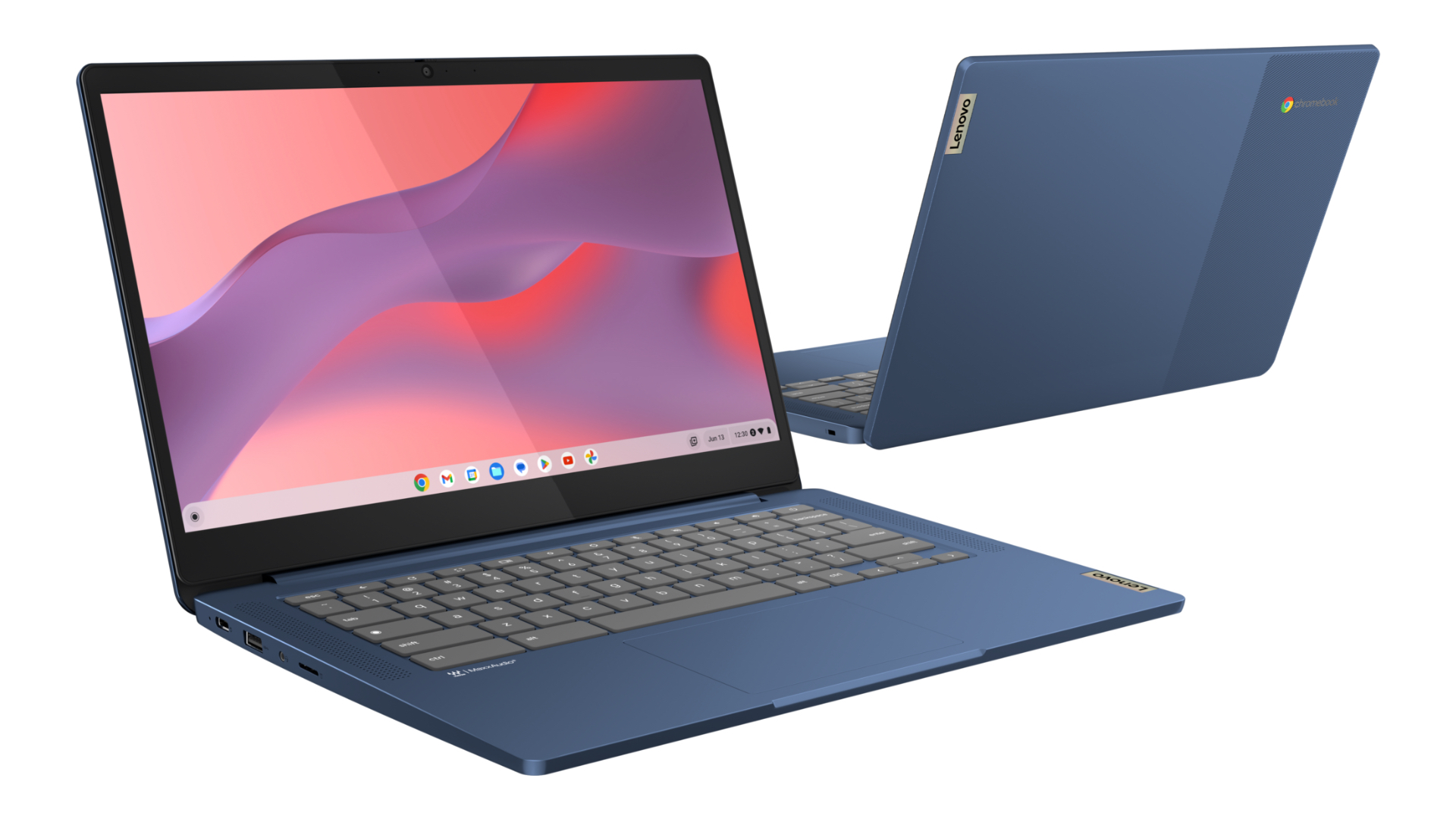
The Lenovo IdeaPad Slim 3 Chromebook was a pleasant surprise for us upon its release, especially because it boasts better-than-expected performance speeds and a nice 1080p touchscreen display. It also sports a slim and lightweight design that users like, and it regularly gets discounts like these. This particular deal is for the blue version of the device, and it also marks the laptop's lowest price ever seen at Amazon to date.
All that to say, those who are looking for a performant and affordable Chromebook for school, work, and overall transportability will be hard-pressed to find better options at this price, while battery life feels a lot like the icing on the cake here.
As the school year approaches, Amazon is offering a wide range of deals, such as this 17% discount on the Lenovo IdeaPad Slim 3 Chromebook, dropping the price to its lowest point ever at just under $300. The IdeaPad Slim 3 is a surprisingly impressive Chromebook, boasting better-than-expected performance, a responsive, 14-inch touch display, and the easy-to-use Chrome OS.View Deal
✅Recommended if: you want a lightweight, netbook-style touchscreen laptop that's thin and easy to transport and has a user-friendly operating system; you're working with a budget of around $300, but you don't want to compromise on overall performance; you want something with a screen of around 14 inches that offers 1080p picture quality.
❌Skip this deal if: you need a laptop with a higher-quality front-facing camera than 720p, or with more storage than 64GB; you're looking for a device with a fingerprint reader built in; you're in the market for one of the best Chromebooks available and you have the budget to upgrade.
The Lenovo IdeaPad Slim 3 Chromebook is a basic net-book that's perfect for web browsing, video streaming, and basic work and school tasks. Plus, it comes with a 1080p touchscreen that measures 14 inches, up to 13.5 hours of battery life, and connectivity including a USB-C port, a USB-A port, a microSD slot, and a 3.5mm microphone and headphone jack.
To be sure, it isn't a perfect laptop, but it'll definitely get the job done for most casual users performing basic, browser-based tasks, especially when you're heading back to class.
from Latest from Android Central https://ift.tt/Sqkfp8X
via IFTTT
My main phone is the Find X9 Ultra, and my wife is using the Vivo X300 Ultra, so when we go on vacation, we just use our phones to take photos and videos. It's just convenient, and this year's flagships do a magnificent job in this regard.
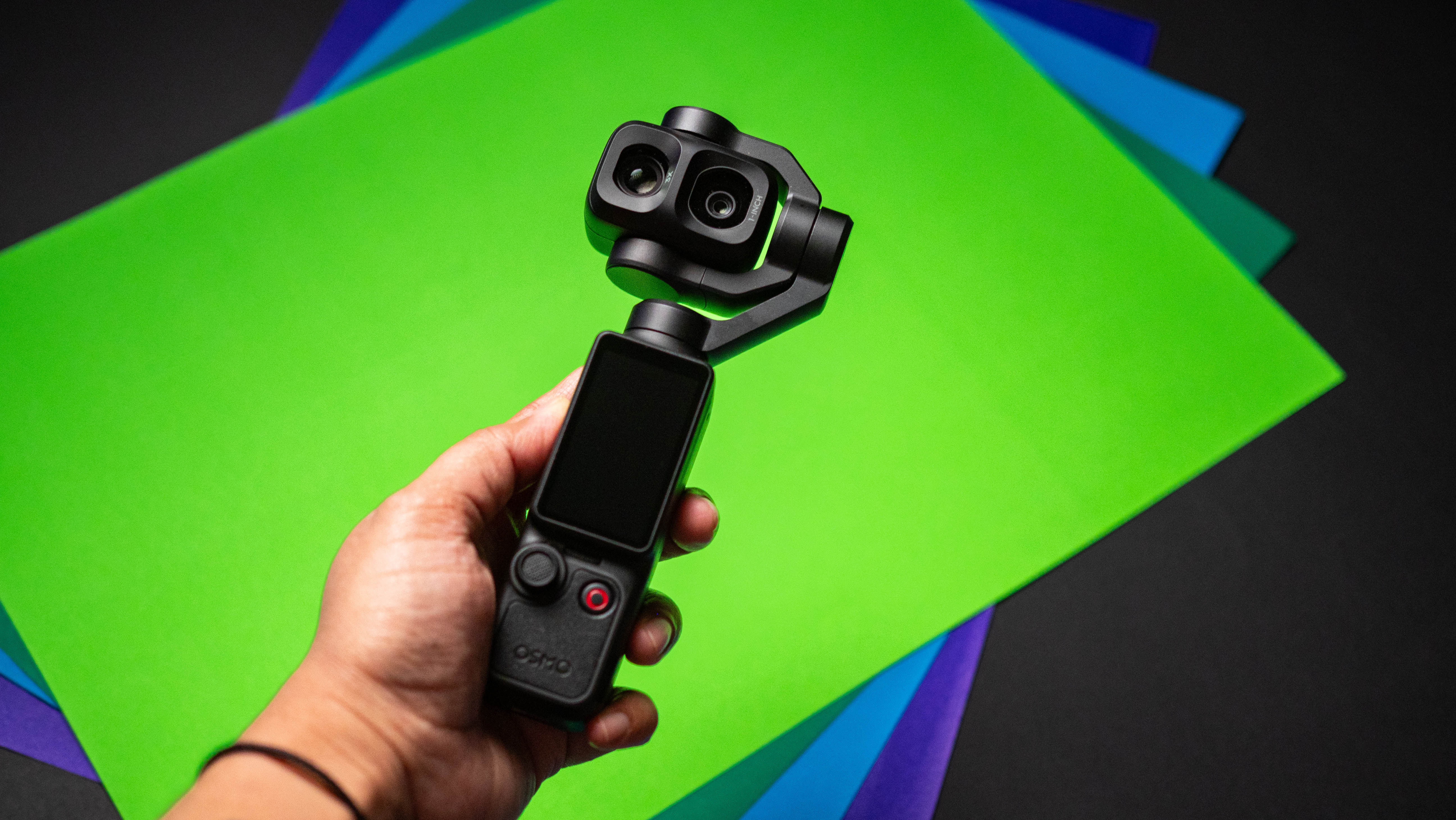
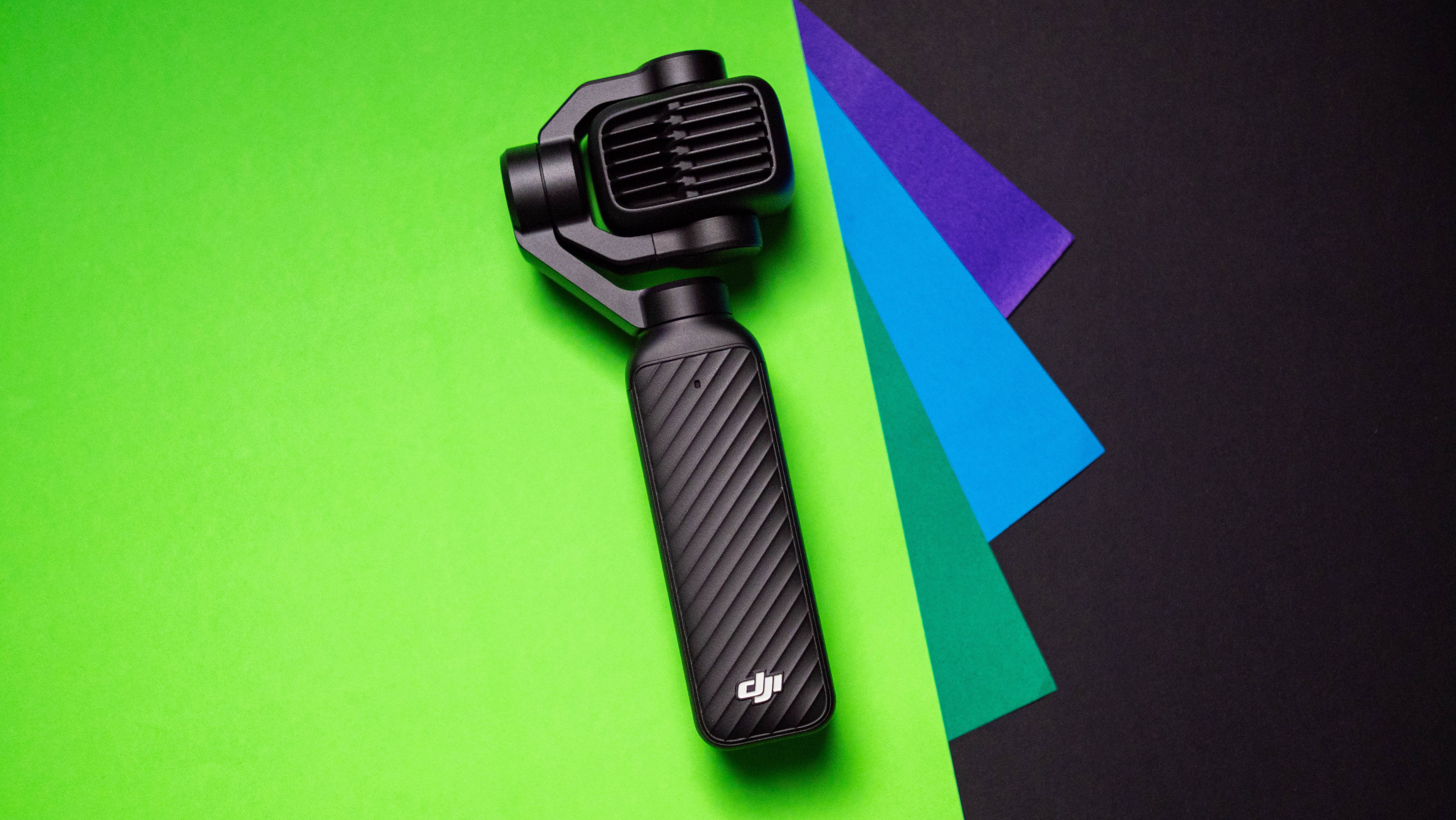
But I generally prefer using a dedicated device to take photos. In the past, that used to be Sony's RX100 cameras, but I wanted something even smaller, and one that took better videos. That's where the DJI Osmo Pocket 4P comes into the picture; I have several friends in the industry who swear by their Osmo Pocket, and I wanted to see how good it is for myself.
So ahead of its global launch, I got the Osmo Pocket 4P along with a whole lot of accessories, and I used it extensively while attending a destination wedding in Bali, Indonesia. It didn't take long to understand the usefulness of the Pocket 4P; the gimbal system makes shooting videos significantly easier, and there's an immediate difference in stabilization versus what you'd get while shooting handheld with your phone.
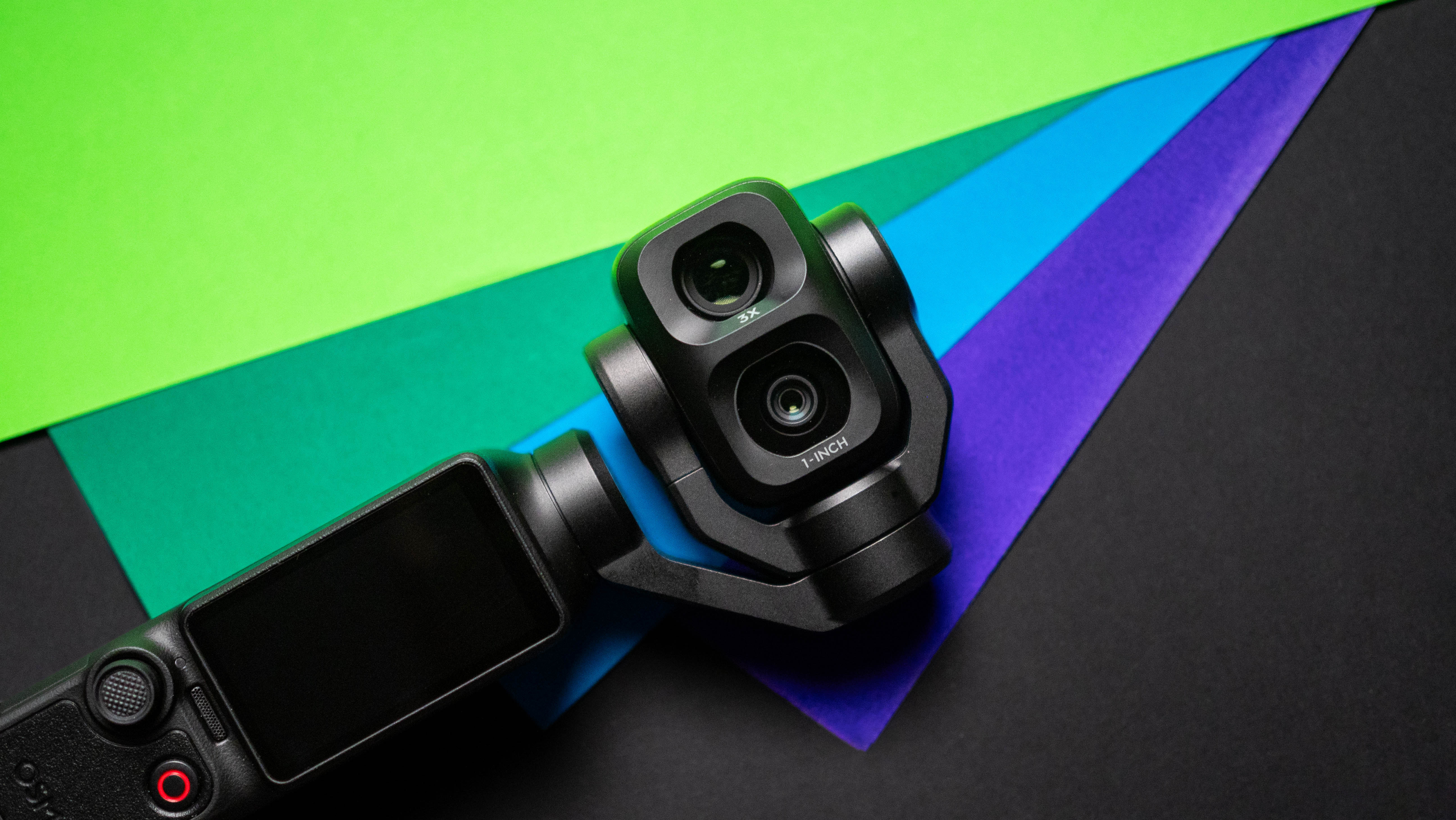
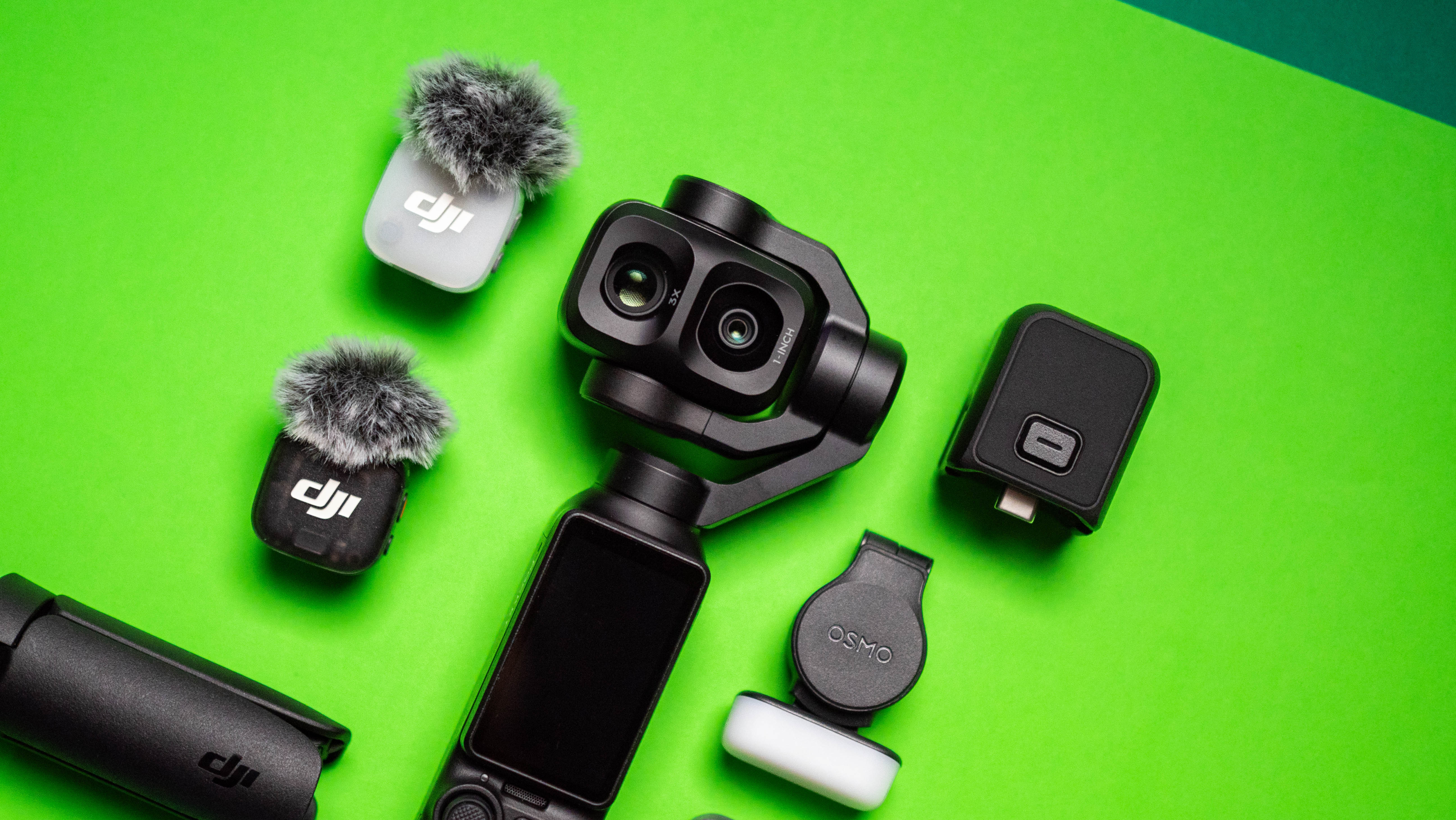
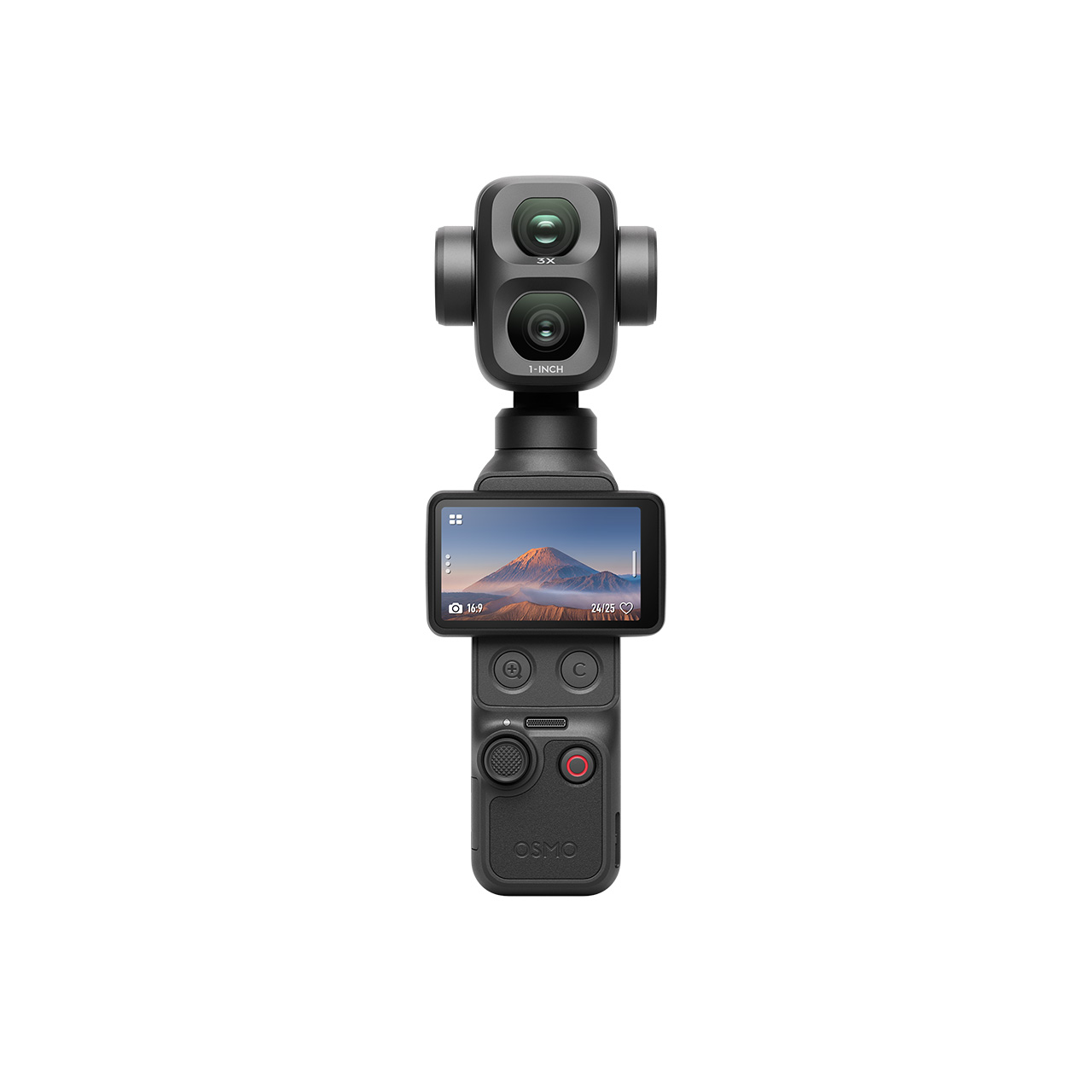
The Osmo Pocket 4P has an added advantage: a secondary camera with 3x zoom. The dual-lens pocket gimbal camera has a new f/2.0 1-inch 20mm CMOS main sensor with LOFIC — similar to the Xiaomi 17 Ultra — and 17 stops of dynamic range, alongside an f/1.8 60mm lens with 3x optical zoom. The secondary lens gives the Pocket 4P much greater versatility, and it is a decent enough differentiator even against the standard Pocket 4.
There are three features that stood out the most in my month of testing the Osmo Pocket 4P: image and video quality, how stable it is in challenging situations (like walking around on a beach while shooting video), and just how easy it is to use. You don't need to wade through a dozen settings to get started: just hit the power button, choose the orientation, and shoot.
Video is obviously the main focus, and the Osmo Pocket 4P takes stunning 4K content, going up to 4K240. It shoots 10-bit D-Log 2 color profile, and the quality of the HDR footage in general is much better than I imagined. It did pretty well in low-light situations as well, but the thing that stood out the most is the 3-aixs stabilization — there's no hint that you're using a handheld shooter in the resultant videos. More than anything else, this is where the Osmo Pocket 4P has a clear advantage over phones, and it's no wonder that both OPPO and Vivo are set to be making products to rival DJI.
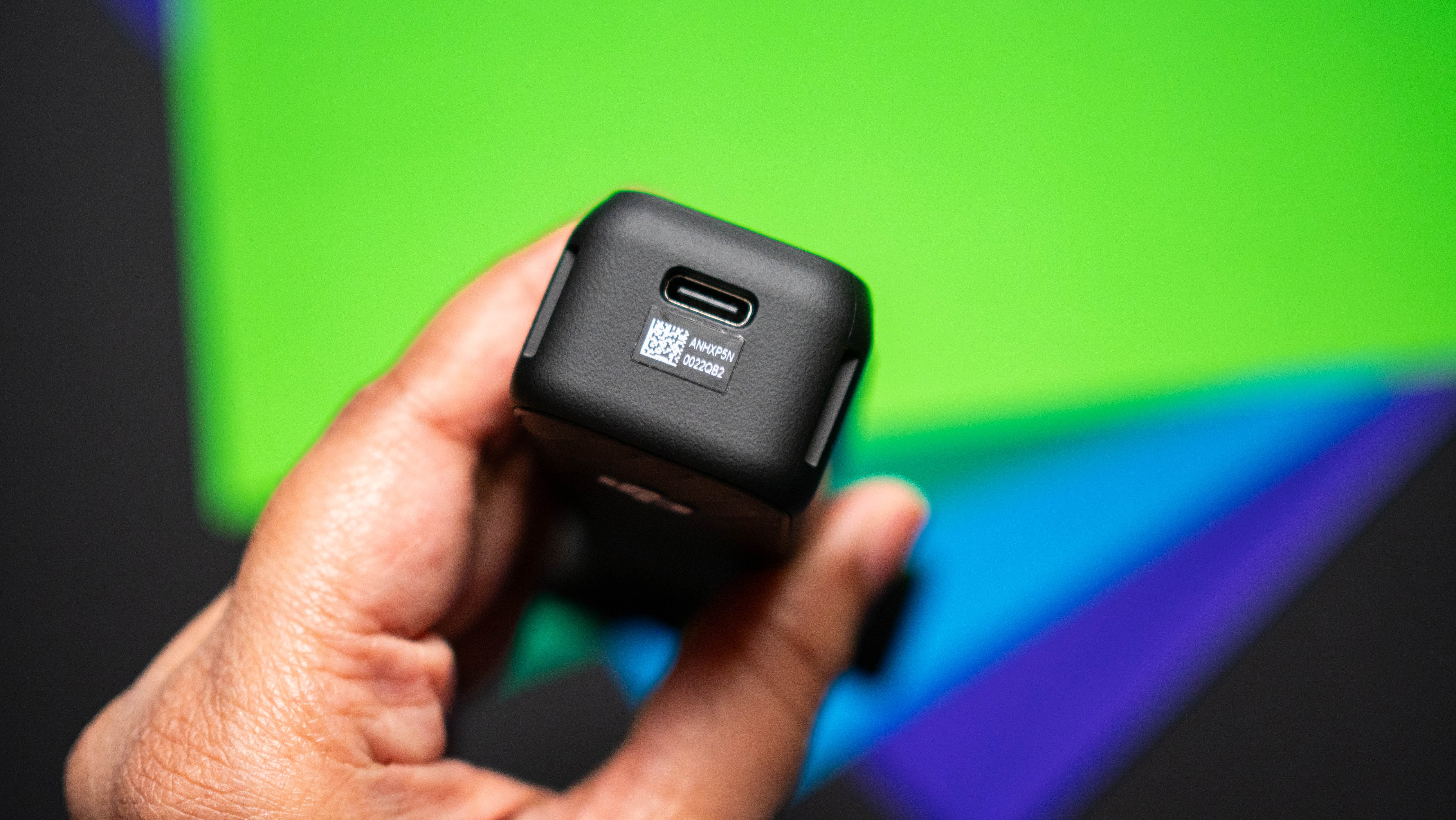
It does a decent job taking photos as well, with the 37MP images coming out with plenty of detail and accurate color rendition. Another thing I like is the tracking mode; this makes it easy to shoot moving subjects. There's a dedicated low-light shooting mode as well, and with 103GB of built-in storage, you can easily record a few hours of footage without any accessories. There's a MicroSD slot as well (thankfully), and I used Lexar's excellent 2TB MicroSD card with the Pocket 4P.
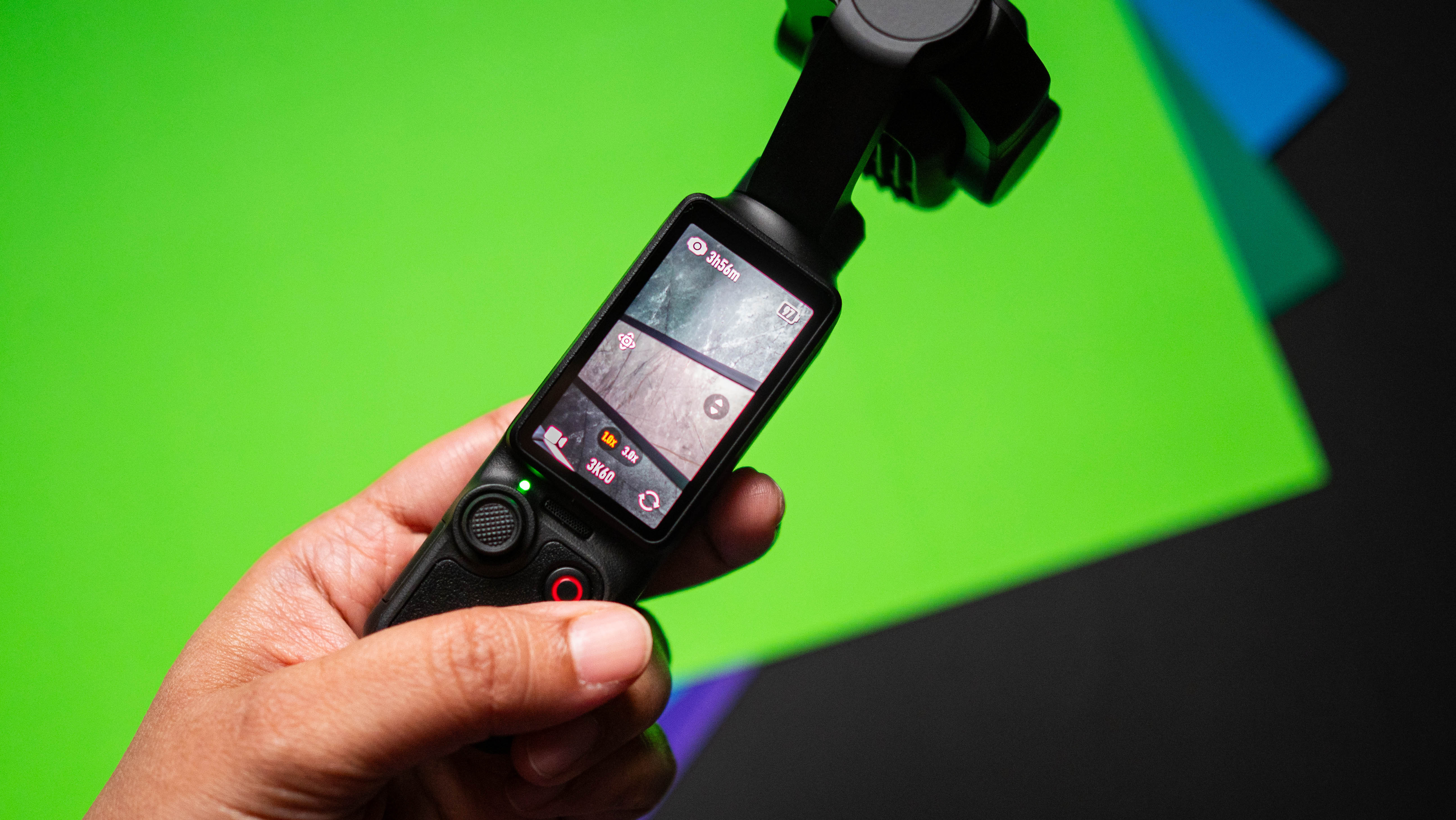
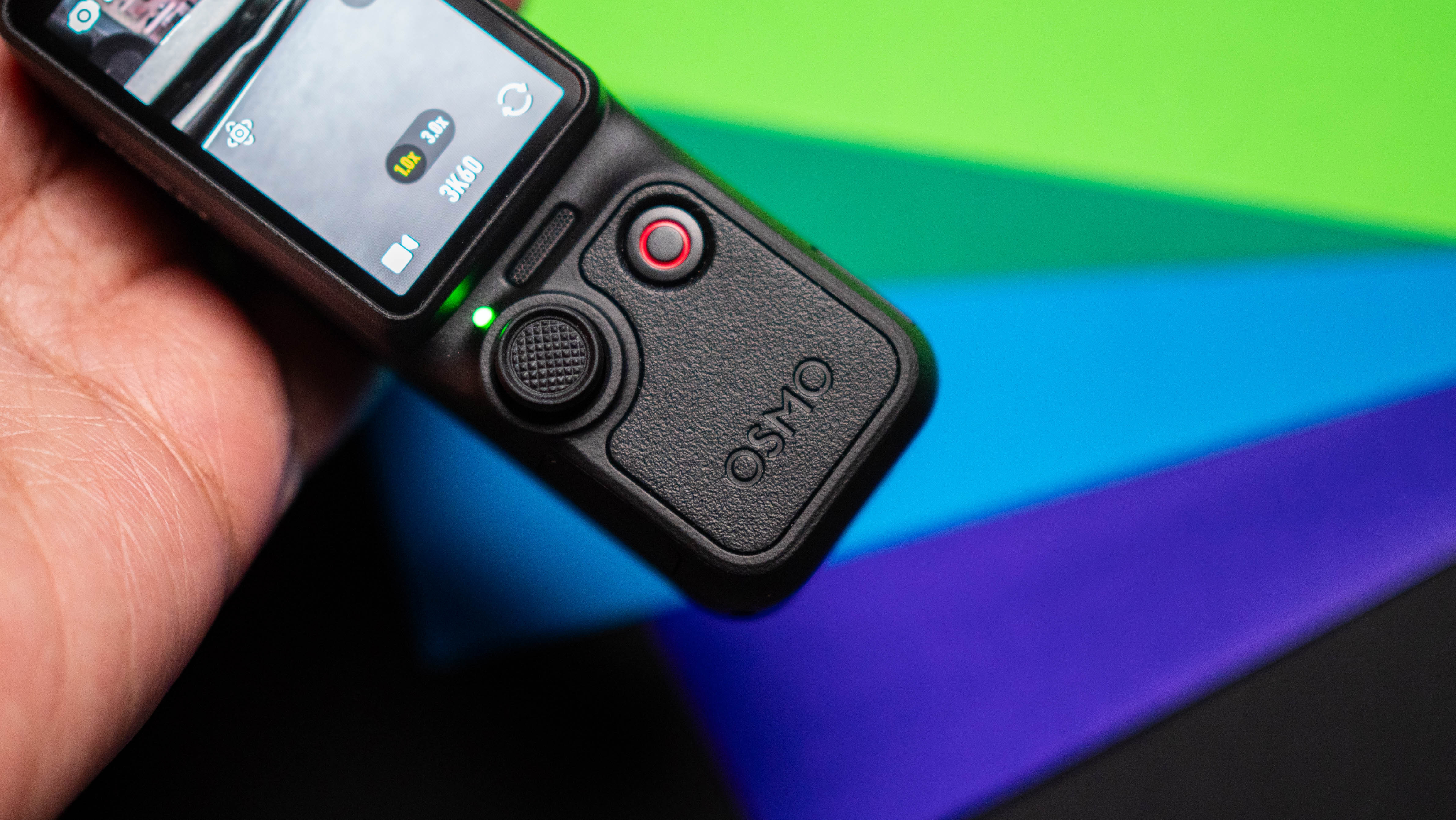
The 5D joystick makes it effortless to pan around while shooting videos, and there's a dedicated button to switch between the 1x and 3x lenses. The 2-inch OLED panel does a great job as a viewfinder, and the Pocket 4P is astonishingly light considering what it has to offer. It's just 230g, and the small size means you can use it just about anywhere.
Battery life is decent enough, and a 20-minute charge gives you three hours of runtime. Oh, and a new update adds automatic footage transfer to your iPhone, provided you're using the iPhone 16 and above. I would've liked a similar feature with Android devices as well, but that isn't available just yet.
The standard edition of the Pocket 4P costs £529/€599, and then there's a vlog combo that retails at £605/€689. There's no U.S. pricing, because this device isn't available in the region.
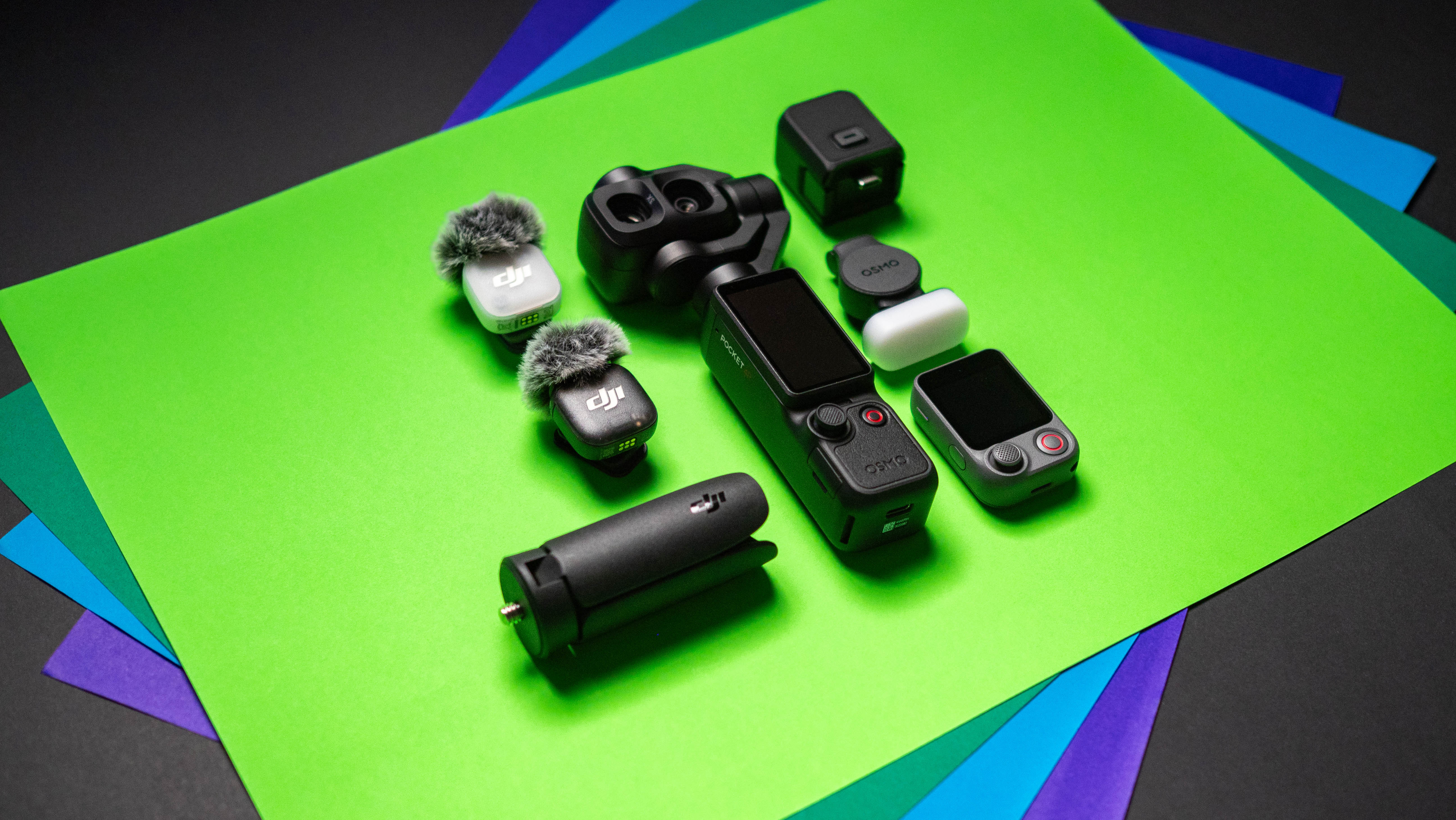
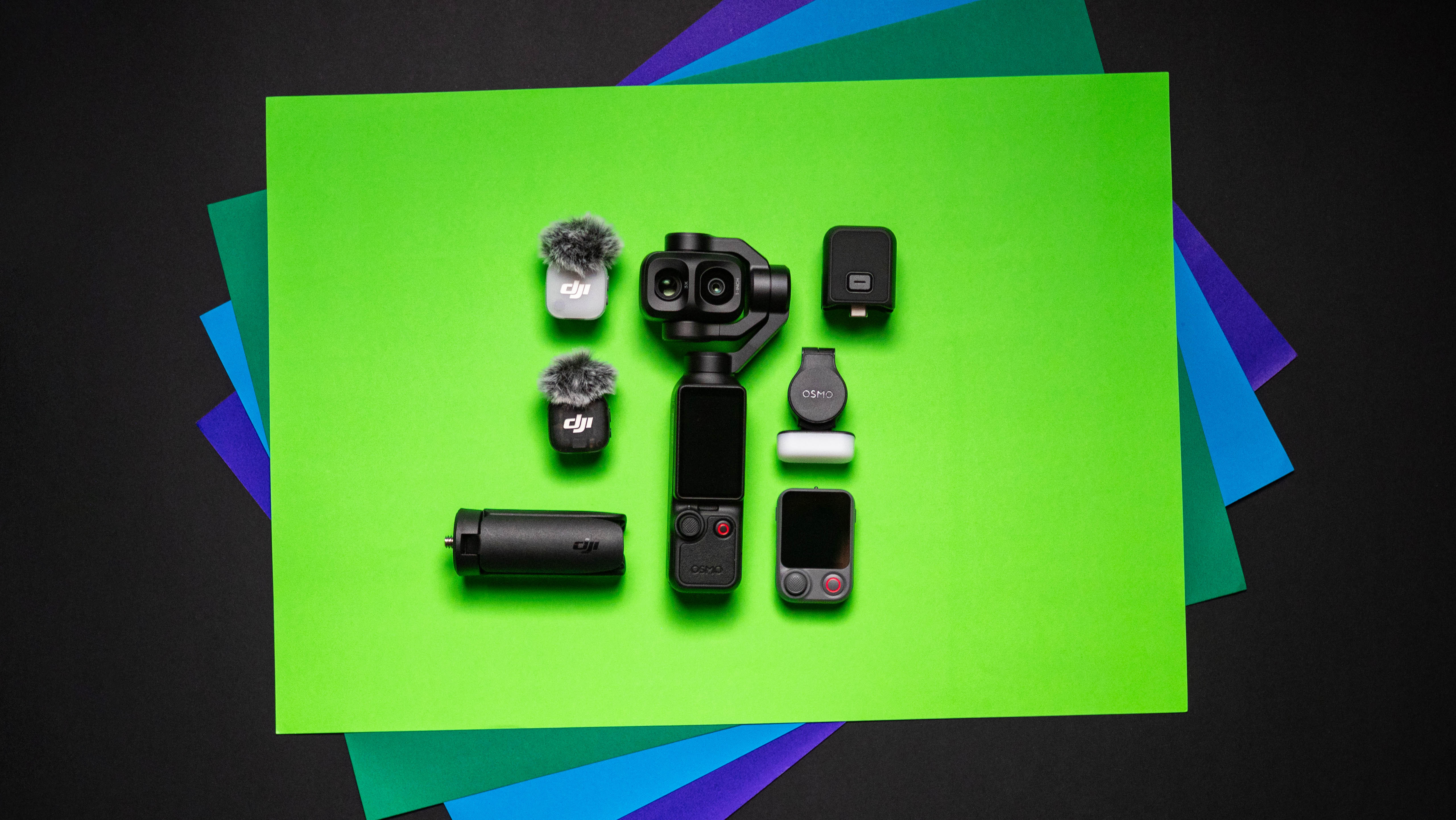
The vlog combo is the one I'm using, and if you're eyeing this camera, it is the bundle I'd suggest buying. It comes with the Pocket 4P, a mini tripod, fill light, DJI Mic Mini 2 transmitter and windscreens, a remote viewfinder and shutter button, two carrying bags, and all the associated charging cables. Honestly, it's a lot of stuff, and even after a month, I didn't use all the accessories yet.
Overall, I liked the Osmo Pocket 4P a lot more than I imagined. It's easy to take anywhere, takes great photos and videos, and has a ton of extensibility. If you need a portable camera with a built-in gimbal to use outdoors and the versatility of a 3x lens, the Osmo Pocket 4P gets my recommendation.
DJI
Osmo Pocket 4P
Thanks to a new 3x tele lens, the Osmo Pocket 4P has much better versatility than its predecessors, and it is the portable gimbal camera to beat in 2026.
from Latest from Android Central https://ift.tt/vNRKDIu
via IFTTT
Galaxy S25 Ultra users on Samsung's Community forums report severe battery drain problems after downloading the July patch under normal use.
Other S25 Ultra users say their phone is now overheating, alongside this battery drain issue (S24 Ultra users are struggling, too).
The Galaxy S25 Plus and Ultra experienced a charging issue last February, which Samsung said it could fix with a software patch.
Users aren't having the best time with two of Samsung's past-gen Ultra phones after downloading its current July security update.
Galaxy S24 and S25 Ultra users have created threads on Samsung's Community forum about issues they've experienced following the July update (via NotebookCheck). Users with an S25 Ultra have been hit with a double-whammy, as one report states their device's battery is draining severely while idle. The user says, "I am experiencing a critical and sudden battery drain issue on my Galaxy S25 Ultra that began immediately after installing the July Security Patch update."
The user's screenshot shows their S25 Ultra's battery plummeting from 85% (while asleep) to 5% by midday. To make matters worse, the user states their analytics show their phone is losing roughly 5% to 7% battery per hour without proper use. Curiously, this user didn't mention an overheating issue, something another report did. In conjunction with a severe battery drain, one user says their phone "becomes very hot." Other users have reported similarities with their S25 Ultra; however, the S24 Ultra and the S24 Plus were mentioned.
The publication spotted a Galaxy S24 Ultra thread, highlighting similar battery drain issues S25 Ultra users are experiencing. This report states that they're unable to make it a day with "similar usage." Users have tried to help each other, offering your standard flavor of troubleshooting/at-home fixes. Nothing's worked thus far. Users have reported the required logs and other details to Samsung.
There were charging issues before...
(Image credit: Nicholas Sutrich / Android Central)
Android Central's Take
These issues suck; plain and simple. I've also not experienced these issues on my Galaxy S25 Ultra, though. I downloaded the July patch a week or so ago, and nothing drastic has changed. Battery life has remained consistent. The phone gets hot when playing games, but that's normal. I hope Samsung can get this fixed for users who are experiencing these issues. No one wants to be glued to their charger or feel like they can't use their phone.
Regarding its battery, the Galaxy S25 series had its issues. The Galaxy S25 Plus and Ultra gave users quite a headache with charging issues. These problems were reportedly encountered with Samsung's cable and adapter. Users on social media said the 45W adapter and 5A cable would either force their device to charge slowly or not charge at all. What's more, these phones would display their charging status even when the cable wasn't plugged in.
Samsung responded to these issues relatively quickly last year. It confirmed that a software patch would fix the issue to the relief of many. Hopefully we're looking at a similar occurrence for users experiencing problems today.
from Latest from Android Central https://ift.tt/5whizLQ
via IFTTT
The Pixel 11 is expected to take AI to another level, thanks to a new chip and potentially a mysterious new Pixel Glow. However, it could come at a cost, as it's expected to be priced higher than its predecessor.
Pros
Same iconic design
Nice new colors
Qi2 wireless charging
2nm Tensor G6
256GB as base storage
Gemini Intelligence
Cons
No more Indigo
No major battery changes
Outdated GPU
May miss out on Pixel Glow
Samsung
Galaxy S26
Some old, some new
The Galaxy S26 is Samsung's latest "small" flagship, stuffing a ton of performance and AI into a relatively pocketable phone. However, even with an exciting new chip, other important specs remain sadly unchanged.
Pros
Great performance
All-day battery
Good mix of Samsung and Google AI
Fantastic software
Cons
No built-in Qi2 magnets
No major camera upgrades
Relatively slow charging
Missing some useful specs
Samsung's Galaxy S26 has been out for some time now, but it's about to get some fierce competition from Google with the upcoming Pixel 11 series. With newer chips and more capable AI, the battle between these two phones (and the companies making them) is surely going to be pretty interesting.
That said, we don't know all there is to know about the Pixel 11. Google has released small teasers, but most details are left up to leaks and rumors. Still, there's enough speculation to paint a pretty good picture of what we can expect from the Pixel 11 and how it will stack up to the Galaxy S26.
One has the more effective design
(Image credit: Android Headlines)
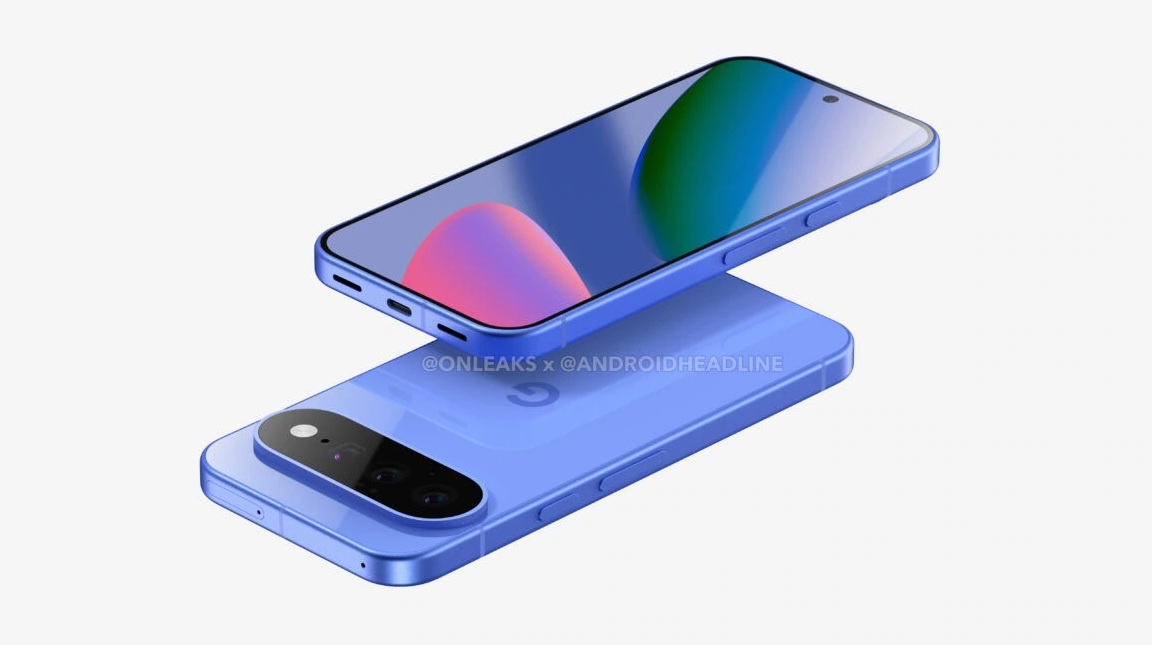
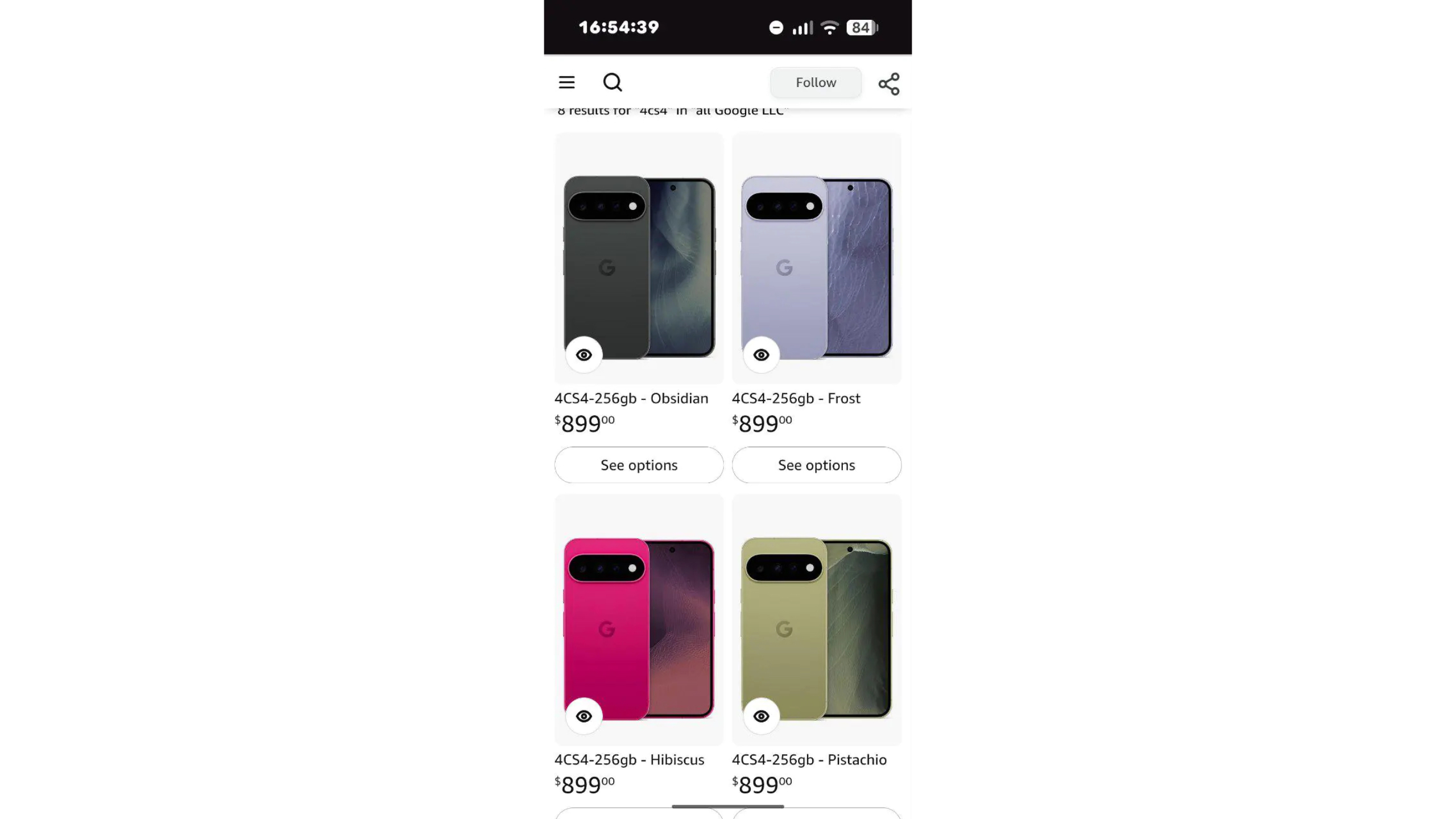
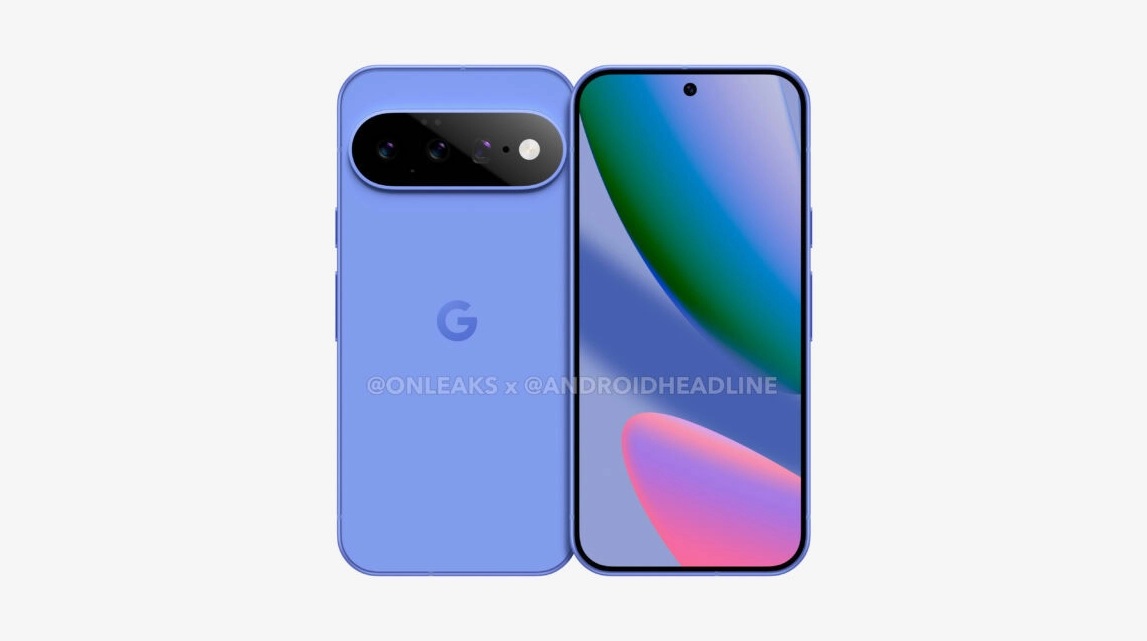
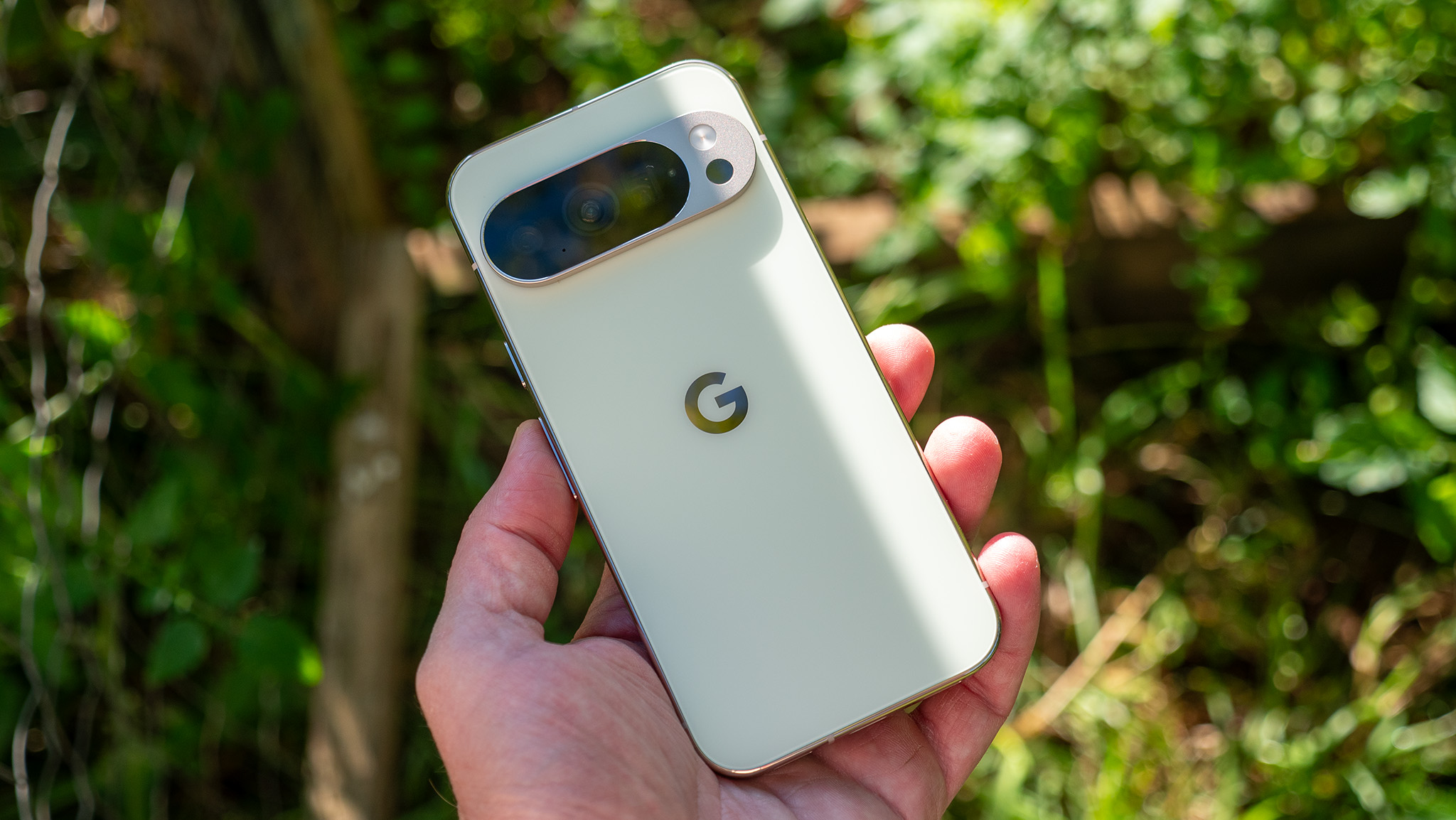
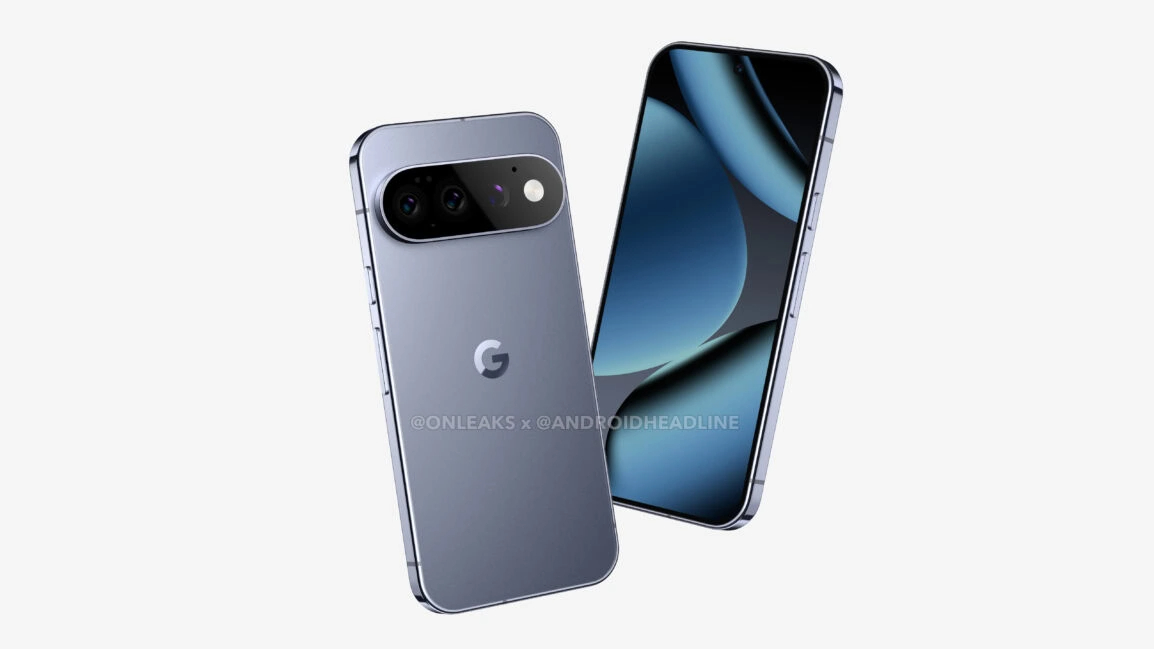
Like the Galaxy S26 and its predecessor, the Pixel 11 is expected to look just like the Pixel 10. The leaked renders show a device that, if you didn't know any better, could easily pass for the Pixel 10, save for some small details. For example, the camera housing on the back will reportedly be fully glass this time.
There are also rumors of new colors, which may include Midnight Haze (black), Light Sterling (gray), Moss (green), and Fuchsia (pink), although the color names may not be final. I am a bit sad that Indigo likely won't be back this time around, but the pink color looks quite good.
(Image credit: Android Authority / Amazon)
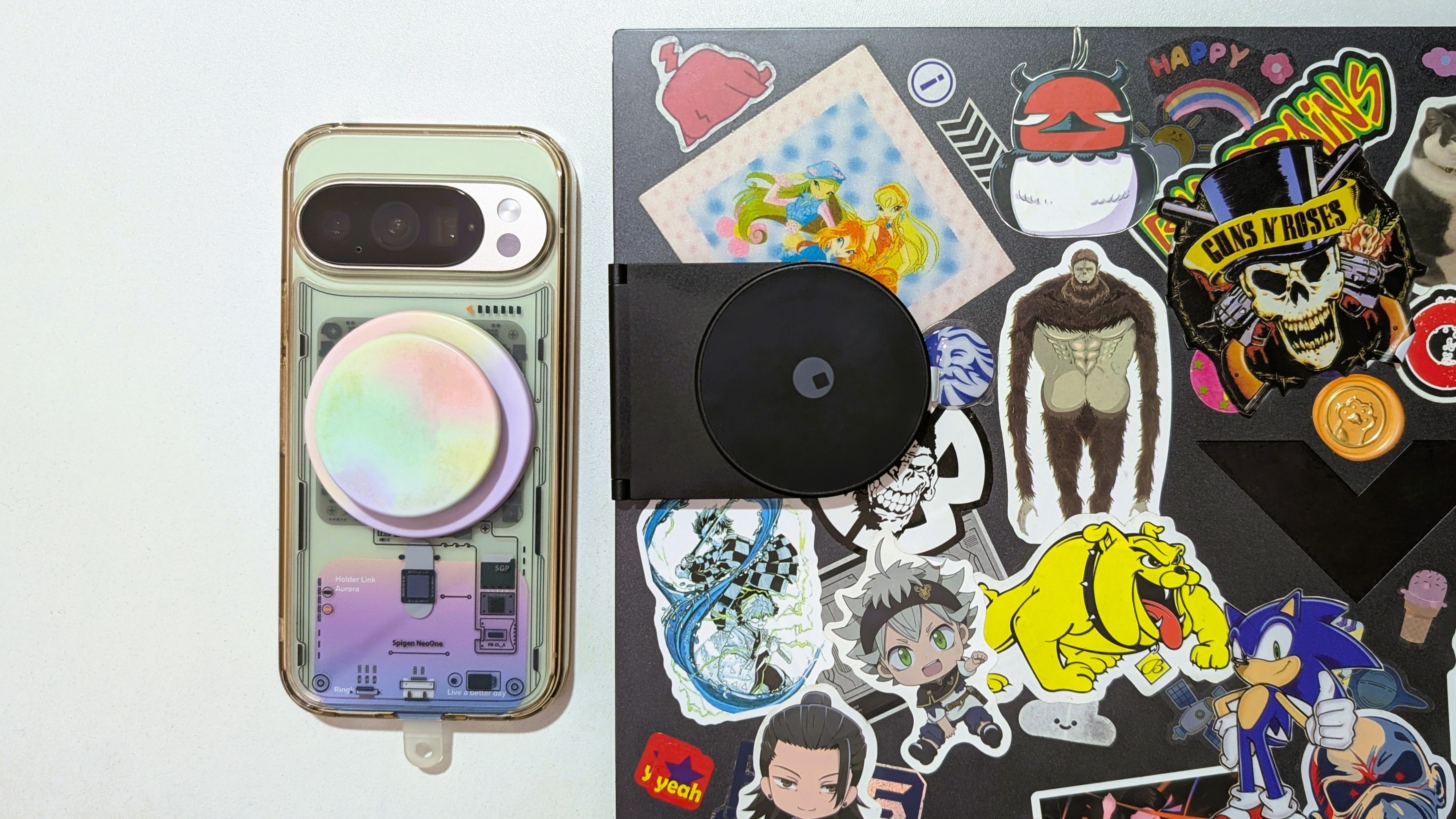
One benefit the Pixel 11 should have over the Galaxy S26 is built-in magnets for Qi2 charging. It helps that the Pixel camera bar sits higher and horizontally, allowing for more space. Meanwhile, the Galaxy S26 camera bar sits vertically to one side, which limits internal space and is likely why Samsung has yet to fully adopt Qi2.
Furthermore, the Galaxy S26 tends to wobble when you put it face up on a flat surface, something you likely won't get with the Pixel 11.
(Image credit: Google)
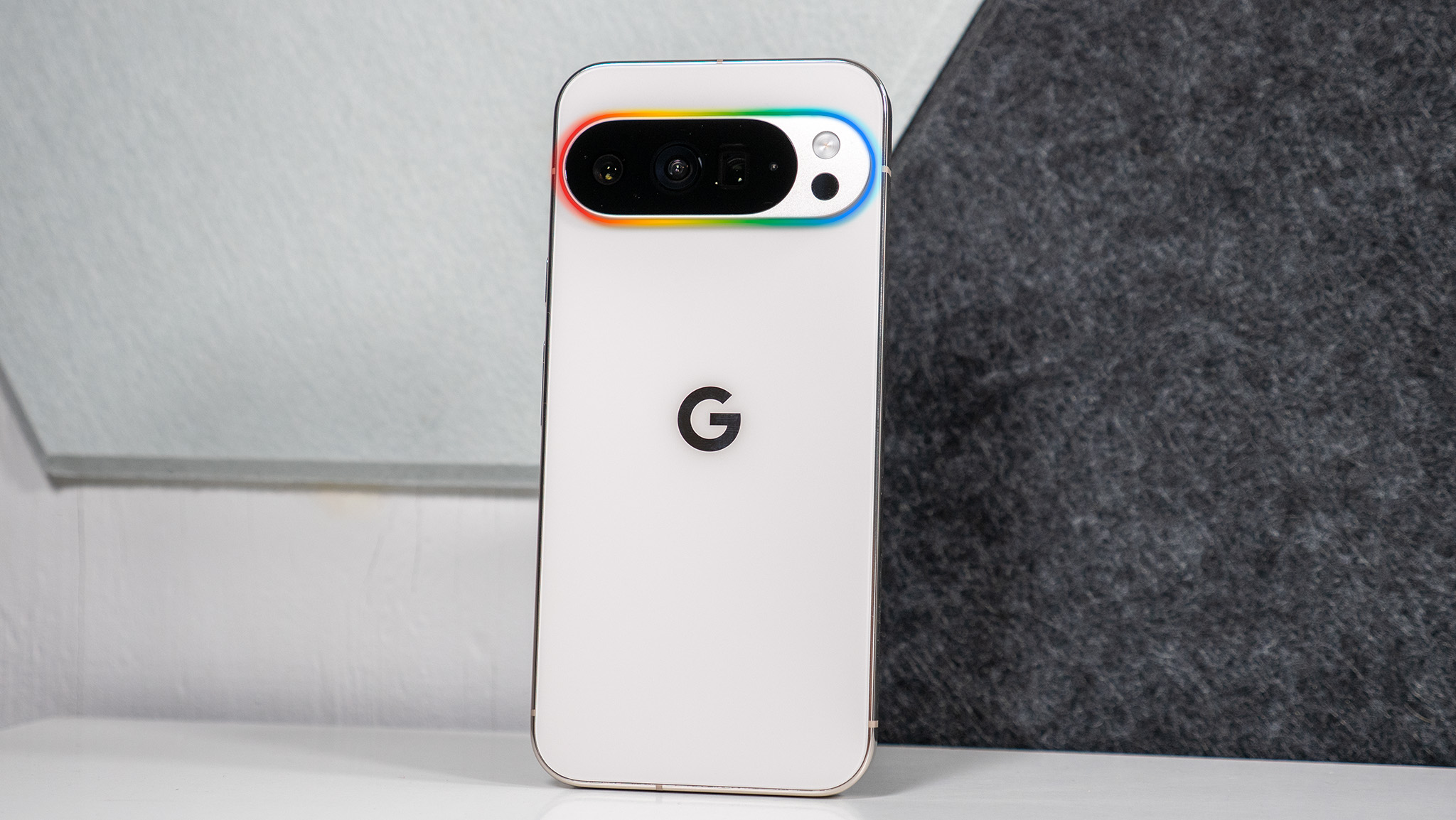
We've also heard rumors of a mysterious Pixel Glow, which appears to be part of the LED camera flash. It will likely be a notification light of sorts and have something to do with Gemini. That said, it's unclear if it will be limited to the Pro models or if the base Pixel 11 will get it, too.
But the hardware favors another
(Image credit: Derrek Lee / Android Central)
The Pixel 11 is expected to be powered by the Tensor G6, which should be the first chip to use TSMC's 2nm process. That means the phone should be more powerful and much more efficient, although we'll have to wait until we test it to see how much of an improvement it is.
The phone will likely be paired with 12GB of RAM and, for the first time, 256GB of base storage. That all sounds great, especially since you're getting double the storage of the Pixel 10, although for a higher price.
Meanwhile, the Galaxy S26 is powered by the Snapdragon 8 Elite Gen 5 for Galaxy, perhaps the most powerful smartphone chip on the market right now. It, too, has 12GB of RAM, so it's pretty speedy and likely may have the upper hand in performance over Google's Tensor G6.
The Galaxy S26 has a smaller battery but can still last all day. The downside is that it has relatively slow 25W charging, and the Pixel 11 is expected to retain 30W charging. The upside is that the Pixel should still have Qi2 magnetic charging, while the Galaxy S26 needs a case.
Who has the better camera?
(Image credit: Android Headlines)
The Galaxy S26 has a triple camera setup, and the Pixel 11 is expected to also have three cameras, although the details of these sensors are expected to be quite different.
It's been rumored that Google could bump the main sensor to 50MP. That would bring it in line with the Galaxy S26, although with the added benefit of a 5x telephoto camera, whereas the S26 only has a 3x optical camera.
Google also tends to do better with camera processing, although the Galaxy S26 can hold its own.
(Image credit: Brady Snyder / Android Central)
The Pixel 11 is likely to introduce more camera and image editing features. It's unclear what they will be, but they could bring more social features
One gets the best of both worlds
(Image credit: Sanuj Bhatia / Android Central)
The software experience is very different on Samsung and Pixel phones. While Android 17 is rolling out to Pixel phones, many features expected to arrive with the Pixel 11 are still pending, along with any unannounced additions.
Google has a nice suite of AI capabilities, and Android 17 is slowly making Pixel phones more creator-focused with features like Camera Coach, Screen Reactions, and more.
(Image credit: Android Central)
The Galaxy S26 doesn't have any of these features, but it still gets some of Google's latest, such as Gemini Screen Automation. Samsung also has its own suite of Galaxy AI features, many of which are baked into the Gallery app for easy access to powerful editing tools.
Furthermore, both phones are expected to receive Gemini Intelligence features, which will provide even more advanced AI features.
(Image credit: Derrek Lee / Android Central)
Aside from the AI, the Pixel 11 will likely receive seven years of software updates. The Galaxy S26 should receive Android 17 any day now, and both phones will likely receive software support until 2033.
Google Pixel 11 vs. Samsung Galaxy S26: Which should you buy?
(Image credit: Namerah Saud Fatmi / Android Central)
Overall, choosing between the Pixel 11 and Galaxy S26 comes down to your priorities. It sounds like the Pixel 11 Tensor G6 will be a nice step up, although if you're looking for raw power and not just AI prowess, the Galaxy S26 might be the phone for you.
The Galaxy S26 also has the upper hand in software, taking advantage of solutions from both Google and Samsung, although the Pixel 11 should have an impressive suite of features. Additionally, the Pixel is expected to have the better camera and magnetic charging, but the Galaxy S26 is no slouch.
Google might have a tough sell on its hands with the Pixel 11 Pro. Allegedly, the upcoming flagship will feature almost identical specs to the Pixel 10 Pro, with some downgrades and brand-new Pixel Glow LED lights embedded in the camera bar. There could also be some upgrades like 256GB base storage and the Tensor G6.
Pros
Base model finally starts with 256GB
Pixel Glow expected to be a fun feature
Google's 7-year software update guarantee
Dependable cameras, hardware, magnetic Qi2.2, and IP68 rating
Upgraded Google Tensor G6 2nm chipset
Should support Vulkan leading to gaming performance boost
Cons
Price increased by $100
Base 256GB model comes with lower 12GB RAM
Selfie camera downgraded to 13MP
Smaller battery and unchanged charging specs
Poor PWM rate
Probably still doesn't keep up with Qualcomm flagships
Google Pixel 10 Pro
Old and reliable
The Google Pixel 10 Pro might be turning a year old, but it could have some advantages over the Pixel 11 Pro. If rumors are true, you get the same display, camera, charging speed, and hardware specs with a bigger battery, more RAM for the base model, and a superior selfie camera.
Pros
16GB standard RAM across the board
Retails for $100 cheaper and frequently discounted for a lot lesser
7 years of OS and security updates
Fantastic cameras and solid hardware all around, with magnetic Qi2.2
IP68 water and dust resistance
Bigger 4,870mAh battery and same charging speed as Pixel 11 Pro
Cons
Base model starts with 128GB
Doesn't support the latest version of Vulkan
Low PWM rate
Doesn't keep up with Qualcomm flagships
We're a few weeks away from the launch of the upcoming Pixel 11 series, prompting Pixel owners and those interested in owning one to start researching. Whether you own a Pixel 10 Pro or are looking to become the proud owner of one, should you be considering the Pixel 11 Pro? I'm here to help you answer the question based on everything we know so far. Mind you, this is all purely speculative, so take in this info with a pinch of salt.
Thanks to a healthy number of leaks, we have a pretty good idea of what the Pixel 11 Pro will look like. This is great because once August 12 rolls around, we'll all be well informed about the merits and demerits of the Google Pixel 11 Pro vs. Pixel 10 Pro. Here's what you need to know.
Google Pixel 11 Pro vs. Pixel 10 Pro: A familiar face
(Image credit: Nicholas Sutrich / Android Central)
So far, leaks and rumors paint a familiar picture of the Google Pixel 11 Pro. The only noticeable design difference is the fun Pixel Glow light expected to sit inside the Pixel 11 Pro's camera bar, though we still don't know how useful it will be. Perhaps Google will play around with custom notification lighting, like the Glyph Interface on Nothing phones.
Both phones are expected to share the same 6.3-inch 120Hz Super Actua OLED display, IP68 water and dust resistance, 30W wired fast charging speed, magnetic Qi2.2, and an identical main camera setup. We've also heard tell that the 10 Pro's 4,870mAh battery will be reduced to 4,850mAh in the 11 Pro.
A major change that I'm excited for is the upcoming Tensor G6 2nm SoC built by TSMC. Rumors indicate that the new chip might adopt a more efficient 1+4+2 core structure. It's also supposed to have a new MediaTek-built modem, so connectivity should be better. The Pixel 11 Pro should also support Vulkan, leading to improved gaming performance. Unfortunately, the Pixel 11 Pro might come with a five-year-old, outdated GPU.
Category
Google Pixel 11 Pro (rumored)
Google Pixel 10 Pro
OS
Android 17, 7-year update promise
Android 16, 7-year update promise
Storage options
256GB, 512GB, 1TB
128GB, 256GB, 512GB, 1TB
RAM
12GB
16GB
Display
6.3-inch 120Hz Super Actua OLED
6.3-inch 120Hz Super Actua OLED, 3,300 nits
Processor
Google Tensor G6
Google Tensor G5
Battery and charging
4,850mAh, 45W wired, 15W Qi2 Pixelsnap wireless
4,870mAh, 30W wired, 15W Qi2 Pixelsnap wireless
Cameras
50MP main, 48MP 123-degree ultrawide with macro focus, 48MP 5x telephoto, 13MP ultrawide PD AF selfie, 4K/60 10-bit HDR on all cameras, 8K/30 on rear cameras
50MP main, 48MP 123-degree ultrawide with macro focus, 48MP 5x telephoto, 42MP 103-degree Dual PD AF selfie, 4K/60 10-bit HDR on all cameras, 8K/30 on rear cameras
Connectivity
Wi-Fi 6E, Bluetooth v6, NFC, Dual-band GPS, 5G mmWave (NA only), 5G Sub-6, LTE
Wi-Fi 6E, Bluetooth v6, NFC, Dual-band GPS, 5G mmWave (NA only), 5G Sub-6, LTE
Colors
Dune, Light Fog, Midnight Haze, and Pine
Moonstone, Obsidian, Jade, Porcelain
The Pixel 11 Pro and Pixel 10 Pro are expected to share the same rear cameras, so the photography and videography experience should be just as spectacular on both phones. However, the newer 11 Pro ditches the 42MP 103-degree Dual PD AF selfie camera for a 13MP ultrawide lens instead.
While the 11 Pro finally starts at 256GB instead of 128GB on the base model like the 10 Pro, it's also $100 more expensive at its $899 starting price.
Google Pixel 11 Pro vs. Pixel 10 Pro: Software and AI features
(Image credit: Nicholas Sutrich / Android Central)
Google promises seven years of OS and security updates on both phones, and Pixels are always first in line for the latest updates. Pixel users also enjoy monthly feature drops, keeping them fresh.
The Pixel 10 Pro runs Android 16 out of the box, but the Pixel 10 series has already started to receive the Android 17 over-the-air update. This means that the software on the Pixel 10 Pro and 11 Pro should be almost identical, if not exactly the same. Owners of both will get to enjoy the best features of Android 17 like Bubbles, custom widgets, Rambler, an improved new UI, lots of Gemini goodies, and more!
Naturally, the 11 Pro will also retain all of the Pixel 10 Pro's AI features while gaining some exclusive capabilities. We're also expecting the 11 Pro to go all-in on agentic AI with Gemini Intelligence. However, many of the new features on the 11 Pro will likely flow over to the 10 Pro eventually via updates.
Google Pixel 11 Pro vs. Pixel 10 Pro: Which Pro phone is better and is it worth upgrading?
(Image credit: Namerah Saud Fatmi / Android Central)
Based on everything we know so far, the Google Pixel 11 Pro may have improved gaming performance, but will likely still pale in comparison to the best Qualcomm chipsets. Performance-heavy gaming has never been a priority for Google.
It is puzzling that the 11 Pro will likely see a downgraded battery and selfie camera. Even if the newer chipset is more efficient and performs better, and the base model starts with more storage, I'm not so sure it's worth $100 more.
If you've already got a Google Pixel 10 Pro, I don't suggest upgrading. I daily drive a 10 Pro, and I know the Pixel Glow lighting and a few menial spec bumps aren't worth the upgrade, so I'm going to wait for the Pixel 12 series.
In fact, if you do want a Pro-grade Pixel, I suggest waiting for the Pixel 11 to launch and taking advantage of the Pixel 10 discounts that will follow to get an even better deal on the 10 Pro. You'll get an outstanding phone with Pixelsnap, awesome software and hardware all around, and six more years of updates to go.
from Latest from Android Central https://ift.tt/7QorjuM
via IFTTT
Honor held an Image Technology event in Hengdian, China today (July 28) where it highlighted the camera tech behind the Robot Phone.
The phone will feature its in-house AiMAGE imaging engine, alongside a partnership with ARRI to fuel cinematography for "everyday scenarios."
The Robot Phone will launch on August 12.
Honor is entering a "new era" ahead of its Robot Phone launch. Today (July 28), the company unveiled what its future as an "AI terminal ecosystem company" will look like, beginning with the cinema photography.
In Hengdian, China, Honor held its Image Technology Launch event, where it detailed its mobile technologies and how it intends for professionals to use its "cinema workflow." Honor shared that information with us this morning, highlighting its chip-device-cloud imaging engine, AiMAGE, and a partnership with ARRI.
During the keynote, the company said: "...mobile imaging progress depends on the combined evolution of physical image capture and intelligent processing: optical and sensor capabilities define the foundation of image quality, while AI, algorithms and cloud capabilities amplify what users can create."
This is the driving force behind the AiMAGE chip-device-cloud imaging engine. The chip side of its development is handled by its in-house Transformer-based native AI ISP, which helps "reconstruct the image processing pipeline from the ground up." Since this technology is headed to the Robot Phone, Honor says it's taking full advantage of its titanium alloy three-axis gimbal, "precision" sensing hardware, and more to improve image quality and motion control.
It's almost time
(Image credit: Honor)
Honor's partnership with ARRI delivers "a more professional color and workflow foundation to the HONOR Robot Phone." Most of this is thanks to ARRI Look, LogC3, and Wide Gamut 3.
The company wanted to nail mobile imaging technology for true, cinematic creative scenarios. At the keynote, Honor says it invited Claudio Miranda to use the Robot Phone's camera to "recreate" a cinematic scene. Regarding the device's performance, cinematographer Wang Boxue said, "What impressed me is not only the image quality, but also how a compact mobile device can enter spaces that traditional camera setups cannot. This gives creators more freedom in camera movement and helps reduce the burden of production while expanding creative possibilities."
These are "long-term" ambitions Honor has set out to accomplish for the Robot Phone's AI and cinematography for "everyday scenarios." Pushing us further will be the device's 200MP main lens, 50MP ultrawide, and a 200MP telephoto sensor (via NotebookCheck). The Robot Phone is preparing to debut on August 12 to "redefine" our mobile devices.
Honor's been slowly but surely giving consumers and others information about the Robot Phone. The device was in Barcelona during MWC 2026, where the Robot Phone was said to debut globally in Q3 2026. The main highlight of this phone is its curious gimbal camera, which observes the world. The camera can automatically track movement using many of the technologies that Honor discussed at its event in China today.
Android Central's Take
When Honor posted that teaser about the Robot Phone months ago, it reminded me of WALL-E. The way it looks around curiously. I can almost hear WALL-E quips and whirrs. The Robot Phone is different. Maybe we need that right now. One feature Honor first teased was that users could flip up the camera, and it would "watch the world" as you move around. The phone might even take pictures or record videos for you. Imagine that.
from Latest from Android Central https://ift.tt/EgMsrbA
via IFTTT
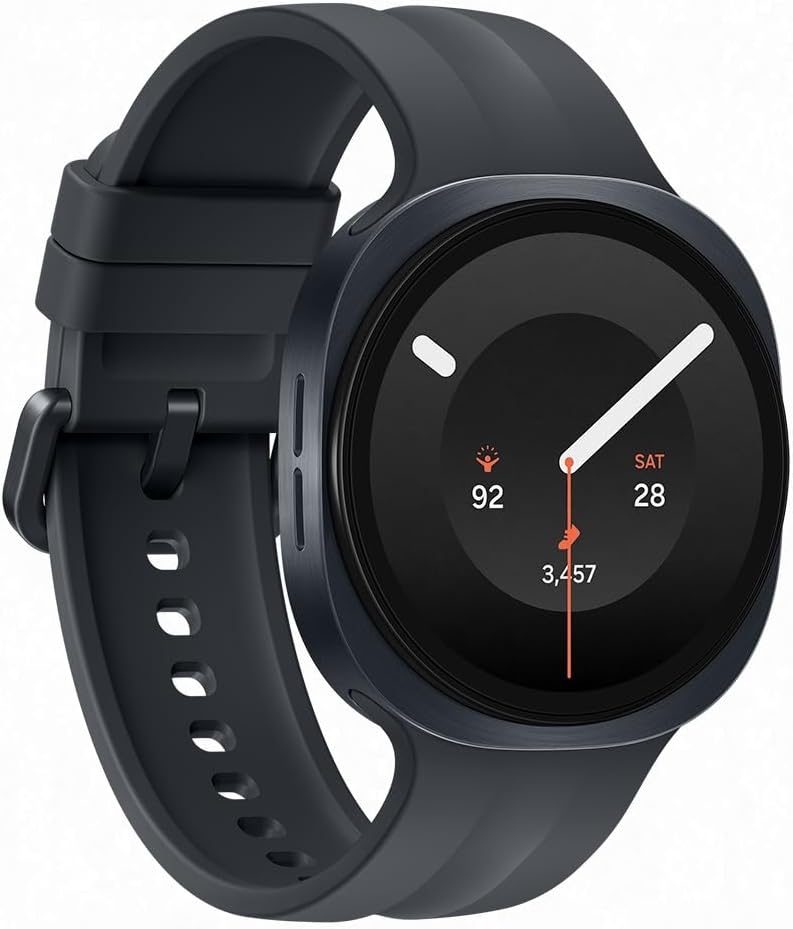
If you've been on the fence about preordering the Samsung Galaxy Watch 9, T-Mobile just shared a deal that might encourage you to take the leap.
From now through the wearable's August 7th release date, you can get the Galaxy Watch 9 for FREE when you add a line with T-Mobile's Watch Plan Plus. That's $430 of promo credits over 24 months, no trade-in required and no additional eligibility requirements to worry about — just good old-fashioned savings on a device that's almost certain to rank among the best Android smartwatches of 2026.
Get a FREE Galaxy Watch 9 with this new T-Mobile deal
The Samsung Galaxy Watch 9 doesn't officially hit store shelves until August 7th, but you can already preorder the highly-anticipated wearable for free by adding a line with Watch Plan Plus at T-Mobile. The savings appear in the form of $430 in promo credits over 24 months, no trade-in required!
Watch Plan Plus costs $15 per month and comes with unlimited talk, text, and data for your wearable, plus unlimited texting and up to 5GB of data in over 200 countries around the globe. View Deal
The Samsung Galaxy Watch 9 may look almost identical to its predecessor, but there are a few notable improvements under the hood. The 2026 watch features upgraded battery life (up to 40 hours) and the incorporation of the new Snapdragon Wear Elite chipset without adding any extra weight to the frame. You also get all of the latest on-device Galaxy AI software features and some improved health and fitness tracking capabilities.
Just like last year's version, the Galaxy Watch 9 also boasts a vibrant AMOLED display and "squircle"-style design with 32GB of onboard storage, dual-band GPS, and IP68/5ATM durability.
The new chipset and upgraded battery are enough reason to call the Samsung Galaxy Watch 9 one of the best smartwatches of the year, but last year's Galaxy Watch 8 is no slouch either. If you prefer Bluetooth and can find a good deal on the last-gen model, go for it. But if you want to use a 2026 smartwatch on your cellular network, T-Mobile's preorder deal is one of the most cost-effective ways to do so. This offer ends on August 7th, however, so don't wait too long to make your move.
from Latest from Android Central https://ift.tt/nJS3maZ
via IFTTT
Google's latest System update brings Play services v26.29 and Play Store v52.5 with upgrades for Wallet, Wear OS, Play Games, and content discovery.
Play services' latest version adds new Maps and Wear OS APIs for developers alongside unspecified system bug fixes.
The Play Store is becoming more engaging, with a smoother Play Games Sidekick dashboard, comic previews in Play Shorts, and smarter travel app recommendations through the updated Engage SDK.
Google’s latest Google System update won’t grab headlines for fancy new tricks, but it does bring a handful of changes that could help make everyday Android use just a little bit smoother. The latest rollout brings Play Store v52.5 and Google Play services v26.29 with content discovery improvements, Play Games and Wallet updates, and Wear OS improvements.
On the Google Play services side, version 26.29 continues the trend of Google pushing new features out of full Android OS updates. Maps APIs for Android Auto, phones, tablets, TVs, Wear OS, and PCs are now available for developers, as are new utilities APIs for Wear OS. Google also managed to slip in bug fixes for system management and diagnostics on phones, but it hasn’t said what those patches are for.
Wallet gets the largest batch of changes. For new users, the update saves a few steps, as Pixel Watch owners can now set up Express Pay directly from the watch. Google is also renaming the “Connected apps” section to “Linked apps” on its platforms, a small change that better reflects how third-party services connect to Google accounts. For Pix users, Gboard now works within messaging apps, and there are new developer tools for digital wallet and payment experiences.
Android Central's Take
I like how Google keeps pushing useful updates through Play services instead of making us wait for the next big Android release. People actually notice quality of life upgrades like easier Wallet setup on the Pixel Watch and smarter Play Store recommendations.
The Play Store’s v52.5 update is more about how you find and interact with content. Google says the Play Games Sidekick dashboard is now more stable and responsive, which leads to a gaming companion experience that’s less likely to experience hiccups. Play Shorts is also branching out beyond apps and games, with the addition of popular comic book previews that you can swipe through before you get to the full story if something catches your eye.
Google is also giving a lift to travel apps. With updates to the content clusters in the Engage SDK, third-party travel apps that are supported can now show your previous searches, helping you to get back to your trip planning.
from Latest from Android Central https://ift.tt/Oe0hLvp
via IFTTT
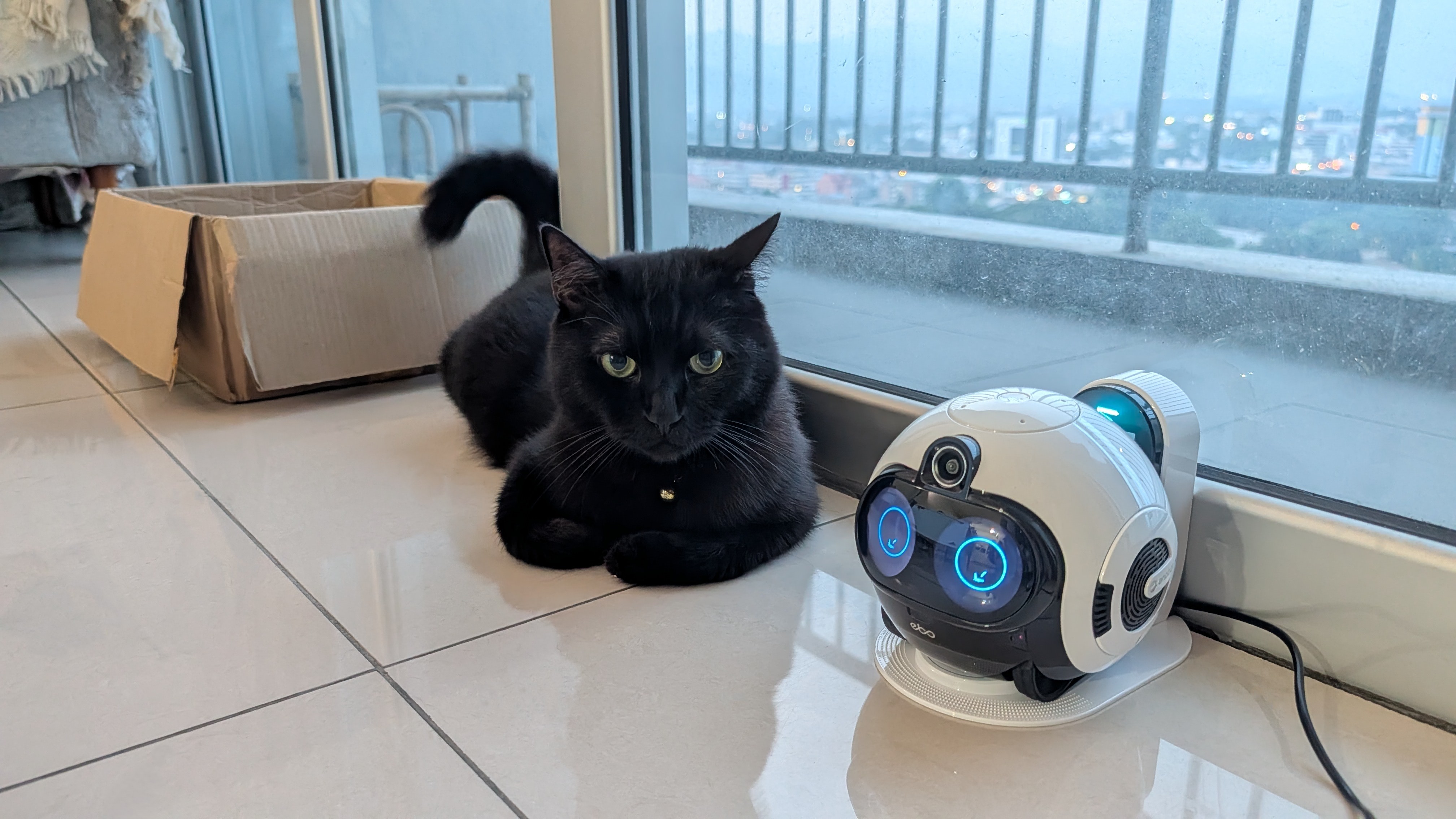
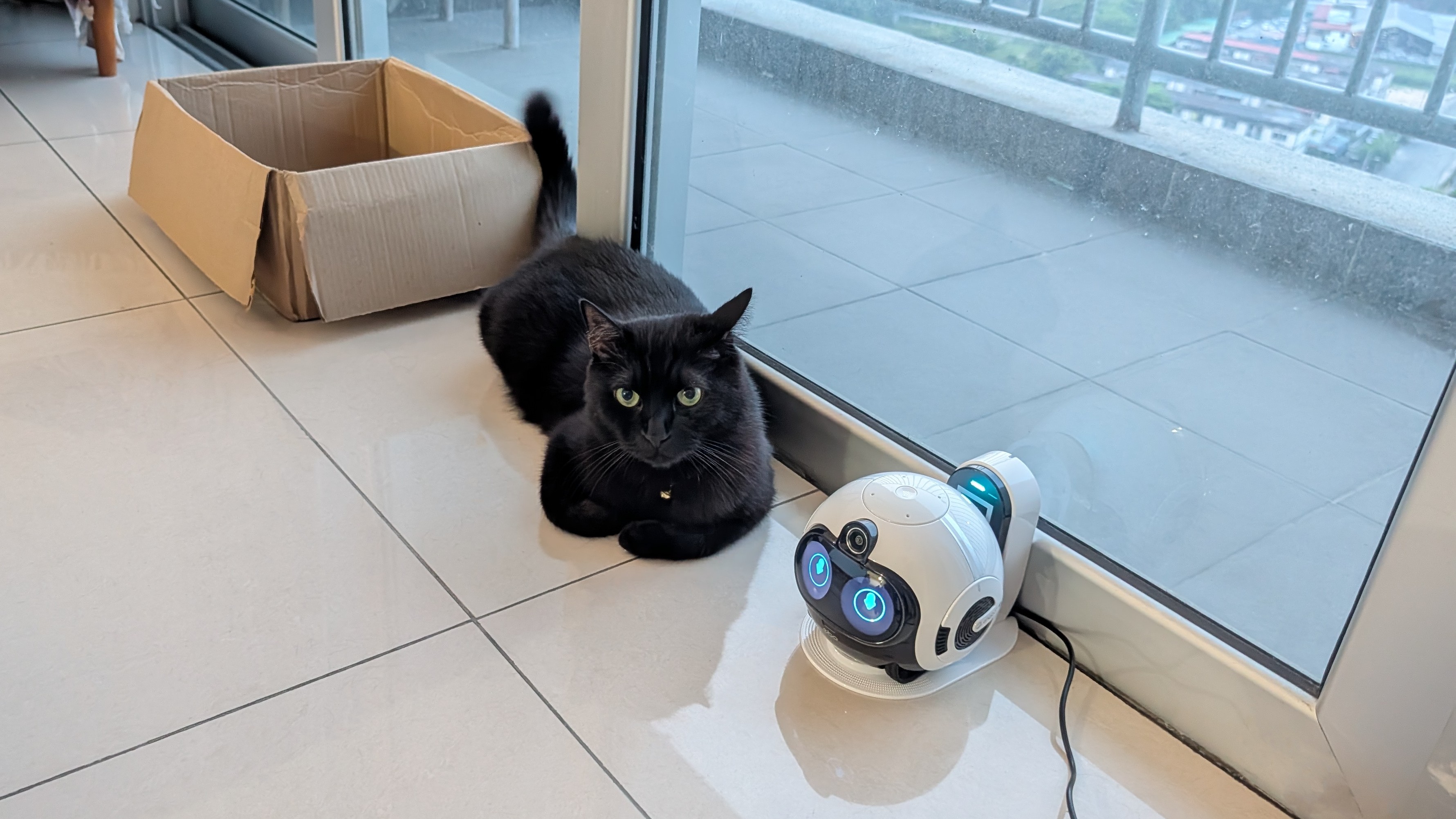
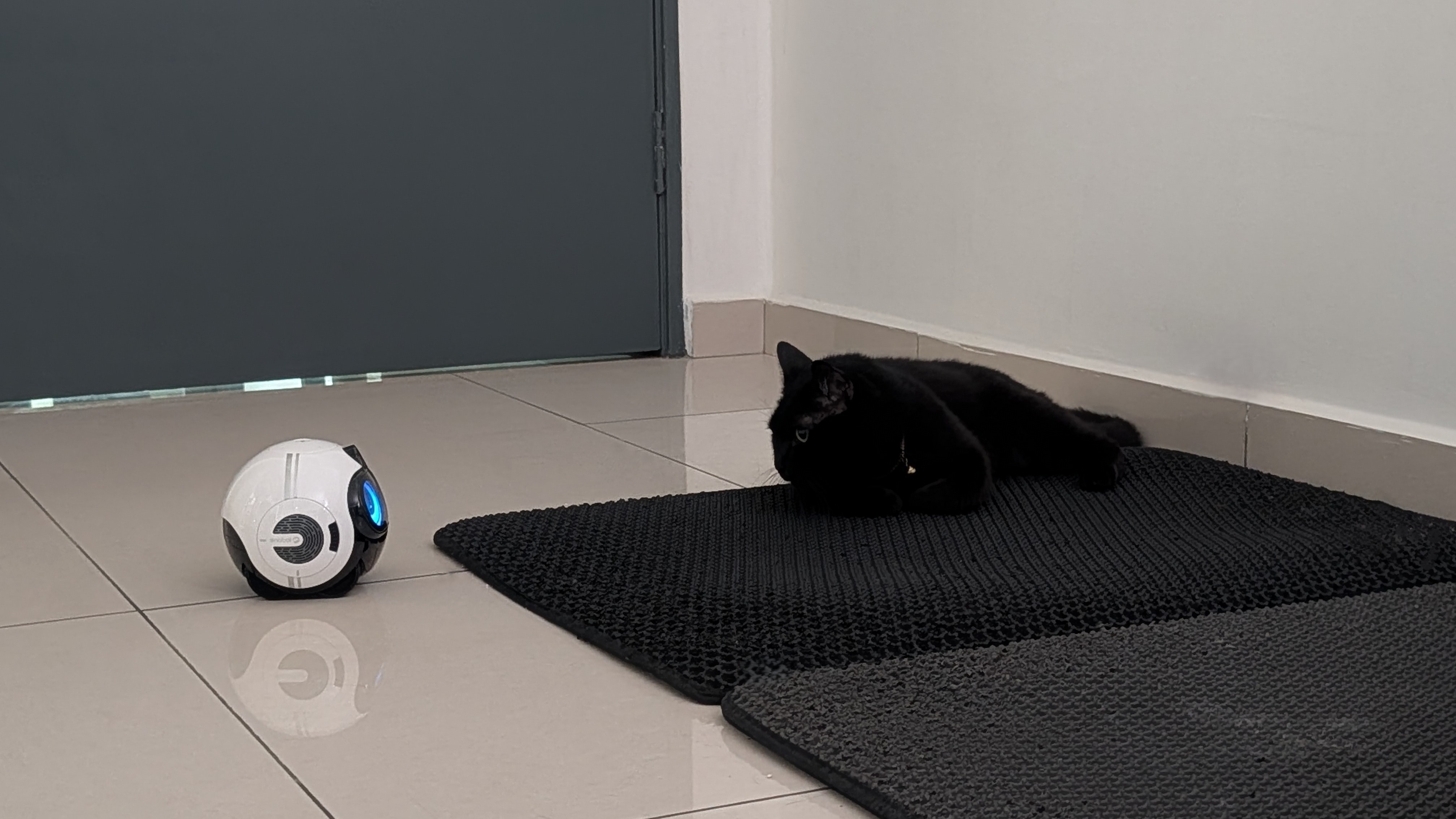
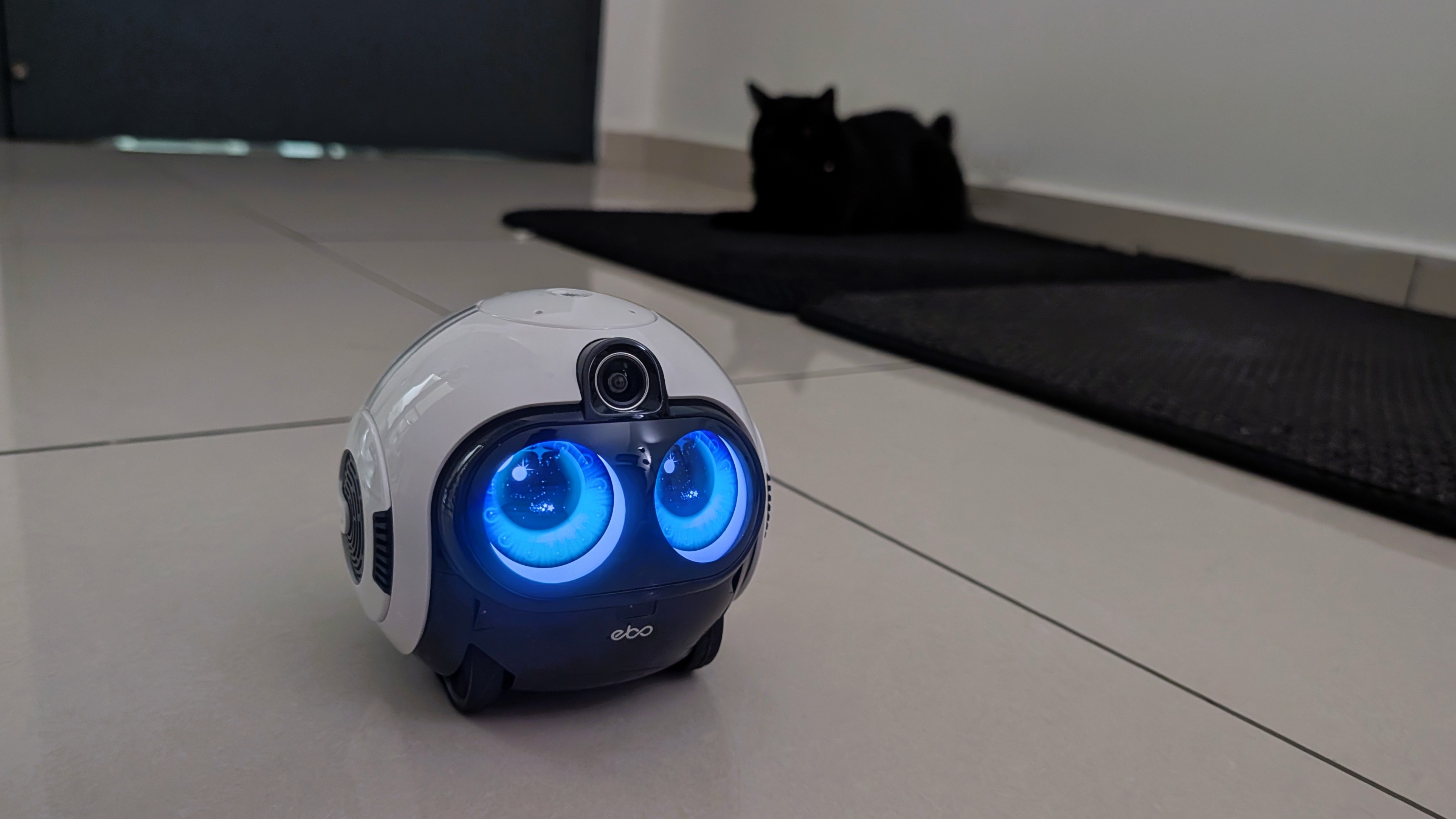
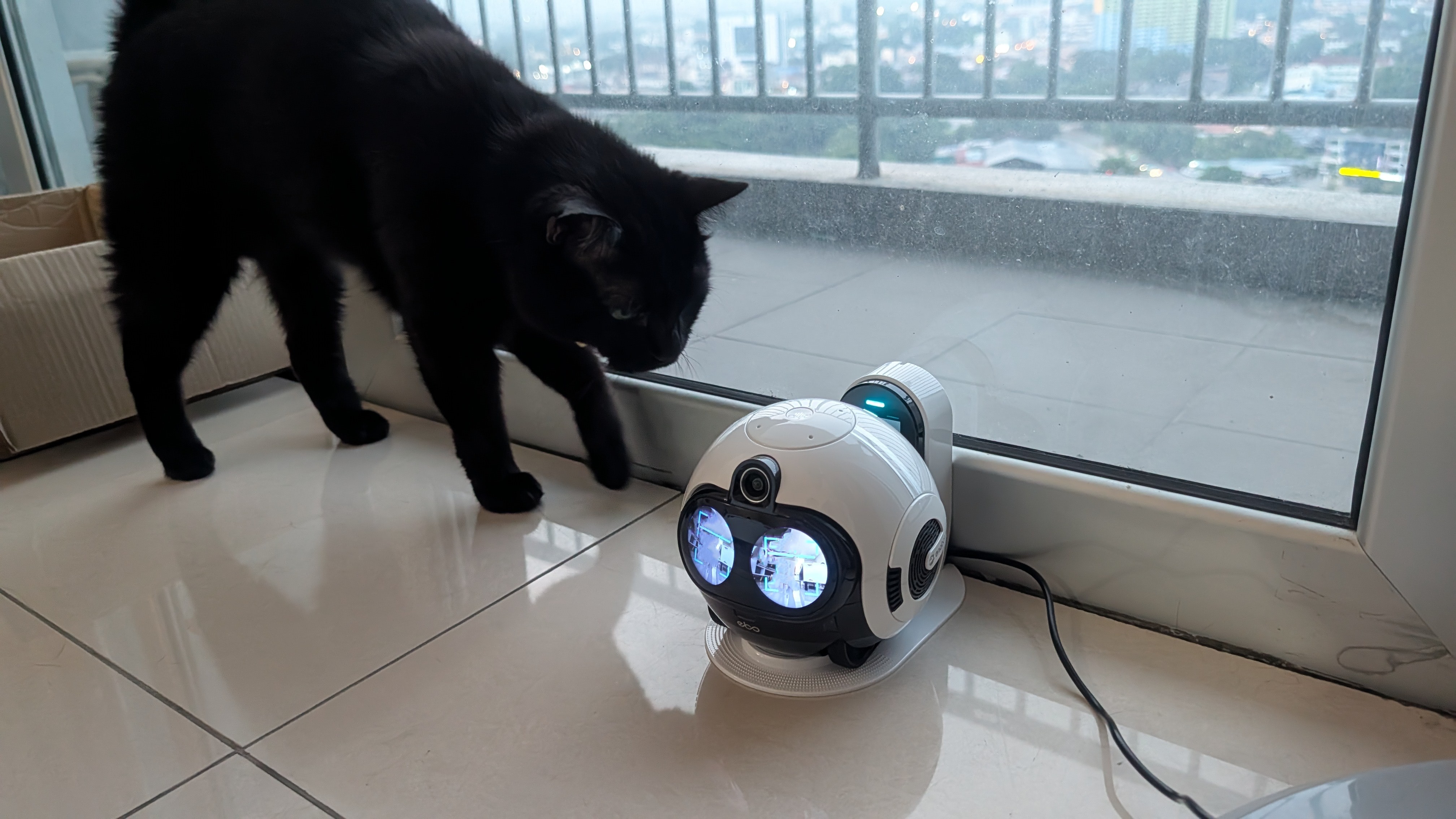
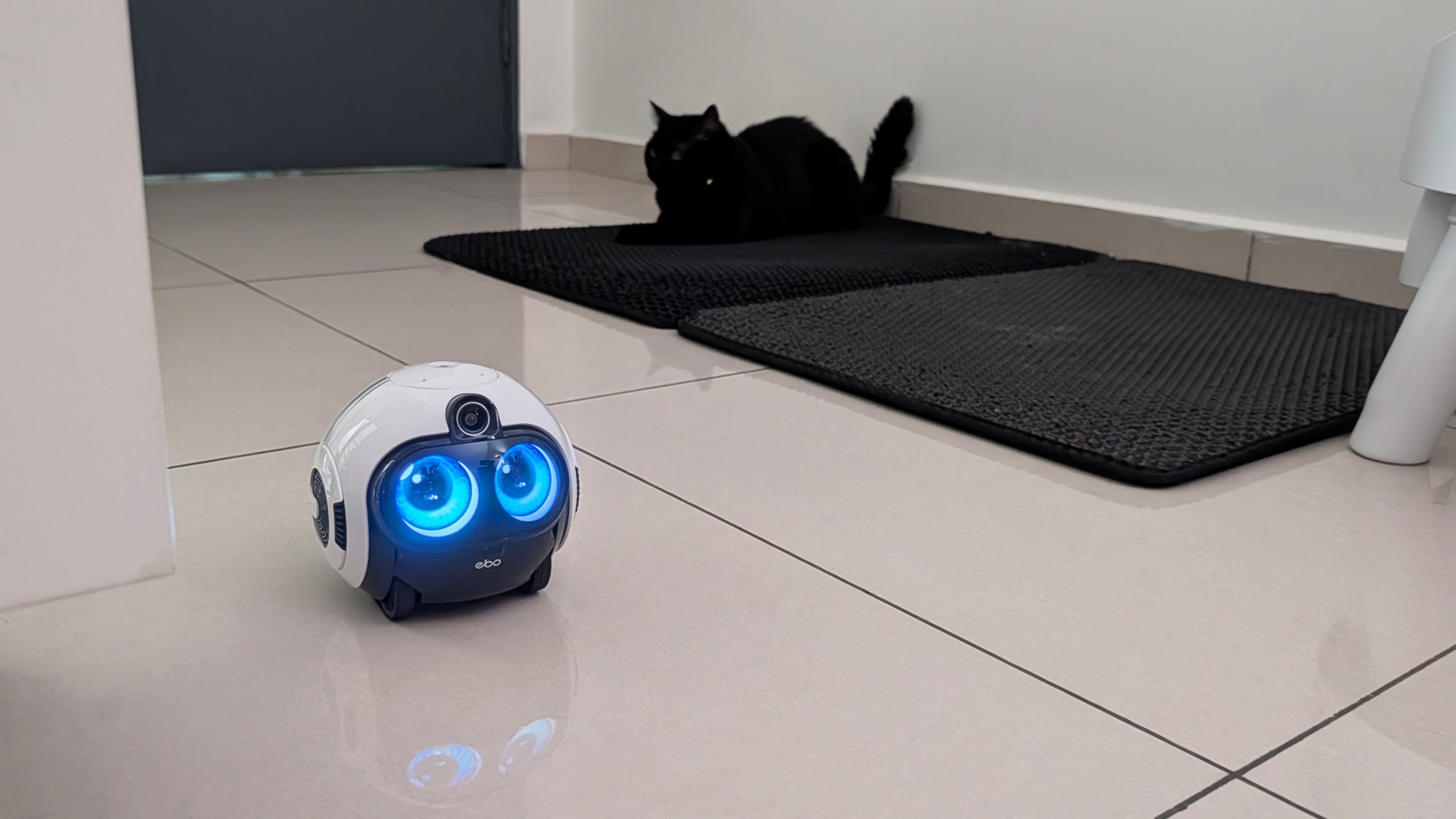
Enabot's cutesy robots on wheels are always fun contraptions, but the most perplexing thing about them is their animal magnetism. Cats can't seem to get enough of them, as witnessed not just by me but by my colleagues as well. I genuinely wonder if Enabot rubs catnip on their robots at the factory level before shipping them out.
This is perfect, however, because Enabot's smart family robots are primarily advertised as pet companions, with a secondary focus on family companionship and home surveillance. It's an all-in-one security camera on wheels that monitors your beloved family members, whether two-legged or four.
The EBO Max isn't cheap
Namerah Saud Fatmi / Android CentralNamerah Saud Fatmi / Android Central
Enabot launched the EBO Max family bot on March 31, 2026. Priced at $599.99, it is the second most expensive such robot offered by the brand. You can also buy a EBO Max Style Pack for $29.99 that has four cosmetic add-ons, including deer antlers and rabbit ears.
The EBO Max comes with a charging dock, a 32GB SD card pre-inserted into the robot, an adapter, and a resetting pin in the box.
Namerah Saud Fatmi / Android CentralNamerah Saud Fatmi / Android Central
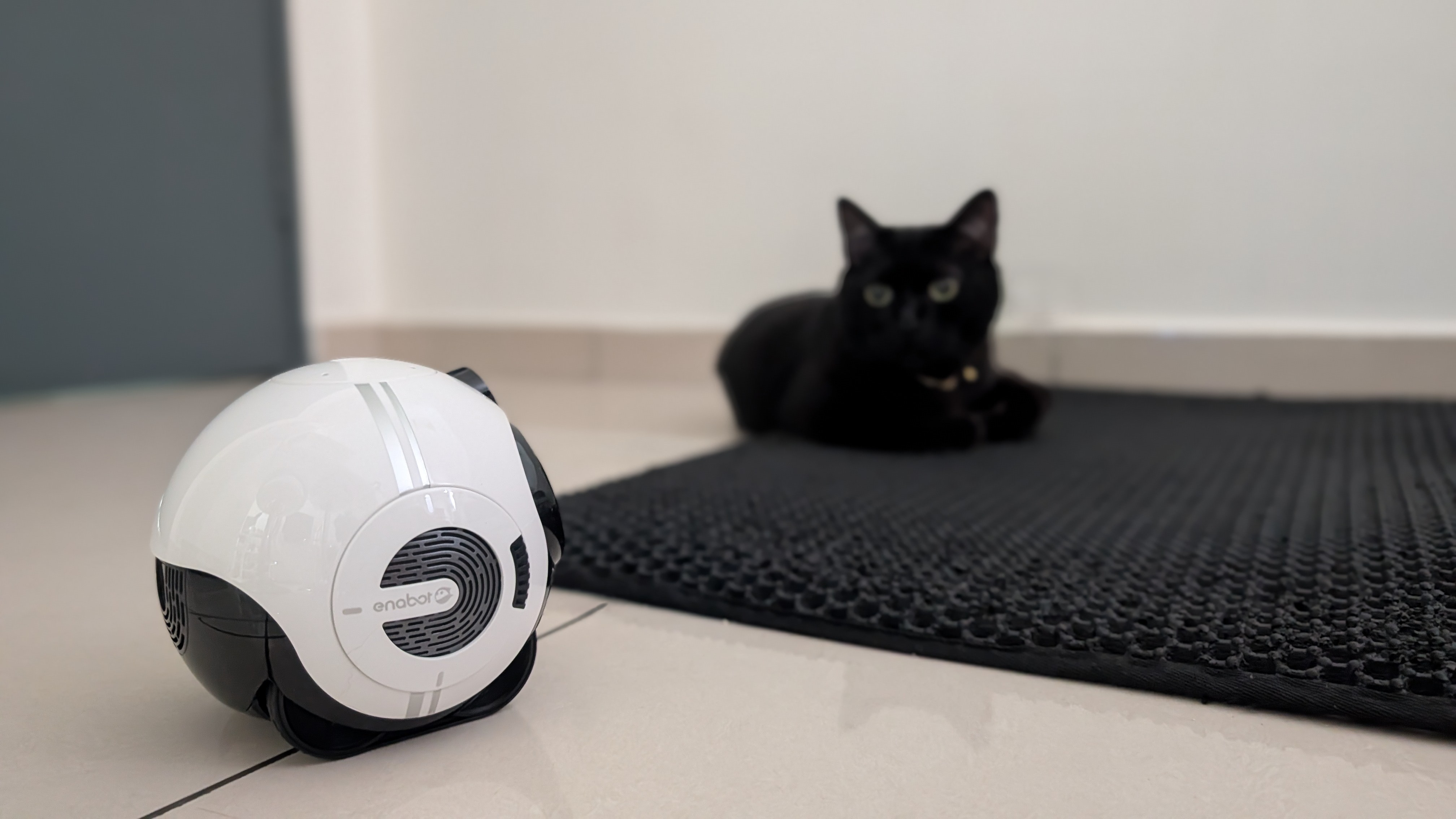
The EBO Max is a mid-sized robot, a lot smaller and more compact than the larger EBO X, but slightly larger than the EBO Air models. The charging dock is significantly smaller and slimmer than the EBO X and other models.
Just like other Enabot robots, you can easily take off the wheel tracks of the EBO Max for cleaning. The entire bottom unit with the wheel tracks slides off with a few clicks. This is also where the memory card slot is located.
Enabot EBO Max specs
Category
Enabot EBO Max
Camera
8MP, 4K (3840 x 2160) resolution, 131° FOV, night vision
Memory
64GB local storage (47GB available), expandable up to 256GB via memory card
Comms
Speaker, microphone
Connectivity
Wi-Fi 2.4G, 5G
Navigation
V-SLAM Navigation
Speed
20cm/s-60cm/s
Obstacle height
≤12mm
Climbing slope
≤15°
Battery and charging
2,500mAh, 4–6hrs standby/video recording, up to 3hrs continuous movement, 3-4hrs charge time
Hardware
PC+ABS, brushed gear motor, 53dB operating noise
Dimensions
129 x 127 x 117 mm, 750g
What can this robot do?
(Image credit: Namerah Saud Fatmi / Android Central)
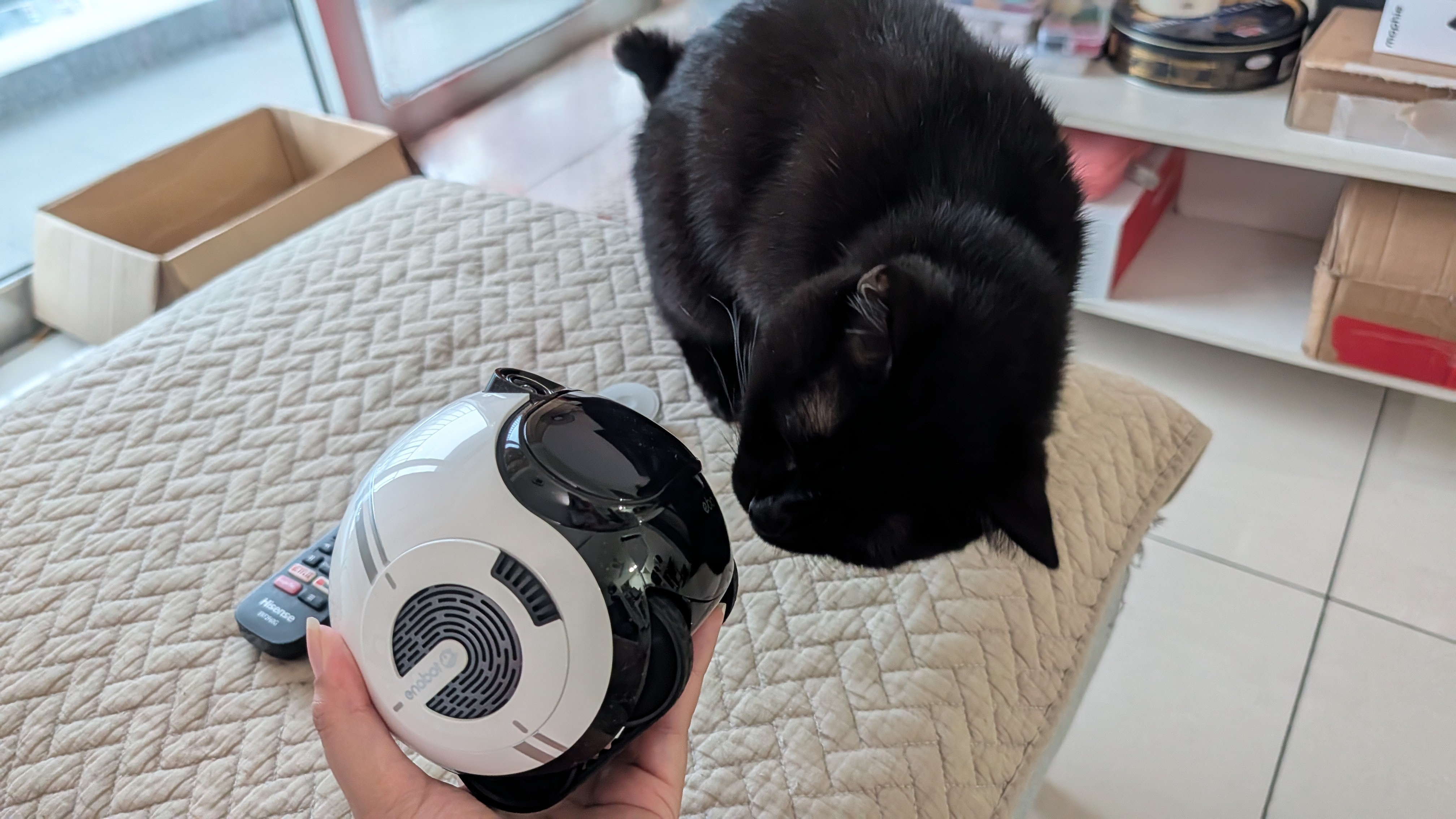
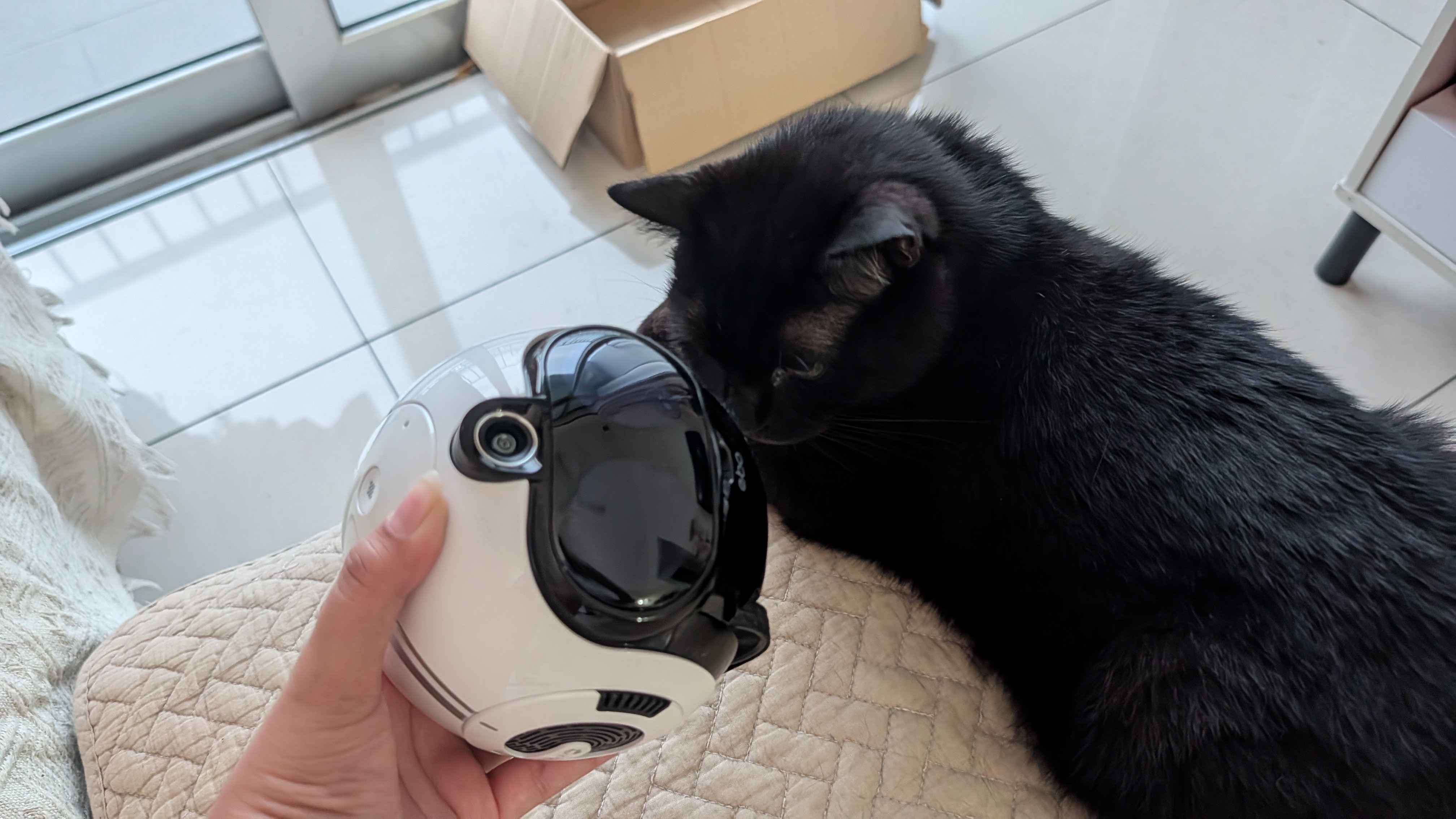
Before setting the EBO Max up, it was really important to let my cat sniff the robot to his heart's content. This helped ease him into a new element in the house, as cats tend to hate change and can be very nervous around moving objects.
Once he was happy with the smell and familiarized himself with it, I set up the EBO Max charging dock and turned it on. My cat was more curious than afraid, and he even started cuddling with the bot right away.
Namerah Saud Fatmi / Android CentralNamerah Saud Fatmi / Android CentralNamerah Saud Fatmi / Android Central
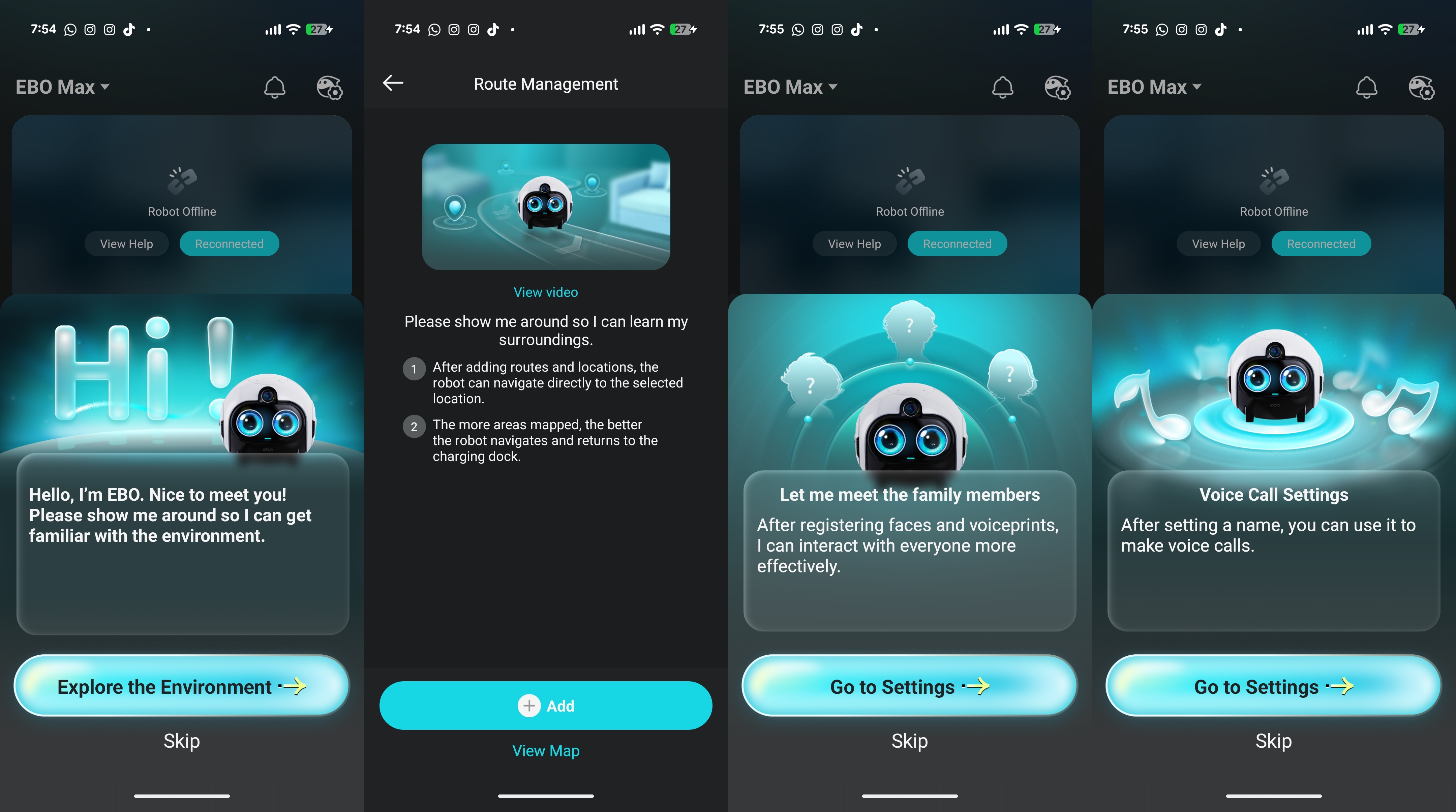
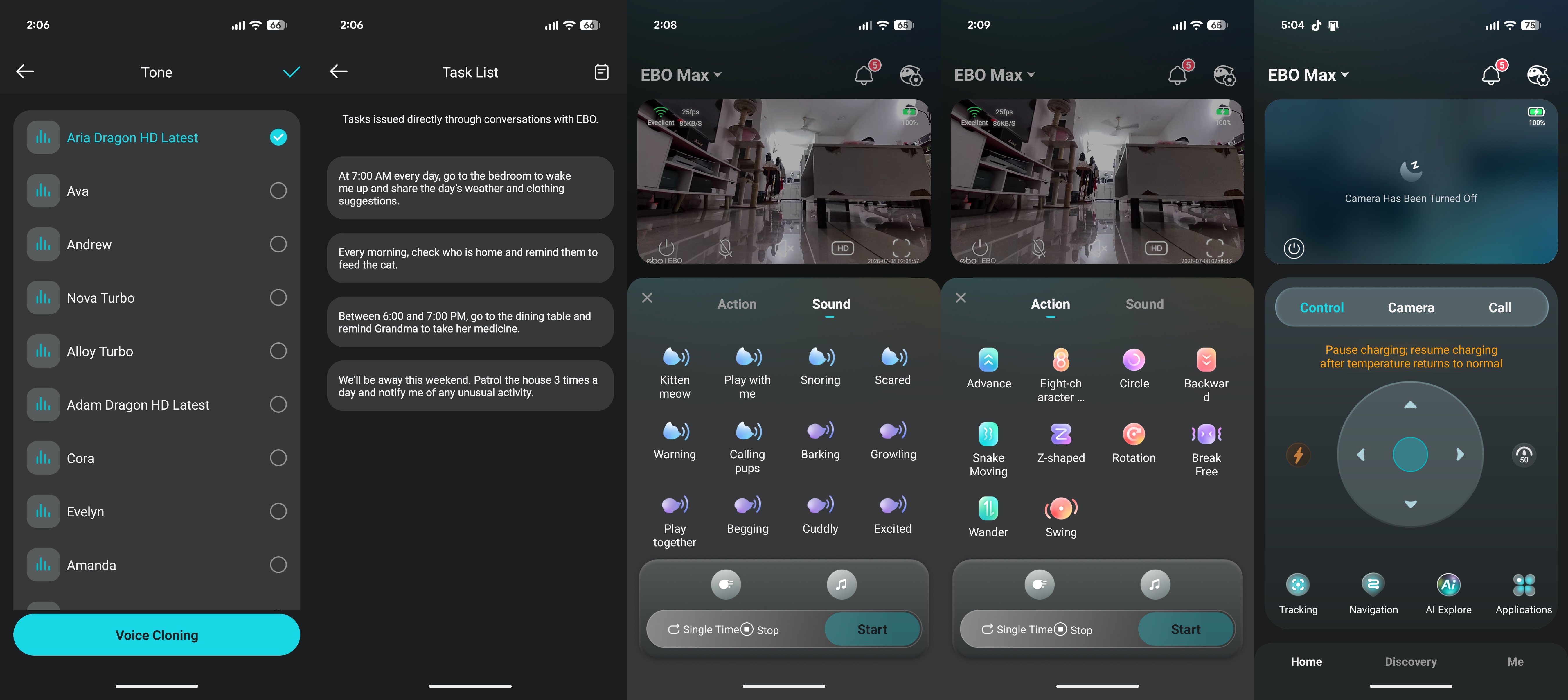
Initial setup involves the EBO HOME app, which immediately gives you a comprehensive walkthrough of the robot's capabilities. This is helpful because there's a lot to learn and explore in the app, which is the robot's main control center.
The EBO Max bot can use V-SLAM Navigation to map out your house. It can recognize family members once you've registered their faces and voiceprints, and once those are saved, you can set up voice calling settings for those members. If a fall is detected, you can select certain family members to be notified.
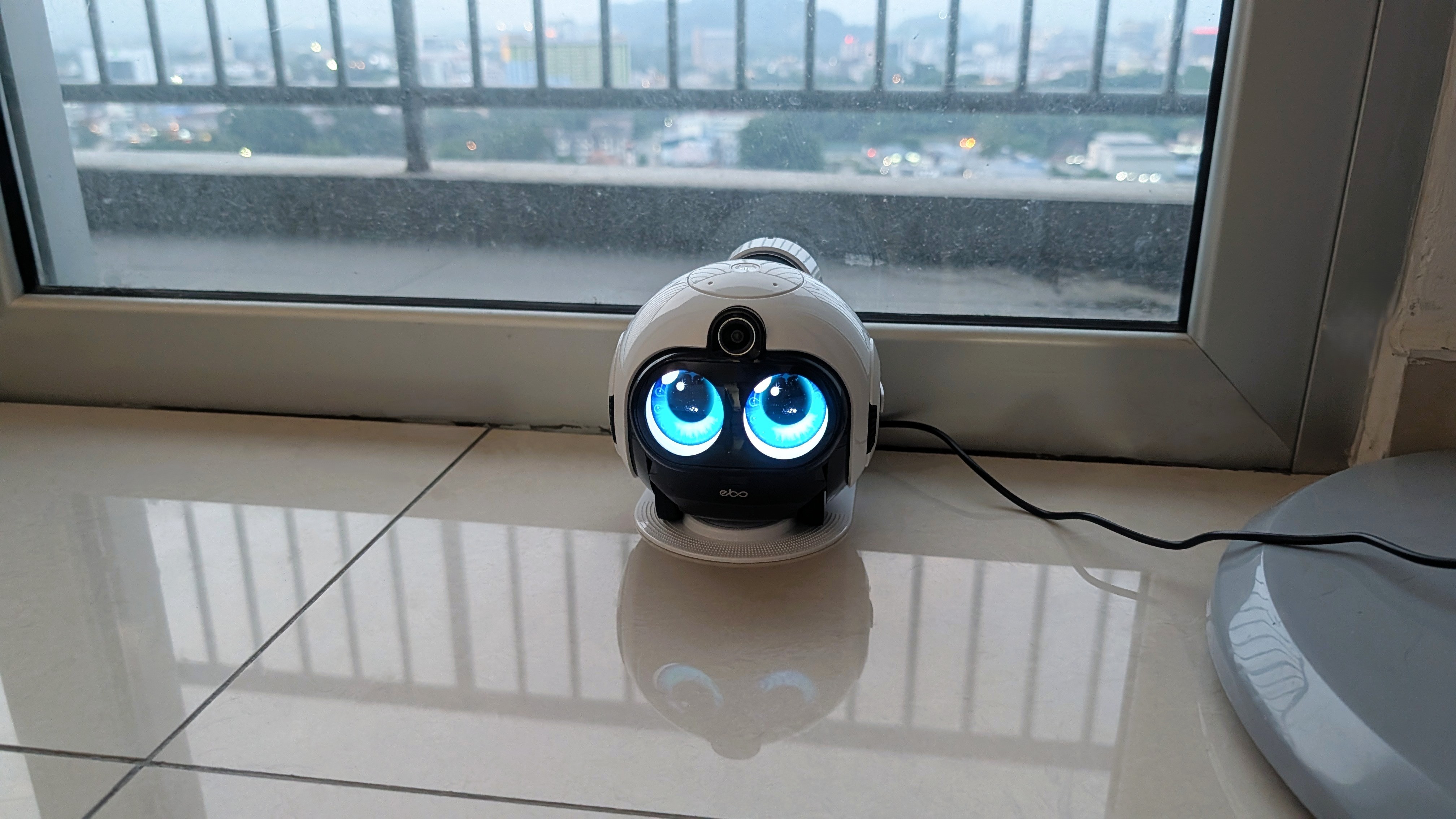
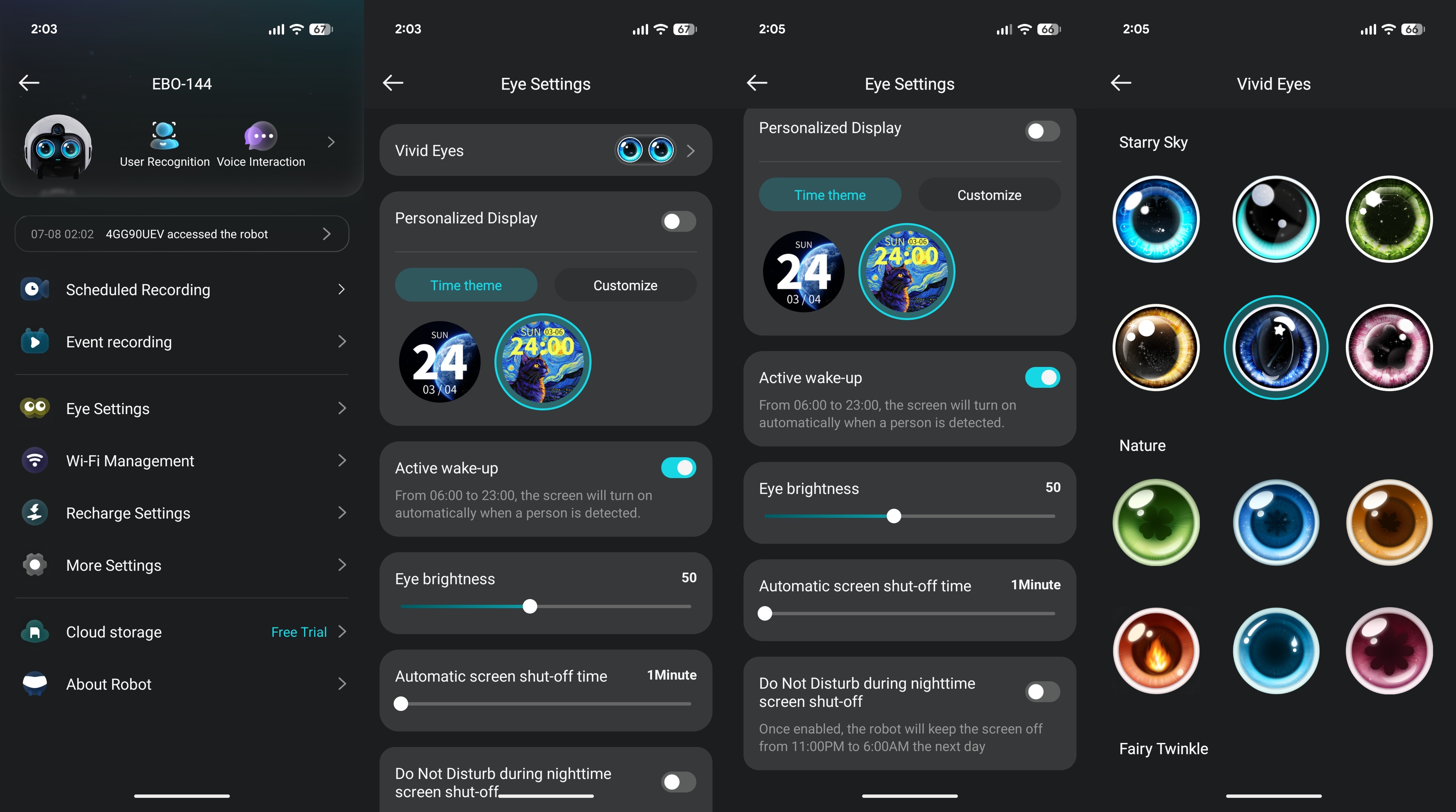
You can change the style and color of the "eyes" of the EBO Max robot, which are incredibly expressive. They follow you around, almost in a sentient manner, which can be cute and human-like — but also really creepy at 3 AM. There is a sound localization feature that makes the robot turn to you when it hears your voice. Thankfully, the bot can be scheduled to "close its eyes" during your chosen "Do Not Disturb" hours.
Namerah Saud Fatmi / Android CentralNamerah Saud Fatmi / Android CentralNamerah Saud Fatmi / Android CentralNamerah Saud Fatmi / Android CentralNamerah Saud Fatmi / Android Central
Because the EBO Max has two-way comms, family members can even receive voice calls when fall detection is triggered. You can take this one step further with activity detection, so if no movement is detected for your selected number of days, you and your chosen family members will be notified.
The robot can be scheduled to patrol and play or monitor people and/or pets at home during your selected hours, and you can set it to smartly patrol the house on your chosen route once the house is mapped. Additionally, you can adjust event recording settings to automatically record photos and videos of interactions. When the EBO Max runs low on battery, it returns to the charging dock on its own.
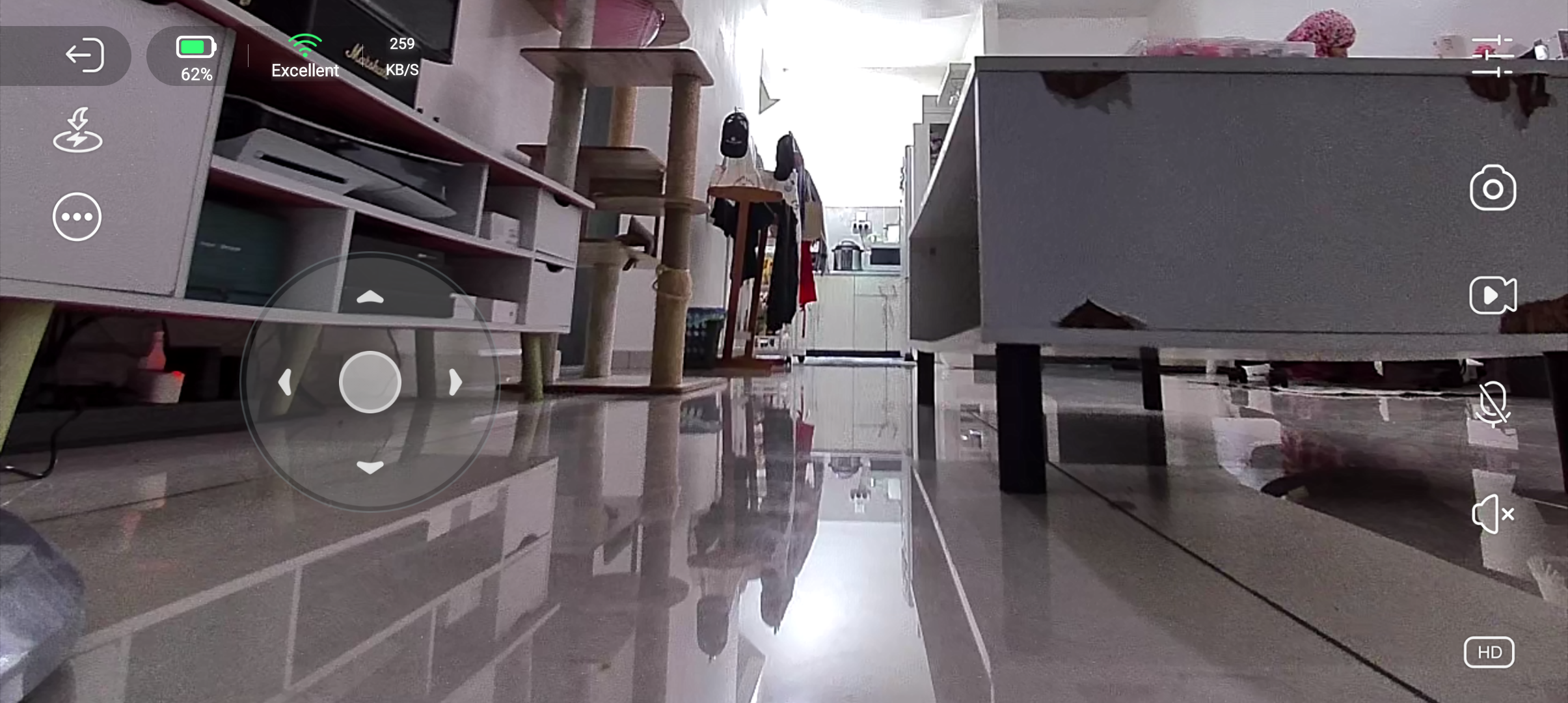
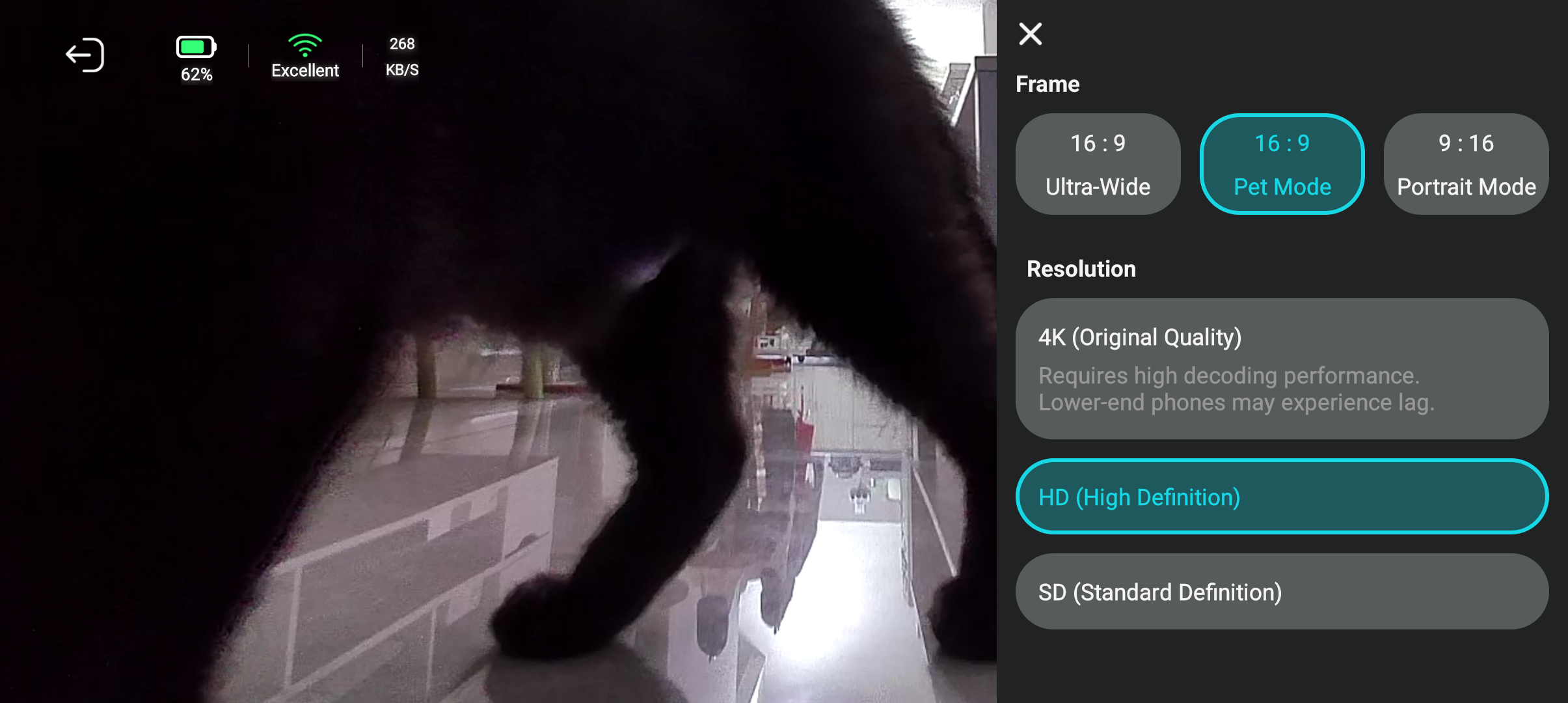
The EBO Max can be remotely controlled via the app as it has Wi-Fi. It sports an 8MP camera with a 4K resolution, a wide 131° field of view, and night vision, so the image quality is very crisp and clear in diverse lighting scenarios.
Namerah Saud Fatmi / Android CentralNamerah Saud Fatmi / Android CentralNamerah Saud Fatmi / Android CentralNamerah Saud Fatmi / Android CentralNamerah Saud Fatmi / Android CentralNamerah Saud Fatmi / Android CentralNamerah Saud Fatmi / Android Central
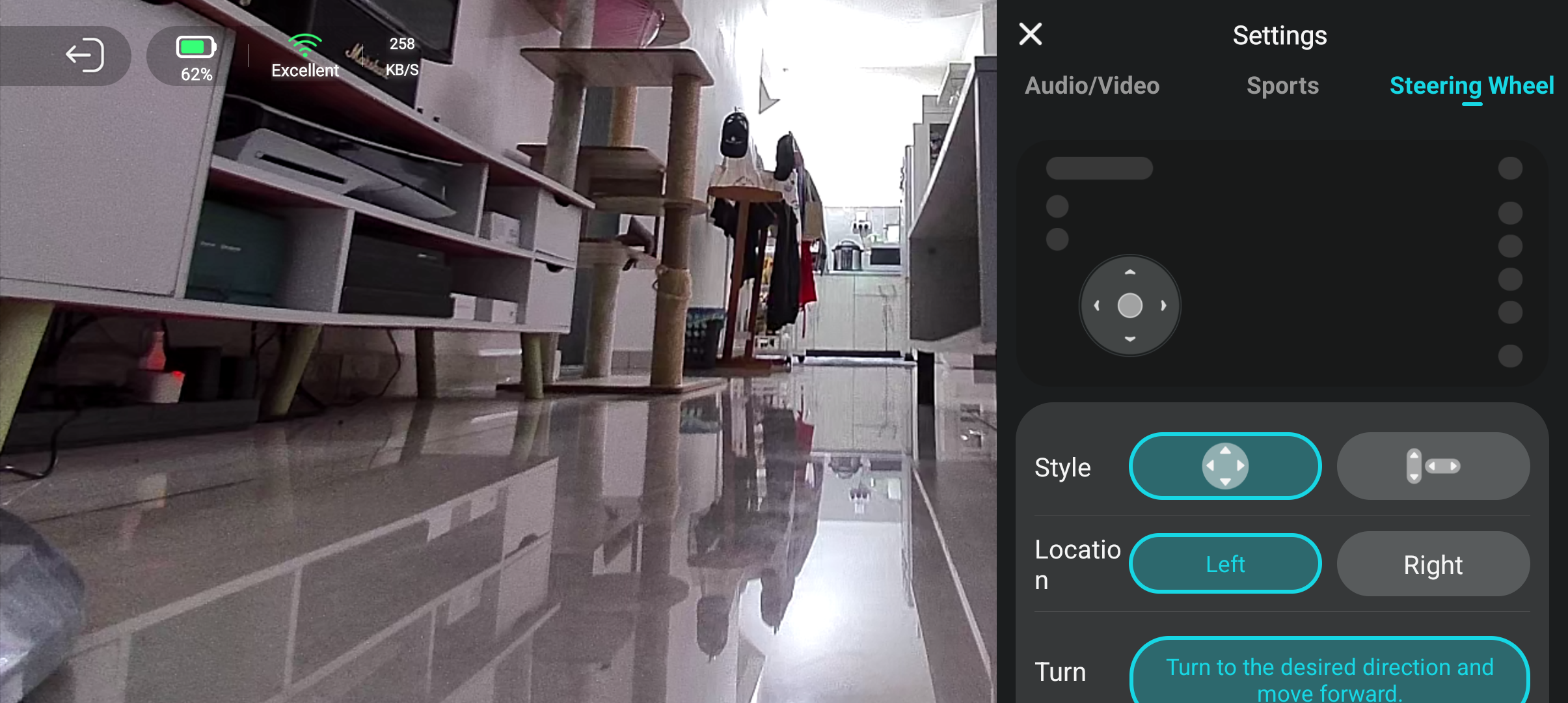
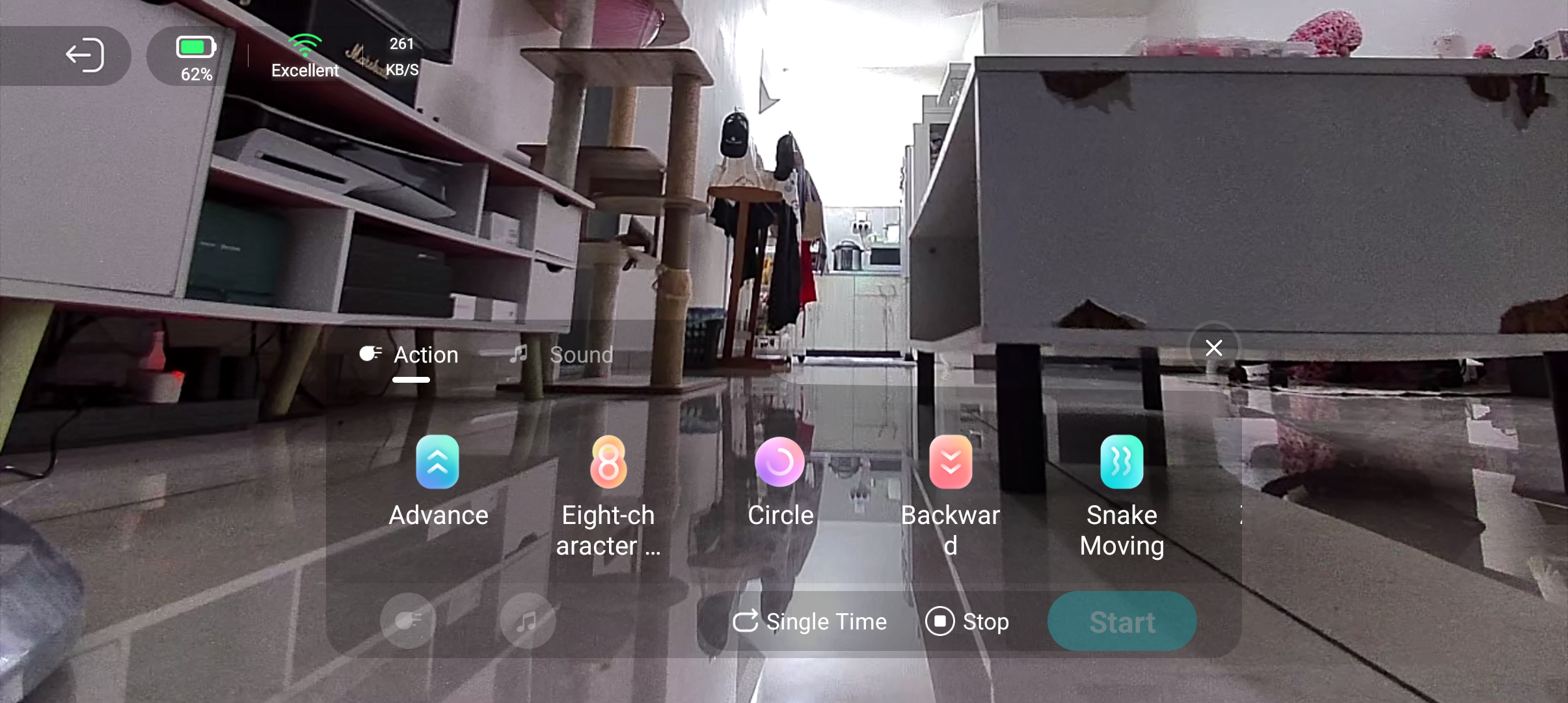
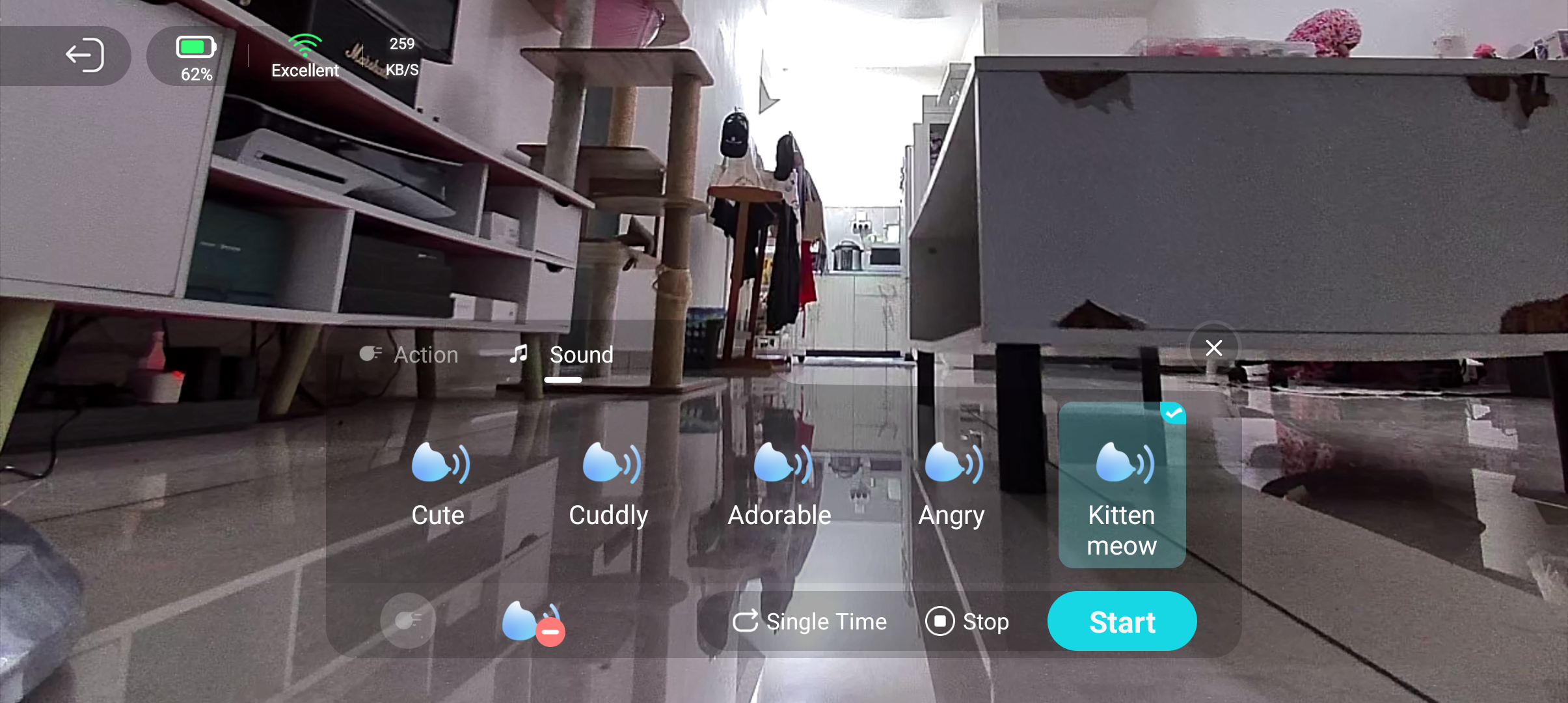
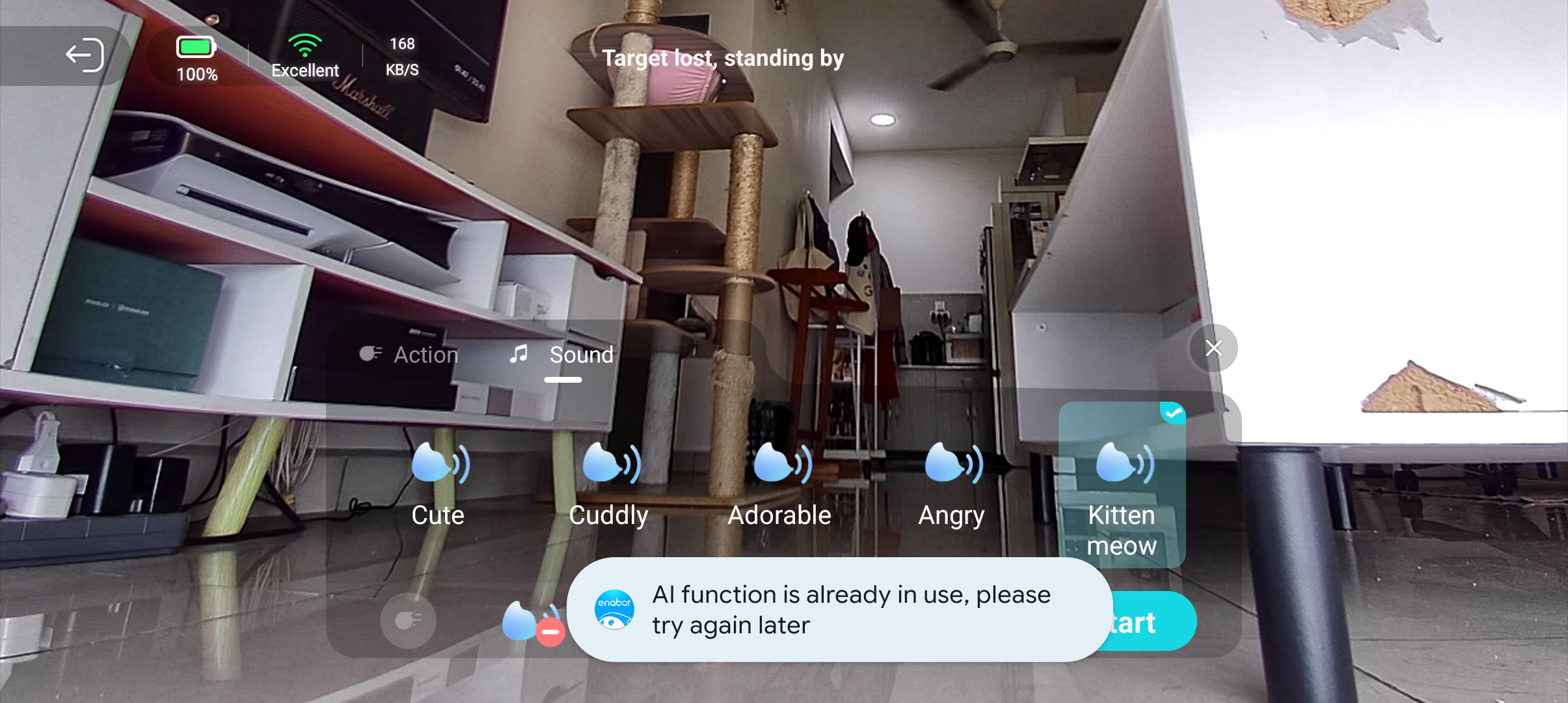
You can queue actions and sounds, individually or together, when playing with children or pets. There are plenty of cat and dog sounds, as well as many movements, including some of the best actions from other EBO bots, like the figure-eight dance from the EBO X.
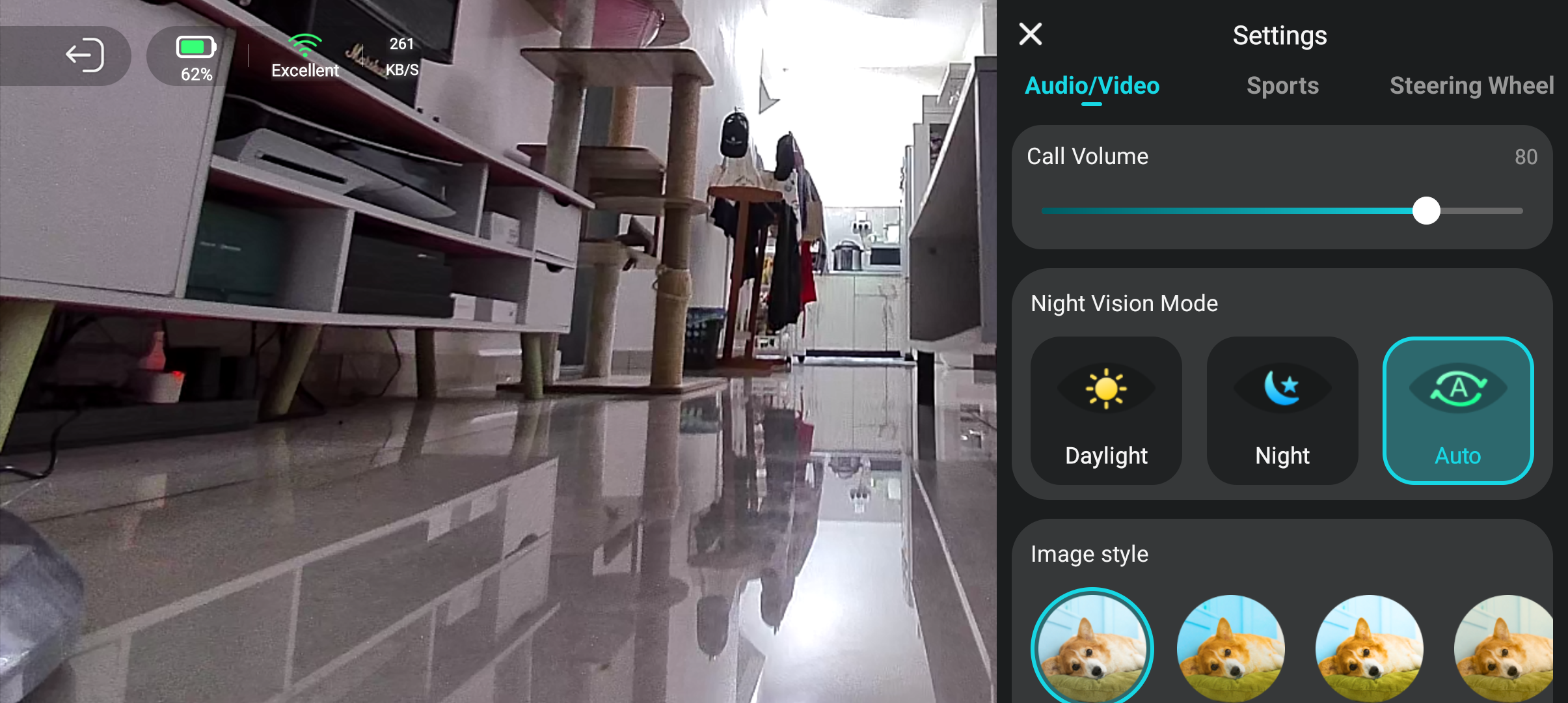
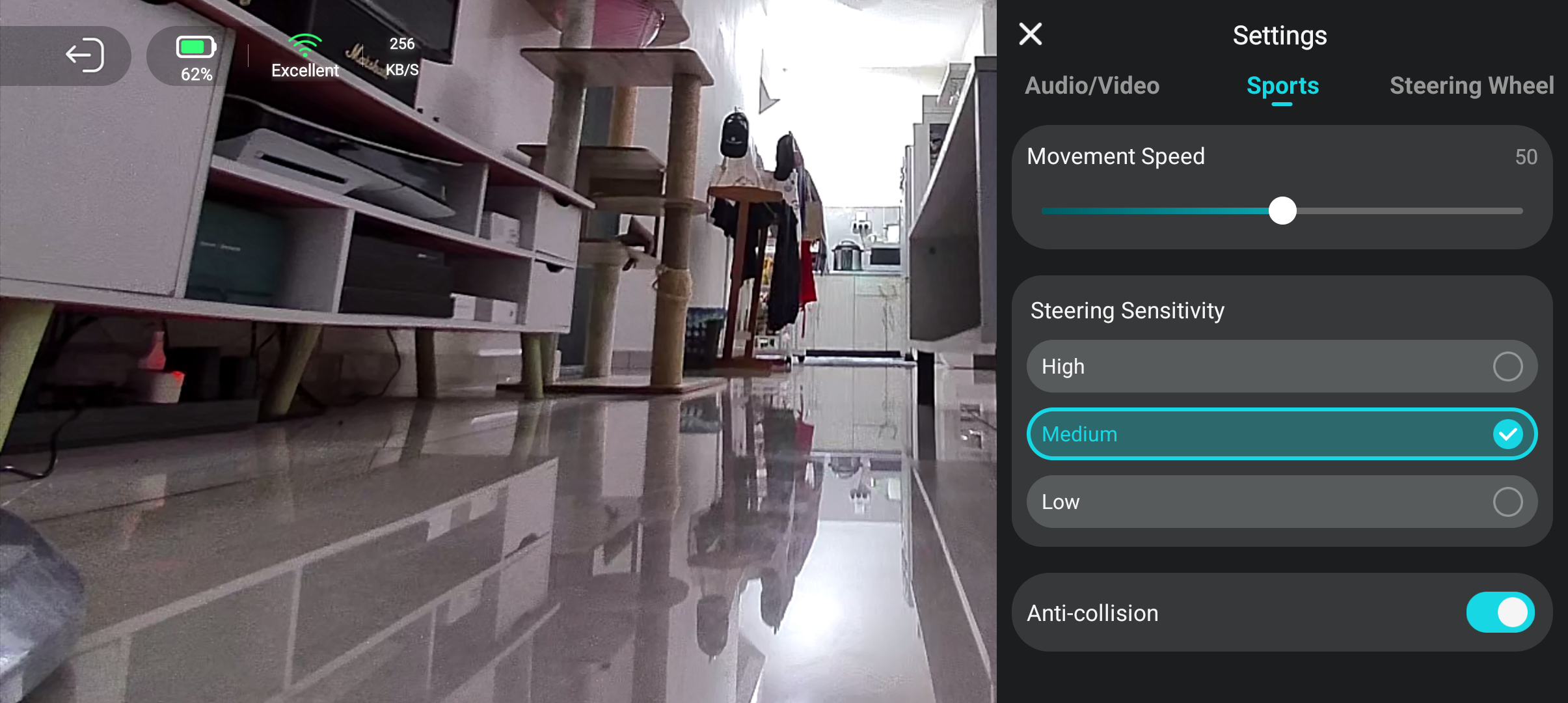
Everything from the robot's movement speed and the audio and call volume settings can be adjusted too. There's no manual mic and video shut-off button or shutter, though, which is a bit of a privacy oversight.
However, the "Do Not Disturb" mode can be used as an alternative. You can set the robot's active "wake up" hours, and even choose to have the screen (or the "eyes" of the bot) automatically shut off during your selected DND nighttime hours.
Because of course there's AI
(Image credit: Namerah Saud Fatmi / Android Central)
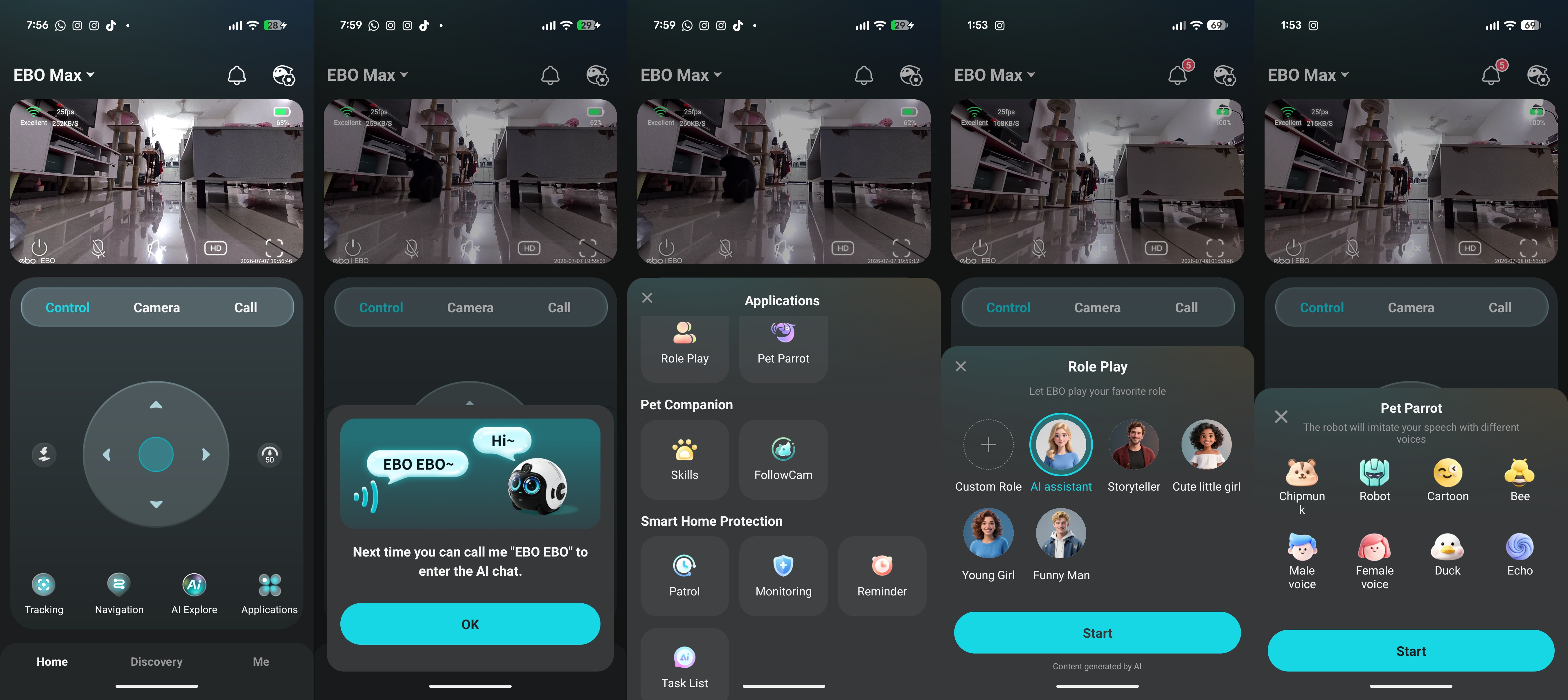
The EBO Max family bot has a wide array of useful AI features. You start by saying "EBO EBO" to initiate conversations or give instructions, all in natural language. You can use the "EBO EBO, follow me" command to make the robot leave the charging dock and follow you around the house.
Other features include setting timers, reminders, or alarms; asking about the weather; asking the robot to find a certain family member; and more.
You can change the AI voice tone or clone your voice to be used as the robot's voice using the Pet Parrot feature. So, the EBO Max can read your text when you send it to the robot.
(Image credit: Namerah Saud Fatmi / Android Central)
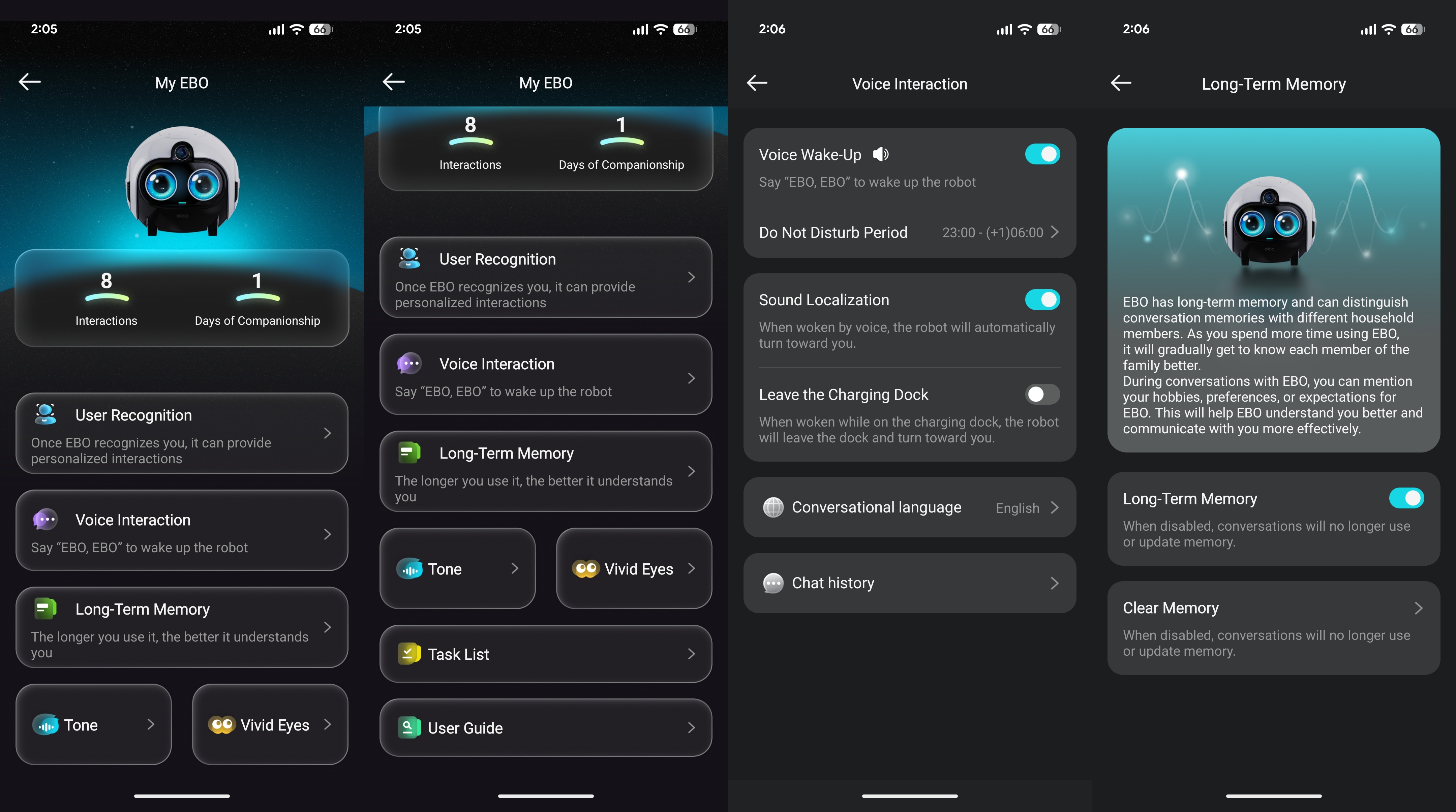
Enabot gave the EBO Max family bot an AI-powered brain, so it literally learns from all the information it absorbs and gets smarter the longer you use it. This adaptive behavior means the bot remembers patterns and perceives its surroundings, and it can even role-play depending on the role you assign it.
You can also assign more complex commands. For example, you could say, "I'm going on holiday for two days starting tomorrow. Patrol the house three times a day and alert me of any unusual activity. Record a video of any movement," and the EBO Max robot will do just that.
Eventually, it can even distinguish memories and learn about your habits, hobbies, preferences, and daily home life. This can be helpful for questions like "Did Grandma take her morning medicine yesterday?" or similar scenarios.
(Image credit: Namerah Saud Fatmi / Android Central)
Using the AI functions sometimes causes the robot to run a little hot, and the AI also hangs or glitches at times, especially after being asked a few questions simultaneously. Also, when you're using an AI feature, this prevents you from queuing movements or animal sounds when remotely controlling the robot.
Unfortunately, there is no smart home integration with Gemini or Alexa, so you miss out on automations and options like playing music or switching on your TV. There is also no Bluetooth speaker mode. I find both features incredibly useful on the EBO X, so this was a bummer.
Should you buy the Enabot EBO Max?
(Image credit: Namerah Saud Fatmi / Android Central)
In many ways, this is the smartest robot Enabot has ever made, although it's missing smart home integration and some refinement. Native Matter support would've made this a monumental leap in the smart home world.
Once the EBO Max builds memories and learns enough, and with the help of firmware updates, I truly believe the small hiccups will iron themselves out. Enabot is very good with updates — I got one as soon as I installed the EBO Max robot.
At $599, the EBO Max is a lot cheaper than the $999 EBO X, which includes Alexa and physical shut-off buttons for the mic and the camera. So getting a large portion of its features and an AI-powered brain that gets wiser over time, all for $400 cheaper, is a bargain if you ask me.
If you need a smart home camera that can follow and monitor your loved ones or even keep your kids and cats entertained, EBO Max is an outstanding family robot for you.
Enabot
EBO Max
Smart-maxxing
The Enabot EBO Max is an AI-powered family robot with crystal-clear cameras, loudspeakers, a clear mic, and plenty of handy features. The EBO Max can grow to be a member of your household, a bot that monitors the well-being of your family, keeps them company, and entertains your pets, all while patrolling the house every night and alerting you to suspicious activity.
from Latest from Android Central https://ift.tt/ZhprEtb
via IFTTT