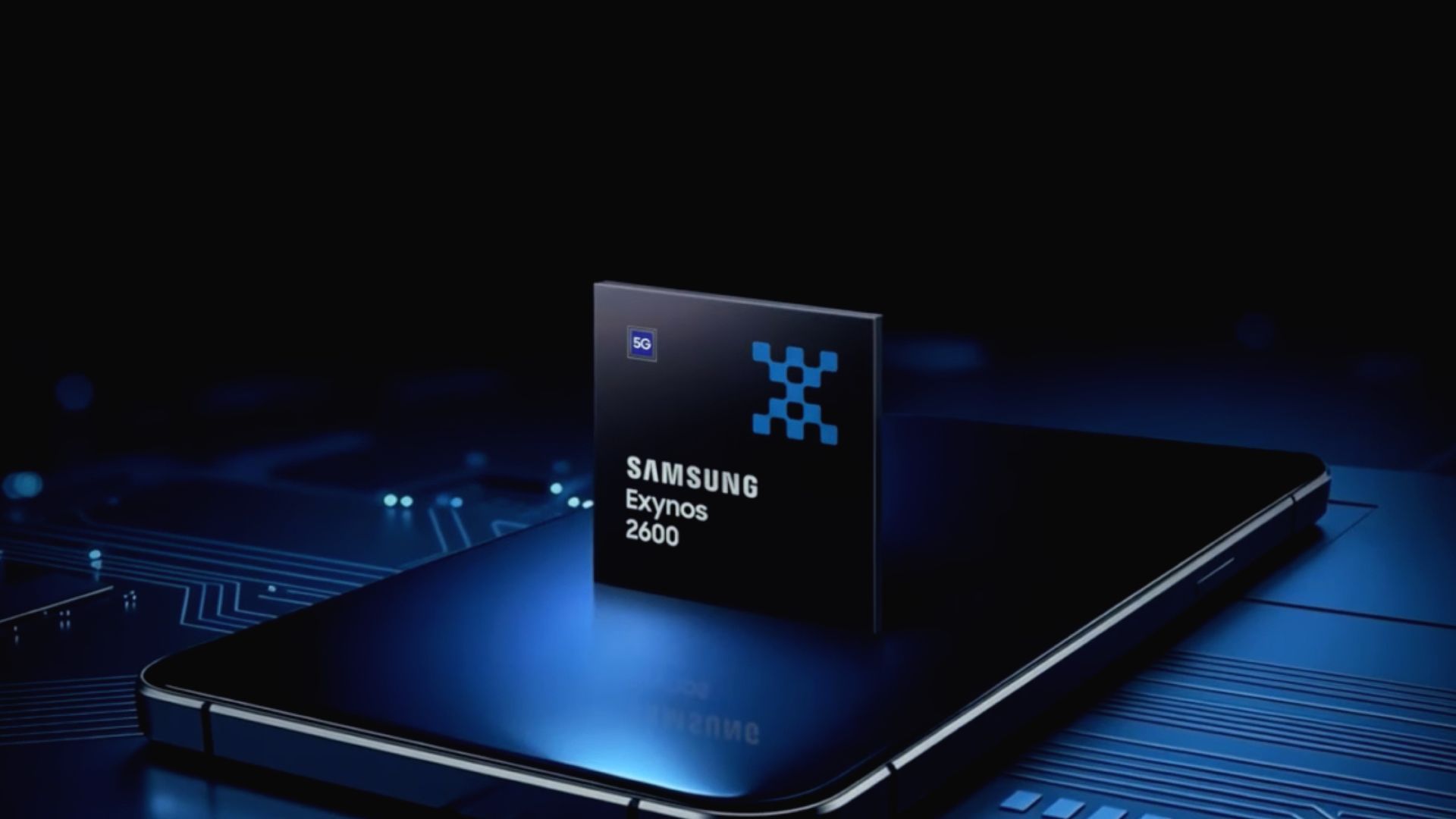
An overseas report alleges that Samsung's Exynos 2700 is "outperforming" Qualcomm's Snapdragon Elite Extreme chip in early tests.
The chip has reportedly scored "20% higher" in its CPU and GPU tests.
This is the second time rumors about its performance has surfaced, as early reports mentioned the Exynos 2700 could beat Qualcomm in AI capabilities, too.
There's a rumor that says Samsung's next in-house chip features a CPU that can beat Qualcomm's latest flagship.
These allegations stem from an overseas report by EB News (Korean), which claims Samsung's Exynos 2700 might "outperform" the Snapdragon Extreme (via SamMobile). The company reportedly ran Exynos 2700 tests using the Xiaomi 18 Pro Max and the 18 Pro. According to the publication, the chip's CPU scored 13,000 on Geekbench.
Compared to the Snapdragon Extreme, the Exynos 2700 scored "20% higher" inside the 18 Pro Max. Another focus for Samsung in its early testing was the chip's GPU performance. Supposedly, its chip performed roughly 20% better than Qualcomm's Extreme chip.
However, the post states that for "basic graphics computation capabilities" in gaming, the Exynos 2700 outpaced Qualcomm by a much smaller 5%.
These are early numbers, and it's always better to see how chips perform in the real world during more practical scenarios. Right now, it's best to take this with a grain of salt. Moreover, this isn't the first time we've heard that the Exynos could outperform Qualcomm's flagships.
For the second time...
(Image credit: Samsung)
Android Central's Take
If we're hearing it for a second time, it must be true, right? I'm kidding. I want to wait and see. One thing that I am curious about is the chip's heat generation. I know there were rumors about Samsung integrating a new HPB, but then we have rumors that Qualcomm's chip was overheating (which it denied very quickly, mind you). So, if Samsung's Exynos is performing better... does that mean it has its overheating issue under control, too?
If we're to consider all that the Snapdragon 8 Elite Extreme Gen 6 provides, these rumors might seem a bit audacious. But this is technically the second time we're hearing about it. During the summer, rumors claimed the Exynos 2700 showed positive test scores that "outperformed" Qualcomm's next-gen chips. Similar to this overseas report, the Exynos 2700 beat Qualcomm in CPU, GPU, and AI.
Previously, it was said that the chip "recorded "24% higher performance" over the 8 Elite Gen 6 and "22% higher" than the (rumored) 8 Elite Gen 6 Pro." We've now come to know the "Pro" as the Extreme. Either way, there's still a multitude of variables we're unsure about. A true comparison is best left for when the chip is here, and we can see for ourselves.
from Latest from Android Central https://ift.tt/WNdX8c4
via IFTTT
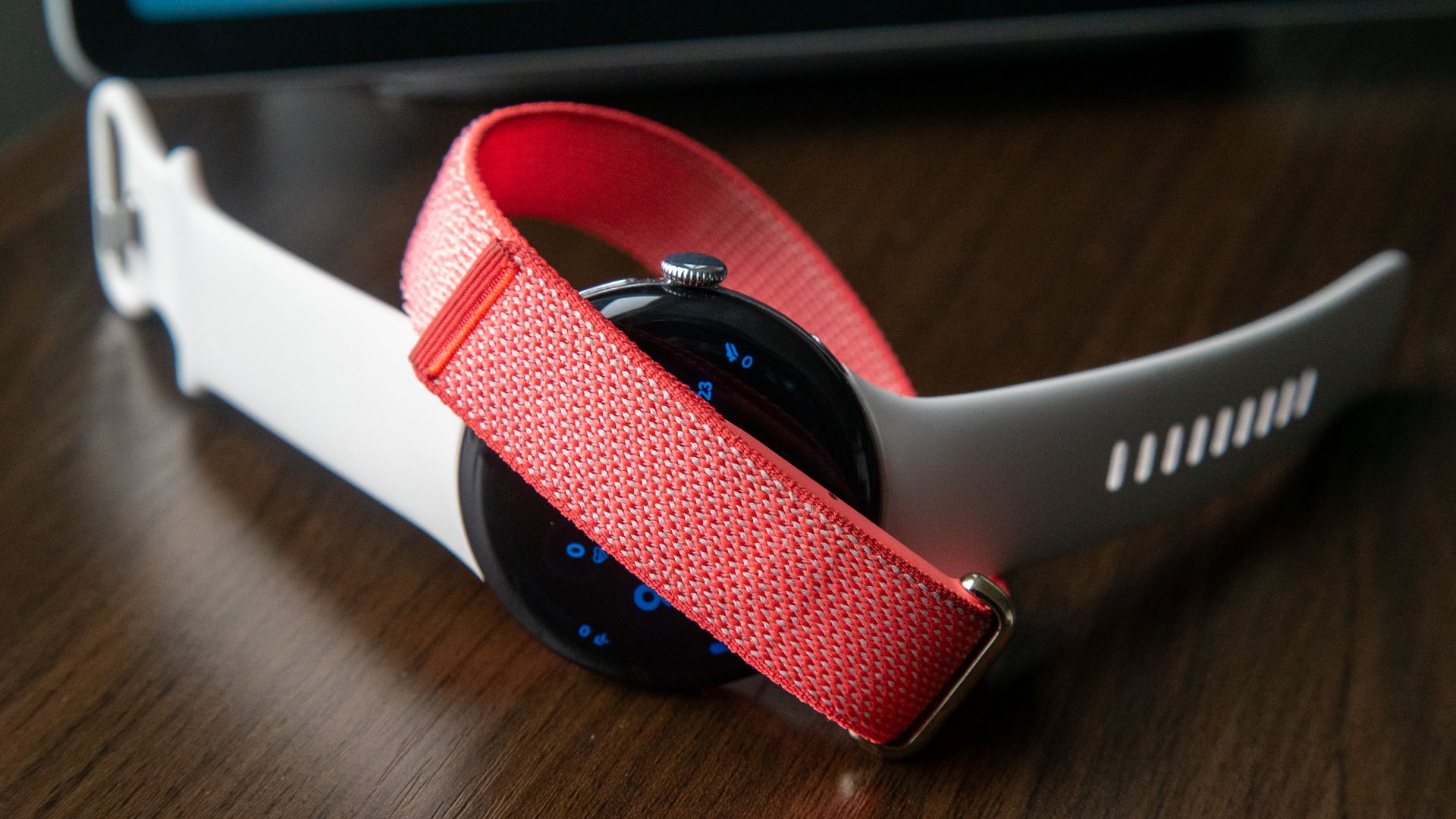
Google is rolling out v5.11 of the Health app to Android and iOS users, rolling out the expected Health Guardian update for the Fitbit Air.
Fitbit Air users receive Blood Pressure and Insulin Resistance trends in this update, which requires them to wear the tracker for several days before insights are available.
What's more, v5.11 updates automatic tracking for Fitbit Air and several Pixel Watches, as well as sleep tracking updates and Glucose.
Google Health is rolling out a late October update that finally adds a major feature for Fitbit Air users.
This feature aims to be your "Health Guardian." In a community post, Google detailed what Fitbit Air users will find in v5.11, which is rolling out on Android and iOS. Health Guardian isn't a new feature, per se; however, it is something new that Fitbit Air users can finally experience. If you are a Health Premium subscriber, you will be able to "set up the new features in app version 5.11 and receive your first monthly health summary at the beginning of November."
Health Guardian introduces Blood Pressure and Insulin Resistance trends. Regarding the former, Google reminds us that Blood Pressure trends let you track changes that could "put strain on your heart." If you've worn your Fitbit Air for five days or more, you'll find this info listed in the app. Insulin Resistance trends highlight "monthly shifts" in your metabolic well-being. Insights for this require users to wear the Fitbit Air for seven days or more.
While this feature is rolling out now for the Fitbit Air, Google states Fitbit Edge users can expect it on/around October 27.
Aside from the Health Guardian, Google is rolling out three additional updates in v5.11. Automatic activity tracking takes a step forward, as Google improves its context (i.e., it uses your routines and history better). Workouts that meet the minimum duration threshold (15 mins or more) are automatically logged so long as it captured a sustained elevated heart rate. Fitbit trackers and Pixel watches can also automatically detect up to 100 activities in v.5.11.
Glucose tracking has been renamed to "Glucose" across the Health app. Google states it upgraded the link between the app and Lingo by Abbott for faster syncing. What's more, sleep tracking gets a little TLC. Google says it improved devices' ability to capture "awake detection" and made it easy for users to edit their naps.
Many of these updates are rolling out for the Fitbit Air and the Pixel Watch 3, 4, and 5. The automatic tracking update is coming to Fitbit Edge users; however, that should begin on October 27, like Health Guardian.
It takes time to understand
(Image credit: Derrek Lee / Android Central)
You might remember Health Guardian from an update Google shared in September. Originally, Google announced Blood Pressure, Insulin Resistance, and sleep breathing quality tracking for the Pixel Watch. These were all wrapped in a Health Guardian blanket. Google said the purpose of these features is to analyze "long-term" pattern changes over several weeks.
This differs from the more expected "in-the-moment" snapshots of what's going on. Google states these insights can serve as "wellness indicators instead of direct medical diagnostic tools." These features are available for free for Pixel Watch 3, 4, and 5; however, we already knew Fitbit Air users would need to pay for it via a Health Premium subscription.
from Latest from Android Central https://ift.tt/EUuHhdM
via IFTTT
It's hard to emphasize just how good the Oppo Find X10 Pro Max is. As a tech journalist for the past 20 years, I've heard many comments wishing a company would just put everything into a phone, and while we've seen that before, no one has done it as successfully as Oppo.
The company's return to global markets comes with a phone that does it all. Most phones have one or two 200MP cameras; the Find X10 Pro Max uses 200MP sensors on all three cameras. Some phones struggle with battery life; the Find X10 Pro Max lasts for days. Some flagships struggle with performance, even when they're high-priced; the MediaTek Dimensity 9600 Pro inside the Find X10 Pro Max has never faulted during my weeks of use.
This is the Find X10 Pro Max in a nutshell. Oppo made the best phone it could, designed for those who want the best. The Find X10 Pro Max is an Ultra in all but name, but like any phone, it has a few things worth noting.
Normally, it's easy to find flaws when writing a review. However, the Find X10 Pro Max is so good that, aside from a slightly smaller EU battery and discoloration on the included white case, it has only one major downside: its high price, made even higher by the ongoing RAM crisis.
If you want the best phone that money can buy, look no further than the Find X10 Pro Max.
Nirave Gondhia
Starting at £1,499 in the UK and €1,799 in Europe, this is amongst the most expensive phones you can buy, at least the non-folding kind. There are some deals, and you can get the excellent Teleconverter Kit for free (worth £500), plus further trade-in discounts, but you'll still pay a sizable price. That said, this phone promises everything and delivers, and although it’s expensive, I think it’s worth it.
The Find X10 Pro Max is the most complete Android phone I've ever used, and it sets an extremely high standard for other companies to match. It has all the hardware you need, ColorOS is my favorite user interface, and Oppo is beefing up its after-sales service alongside six years of updates. If you've ever loved a OnePlus phone, this is the successor you’ve been waiting for, and you'll thoroughly enjoy it.
If you want the best phone that money can buy, look no further than the Find X10 Pro Max. Here’s why it's likely the best Android phone of the year.
The most complete camera on a smartphone
(Image credit: Nirave Gondhia / Android Central)
Our review of the Find X9 Ultra earlier this year said its camera system was on another level entirely, and in six months, Oppo has raised the bar considerably. Yes, the Find X10 Pro Max doesn't have a 1-inch sensor or the secondary telephoto lens, both of which I presume will come in a future Find X10 Ultra, if at all, but it has everything else you want, starting with triple 200MP cameras.
The Find X10 Pro Max camera does it all, and you won't need much else.
Nirave Gondhia
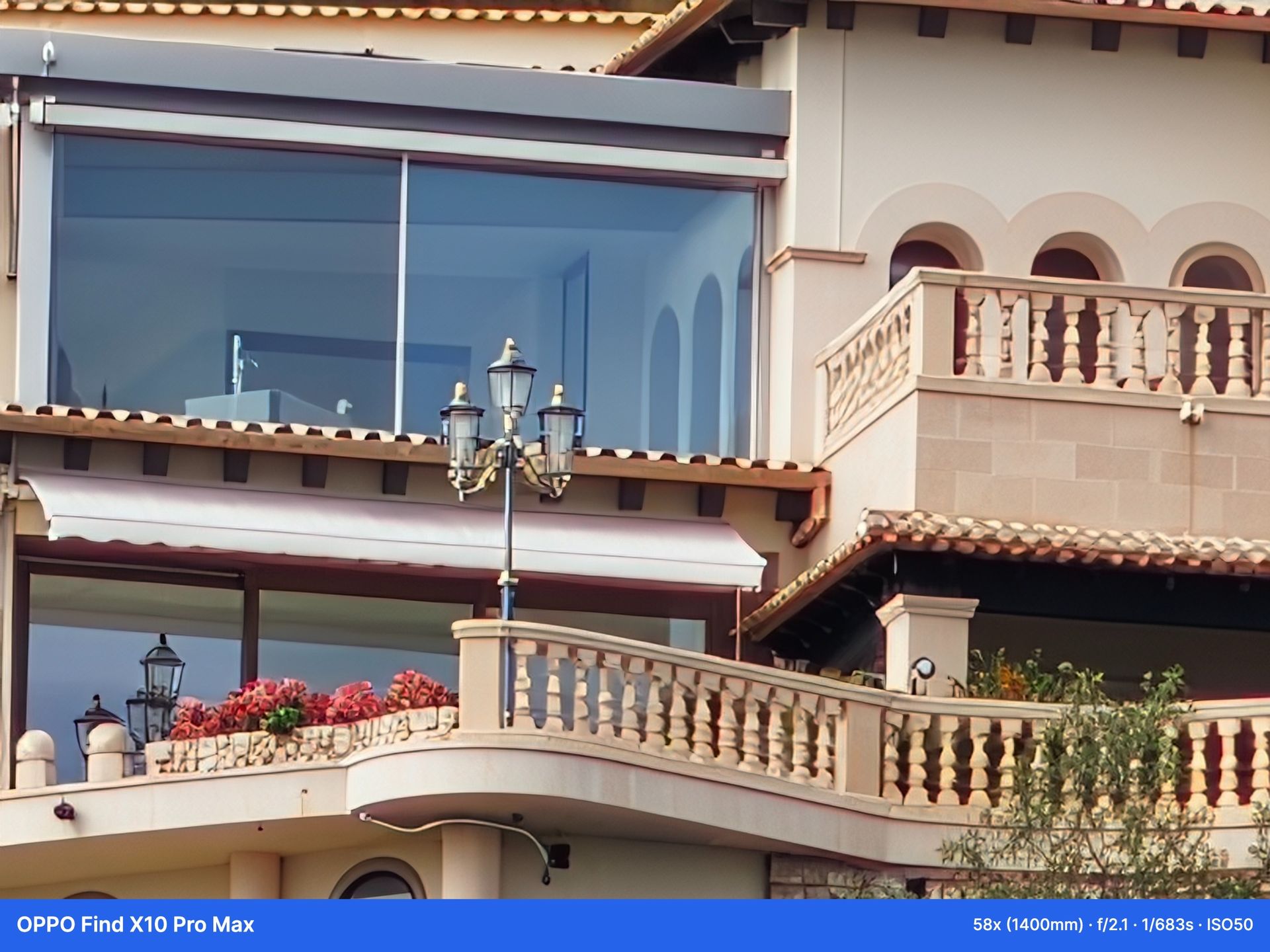
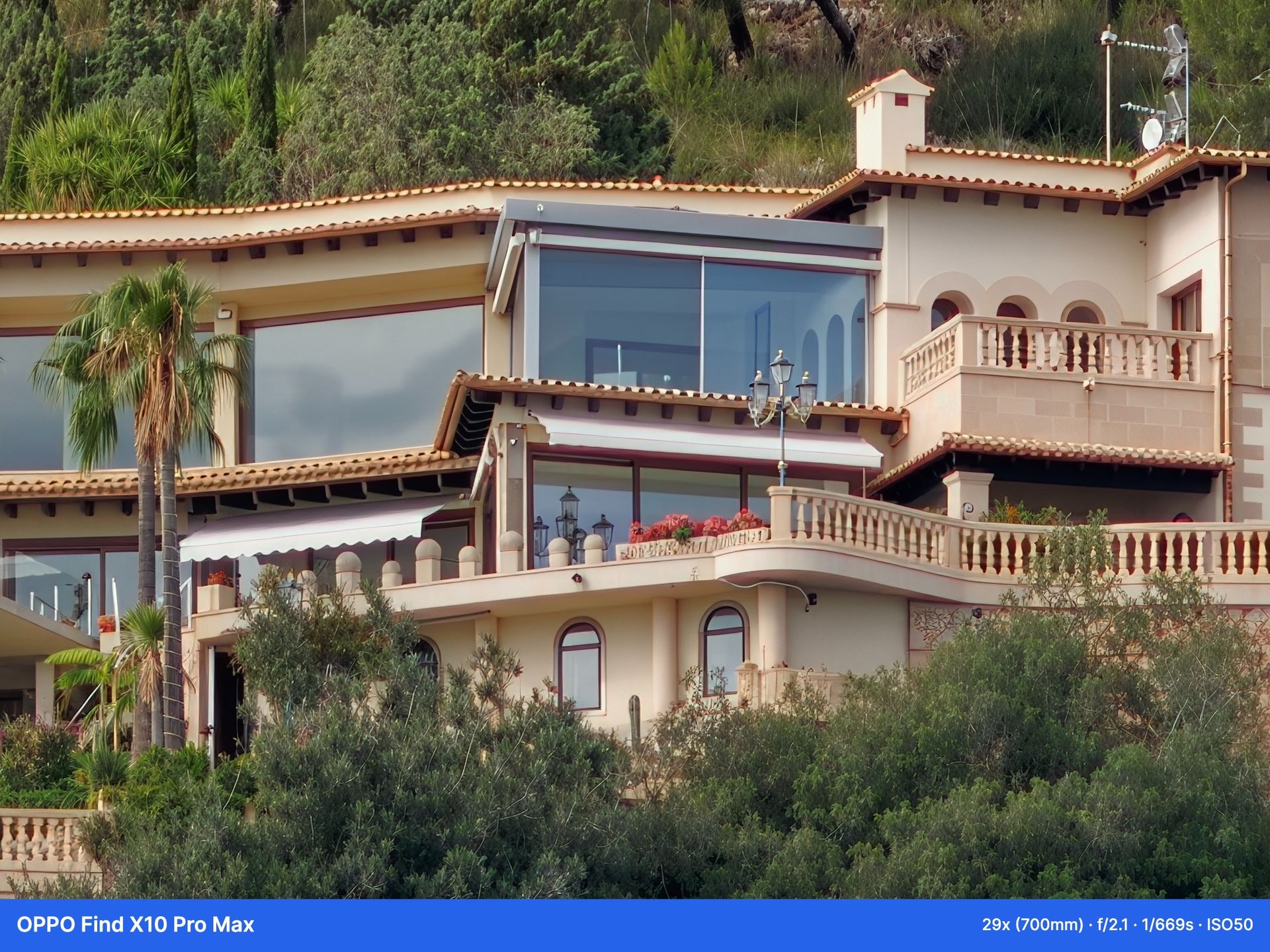
I’ve always wondered what would happen if a company built the first phone with only 200MP cameras. The answer is obvious: you get stunning photos and videos across all three lenses, at various zoom levels, in a variety of conditions. In short, the Find X10 Pro Max camera does it all, and you won't need much else. If you do, the Teleconverter Kit takes it to a new level, making it the best free gift if you can choose.
The main camera uses a 200MP f/1.5 Samsung ISOCELL HPC 1/1.28-inch sensor, co-developed by Oppo and Samsung, paired with a 24mm focal length, phase-detection autofocus, and OIS.
What makes the Oppo Find X10 Pro Max truly unique is its ultrawide and telephoto cameras, both using the same /2.2 200MP Samsung Isocell HP5 1/1.56-inch sensor you’ll find in many phones. It’s smaller than the sensors you might find in other telephoto cameras, but that hasn’t affected telephoto performance. The ultrawide has autofocus, while the telephoto has autofocus, OIS, a 10 cm minimum focal distance, and 3x optical zoom.
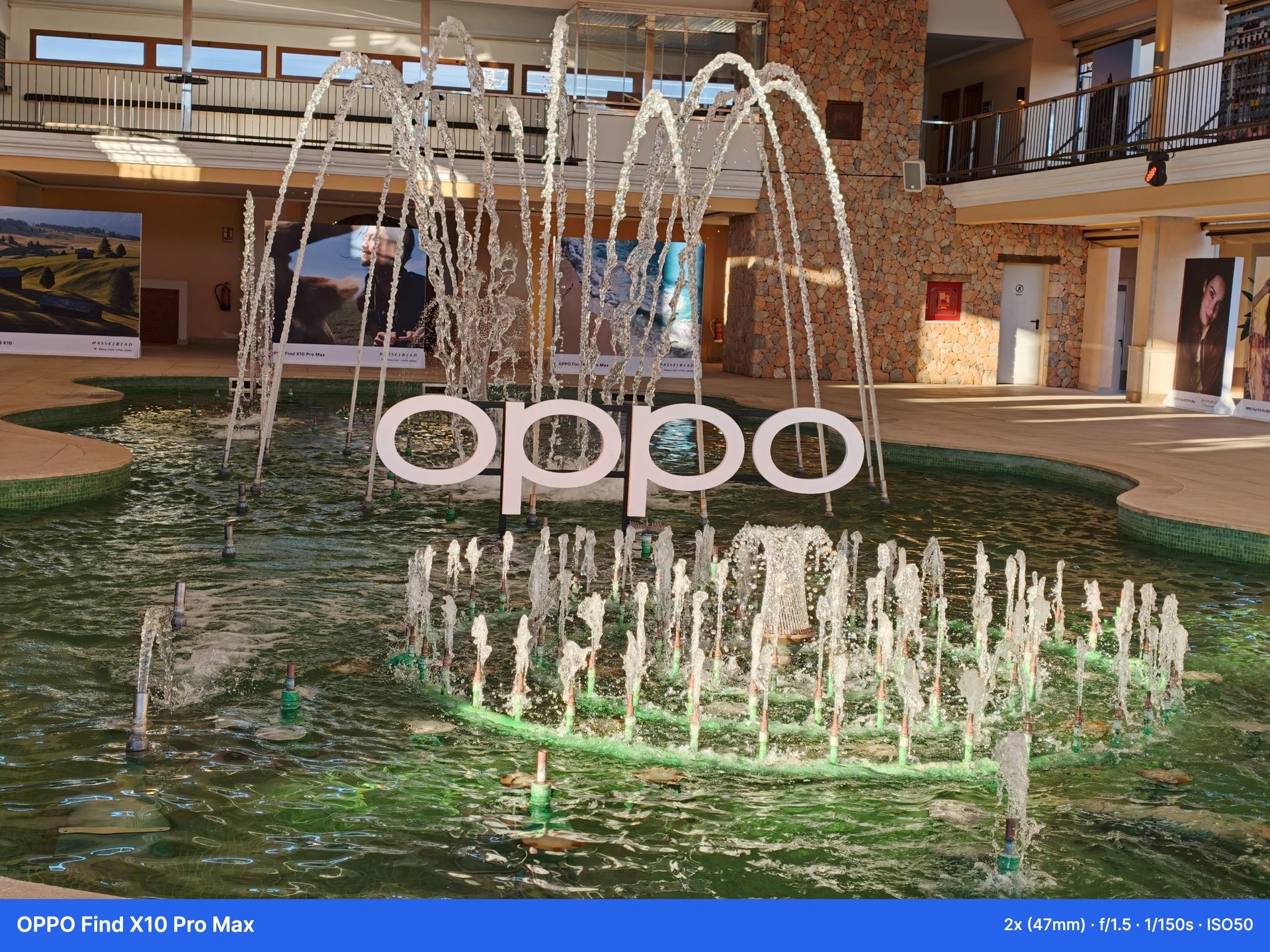
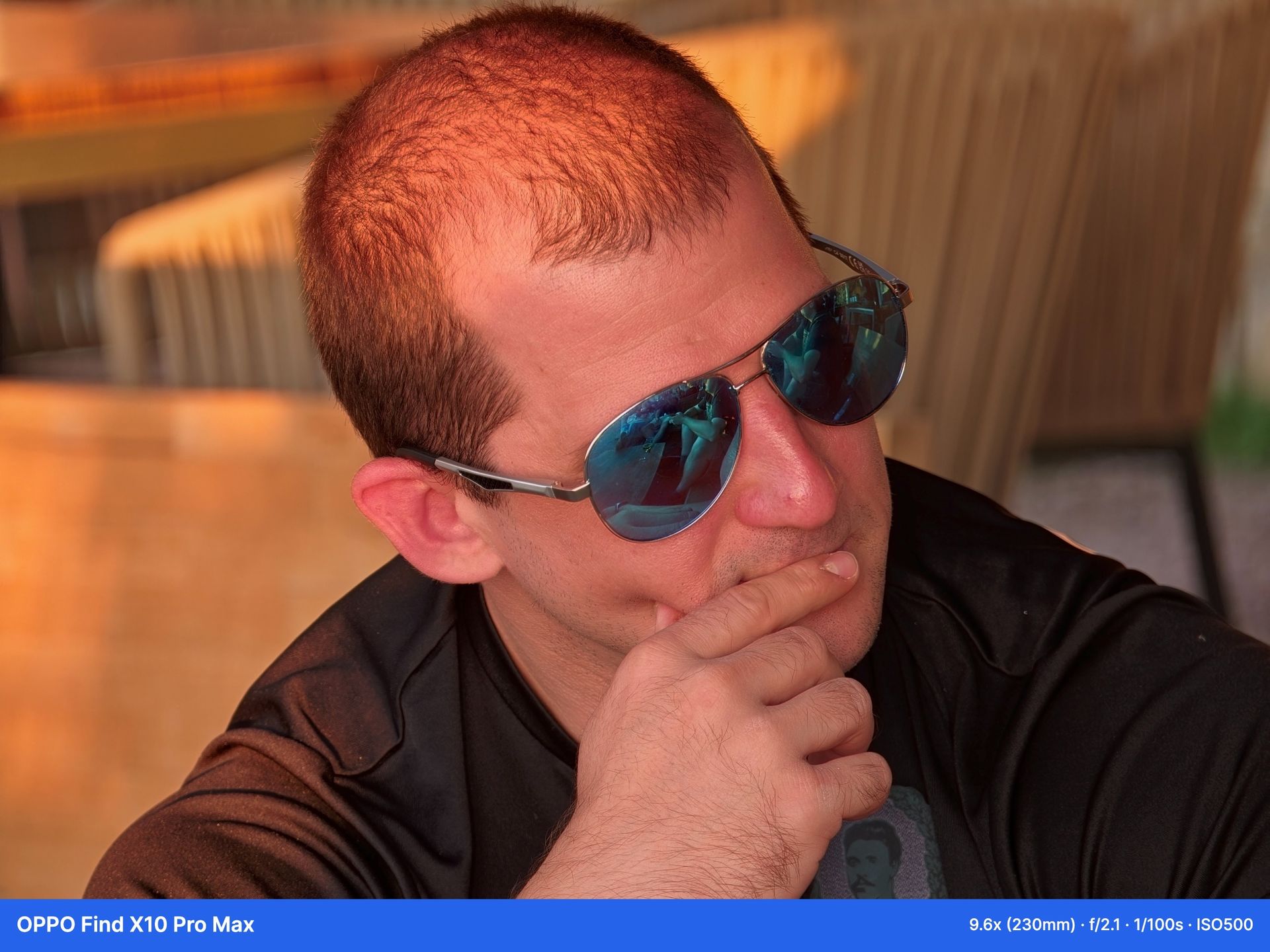
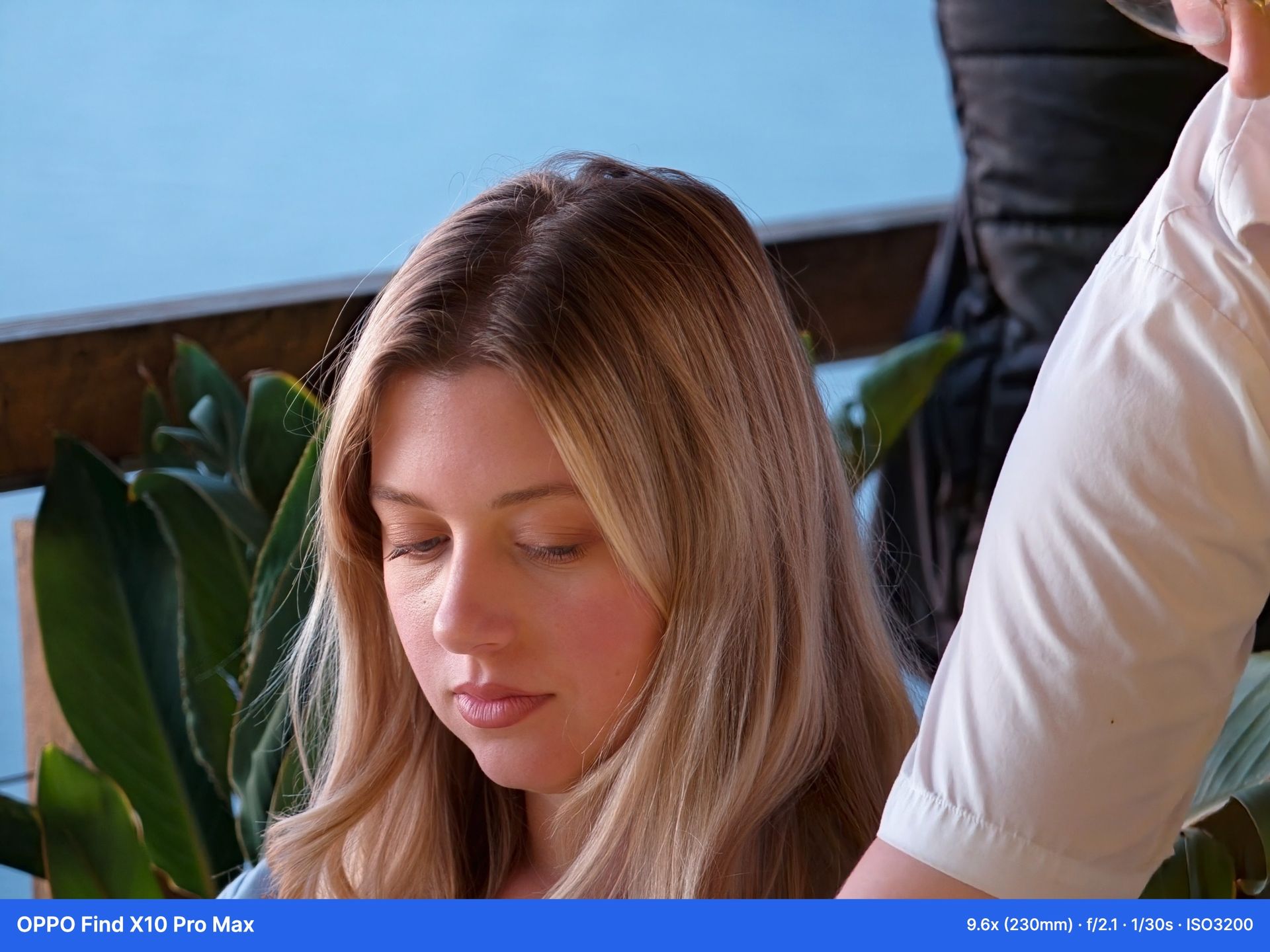
In virtually every scene I tested, the Find X10 Pro Max camera excelled. The processing can be somewhat aggressive, especially with sunset hues, but that applied to less than 0.5% of the 1,000 photos and videos that I captured. Thanks to Oppo’s new LUMO True Image Engine and its ongoing, multi-year partnership with Hasselblad, you get fantastic, true-to-color photos across every use case I tried, from landscapes while on a boat in the Spanish sea to capturing portraits of people and pets at a variety of focal lengths in a range of conditions.
The same goes for video recording, with Oppo stacking the Find X10 Pro Max camera to make it ideal for video creators. You can record up to 4K at 60fps, 4K at 120fps, and even 8K at 30 fps. It supports Dolby Vision, ACES-certified O-Log2, and, for the first time on an Oppo smartphone, Open Gate Capture.
This is a big deal for capturing memories: it records in 4:3 and uses the full imaging area, unlike most smartphones that crop the camera sensor, so you can easily reframe between horizontal and vertical videos in editing later. This means you can edit the same video into a widescreen YouTube video or a vertical Instagram Reel without the awkward framing and cropping you’ll find on most phones and cameras.
The Teleconverter will further enhance the camera
(Image credit: Nirave Gondhia / Android Central)
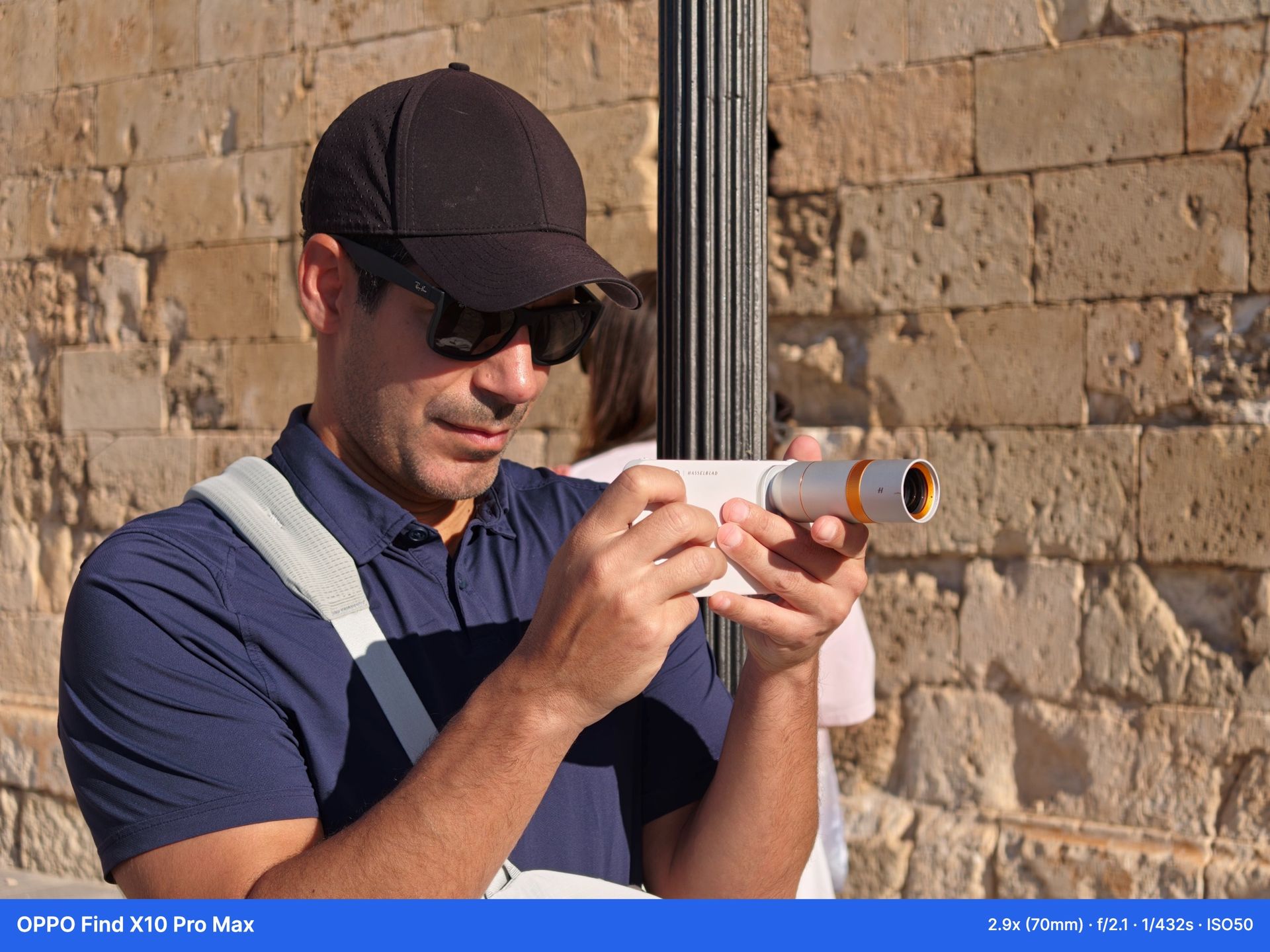
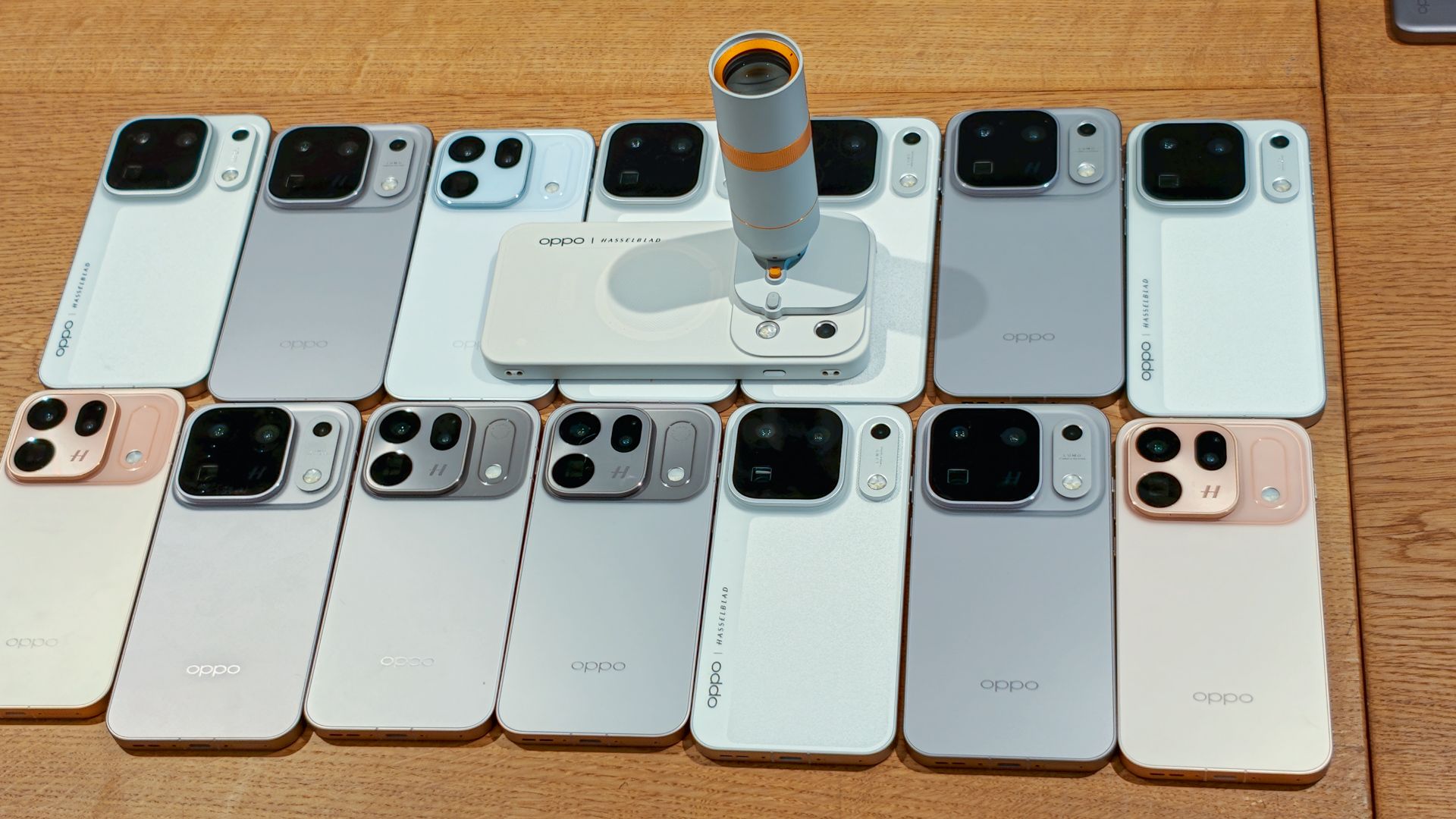
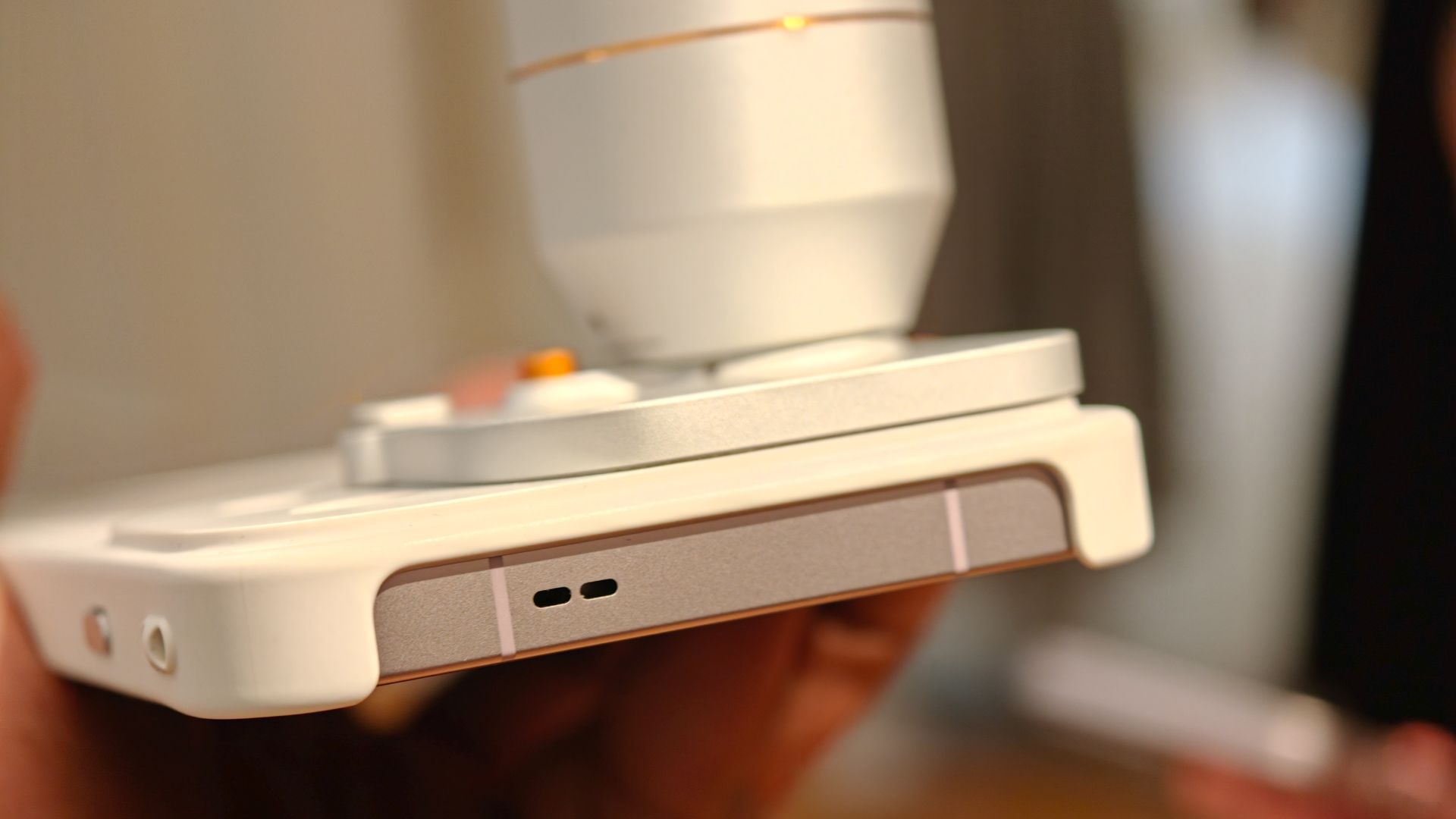
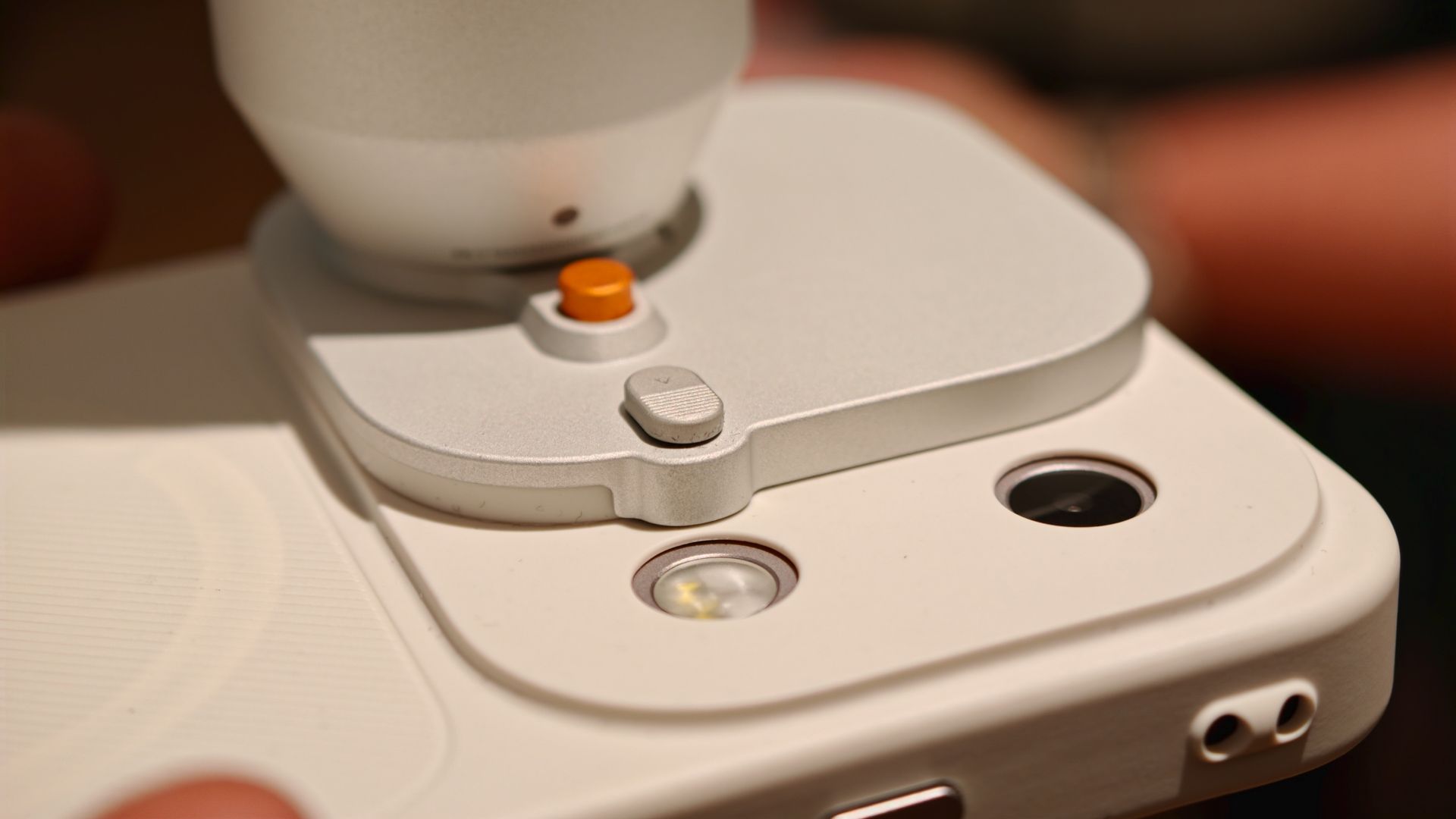
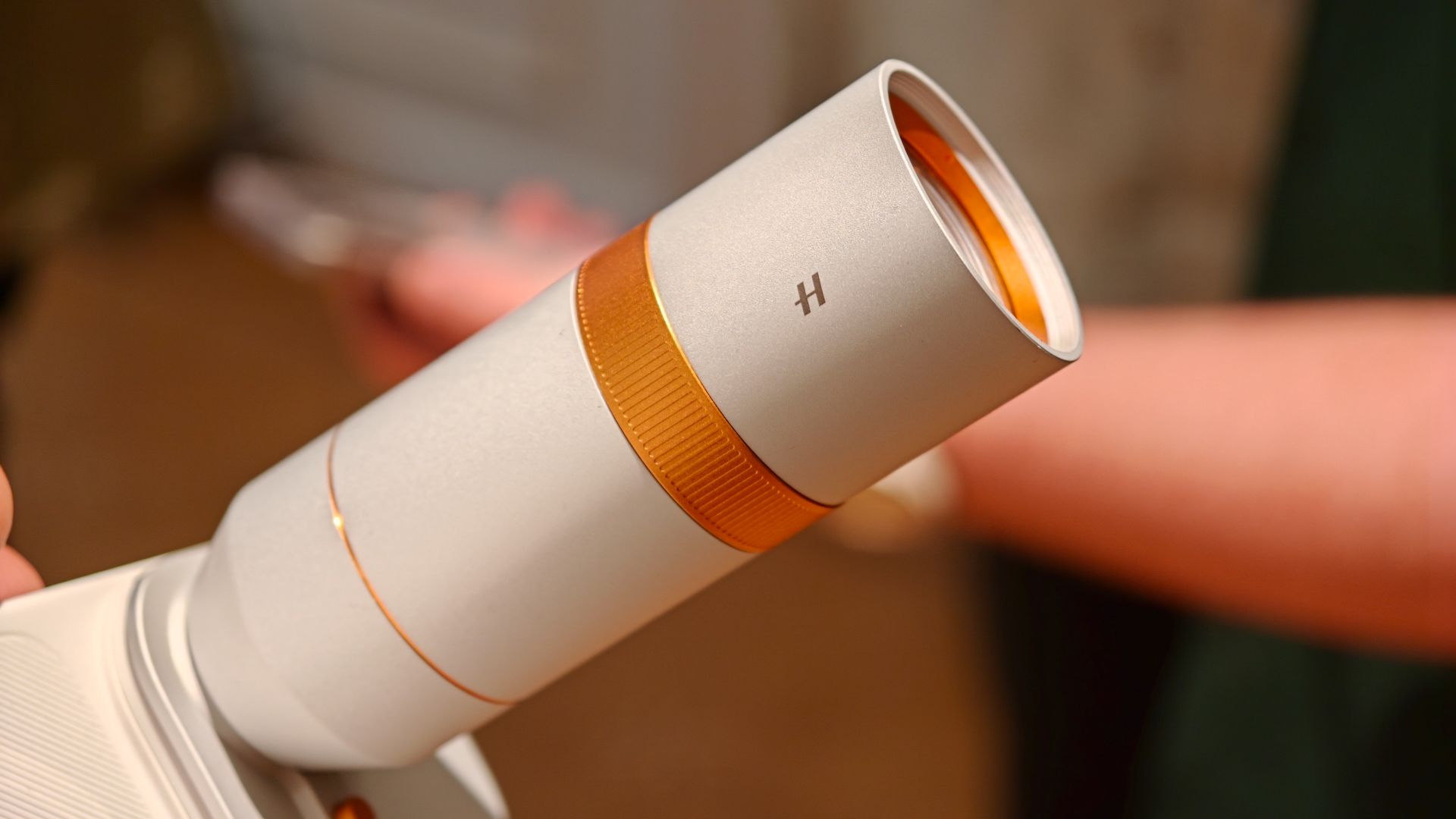
What really surprised me about the Find X10 Pro Max is its teleconverter kit. Oppo has struggled to make this stable enough to be reliable in past generations, but this year's teleconverter kit is outstanding.
The kit includes a teleconverter that offers 10x optical zoom, which is also available in the fourth lens on the Find X9 Ultra, plus up to 40x zoom that's surprisingly capable.
The biggest improvement is its stability, especially at 10x and 20x. This is a big step up, especially in video. Previously, I wouldn't have used the teleconverter kit for video, at least not without the tripod mount, but the Find X10 Pro Max changes that; I captured the following video handheld, without a tripod, and it speaks volumes.
The kit also includes a protective case, a tripod adapter ring, a storage bag, and a camera shoulder strap. One downside I noticed: the white protective case shipped with the Luna White phone discolored considerably within a few days.
Priced at £549 in the UK, the Teleconverter Kit isn’t a must-have purchase as the cameras are so capable without it, but it will significantly enhance your experience. It also comes with a beautifully designed soft vegan leather carry pouch, a first for Oppo’s teleconverters and a welcome surprise.
The kitchen sink of smartphone hardware
(Image credit: Nirave Gondhia / Android Central)
If you could put together a wishlist for what a smartphone should have, you would inevitably end up with Oppo. They’ve picked up the mantle from companies like Huawei and Samsung in past eras, and the Find X10 Pro Max is the latest in an incredible smartphone lineup.
The Find X9 Ultra is this year’s best Ultra phone, mostly for its 1-inch sensor, but the Find X10 Pro Max performs better thanks to its triple 200MP setup and a more optimized experience in ColorOS 17. Last year, the Find X9 Pro marked the start of Oppo’s new direction and set a standard that the Find X10 Pro Max clearly outperforms, while this year's Find N6 is arguably the year’s best folding phone. With this pedigree, it’s no surprise that the Find X10 Pro Max has everything you could want in a smartphone.
If you were to put together a wishlist for the complete phone, you would probably end up with the Find X10 Pro Max.
Nirave Gondhia
The Dimensity 9600 Pro delivers premium, flagship performance, and with Oppo’s optimizations, I haven't experienced a single slowdown. It’s paired with 12GB or 16GB of RAM and between 256GB and 1TB of storage; my review sample has 16GB and 512GB, respectively. This goes beyond the processor, and I’ve found the network and call performance superb, including while roaming with Google Fi in the UK and with both EE and Fi in Spain. The under-display ultrasonic fingerprint scanner is easy to set up and unlocks extremely fast, but you probably won’t even get to it, since facial unlock is also superb.
It also has an IR scanner, and I love carrying Oppo phones for that reason. On numerous occasions, I’ve used Oppo phones, including the Find X10 Pro Max and Find N6, to bypass locked-down hotel TV remotes or control my Apple TV when I forget the remote and can’t connect via my iPhone. It’s a timely reminder of a use case that’s becoming more frequent: infrared remotes are a good thing that should never have gone away.
Outstanding battery life and efficiency
(Image credit: Sanuj Bhatia / Android Central)
Oppo is known for large batteries, superfast charging, and incredible battery life, and the Find X10 Pro Max delivers on all three, with a couple of caveats.
First, the global model has an 8,000 mAh battery, but the EU model has a smaller 7,150 mAh capacity. I’m testing the 8,000 mAh model, and it's proven to be an absolute champion, but the EU model will likely offer slightly less battery life. Another point: it’s smaller than last year’s Find X9 Pro, which had a 7,500 mAh battery in the EU.
The Find X10 Pro Max offers outstanding battery life, among the best in the industry.
Nirave Gondhia
The global Find X10 Pro Max offers outstanding battery life, among the best in the industry. I haven’t run my full battery benchmark suite yet, so I can’t quantify exactly how much it beats the competition, but it has the best battery life of any flagship I’ve tried. The large capacity and 10W reverse wired or wireless charging also make it a strong emergency power bank, and I’ve used it to charge other devices with strong results: wired charging is straightforward, but aligning devices for wireless reverse charging can be hard. It’ll probably work, but it’s a last resort.
Charging is the other caveat: on paper, it matches other Oppo flagships, but the company has taken a conservative approach, and it’s much slower than previous generations. A full charge takes about 72 minutes, for an average charge rate of 111.11 mAh/minute. Meanwhile, the Find X9 Ultra's 7,050 mAh battery charges to full in about 48 minutes, for a charge rate of 146.88 mAh/min, or ~32% faster.
Device
Size (mAh)
Max speed
15-min %
30-min %
Oppo Find X10 Pro Max
8,000
80W
27%
53%
Oppo Find X9 Ultra
7,050
80W
44%
76%
Samsung Galaxy S26 Ultra
5,000
60W
49%
83%
Google Pixel 11 Pro XL
5,115
45W
45%
77%
Honor Magic 8 Pro
6,270
100W
46%
82%
This is even more pronounced at the 15- and 30-minute marks. I’ve previously tested the Galaxy S26 Ultra, Pixel 11 Pro XL, and Find X9 Ultra, and when I ran the same test on the Find X10 Pro Max, I was surprised it trailed the competition in both.
Notably, these are only 1-2% lower than the Find X9 Pro, so it’s not a major year-on-year downgrade, but it's surprising to see Oppo trail the competition given how far ahead it has been in the past.
Stand-out design and a vibrant display
(Image credit: Sanuj Bhatia / Android Central)
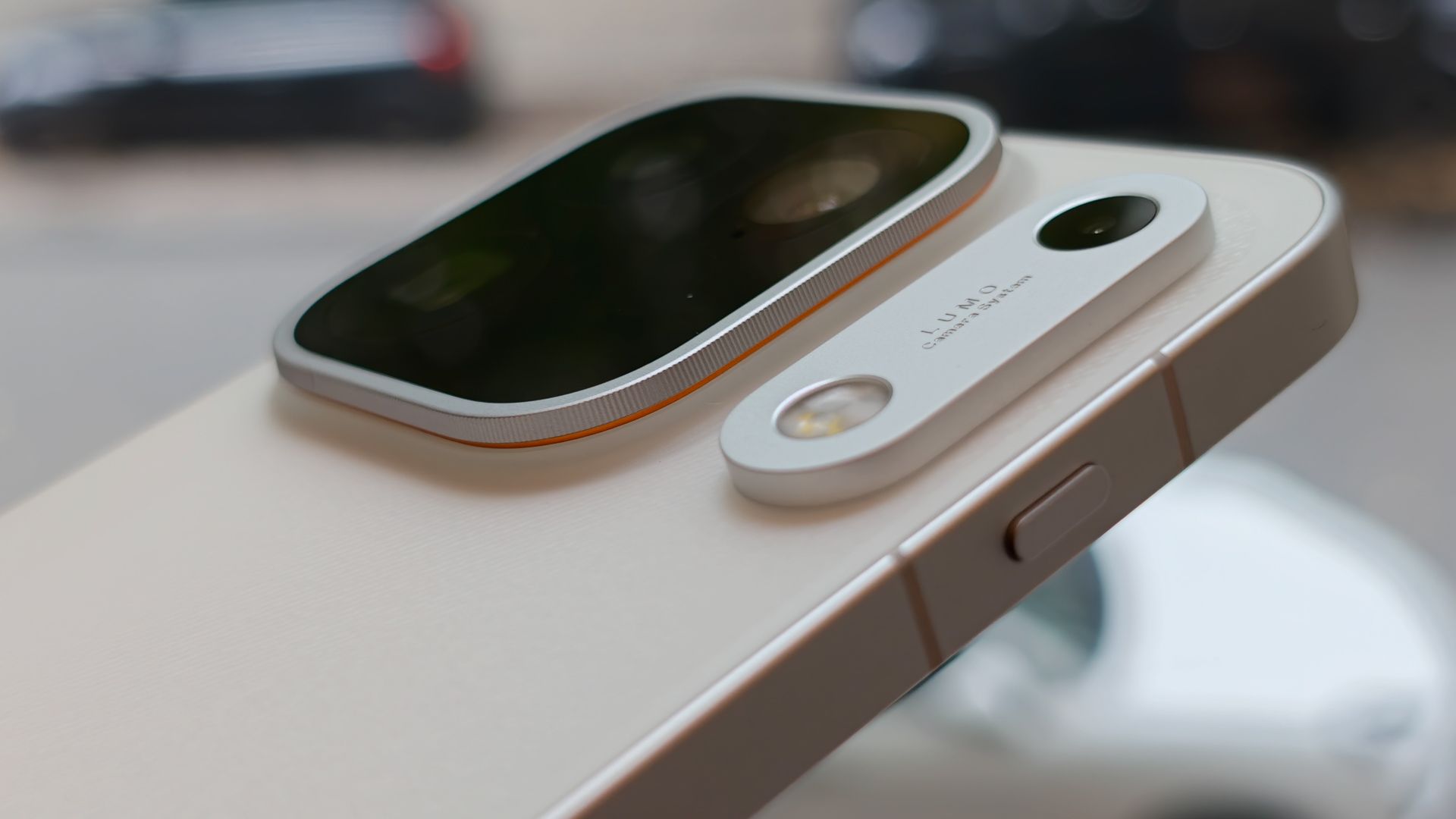
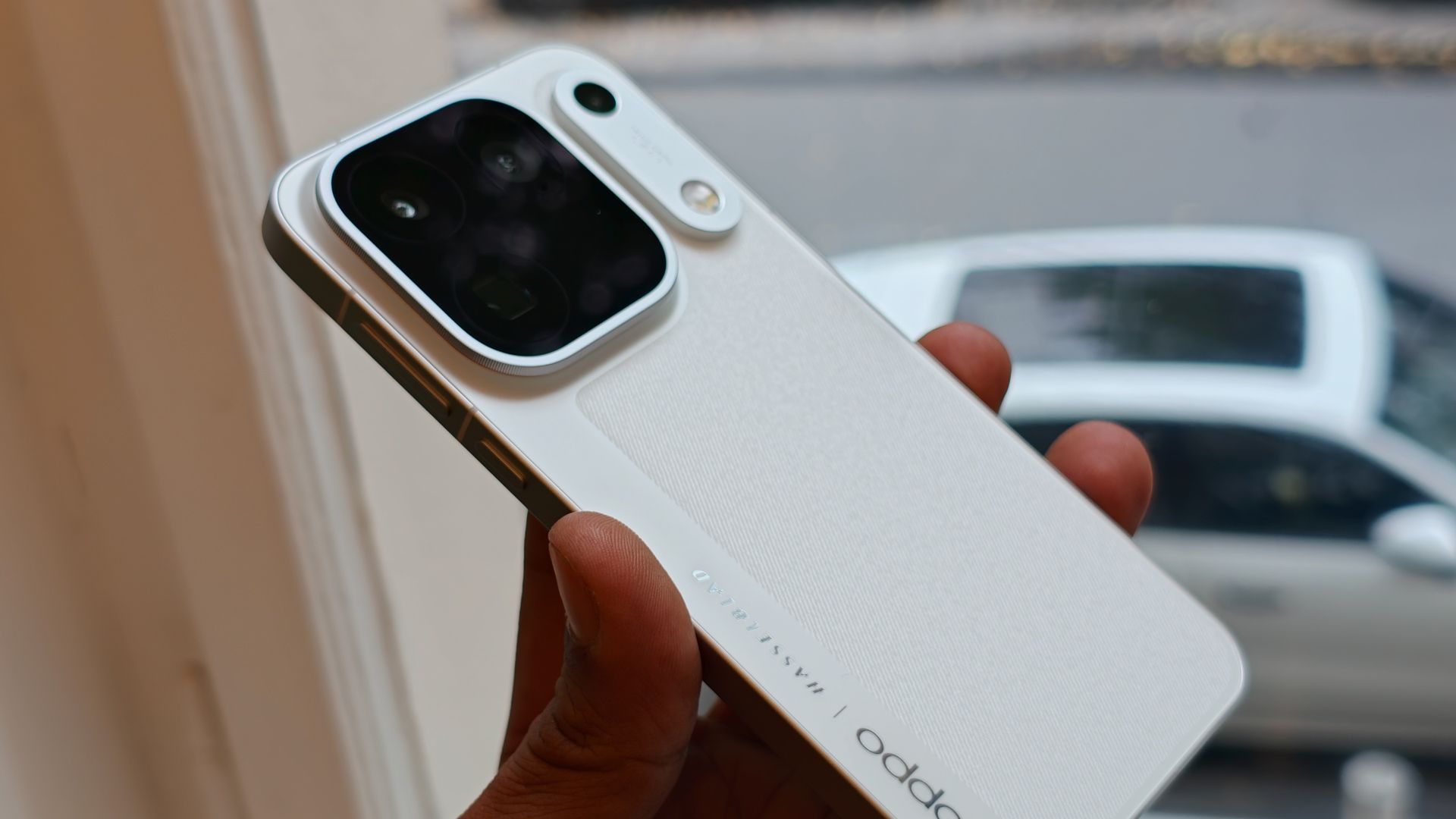
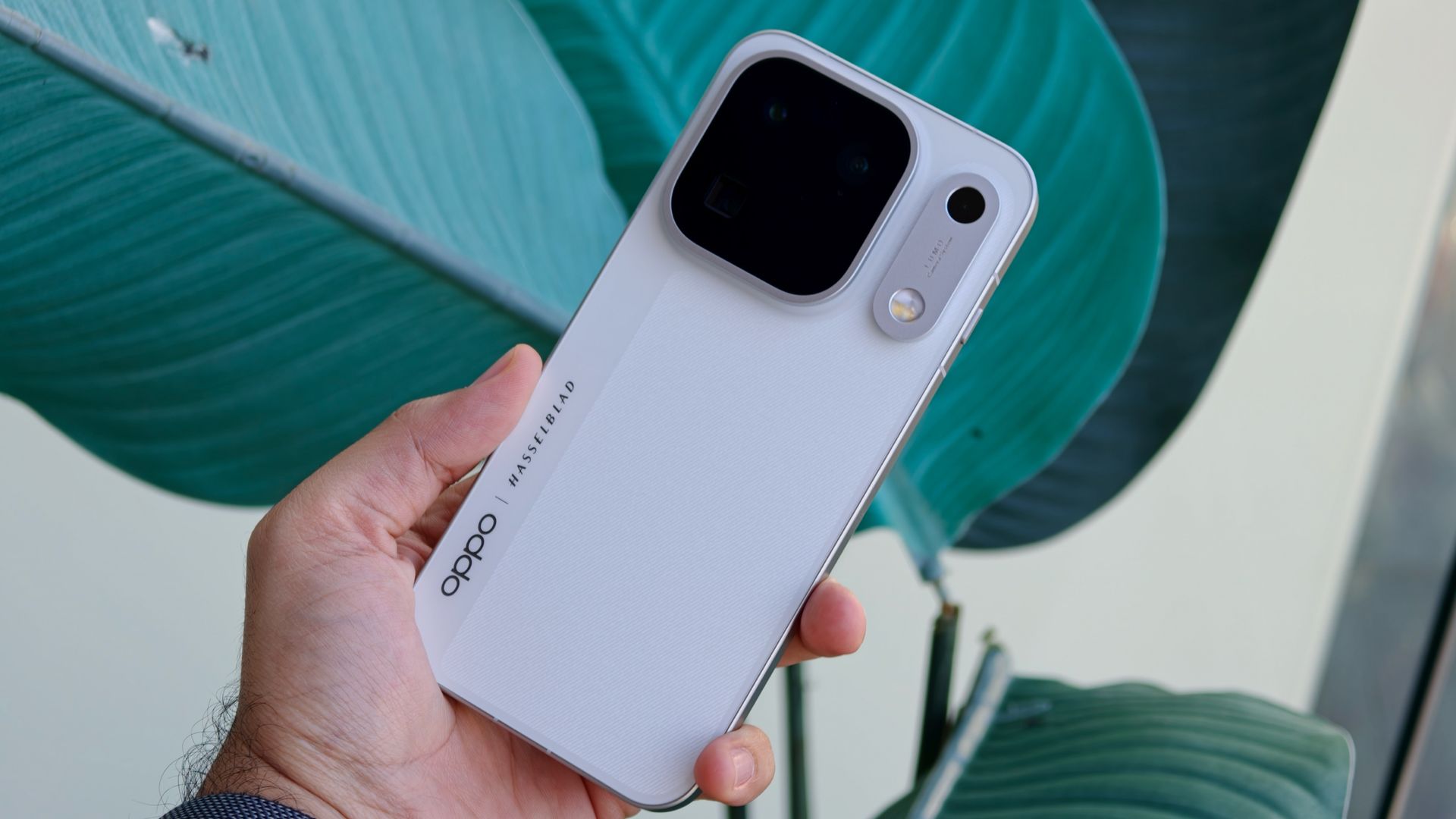
The Find X10 Pro Max follows a similar design to last year’s Find X9 Pro, though Oppo has extended the camera module horizontally. The key difference is the new Lumo Camera Island, an additional aluminum camera island that houses the True Color Camera and LED flash. Like past Oppo phones, it also has a subtle orange accent that nods to Hasselblad’s iconic camera designs.
In the hand, the Find X10 Pro Max is the most balanced phone I’ve used in years. It feels premium, flagship, and solid, which is exactly what you want from a £1,500 phone. The flat aluminum frame has slightly contoured edges, which make it surprisingly comfortable to grip for extended periods.
The Find X10 Pro Max measures 8.4mm thick and weighs 233 grams. Neither is groundbreaking, but it is thicker and heavier than the Galaxy S26 Ultra. That’s not exactly surprising, as the Find X10 Pro Max is a considerable upgrade. It's also thinner and lighter than the iPhone 18 Pro Max, and its weight distribution makes it feel less top-heavy.
The 6.78-inch display is nearly the perfect size for comfortable one-handed use, but it does require some stretching, far less than rival devices with bigger screens. The display is similar to the Find X9 Pro, but it does reach 144Hz. Oppo also says the brightness is slightly higher, and an increased PWM Dimming rate of 3,840Hz should make it easier on people with sensitive eyes.
During its launch and briefings, Oppo specifically called out the bezels around the display. At 1.15mm thick, they’re among the thinnest on any smartphone, for a more immersive viewing experience. This is even better for streaming, with HDR10+, HDR Vivid, and Dolby Vision all supported. In daily use, the screen is excellent in all conditions, and I’ve had no legibility issues, even on the water under overcast sun.
The software has plenty to like
(Image credit: Nirave Gondhia / Android Central)
The only issue I have with the software on the Find X10 Pro Max is that it won't get as many software updates as Google and Samsung phones. With a guarantee of five major version updates and six years of security updates, Oppo has improved over the four years offered with the Find X9 Pro, but still lags behind the seven years of updates offered by Google, Motorola, Samsung, and Honor.
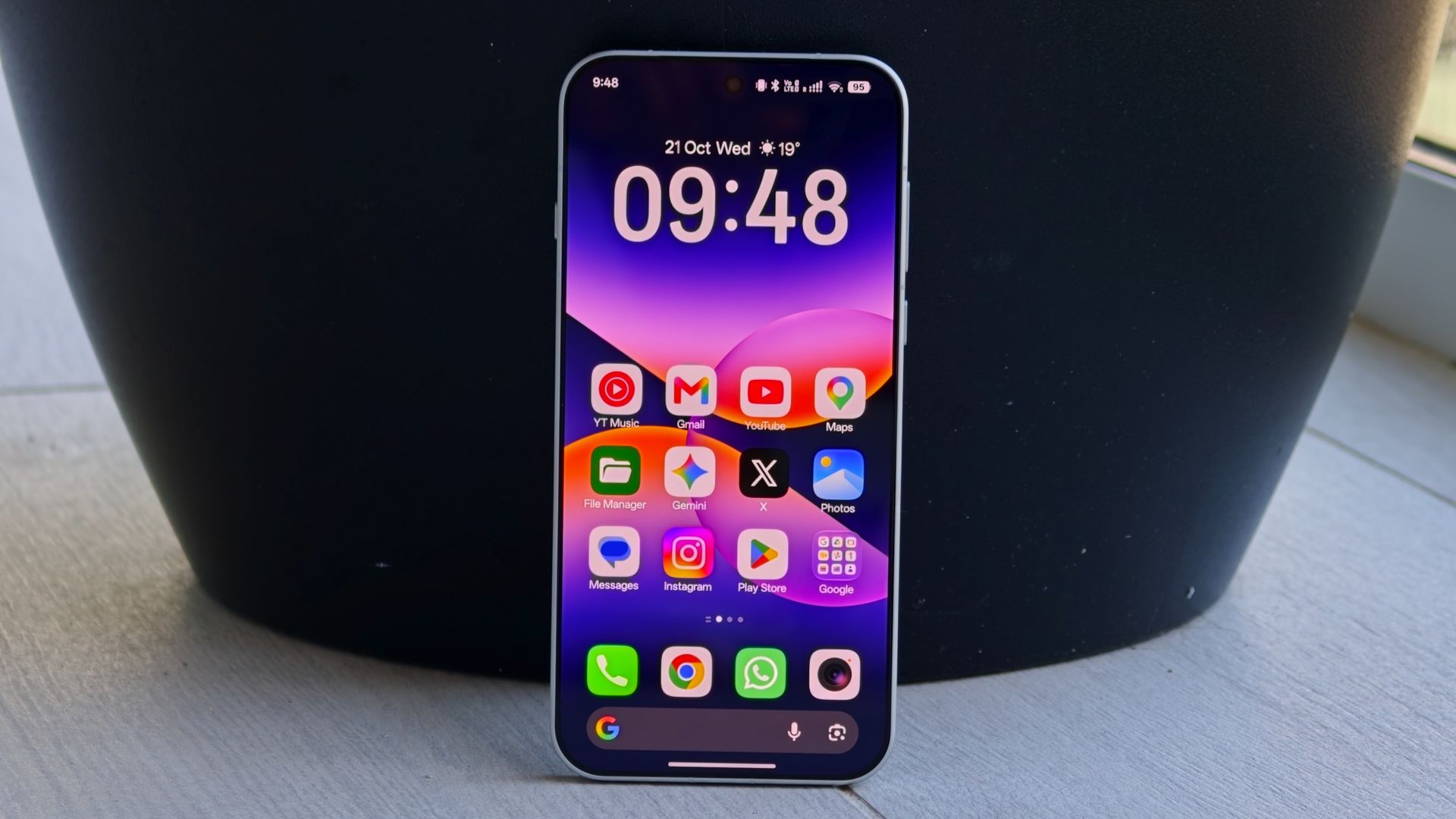
I tested the global Find X10 Pro Max model with Android 17-based ColorOS 17 and encountered no issues using any part of the software. Oppo's ColorOS 17 interface is its most refined yet, and it is extremely reliable when using Gemini and Google AI features.
ColorOS is my favorite Android interface right now, as Oppo pairs a smart set of default choices with the ability to customize virtually everything. Most Android makers offer a smart set of defaults, but lack the latter, which is key: the ability to tweak, change, and optimize for your workflow is a throwback to why we love Android.
In my opinion, this is the gold standard of smartphone interfaces, and its ability to integrate and quickly share to other devices, including AirDrop between iPhone and Mac, is also the most polished I've seen on any Android phone.
The Find X10 Pro Max defines what a true flagship is
(Image credit: Nirave Gondhia / Android Central)
My biggest takeaway with the Find X10 Pro Max is that it’s hard to find any real faults. It’s rare to call a phone perfect, and while no phone ever is, the Find X10 Pro Max is the closest attempt yet at building the perfect smartphone. A few small negative asides; this review is particularly glowing for a reason: the Oppo Find X10 Pro Max is the best Android phone I’ve ever used.
The cameras are the best you’ll find in this class of phone in 2026, only surpassed in certain specific conditions by Oppo’s own Find X9 Ultra. The display is fantastic, battery life is superb, and MediaTek delivers true flagship performance. Add in some neat improvements in ColorOS 17, and you have the leading contender for phone of the year.
The Find X10 Pro Max is also getting Oppo’s largest global Find series release yet, and it will be available in over 60 countries, though the US isn't one of them. That means it’ll compete with the Galaxy S27 Ultra, iPhone 18 Pro Max, and models from Vivo, Honor, and Xiaomi. It’s hard to see how any of those phones will beat Oppo, as the Find X10 Pro Max is just that good.
from Latest from Android Central https://ift.tt/dBSZ0oO
via IFTTT