LightBlog

samedi 30 octobre 2021

Best Android launchers for your phone 2021

Want to upgrade your Android experience? Try upgrading your launcher.

The way we arrange, organize, and interact with our apps on Android is called the launcher. Launchers usually consist of a series of home screens, where we can arrange app shortcuts and widgets while the rest of our apps sit in an app drawer. From the best Android phones to the most basic budget smartphone, every phone comes with a launcher. Some built-in launchers are great, but when they drop the ball, there are endless third-party launchers that not only pick it up again but knock it clear out of the park. Everyone has their perfect launcher, but if you haven't found your favorite yet, then here are the best Android launchers that we at Android Central have used and loved for years.

The best launchers

Best Overall: Smart Launcher 5

AC
Score
5

Smart Launcher has been around for years and years, but it really kicked things up a notch with Smart Launcher 5. The home screen features a grid-less widget placement system and modular page system, but the real star of the show here is still the app drawer. Smart Launcher 5 automatically sorts your apps into several categories, and if you pay for Smart Launcher Pro, you can add your own custom categories and sort your various drawer tabs in a variety of ways, from most-used to install time to icon color.

From a responsive and comprehensive categorical app drawer to some of the most precise widget placement on Android to the most diverse icon options of any smartphone, Smart Launcher 5 has a lot to love. Its gestures are top-notch, too, especially the double-tap shortcuts for dock apps, which work worlds better than the swipe app shortcuts Nova and Action use.

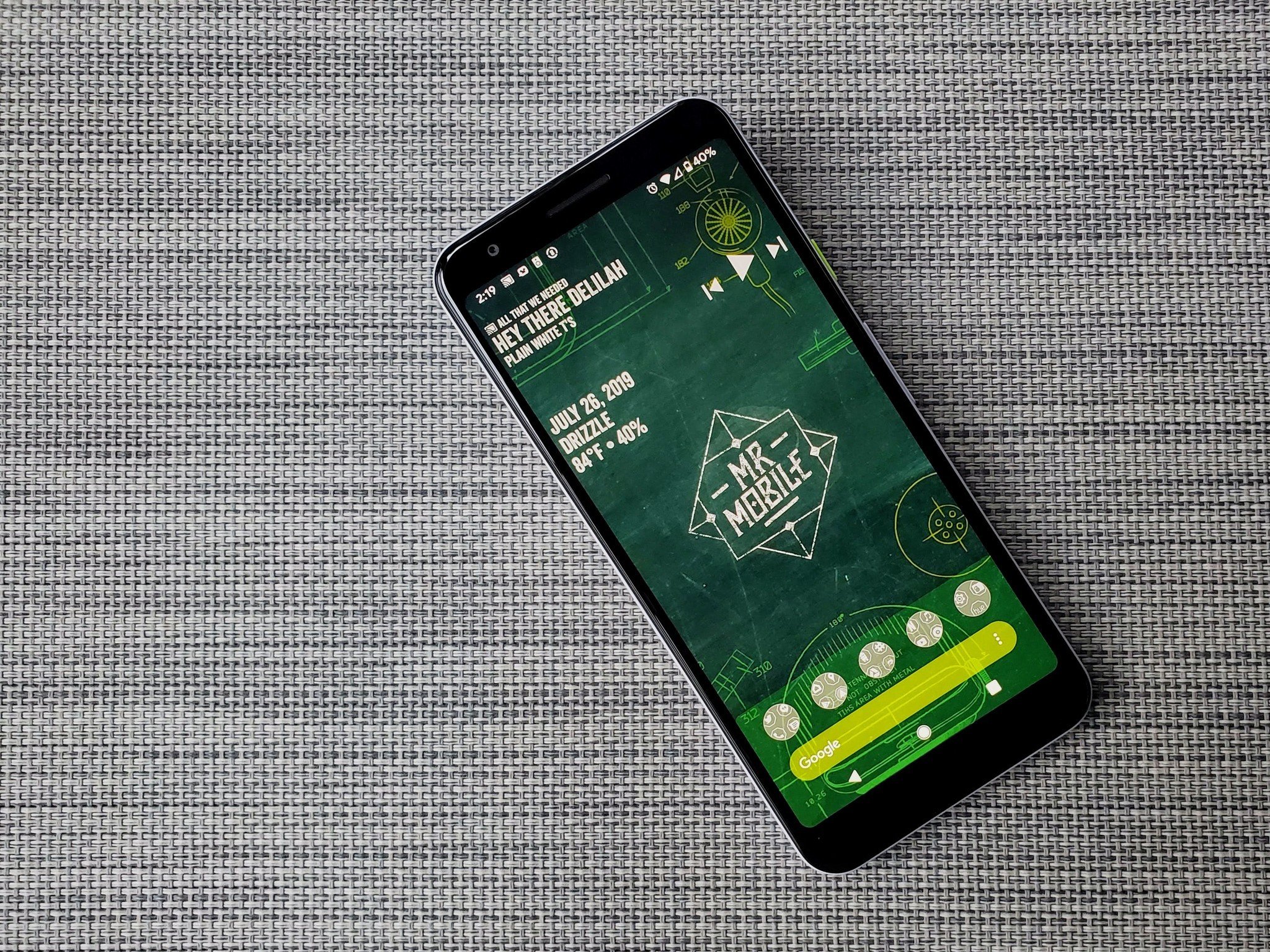
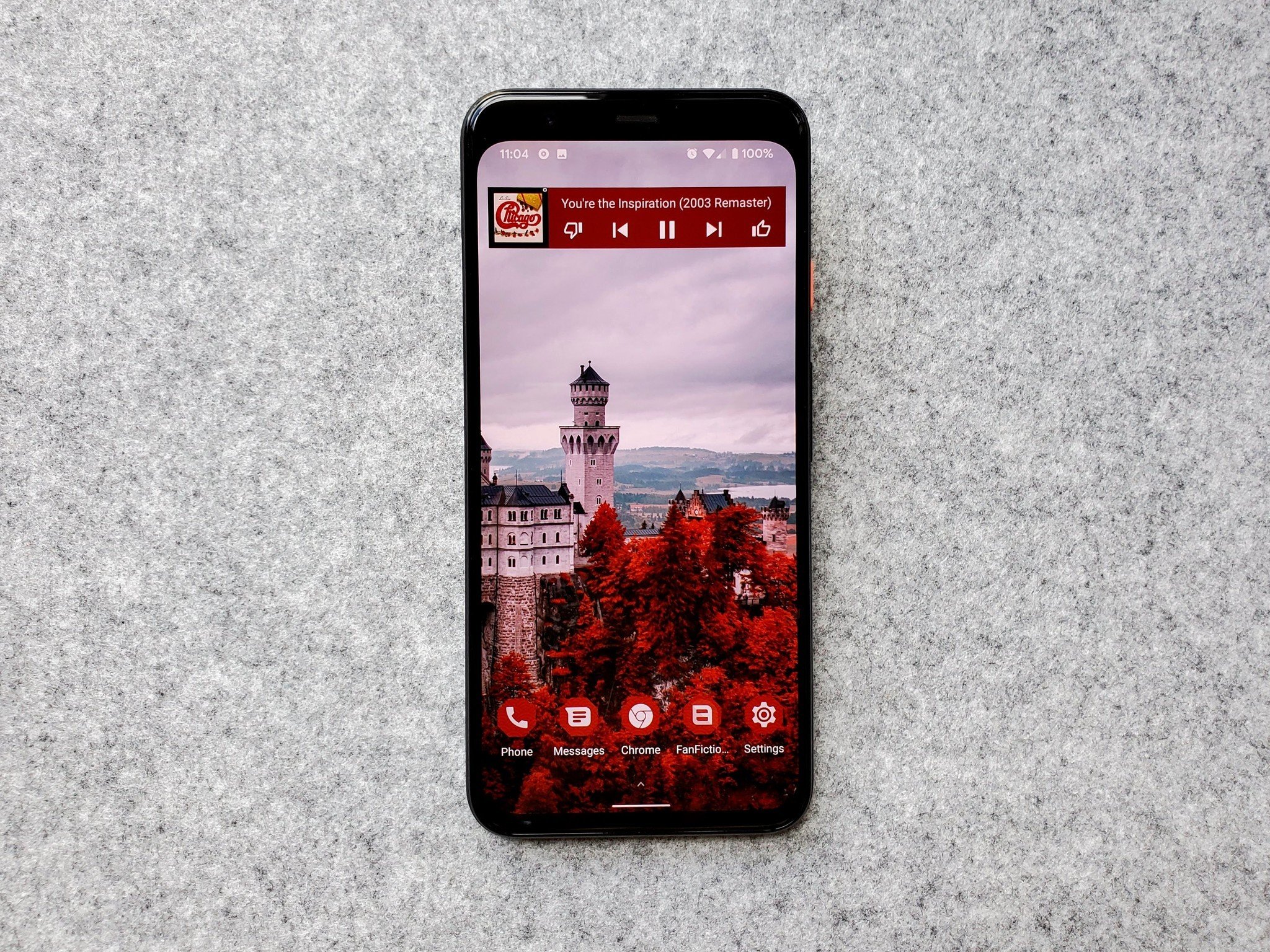
Smart Launcher is also part of the holy trinity of quick home screen theming I've used for the last three years, and it's been used in our dead awesome Deadpool theme, NBA Finals themes, revamped MrMobile theme, and more. You can event combine it with Android 12's Material You and Smart Launcher's Icon Pack Studio to build a home screen experience that will automatically mesh with any and every wallpaper you set on the phone.

Pros:

  • Easy setup with simplified layout
  • Tabbed app drawer is wonderful
  • Quickest launcher to theme
  • Best home screen app gestures

Cons:

  • You can't place icons at the top of the home screen
  • Premium system can be confusing

Best Overall

Smart Launcher 5
Free at Google Play

Simple setup and wonderful widget pages

With a smart, widely adaptable app drawer, insane icon options through Icon Pack Studio, and a drop-dead simple home screen, Smart Launcher 5 has won my heart and my home screen.

Resurging Legacy: Nova Launcher
AC
Score
5

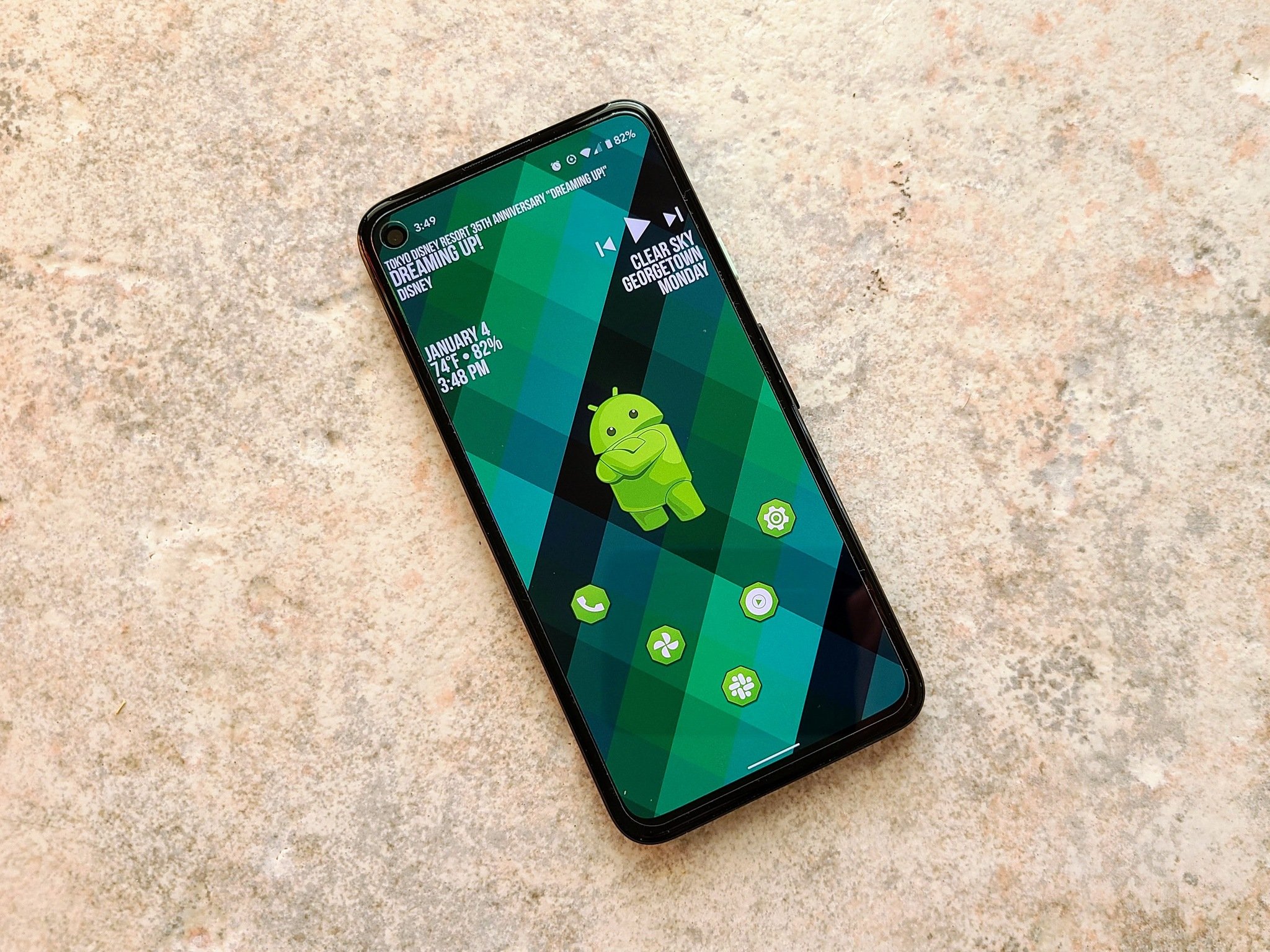
Nova Launcher has been a major player in the home screen market longer than most of us have even used Android. The reason for this continued dominance is simple. Nova's mix of customization, convenience, and cunning is unparalleled. Nova lets your phone look more Pixel-y than a Pixel and more TouchWiz-zy than a Galaxy and does it all with ease and grace. It also lets you build a home screen that is unique, stable, and solid while being as plain or beautiful as you'd like.

A wide feature set allows Nova to achieve all these wonderful themes and let users build exactly the home screen they want, with small but infinitely useful features like subgrid positioning and a robust backup system. For users just getting used to third-party launchers, the "import from other launchers" feature is the most consistent and reliable on Nova than just about every other launcher I've tried in previous years. If you want to ease yourself from the basic launcher to a custom experience, Nova can help you get comfortable with launcher layouts and themes.

The launcher also recently took Nova Launcher 7 to the stable channel where everyone could enjoy the overhaul to settings and launcher look that has been in beta for a year. Nova had been starting to feel a little bloated, but the Nova 7 update has refreshed things so it's easier for new users to jump in while still being as flexible as ever for those of us who are ridiculously picky when it comes to theming our home screens.

Pros:

  • Easy to import previous launcher layout
  • Tons of customization options
  • Great support and stability
  • Buy Prime once and you're set for life

Cons:

  • All the options can be overwhelming
  • Theming can take a while

Resurging Legacy

Nova Launcher

Free at Google Play

Good ol' reliable launcher for the masses

Whether you want to build complex themes or you just want a smartly laid out launcher with excellent gesture controls, Nova is for you and your style.

1. ExpressVPN: The best VPN available right now

This is our top pick for anyone looking to get started with a VPN. It offers a great mix of speed, reliability, outstanding customer service, and affordability. There is a 30-day money-back guarantee, so give it a shot today.

From $6.67 per month at ExpressVPN

Swiss Army Launcher: Action Launcher

AC
Score
5

The watchword of both Action Launcher and its users is quick — Quicktheme, Quickdrawer, Quickpage, Quickbar. To ensure it can be the quickest and best launcher for users who want to set everything up just so, Action Launcher has taken it upon itself to be one of the most customizable launchers on the market.

From its robust gesture controls to its ubiquitous Covers and Shutters to hide folders and widgets under app icons, Action Launcher makes it easy to get the home screen you want. If Quicktheme's color palette misses the mark, you can now set Material palette colors or custom hex code colors to get a more cohesive look! This was a long-awaited feature and it makes Action Launcher much more useful to live wallpaper users and themers.

Action Launcher is also quick to support features from the newest versions of Android, or as much as can be replicated on a third-party launcher. Action Launcher's developer Chris Lacy is devoted, dedicated, and is quick to jump in on Android issues that impact third-party launchers — and even iOS features, adding widget stacks from iOS 15. While the actual theme-building power here isn't quite as adaptable as Nova Launcher, it's a launcher that works incredibly, well, quick about getting you set up and on your way.

Pros:

  • Customize almost everything
  • Great gesture options
  • Robust support

Cons:

  • Not quite as flexible as Nova Launcher
  • Premium/Plus system can get confusing

Swiss Army Launcher

Action Launcher

Free at Google Play

Quick's the word and sharp's the gesture

Whether you want a launcher that's the peak of productivity or the height of sophistication, Action Launcher and its many quick features can help you realize your dream setup.

Best Productivity: Microsoft Launcher
AC
Score
4.5

You'd think that if Microsoft was going to bring a launcher to Android, it'd match Windows 10 or maybe the old Windows Phone look — and you'd be wrong. Not only is Microsoft Launcher a completely Android-native experience, but it's a top-quality, ever-updating launcher. It's one of few outside Nova Launcher to offer edge-to-edge widgets and subgrid positioning.

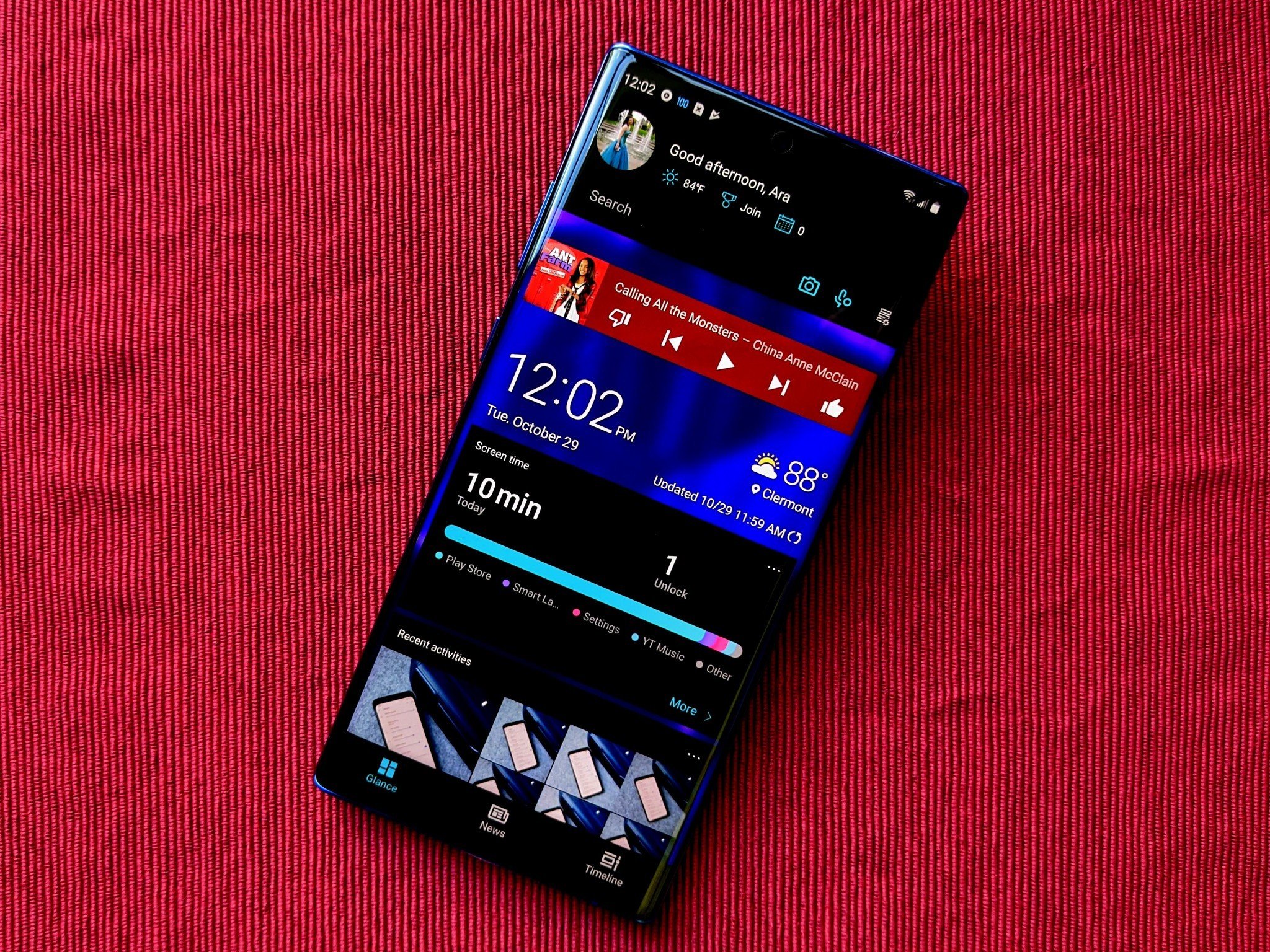
Microsoft Launcher's experience centers around a clean home screen and a smart page to the left fed by your Microsoft account, your daily phone use, and any Android widgets you wish to add. Even if you're not immersed in the Microsoft ecosystem, having a scrolling page of widgets beats having to space them out over 3-4 pages. While this launcher's settings are somewhat clunky, it has all the launcher options you'd want and then some.

While Microsoft Launcher is definitely not as simplistic as Smart Launcher 5 or Niagara Launcher, it is still a fairly lightweight launcher that's well-worth considering, especially if you have any sort of reliance on Microsoft's ecosystem for work, school, or personal use. And while the Microsoft Launcher is designed for the Microsoft Surface Duo 2, not the Z Fold series, it is yet another good option of foldable phone owners.

Pros:

  • Scrolling widget page
  • Good enterprise integration
  • Very active dev team

Cons:

  • Settings need refinement
  • Two-level dock is weird

Best Productivity

Microsoft Launcher

Free at Google Play

Integration and adaptability for the way you work

You can customize most aspects of this quite adaptable launcher, but it's also remarkably easy to have the launcher get out of your way and let you work.

Quick and Simple: Niagara Launcher
AC
Score
4.5

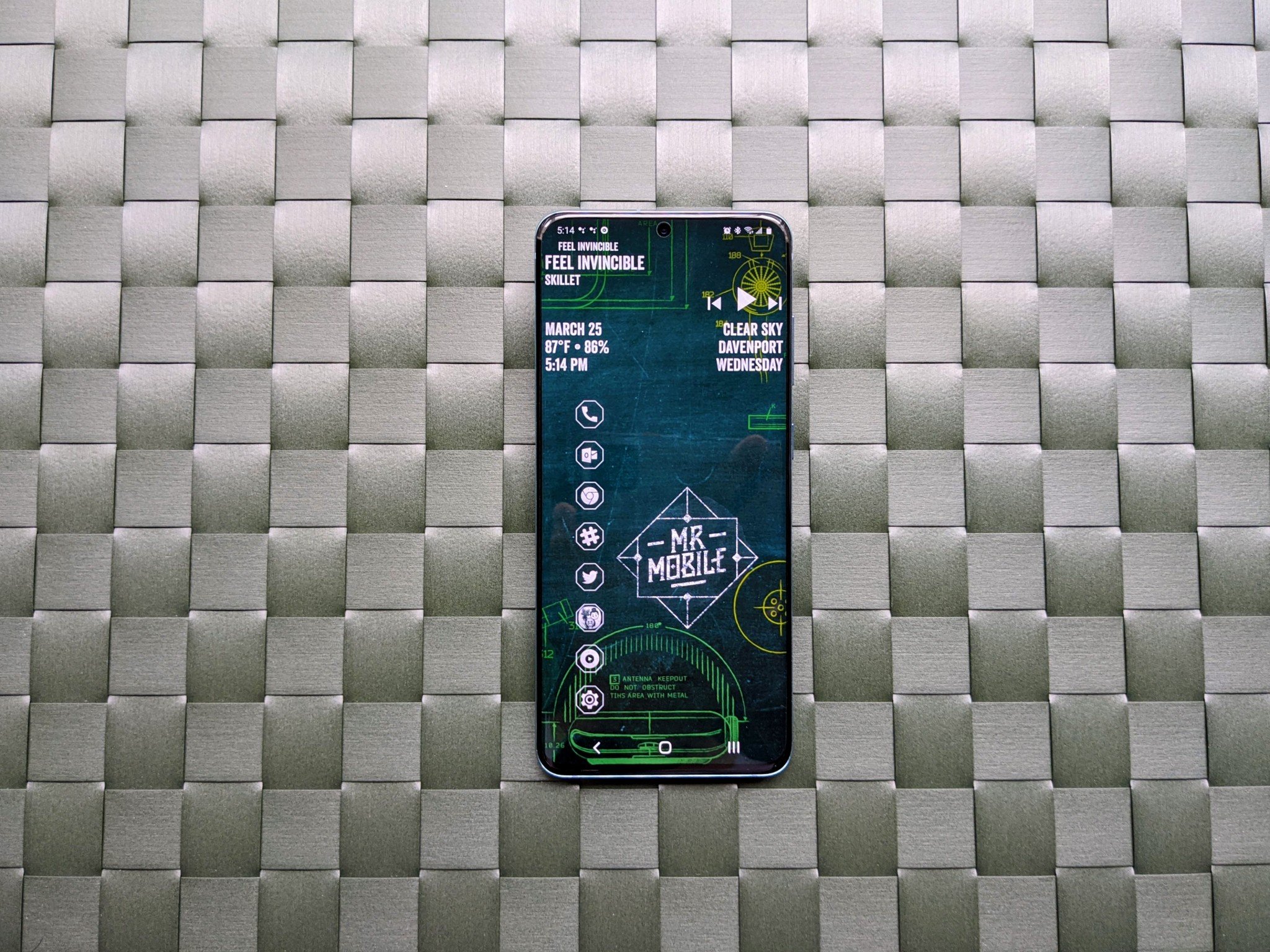
Niagara is still a shiny new-ish launcher that has only been around for a couple years — yes, that makes it new by launcher standards — but it's already got quite the following for being a lightning-fast launcher that's great for low-memory devices. It's also ridiculously simple to build themes around since it only has one layout. You can stick one or more widgets at the top, you have a Quicklist of your favorite apps, and the rest of your apps are a simple slide along the A-Z alphabet on the right (or left) side of the screen.

The feature set here has been steadily growing over the last year, and Niagara really hit its stride around the summer of 2021 when the Galaxy Z Fold 3 arrived and brought foldables mainstream. Niagara Launcher was very quick to adapt its minimal launcher into a big-screen-friendly launcher and in fact if you're looking for an all-business launcher for your Fold 3, Niagara has both one-column and two-column setups you can use to get to your next app and get back to work lickety-split.

If you just want to find your apps quickly and get on with your day, Niagara Launcher is a pretty great answer. It reminds me a bit of the old Z Launcher from several years ago, if you remember Nokia's experimental launcher, but I think this one is going to be around for a good while.

Pros:

  • Ridiculously fast
  • Quick setup
  • Drop-dead easy interface
  • Works well on foldables

Cons:

  • Very limited layout options
  • Gestures can overlap at times

Quick and Simple

Niagara Launcher

Free at Google Play

One layout, one super-fast app drawer.

While you may not be able to spread out all your apps and widgets on five different screens, this vertically scrolling launcher is lightning quick and works well on phones that more bloated launchers start to lag on.

Bottom line

My first launcher love was Nova, but Smart Launcher 5 won over my heart in 2018 and I haven't found anything else that works quite as well for my theme-loving setup. The categorical app drawer is better than one big A-Z sort once you have your categories set the way you want them, and the double-tap app shortcuts don't interfere with gesture navigation or swiping between the app drawer and home screen screens the way they do on Nova, Action, and just about every other launcher in existence.

If you want a launcher that's more like the launcher that came with your phone, Nova Launcher is the best bet because it imports from other launchers more consistently than any other launcher I've tried, allowing you to start with the setup you already had and then ease yourself into more advanced features like shortcut gestures and customizing the look of your folders, icons, and search bars. Nova Launcher is what Nicholas Sutrich uses on all of his phones, including on his Galaxy Z Fold 3, because you just can't beat Nova's flexibility.

Whichever of these launchers you opt for, the beauty of testing a launcher is that these all have a free tier that allows you to get a really good feel for the launcher and how it performs before you unlock extra features with Pro upgrades. If you have a launcher you absolutely adore, you should absolutely buy the pro key or contribute to the developers so that they can keep updating that launcher and keep it alive. Developers need to eat, too!

What happened to my gesture navigation?

This is not the launcher's fault. It's Google's.

If you're on an Android 10 phone that isn't on the latest patches, using anything other than the default, manufacturer launcher on your phone will force you from the new Android 10 gesture nav back to ugly old three-button nav. This was an issue at Android 10's initial launch, one that made third-party launchers suffer for Google's incompetence.

This issue has since been fixed for many phones, first Pixels and then OnePlus phones and finally Samsung phones that have the One UI 2.5 and One UI 3.0 updates. If you can't use gesture nav with your new launcher, contact your manufacturer and ask what the holdup with the update is.

And once again, shame on Google for ever allowing a major release of Android to ship like this! SHAME!

What missed the cut
There are hundreds and hundreds of launchers out there, and while there are plenty of good ones, they can't all make the cut. Here are the launchers that couldn't make the cut:

  • Lawnchair was an honorable mention on this list for two years, but the launcher stalled out for a year and now they're working on Lawnchair 12, but it's still in a beta that's being run through a Telegram channel. When they get a version on Google Play that isn't from 2019, then we can revisit them, but we can't recommend it to new users or anyone looking for a simple, stable experience.
  • Evie Launcher was still a light, easy launcher, but it's not in active development anymore, which means that when bugs arise, there's no one to fix them. If you were/are using Evie, try either Smart Launcher 5, Niagara Launcher, or Pear Launcher if you're on a phone with limited RAM.
  • Hyperion Launcher keeps making progress, and it's actually pretty good these days. It's still not as stable as Action Launcher or Nova, though, and it's got a more confusing UI that will dissuade new users. If you're after a hyper-customizable launcher, Hyperion is for you.
  • BlackBerry Launcher hasn't seen any updates in a year and is just too expensive to recommend to anyone that isn't already an active BlackBerry Hub subscriber. If you're a business user, Microsoft Launcher is likely a better fit, and Microsoft Launcher's free.


from Android Central - Android Forums, News, Reviews, Help and Android Wallpapers https://ift.tt/2rkKsw7
via IFTTT

Poll: What was your favorite announcement from Meta (Facebook) Connect?

Meta here, Meta there, Meta everywhere!

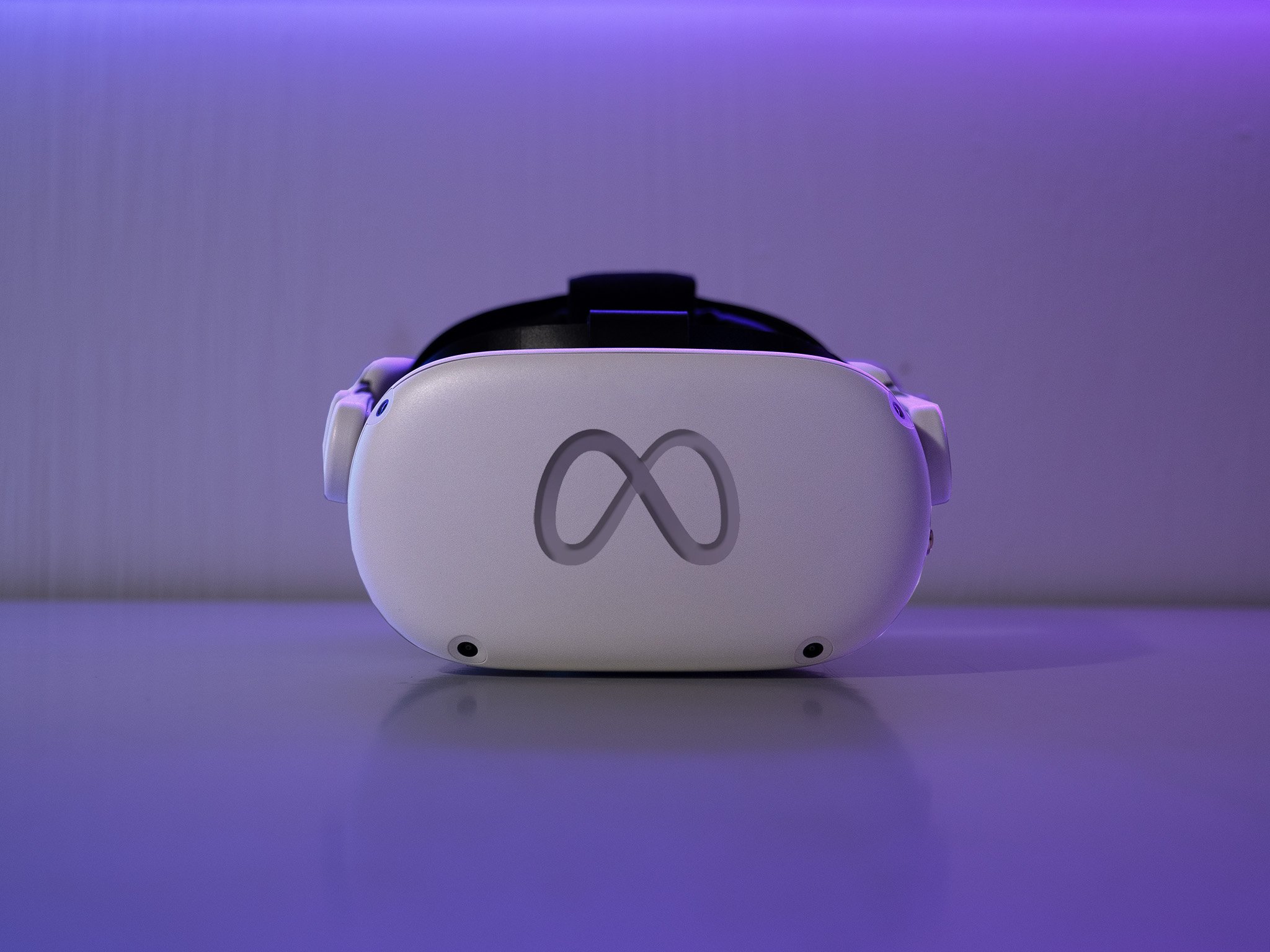
In case you missed it, Facebook has a new name. The company is now going by "Meta" to highlight its focus on building the metaverse and how the company is no longer just about the Facebook app (which gets to keep its name, btw). But before CEO Mark Zuckerberg announced the name change, he walked us through several updates to the company's AR and VR efforts, especially as they relate to the Oculus Quest 2 and future products.

What were your favorite announcements from Connect?

While much of the focus of the Connect keynote on Thursday was on the metaverse, many announcements were geared toward Meta's VR efforts with Oculus. The company divulged several functional updates to its platform that should please VR enthusiasts, such as including 2D apps like Dropbox, Slack, Instagram, and more.

One nice change is the new cloud save system that automatically backs up your game data without worrying about losing data if you uninstall a game. This means you can always go back to where you started if you decide to reinstall it.

Additionally, users will be able to delete their Facebook accounts from their Quest device without losing any of their library of content and games. This is a current limitation to one of the best VR headsets around, and soon it will be followed by the company dropping the Facebook login as a requirement for Quest.

This is all a precursor to making the metaverse a platform for everyone, which is Meta's current vision.

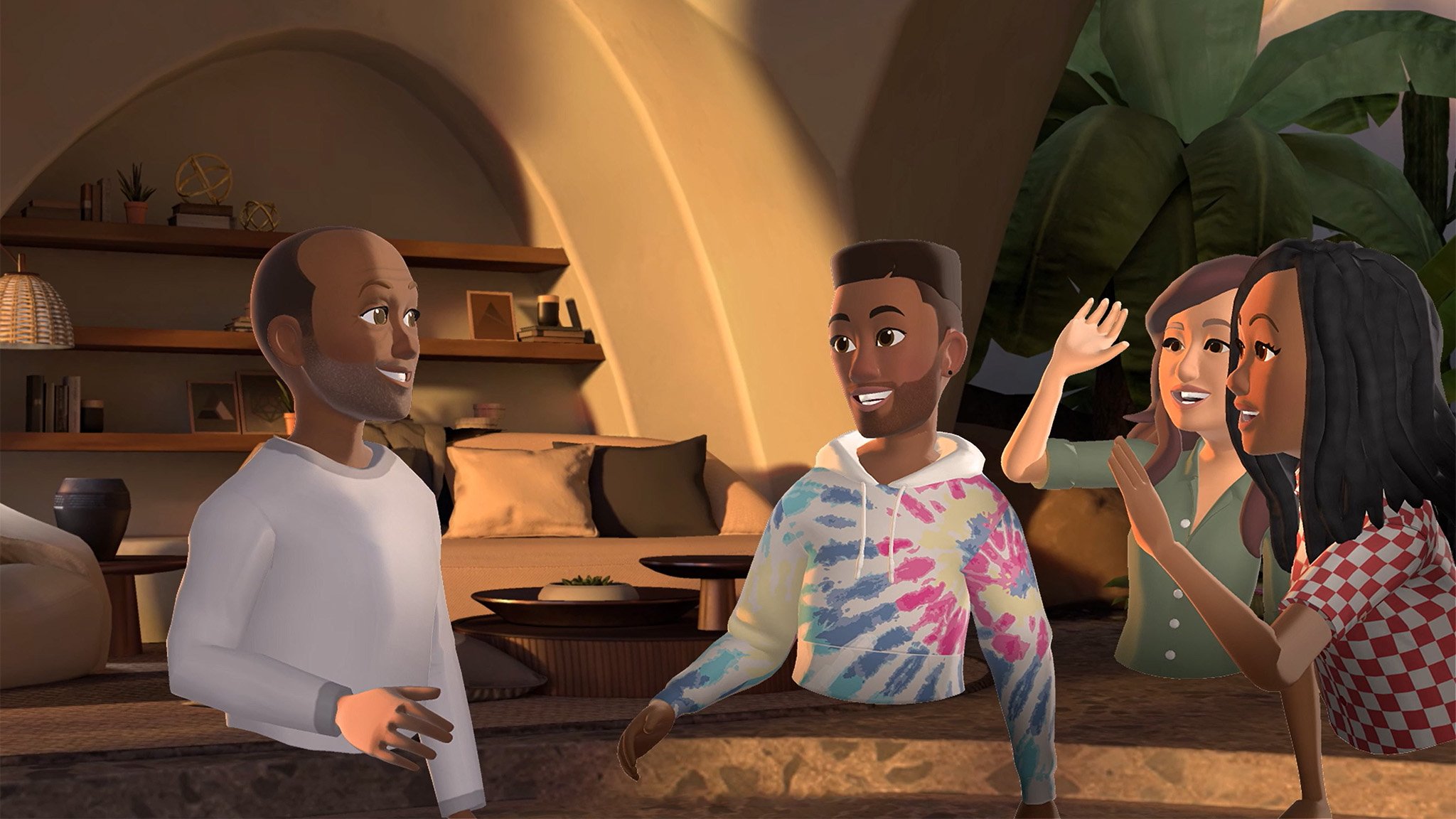
As for the metaverse, Facebook revealed Horizon Home, its early version of a home base that follows the launch of its Horizon Workroom virtual office. With Horizon Home, you'll be able to invite people into your space and host virtual get-togethers.

Meta also announced the arrival of Grand Theft Auto: San Andreas on the Oculus Quest 2, which could potentially give gamers a first-person perspective of the game when it arrives. However, we'll have to wait until next spring to learn more about the port.

Lastly, Zuckerberg took some time to tease the company's plans for upcoming VR and AR headsets, from its elusive Project Nazareth to its widely-anticipated Project Cambria, which is believed to be the rumored Oculus Quest Pro. It's said to include some impressive new technology for a more natural VR experience, which would make navigating the metaverse much easier ... whenever that becomes a thing.

Immerse yourself

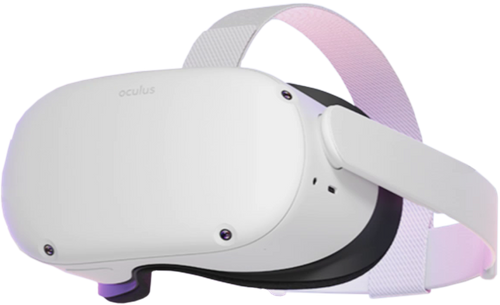
Oculus Quest 2

$299 at Best Buy $299 at Amazon $380 at Walmart

A whole new world

The Oculus Quest 2 is one of the best VR headsets you can buy, thanks to its easy setup and untethered design, so you don't need a PC to get started. It lets you jump into some great games, or you can chill out with your favorite films and shows with plenty of apps.


from Android Central - Android Forums, News, Reviews, Help and Android Wallpapers https://ift.tt/3CvWvbK
via IFTTT

Why Pixel 6 reviews are so varied over its new cameras

How is the Pixel 6 both the best camera and the worst camera at the same time? Bias and Google still fine-tuning.

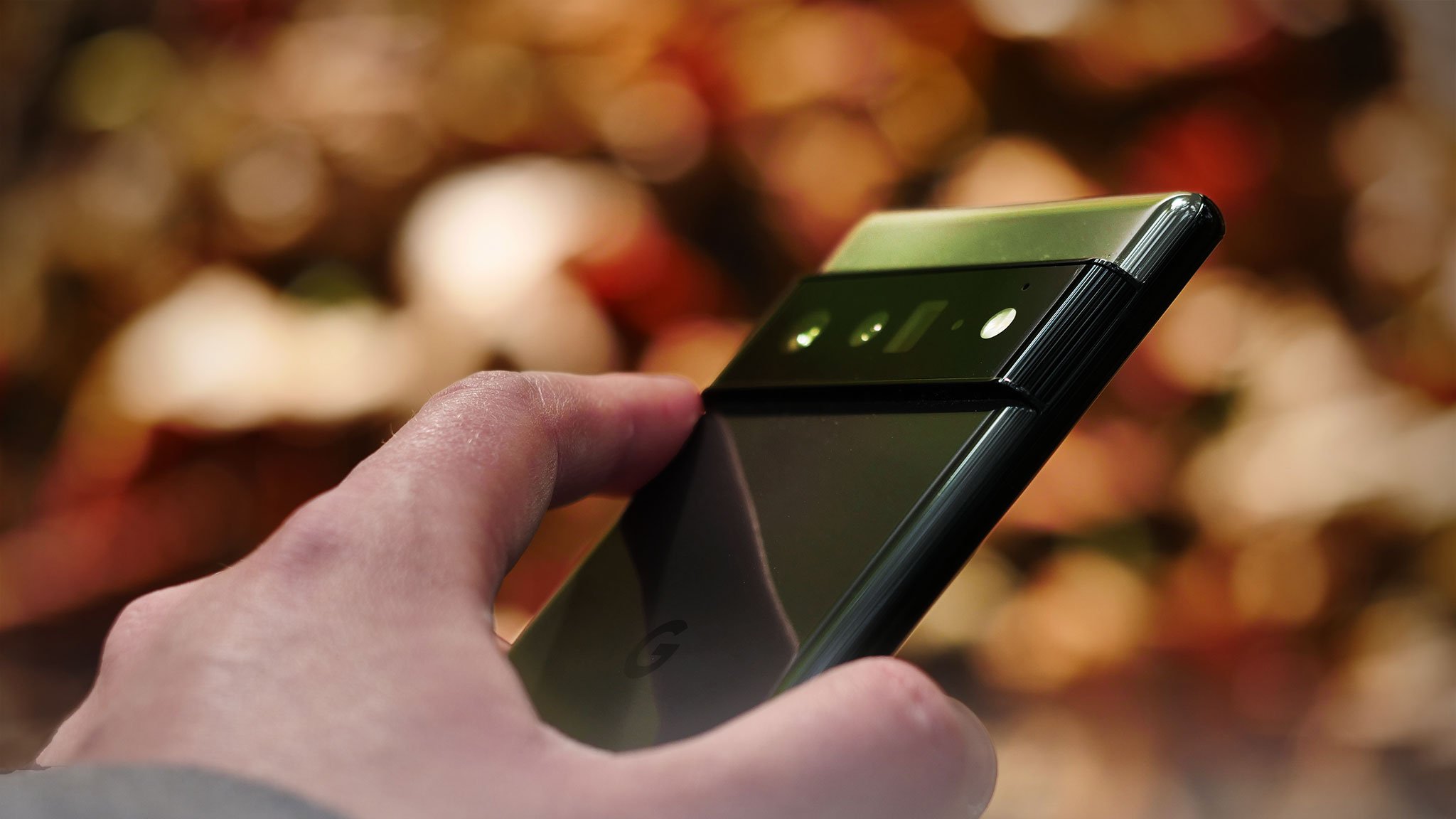
I've been using my Google Pixel 6 for two weeks now, and while writing its review for Android Central, the section that honestly felt the easiest to write for me was the camera section. The main sensor kicked out great photos day or night, and the videos I took were wonderful. While white levels missed every so often, it was always within the range for the highlights/shadows toggles to fix.

In short, the Pixel 6's main sensor photos were great. Once those words were written, though, the urge to change or hedge them gnawed at me for days. Once the rest of the reviews for the Google Pixel 6 series came in, that gnawing turned into a heavy stone. A lot of reviewers weren't fans of that new 50MP sensor at all, but just as many found the Pixel 6 to be a great camera that only needed some minor fine-tuning.

Source: Danny Winget

Our own Nicholas Sutrich said in his 6 Pro review that it "handily beat the iPhone 13 Pro on all counts" when it came to indoor photography, night photography, and video noise. But both Marques Brownlee and Danny Winget (seen above) said the exact opposite in their video reviews: that the iPhone 13 was a better camera in most circumstances.

And the craziest part? All of our reviews — and the rest I'm about to mention below — wrote the truth, as we experienced it on the Pixel 6 and 6 Pros we had in our hands at the time. That makes the Pixel 6 Series both the best and the worst, and actually, that's the perfect review for it.

Source: The Verge (camera discussion starts at 6:42)

The Verge said in its Pixel 6 and 6 Pro review that "the Pixel 6 images have the classic Pixel look: high contrast, slight overexposure, extreme sharpness, and cooler white balance," but also said that the Pixel 6 was neck and neck with the iPhone 13 Pro. On some shots, the 13 Pro came out on top, and on some, the Pixel 6/Pro came out on top.

The Google Pixel 6 is capable of amazing shots. It's just not amazing every single time.

And it's all absolutely right. The high contrast and overprocessing have been echoed in reviews like MKBHD's. Brownlee admitted to liking the Pixel's general look in photos for the last few years, but agreed that Google is just trying a little too hard with the Pixel 6, using too much HDR and having overcolored shots. He also noticed something that I think contributed to the grainy/glitchy look that many reviewers thought they saw, especially when taking photos or videos in more challenging conditions.

Google hitches up the ISO on the camera viewfinder to produce a more seamless high-frame-rate preview rather than getting stuttery at times as other smartphones do. A high ISO can make scenes look grainy in the preview, but once the picture is processed, the finished photos in most instances look great.

It takes getting used to, for sure, but Brownlee agrees the adaptation is worth the result: "While that seemed kind of weird to me, at first, I actually think this is a good move. So, Tensor has the horsepower to just run the stuff at high ISO and the preview might not look great, but at least it's not choppy and laggy. And then it basically under-promises and over-delivers; people will see the viewfinder and think this will be a bad photo, and then they'll be shocked at how good the final photo is."

Source: MKBHD

While there were some stellar shots in his video review, just as we've seen in most if not all of the reviews, the MKBHD verdict still gave the iPhone 13 the edge over the Pixel 6 because of the 6's inconsistency. That is why opinions are so varied from person to person. Consistency is crucial when talking about how good or bad any feature or product is.

If a phone will last for 21 hours on one day and be dead by noon on the next with the same casual usage, that phone would be worthless because you couldn't count on it. Cameras are the same way; if you can't trust them to take the photos you need to take in that split second your kids are taking their first steps can you trust it at all? Mrwhosetheboss (below) highlighted that inconsistency in his head-to-head with the Pixel 6, as did Danny Winget.

Source: Arun Maini (Mrwhosetheboss)

Granted, the discrepancy isn't nearly that stark when it comes to photos. Even Google's "bad" shots are still a 6/10, and most of them are top quality. Videos can be a little more inconsistent because of a wider variety of factors — what stabilization you're using, light level, how crowded or active your scene is — but the quality is still improved on the Pixel 6 compared to previous Pixels, and even when compared to the current crop of flagships.

Of course, tech reviewers and YouTubers have drastically different expectations of cameras compared to the average person, and given how good smartphone photography has gotten in the last five years, we've had to dig deeper to distinguish the differences and deficiencies between devices. Danny Winget said, "Most of us tech folks probably care so much about dynamic range details, colors, and accuracy. But most people just care about which phone works best on social media, and I still think that's the iPhone. I feel my camera test won't apply to everyone and I nitpick the details but cameras are just so good these days I have to."

I'll confess, when I'm prepping and drafting a review, I start with the "cons." After all, it's easier to talk about what's wrong with a product, and it's what we tend to obsess over when preparing to buy something. I've been a nitpicky girl for years, and it comes in handy with reviews because it helps me find problems and ensure they won't make or break the readers' experience. When it comes to the cameras, though, the Pixel 6 hosts a great setup for the vast majority of users. It's just a shame that small minority is responsible for writing its reviews.

Despite our inability to reach a quorum on the Pixel 6's overall camera quality, there were two things every single review agreed on. Firstly, the ultrawide camera on the Pixel 6 Series is just OK, boarding on "meh." Those shots are fine for social media, at least during the day, but swap between the 50MP main camera to the 12MP ultrawide and your photo instantly gets worse in every way, as pointed out by CNET's review. If you're gonna bring us the best cameras, Google, that ultrawide camera needs to be just as good as the main sensor.

Source: CNET

Secondly, Night Sight is just too damn slow for anything other than static landscape photography, and even then, a light breeze will turn it into a blurry mess. I had a better experience than most with Night Sight because in many instances, the Night Sight only took 1-2 seconds and the stabilization made it a little easier for people like me with tremor-prone hands. However, even I have to agree that Night Sight needs to do better for more than astrophotography and tripod work.

And of course, mentioned in most of the reviews is the fact that things could potentially get better over the course of the next few months. After all, the hardware is great — well, on the main sensor and telephoto — it's the processing and the algorithms Google's using that are throwing wrenches in the works. When I asked Winget about this issue, he agreed that the software just wasn't quite ready for launch.

"I think the biggest problem with Google is they didn't have enough time to tune this camera to the brand new sensor, and they're using their older algorithms for a newer sensor," he said. "This is why I think a lot of the images are inconsistent because they just haven't had the time to tweak properly."

Until then, the Google Pixel 6 is the best Android phone you can buy today, and I'm spending all weekend soaking in the splendor of Halloween and enjoying that sweet 50MP sensor. If you've been debating picking up a Pixel 6, I suggest making up your mind soon, especially given how back-ordered the Pro has become.

Pixel perfected

Google Pixel 6

Finally, a proper Pixel flagship has arrived

After years of fatal flaws and stagnant design, Google has finally given us the shock-and-awe upgrade we've been waiting for. Tensor's AI prowess makes most Assistant features feel magically fast. Major camera updates for both hardware and processing give us significantly better photos, even if Google's still fine-tuning some of the processing for that new 50MP sensor.

From $599 at Amazon From $599 at Best Buy From $599 at B&H


from Android Central - Android Forums, News, Reviews, Help and Android Wallpapers https://ift.tt/3pSvYld
via IFTTT

The Galaxy S21 FE has a launch date, but not as you might expect

The phone is likely set to debut at CES 2022.

What you need to know

  • The Samsung Galaxy S21 FE is reportedly launching at CES 2022.
  • The new launch window is slightly in line with a previous rumor claiming the device would debut on January 11.
  • CES 2022 will take place between January 5 and 8, 2022.

Samsung's upcoming Galaxy S21 FE figured in numerous leaks and rumors in the past, with the most recent report indicating a January 11 launch date. It now appears that the device will be unveiled a little sooner than previously expected.

As per SamMobile, the Galaxy S21 FE is confirmed for launch at CES 2022, which will take place between January 5 and 8 in Las Vegas. The new launch window slightly coincides with the previous rumor, giving us hope that the device is indeed happening despite previous reports suggesting that Samsung would shelve the whole thing.

If this pans out, Samsung will be announcing a Galaxy phone at a major tech event for the first time in a long time. The South Korean tech giant has traditionally launched its smartphone offerings at its own Galaxy Unpacked event, though the Galaxy S21 FE was a no-show in all four Unpacked events this year. In contrast to many people's expectations for a new Fan Edition device, the most recent Galaxy Unpacked Part 2 saw the release of the Galaxy Z Flip 3 Bespoke Edition.

It's not as if Samsung had never announced a phone at the annual consumer technology trade show. For example, at CES 2019, the company quietly showed off a 5G smartphone prototype. However, its best Android phones are usually unveiled at Samsung's own event.

Having said that, CES 2022 isn't the worst place to debut a Galaxy device. After all, it is one of the most important trade shows each year.

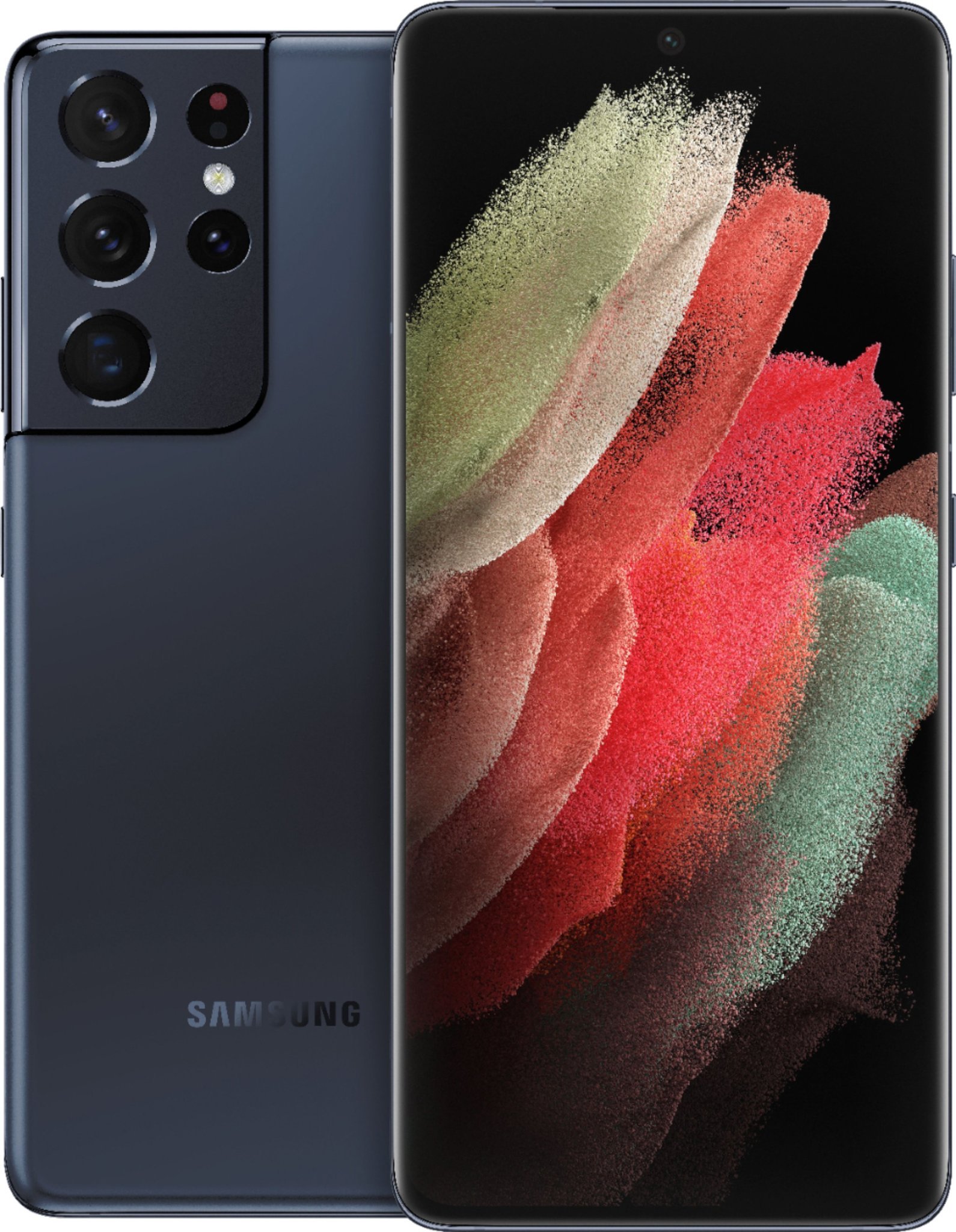
Samsung Galaxy S21 Ultra

From $1130 at Amazon From $1200 at Best Buy

With four impressive cameras, a stunning display, and S Pen support, the Samsung Galaxy S21 Ultra is one of the best Android phones available right now.


from Android Central - Android Forums, News, Reviews, Help and Android Wallpapers https://ift.tt/3CyfnHc
via IFTTT

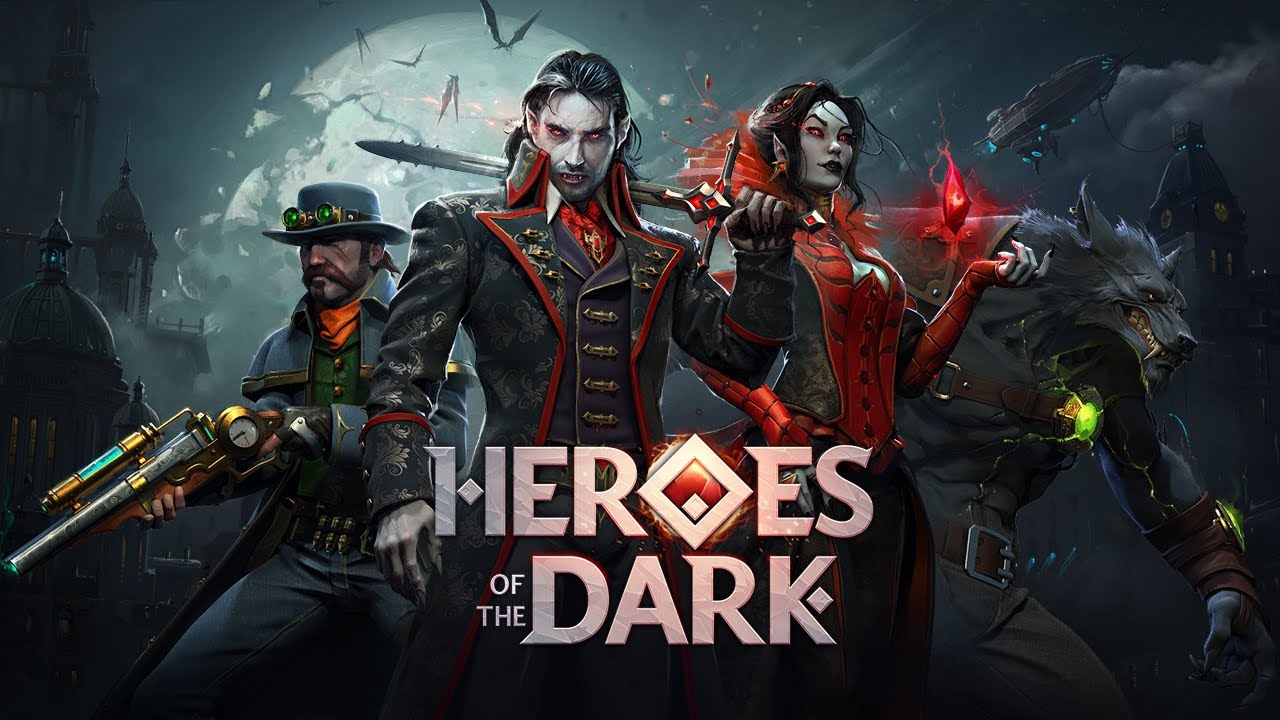
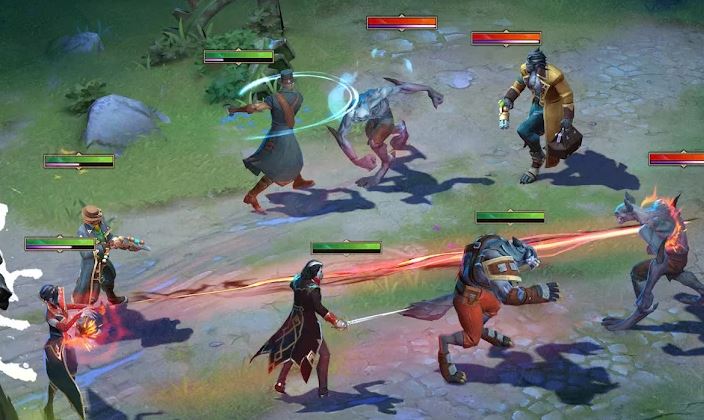
Preview: Heroes of the Dark offers a lot for RPG Android players

Heroes of the Dark throws in a lot of features, but balances them surprisingly well.

One of the biggest strengths of mobile RPG Heroes of the Dark is how well it ties together and balances its many different ideas. On the surface, Gameloft's new horror-themed game appears to be juggling far too much at once, its base-building mechanic at odds with the hero collecting, its multiple currencies, and resources clashing with the simplicity of sending your heroes into battle. This is not the case, however, as not only does each mechanic work well together, each element of the game offers something that keeps you entertained. The game also runs very well on Android devices, its stability and smoothness remarkable considering its size.

Renovations

Heroes of the Dark is set in the fictional land of Tenebris, one that has been taken over by the ominous-sounding High Council. The player is tasked with taking it back using your horror-themed heroes, and there are many different parts of the game contributing to this goal. Improving your mansion is one of the main tasks, the spooky building representing your base and the site where you farm for resources.

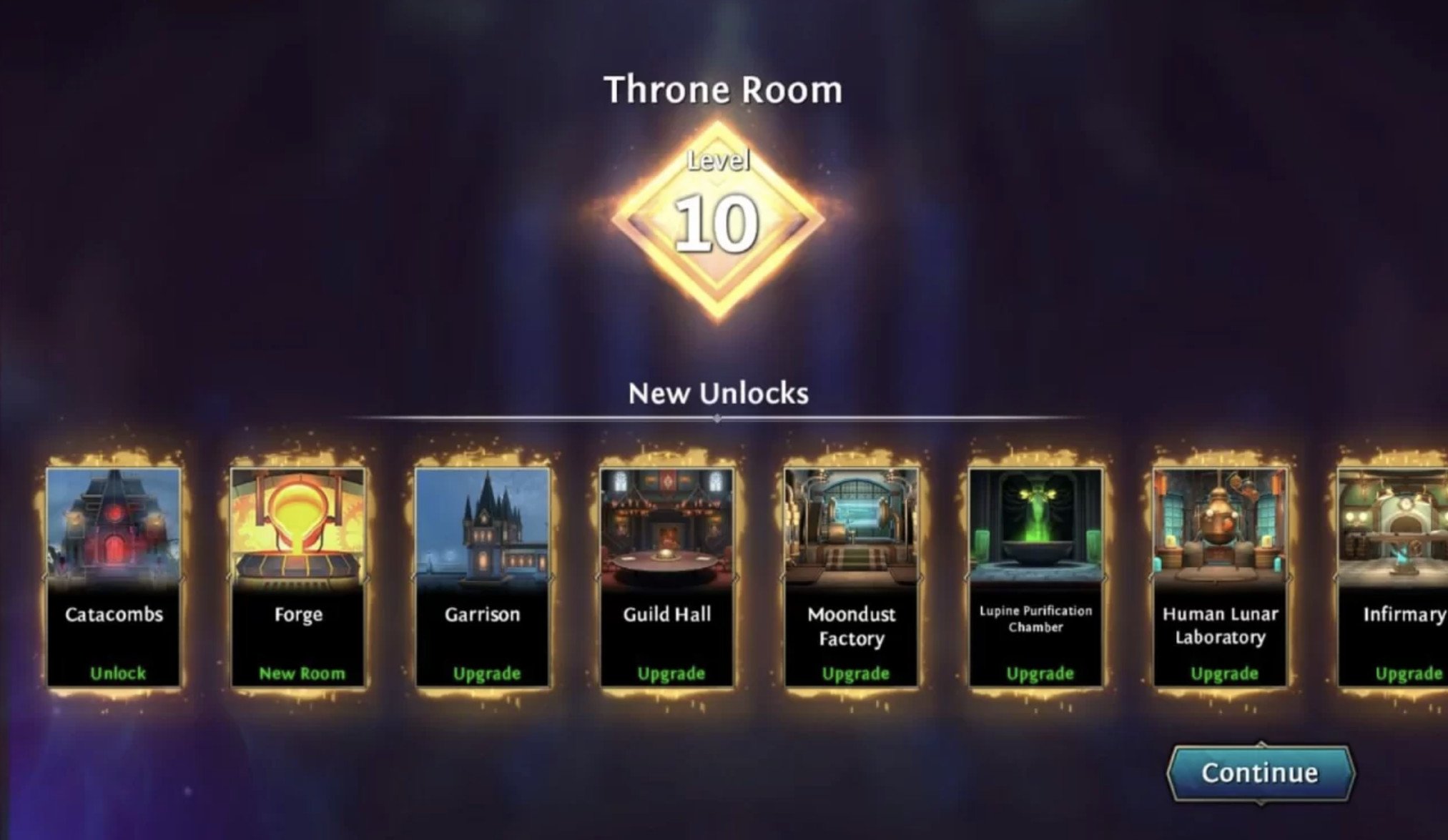
The mansion's layout is similar to Fallout Shelter's, where each room is used for a specific purpose. How you use the available space is up to you, with the player able to select from a range of rooms, with the ability to unlock more through leveling up the main throne room. The resources in question are varied, with some used to level up your heroes, while others are used as currency to level up each room.

Stamina, Gold, Moondust, and Lunar Gems are the main four currencies here, with Stamina and Gold working in the same way as many other mobile games. Moondust allows you to create crystals, another component used for leveling your heroes, while Lunar Gems skip time creating said crystals or when building rooms. The time limits are not as punishing as some games, and the Lunar Gems are plentiful enough that you can skip time quite often, keeping the game flowing. Microtransactions are also present if you wish to top up certain currencies, though this is unnecessary for progression.

Battles

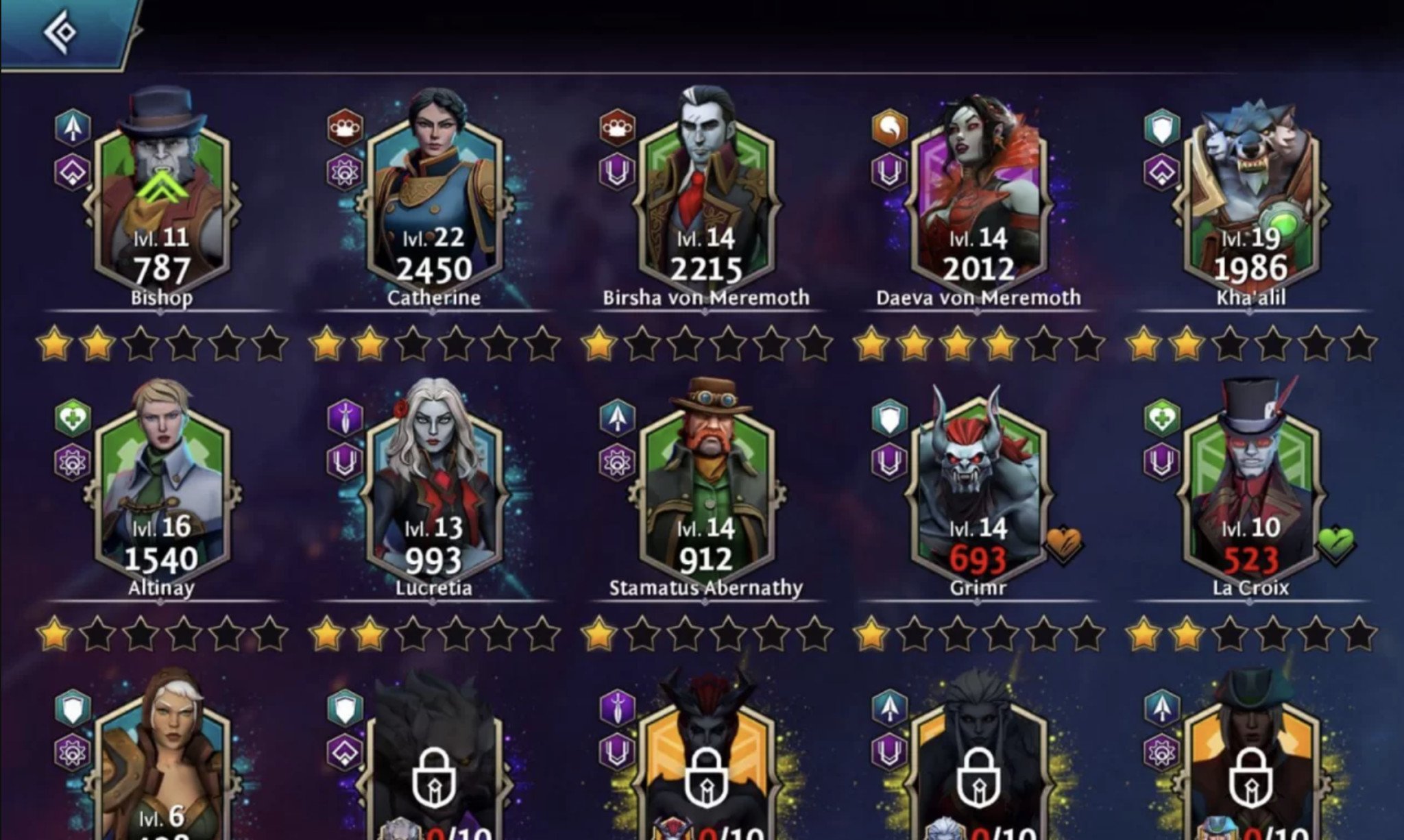
Another main component of the game is battling, utilizing the abilities and classes of heroes collected throughout. Players can unlock a total of 29 characters from werewolves to vampires, using them in battles either in the campaign or through attacking camps or other players in pursuit of resources.

Battles themselves are played out automatically, with the player able to control who is sent out to fight and in what form. The addition of buffs affected by the position of certain characters on the field adds a strategy element, and the overall power level of your squad versus that of the enemy force gives a clear picture of how the fight may finish. Getting to the required power level of a campaign mission through leveling up feels satisfying. While the success of combat is somewhat tied to a grind, experimentation of your lineup and their unique abilities adds depth.

The characters are very well animated in battle and have unique offensive, defensive, and energy-related stats. In addition, characters can equip gear to improve their stats. Improvements can also be made through raising a character's level, which increases its power and rank, and enhances all stats and the level ceiling. Character classes include: tank, ranger, and support — these further the strategic element of battle and the buffs.

Player interaction

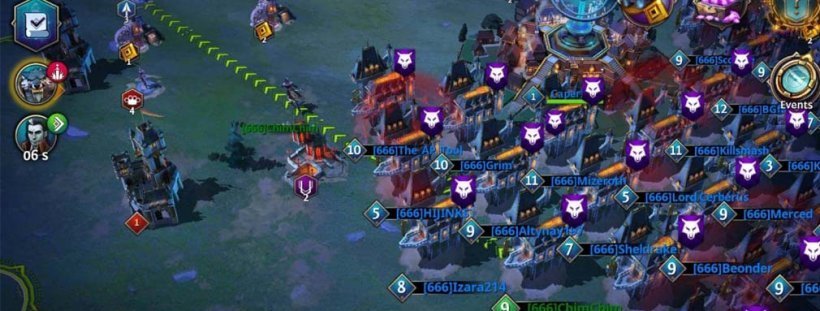
Interaction with others in PVP elements are present, as players can attack other mansions, and successful attacks are well rewarded. Every player can set up a garrison of heroes to defend themselves, with the ability to protect your mansion with multiple waves of characters unlocking in later levels. Players can also occupy gold mines and other resource hotspots dotted about the map, as those looking to increase their resources battle it out for control.

Guilds are also an essential and optional part of player interaction, with players able to create or join a team that comes with perks and a sense of camaraderie. Mansions can be moved to a location that suits them, with the game encouraging you to move it to wherever the other members of your guild are located. Guildmembers can also chat with one another, and there is a global chat that is constantly updated. If you don't want to talk, though, the chat isn't too intrusive, taking up only a tiny section of the screen unless fully open.

Some minor distractions

Heroes of the Dark also has many smaller features dotted throughout that keep your attention between the mansion improvements and the hero battles. In addition to the campaign, missions give you four specific tasks to complete at a time, with the reward of hero fragments, or occasionally a full hero, awarded when you successfully finish these tasks. Ten fragments make a complete hero, with 20 more used to rank up your unlocked character. You can also obtain these fragments through the summoning portal, where players can spend resources to roll for a certain number of fragments.

Events are another feature, a large, timed mission that grants you points for completing objectives. After accumulating enough to cross a threshold, these points give prizes, with many higher-value prizes. It's addictive and represents one way in which the game carefully grants small payoffs throughout the experience and breaks up the grind with frequent rewards. Finally, dungeons are a series of battles against AI forces, increasing in difficulty with little opportunity to heal your characters. They can be challenging, but the rewards here are often worth it.

Performance

Considering its scope and number of features, I had expected some drops in performance and stability occasionally, but experienced no problems with the game's running. It performed exceptionally consistently on high settings on my Sony Xperia 1, and there are four in-game graphics settings to cater to different devices. A power-saving setting is also available, and while it does result in a framerate drop, the option to slow down my battery drain was welcome. With it toggled, I was able to get multiple hours of play time without the need for a charger.

Final thoughts

Gameloft clearly wants you to be playing Heroes of the Dark for an extended period, and there is a lot to keep you occupied. The arduous task of taking back the land from the High Council is a loose one, and there are many tasks to accomplish in the meantime. Luckily, the grind isn't boring, and there are many small victories and payoffs along the way to keep you entertained and keep the game moving forward at a decent pace.

While the many features and currencies may appear overwhelming, they work well together, and though you've likely seen many versions of them before, they are well-polished examples. The tutorial helps piece together the different components, and after you figure out how the features work together, it becomes a fun experience. Heroes of the Dark is out now on Android devices.

Heroes of the Dark

Free at Google Play Store

Heroes of the Dark balances various features and presents players with satisfying gameplay and fun characters to collect.


from Android Central - Android Forums, News, Reviews, Help and Android Wallpapers https://ift.tt/3EypXhE
via IFTTT

Privacy in the new Metaverse

The future may or may not be the alternate reality paradise that Mark Zuckerberg and company promised us. But if it is, our privacy will matter more than ever.

The artist formerly known as Facebook is now Meta. We here at Android Central heard a lot about the promising future of the all-new Metaverse from the company on Thursday. But one area, in particular, was noticeably glossed over: user privacy and security.

That's never a good thing and is especially bad whenever a company tries to rebrand or assure consumers how it plans to change and make improvements in the future. This, of course, goes double when that company is Facebook. Facebook used to be the darling of the tech world, but has recently fallen into a new role where nobody trusts it. Honestly, it's the company's own fault.

This matters to most people who visit tech websites like Android Central. We care about how the companies that make our connected devices, and the software that runs them, treat our privacy. This is mainly because so many companies have shown that they aren't inclined to treat it well, especially as new ideas are turned into new products or services.

Virtual assistants are a prime example. Ten years ago, nobody would have imagined how software like Alexa or Google Assistant could become so helpful or so invasive. But in 2021, even Apple is collecting a lot of user data through Siri (more than Google collects with Assistant even) and Apple as a company prides itself on how little data it collects and how private your use of services should be.

This leaves me a little worried about how the Metaverse will collect, protect, and use all of our data.

It's still Facebook

The company has a new brand, but the players haven't changed. And when you have the track record that Facebook does — that's not very comforting.

It's cool and edgy to hate Facebook, but the company actually earned our distrust.

I know it's cool and edgy to hate on Facebook, and you can see that every time the company finds its way into the news cycle. The rest of social media is filled with people saying how they're going to delete their Facebook account and quit altogether. I'm not the person who's in charge of telling you that you shouldn't use Facebook, but I can say the company has earned every bit of distrust it sowed.

From having policies that allow thrid-parties to collect data about you and your friends, encouraging political divide, ignoring content that's harmful to children and teens, Facebook has shown it's capable of plenty of shitty things. Your techie friends probably hate Facebook. The political left hates Facebook. The political right hates Facebook. The U.S. Congress hates Facebook even though it's one of the biggest American companies and employs tens of thousands of people.

Everyone hates Facebook because, deep down, nobody trusts Facebook. Except for the bulk of its users, which is a real problem.

Casualties of the Metaverse

Without being too close to meme territory, Facebook does have many people who aren't super tech-savvy on its platform. I'm not trying to say Facebook is filled with Boomers or that one friend you know isn't capable of becoming a tech guru. Instead, I'm simply saying that, like almost every other tech company, most of Facebook's users aren't really into keeping up with the latest tech trends.

That means a few things. Some are minor, like not knowing which company makes the best Android phone or that the new Samsung Galaxy Watch 4 isn't using the same software as the model from last year. It also means that most users don't understand why Facebook is in trouble over body-issue-related content on Instagram or that the company played a large part in trying to use disinformation to sway the past two U.S. elections (from all sides, don't @ me). What's more, when the company announced its plans to delve into cryptocurrency, a bipartisan group of five senators demanded it abandon the plans because "Facebook cannot be trusted to manage a payment system or digital currency when its existing ability to manage risks and keep consumers safe has proven wholly insufficient."

People who don't know or don't care about any of this also need to be protected from these sorts of practices the most. Unfortunately, this divide isn't going to go away when and if Facebook and its new "parent" company, Meta, find a way to market new hardware that sucks people into a new world filled with alternate perceptions called a Metaverse.

The majority of Facebook's userbase are the people who need to be protected against companies like Facebook.

People who typically don't care about all things tech will see something that looks cool and is easy to use, and they're going to give it a try. However, they aren't going to know (or care) about the new ways to harvest data and how it can be used with a Ready Player One type of internet. Even regulators — who often make everything worse but typically don't try to do it — aren't going to be ready for this meta future.

Zuckerberg and the company did mention that Meta cares about user privacy and safety. I didn't believe him because I've never been given any reason to trust Facebook. No new name will change that. This internet 3.0 experiment isn't just going to be run by Facebook, either. Every company with a stake in a connected world is going to have its hand in the mix. I hope ways to hold them accountable and keep them honest are also part of the new Meta.


from Android Central - Android Forums, News, Reviews, Help and Android Wallpapers https://ift.tt/3wcp2Rr
via IFTTT

New Gboard feature on the Google Pixel 6 will make you ditch Grammarly

No more silly grammatical mistakes as you type

What you need to know

  • Gboard has added a grammar correction feature that is only available on the Google Pixel 6 series.
  • The new feature detects grammatical errors as you type and offers real-time corrections.
  • It currently supports English, with plans to add additional language support in the future.

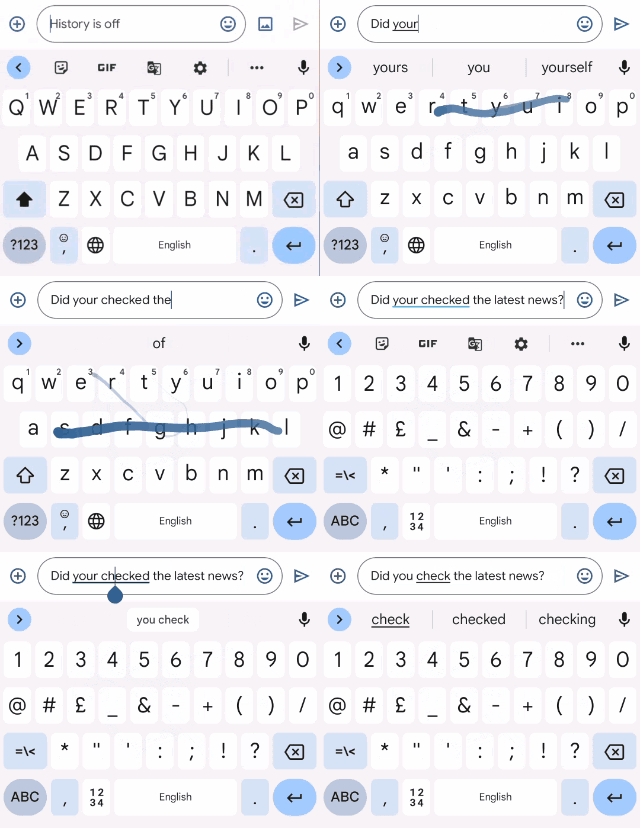
Google has rolled out a new feature for Gboard on the Google Pixel 6 series that detects grammatical errors in real time, expanding the app's existing capabilities designed to make it easier to type on a mobile device.

The new feature is intended to check for grammatical errors as you type, but it won't start until you've typed more than three words. Google also trained the feature to function even in the case of incomplete sentences. Grammar errors will then be highlighted, and replacement suggestions will appear at the top of the keyboard.

Gboard Grammar Correction

Google also addressed memory constraints by creating an AI model that can perform grammar correction with only 20MB of storage and process 60 input characters in 22ms. These processes all take place locally on your device rather than in the cloud, giving privacy-conscious users some peace of mind.

The feature is currently only available in English. Grammar correction will be available in other languages in the future, according to Google. It's also currently exclusive to the Pixel 6 and Pixel 6 Pro, with no word on when or if it will be made available to many of the best Android phones.

Jane Manchun Wong, known for her discovery of many unreleased features in the past, spotted this particular capability earlier this year. However, there was no indication at the time that grammar correction would be limited only to Google's next-generation flagship devices.

Gboard already makes it possible to type with speed, thanks to its contextual word suggestions and auto-correction features. The new capability may just give you another reason to buy the phone.

Google Pixel 6

$599 at Amazon $599 at Best Buy

The Pixel 6 is the first Google phone to feature a custom-built processor, which adds more powerful machine learning capabilities to the overall phone experience. With a refresh rate of 90Hz, the display is faster.


from Android Central - Android Forums, News, Reviews, Help and Android Wallpapers https://ift.tt/3pSbrNY
via IFTTT