LightBlog

dimanche 30 janvier 2022

Google fixes an annoying Android Auto error with text messages

The error previously prevented new message notifications from showing up on a car's head unit.

What you need to know

  • Google has announced a fix for an Android Auto error that blocked notifications when new messages arrived.
  • The problem began in November of 2021, and Google has now acknowledged it.
  • To obtain the fix, users should update their Android Auto app and messaging app to the latest version.

Since Google released Android 12, there have been a number of issues with Android Auto, including a bug that caused Google Maps navigation to crash for some users. Another issue that has cropped up since November 2021 is a bug that prevents notifications from appearing on the head unit of some users when new messages arrive.

The search giant has now fixed the problem (via autoevolution). A Google representative confirmed that the team has "implemented a fix to resolve this issue" in response to a complaint posted on Android Auto's help page.

One user complained via a forum post that the bug surfaced after updating a Samsung Galaxy S21 Ultra to One UI 4 based on Android 12. Other best Samsung phones, such as the vanilla Galaxy S21, were also affected by the issue. The user explained:

For the past three weeks, Android Auto has stopped showing new text or other messages. If music is playing and a new message comes in, the music is turned down briefly as if to allow the new message notification to sound, but no sound and no message comes to the auto display, even though new messages have arrived on the phone.

It's not clear why new messages did not come through to the car, as Google's acknowledgement fell short of any explanation. What matters at this point is the error has been resolved.

If you've had the same issue, you'll need to update your Android Auto app and messaging app to the latest version in order to receive Google's fix.


from Android Central - Android Forums, News, Reviews, Help and Android Wallpapers https://ift.tt/RUTWnhgVB
via IFTTT

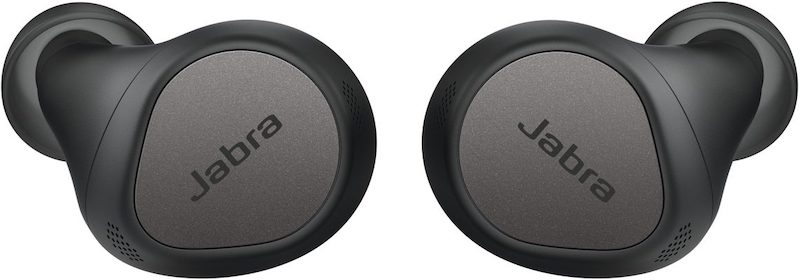
Review: The Jabra Elite 7 Active are a great fit for the workout crowd

Jabra makes sure these earbuds fit right in with the active crowd.

It used to be that Jabra would never release two Elite pairs of earbuds at the same time. So if you wanted to go with the "Active" pair, you would need to wait until they came after the regular pair had their time to shine. Jabra reversed that this time by releasing the Elite 7 Active at the same time as the Elite 7 Pro.

They sport a lot of similarities between them, which means the Elite 7 Active are worthy of attention given how good their siblings already are. However, a simple focus here should appeal to a subset of people. So, if you're an active person and don't necessarily care about phone call clarity, read on to find out why these may be for you.

Jabra Elite 7 Active

Bottom line: Jabra gives its latest activity-focused earbuds the goods to stand out in a crowd and feel super comfortable doing it. The fit is on point in so many ways, as are the design and customization, making the Jabra Elite 7 Active an intriguing choice for your ears.

The Good

  • Excellent audio quality, including ANC
  • Better fit and comfort
  • Very good durability
  • Reliable button controls
  • Nice color options

The Bad

  • Custom ANC is a pain to use
  • Don't submerge them in water

$180 at Best Buy

Jabra Elite 7 Active: Price and availability

Jabra launched the Elite 7 Active in October 2021 and made them available for $179.99. They came out at the same time as the Elite 7 Pro, which are pretty much identical in almost every way, save for a couple of unique differentiators. Given they came out together, Jabra is likely going to keep these available for a while. At some point, you can also expect good sales to knock down the asking price, too.

They come in black, navy, and mint.

Jabra Elite 7 Active: What's good

In some ways, I feel like I'm writing a review for two pairs of earbuds that initially come off as twins. Jabra used to make its Elite Active earbuds more rugged than their standard siblings, maybe tweaking an extra thing or two to add some separation. However, in this case, the Elite 7 Active aren't blazing any trail; they're instead following the lead. Jabra made it clear the Elite 7 Pro are the top dogs in this duo, but for the most part, the gap between them isn't all that big.

Case in point, the form factor is the same except for one key change. The Elite 7 Active have a rubberized veneer in contrast to the harder plastic you see in the Elite 7 Pro. That's significant for a couple of reasons. First, the extra friction afforded by the rubberized build means these earbuds probably won't move or wiggle as much if they get sweaty. It's a design principle Jabra carried over from the excellent Elite Active 75t, and it can be super convenient when you're moving a lot and building up perspiration.

The second point is that Jabra didn't have to make the Elite 7 Active uncomfortable to get there. The ear tips are the same between earbuds, so if you find the Elite 7 Pro to fit snugly, you will likely feel the same here. In fact, even if you have ear tips lying around from the Elite Active 75t, they will fit perfectly fine. And even though the Elite 7 Active share the same IP57 dust and water resistance with the Elite 7 Pro, I give the edge to these earbuds simply because of the material Jabra used to make them. I'm also a little more partial to the color options here, which I find more pleasing than those available with the Elite 7 Pro.

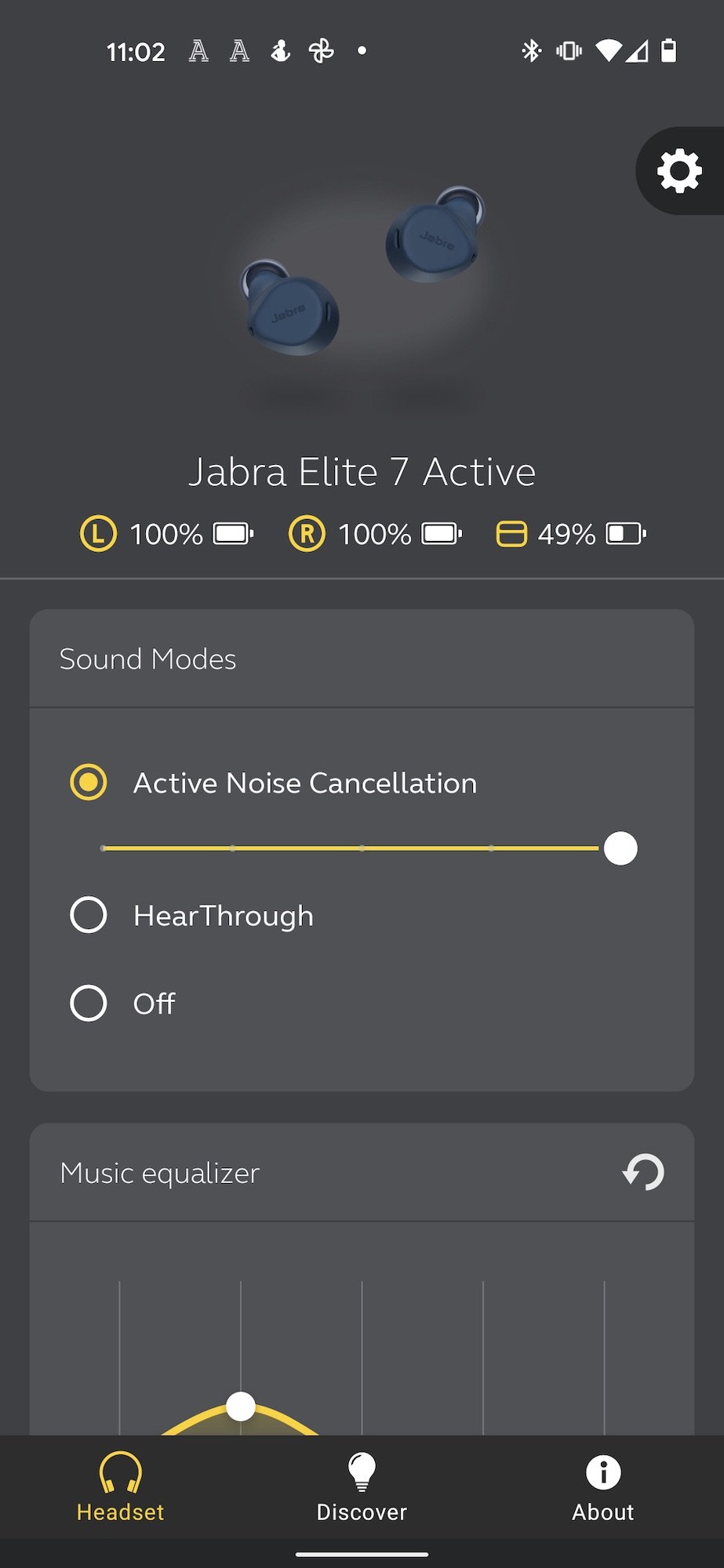
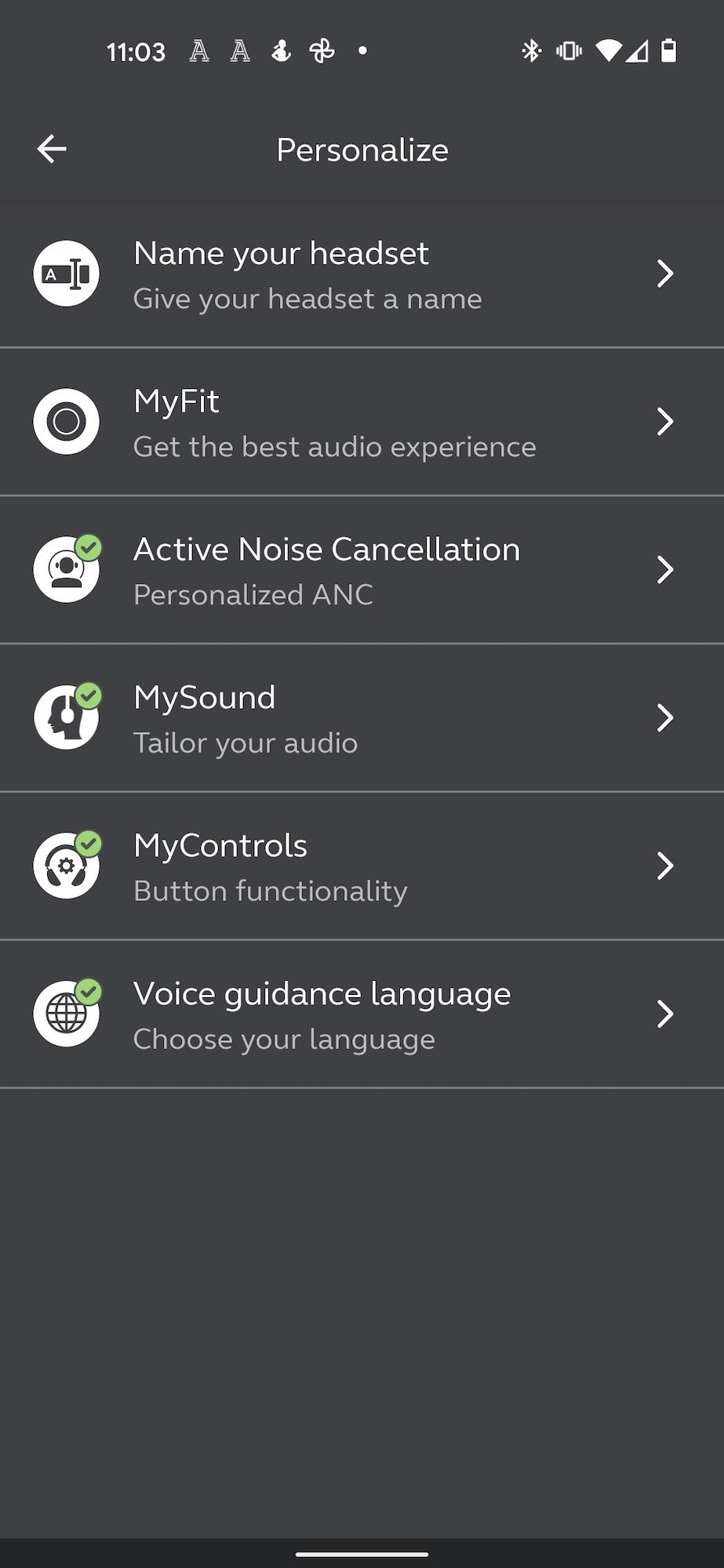
The similarities with the Elite 7 Pro also extend to setup and execution. You will need the Sound+ app to set up active noise cancelation (ANC), which is mandatory. You can't just start using ANC out of the box, you have to customize it to your ears in the app first (more on this later). All other custom options are the same, too. Whatever you can select using the Elite 7 Pro, you can also apply to the Elite 7 Active.

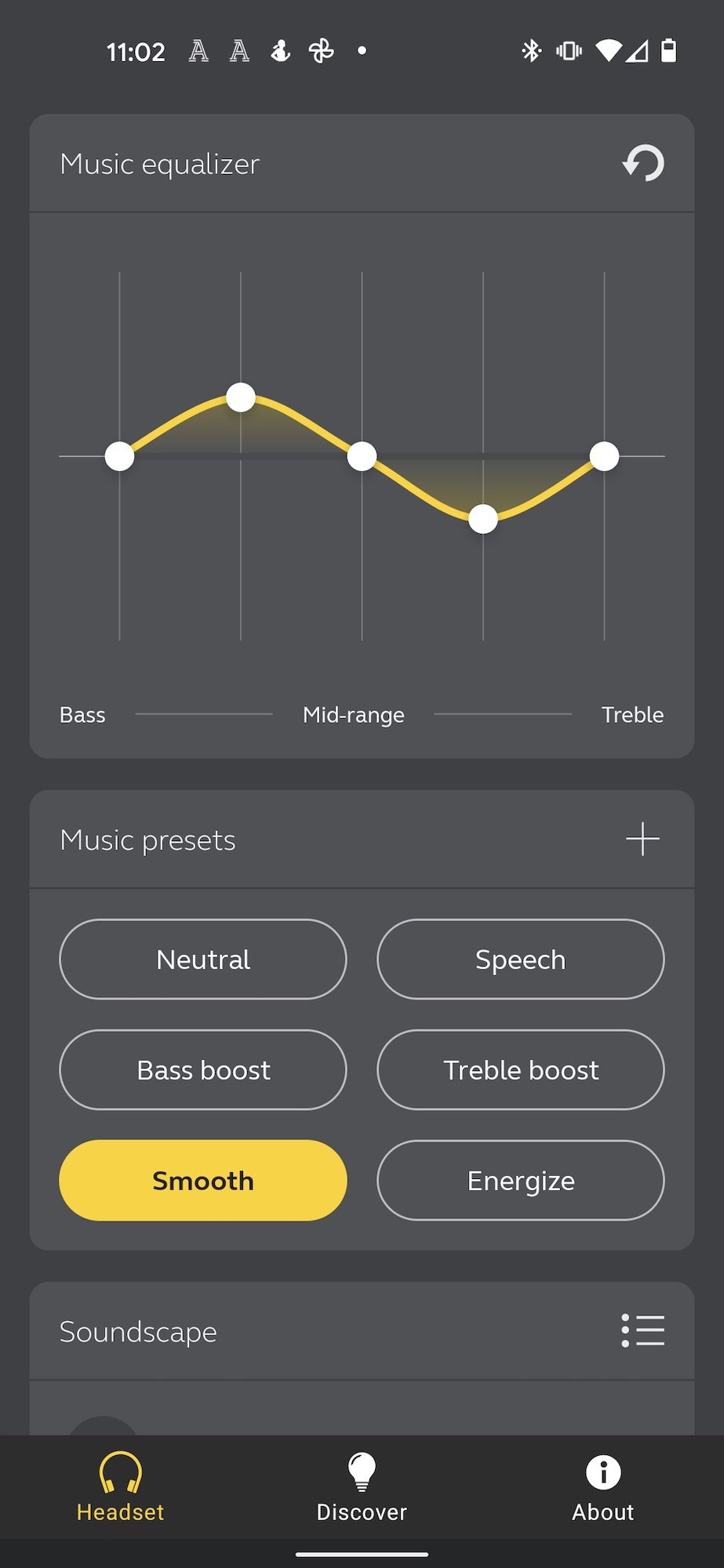
Jabra engineered these earbuds to sound the same, at least when it comes to audio content. The 6mm drivers aren't the heavy-hitters you see in competing earbuds, but they make up for that in clarity and consistency. I liked how balanced the sound signature was, offering a nice balanced mix of lows, mids, and highs. You can tinker with that using the EQ in the Sound+ app, including choosing among the available presets. If you're looking to go hard at the gym or a rigorous run, you should be able to pump up the bass with these. Codec support is limited to AAC and SBC, which is a shame, as it would've been nice to see Jabra support aptX and LDAC, too.

Whatever you can select using the Elite 7 Pro, you can also apply to the Elite 7 Active.

Thing is, when you are doing something active, you would expect ANC to help drown out some of that background or have the HearThrough transparency mode let some of it in for safety's sake. Instead, ANC is gradual, so you can use the slider to apply more or less of it, which is great, but even at its best, it won't match the superb performance of the Sony WF-1000XM4 or the Samsung Galaxy Buds Pro. The catch is that, of those two, Sony's pair aren't that rugged, and Samsung's, while certainly durable, will be more prone to sliding out of your ear when sweating.

Meanwhile, the HearThrough mode feels like it stagnates compared to the Elite Active 75t because of the very design that makes them so comfortable. Jabra took away some of the orifices that allowed ambient noise to naturally seep in, putting more of an emphasis on the microphones to do the job. They do it well, but not with any identifiable improvement.

It's great to have auto-pause to cease playback when removing either earbud or using only one in mono, and while Jabra erred big time in not including multipoint at launch, it rectified that through a January 2022 firmware update that enabled the feature, so you stay connected to two devices at once.

If you were concerned Jabra would use capacitive touch controls on the Elite 7 Active, fear not because they are indeed physical buttons, and they work fabulously well. They're responsive and reliable, so it's hard to make mistakes when pressing them, and I like how easy they are to customize in the app. If you want to use Alexa as your preferred voice assistant, it works nicely with Spotify, letting you tell it what you want to hear, which is great when you're doing something and don't want to touch your phone.

The Elite 7 Active hold no real advantage over their Pro siblings on battery life. You will get the same results, which is a good thing. With ANC on, you get up to eight hours per charge, depending on how loud you're listening. The case gives you another three charges for a total of 30 hours. If you're in a tight spot and need some tunes fast, plug in via USB-C for five minutes, and you can get up to one hour of playback. From the Qi symbol at the bottom of the case, you will see that they are also compatible with wireless chargers for added convenience.

Jabra Elite 7 Active: What's not good

The other major thing that sets the Elite 7 Active apart from its Pro sibling is Jabra's MultiSensor Voice Technology. These earbuds don't have it, meaning that phone calls won't be as clear as on the Elite 7 Pro. I tested them both to gauge the difference, which is noticeable enough on both ends. Friends I spoke to noticed a decreased clarity in comparison. That's not to say calls will be bad, but they won't be as crystal as they would be with Jabra's other earbuds.

That's not to say calls will be bad, just that they won't be quite as crystal as they would be with Jabra's other earbuds.

I'm also not sure why Jabra insists on forcing users to customize the ANC experience. It's an odd choice for a company that makes so much else elective, and the process of setting it up isn't as good as it should be. You need to do it with background noise to gauge the difference, which at times I felt was negligible from one setting to the other. It's possible Jabra will improve this with a firmware update, but we'll have to see if that comes to pass.

And if you are going to be adventurous with the Elite 7 Active, it's best not to dunk them in water. The IP57 rating does allow for submersion, but I would be wary of doing so. Whatever you do, make sure to never put them in salt water. That's just asking for a malfunction.

Jabra Elite 7 Active: Competition

The Jabra Elite 7 Active could easily be among the best wireless earbuds, not to mention the best workout earbuds, but those lists also come with tough competition. The Jabra Elite Active 75t are still viable options, even if they aren't going to fit quite as well as the Elite 7 Active can. If you care about call quality and don't mind the less rubberized build — as well as a willingness to pay a little more — you will get that with the Elite 7 Pro.

For equal parts rugged and custom sound, look out for the Jaybird Vista 2, which have one of the deepest EQs of any pair of earbuds in existence. For stability, comfort, and lack of interest in phone call quality, the JLab Epic Air Sport ANC are considerably cheaper. You just have to be OK with ear hooks.

Jabra Elite 7 Active: Should you buy it?

You should buy this if ...

  • You need something comfortable
  • You need something durable
  • You want active noise cancelation
  • You want reliable onboard controls

You shouldn't buy this if ...

  • You're on a budget
  • You want better phone call quality
  • You want more codec support
  • You want even better sound quality
4.5 out of 5

It's easy to like the Elite 7 Active as more of the underdog stepping away from the spotlight. They come with a 'best of both worlds' element to them in that they are so much like the excellent Elite 7 Pro, yet have an identity all their own that fits with active lifestyles. Plus, you no longer have to pay a premium to get that, and that feels like a sweeter deal once you put these on and start breaking a sweat.

They sound great, and check off the right boxes on comfort, battery life, and app support. It's not always easy to find rugged earbuds that do this much so well, but you can count on the Elite 7 Active to take care of those things every time you wear them.

Active participants

The Jabra Elite 7 Active stick with the rugged designs of the past and make the features stand out with excellent audio quality, battery life, and support to go with the excellent fit and comfort you get with them. It's a winning combination that sets your ears free with almost any activity.

$180 at Best Buy


from Android Central - Android Forums, News, Reviews, Help and Android Wallpapers https://ift.tt/fsg8lFtBo
via IFTTT

Smaller brands aren't to be overlooked in the kids' tech space

Google cracked the door into the kids' space, but smaller brands continue to kick it wide open and show the tech giant how it's done.

Technology and science seem like magic in many ways, even to adults, but to a child, it's hard to convey all the effort from the teams of people who make devices like tablets work. As a person in this industry, with two boys, I see the wonderment in their eyes every day, and it's a constant battle of balance. That balance is finding safe kids' tech that's trusted not only to withstand the treatment of a child, but also ones that are private and secure.

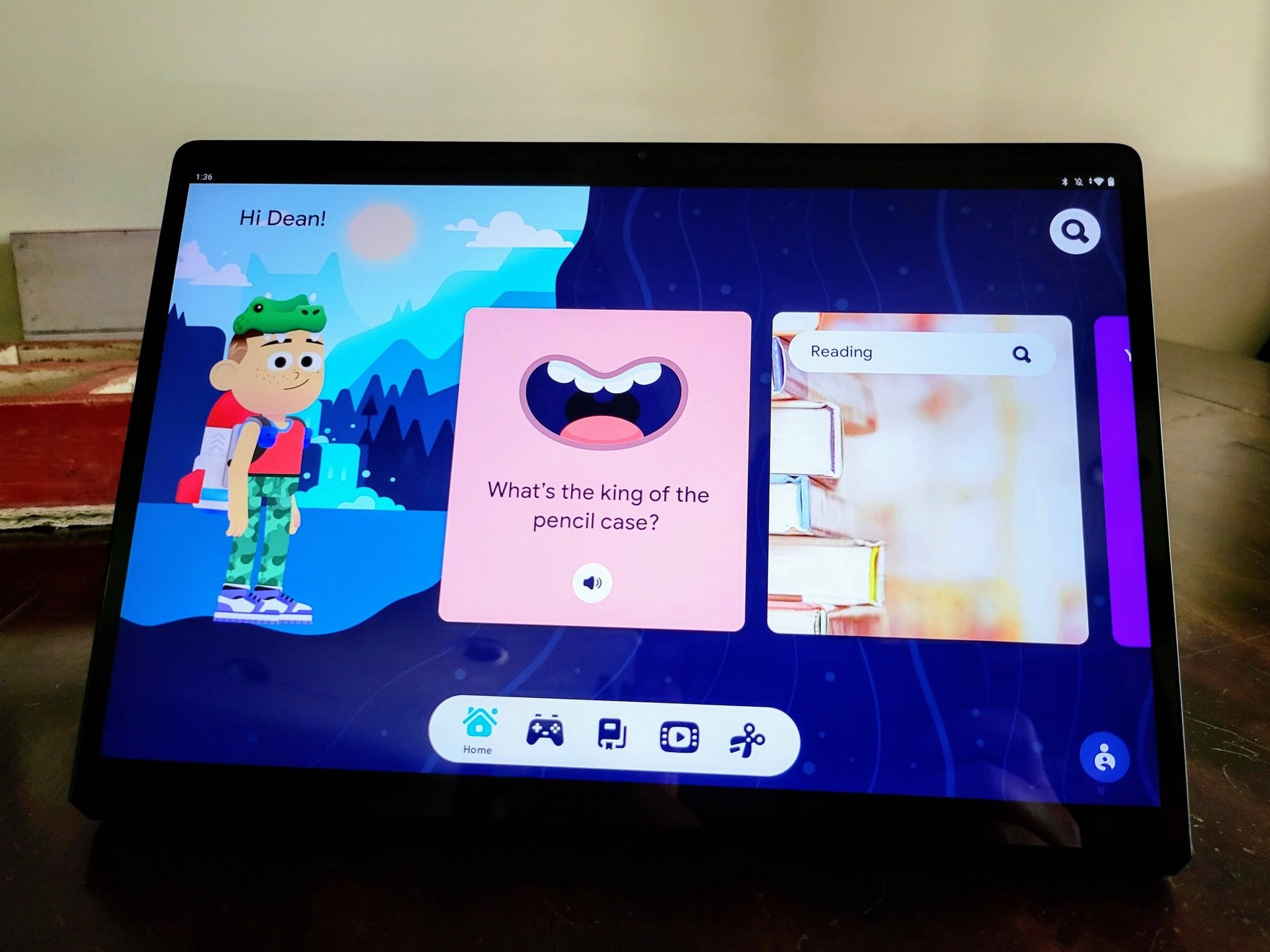
One of the primary issues parents face is finding kids' tech trustworthy enough to give to their children. Google should be one of those companies, but it isn't making the push it should. Yes, Google has Family Link, but it has many limitations. Some include: shared in-app purchases, workarounds for parental controls via third-party app installs, a lack of content monitoring, and more. Then there's Google Kids Space for tablets with its own set of limitations, plus it's only available for a minimal number of devices.

Google is one of the largest tech companies in the world, and its competitors are lapping it in the kids' tech space.

I'm not saying that what Google has accomplished so far is bad, but we're talking about Google here. It can do better. Apple made it possible for kids to use its Apple Watch and even makes it easy to share in-app purchases across devices. Then there's Amazon with its fantastic Kids+ service, making the Fire Kids tablets some of the best Android tablets for kids — period.

Amazon's Kids lineup of products and software is great, but plenty of Google services are missing in the retail giant's ecosystem. Even though Amazon has a big lead in the tech space surrounding kids, Google has all the tools to make up ground. Thankfully, if you want to get a gadget for your child, there are options outside the big brands.

But, for every good piece of tech targeted toward kids, there are at least 10 you should avoid for various reasons. Herein lies another hurdle for parents searching for trustworthy devices and services for their kids — many of these brands can be hard to find. However, these brands are making excellent products and innovative services that lead the charge in kids' and parental tech.

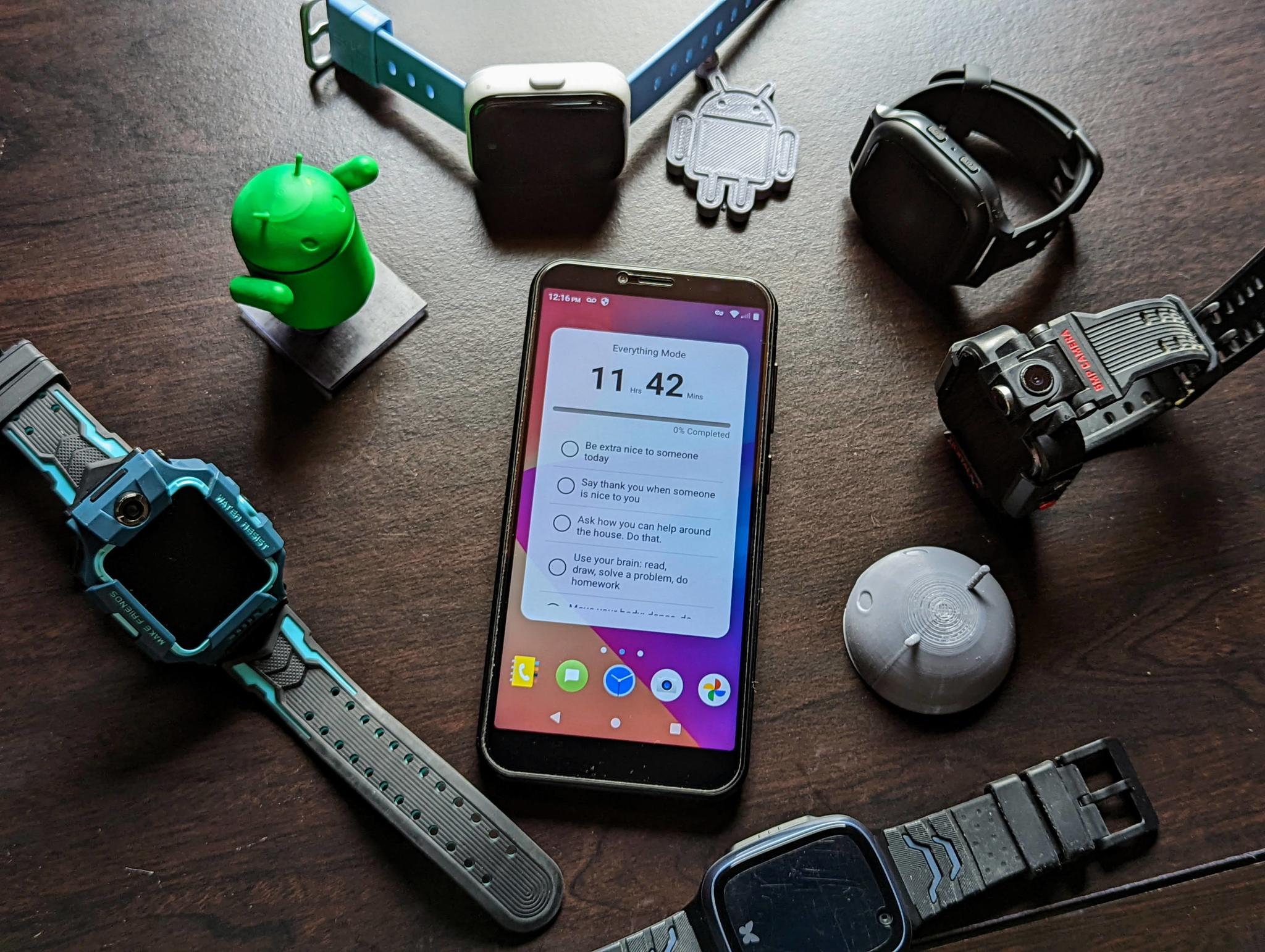
I've reviewed a bunch of excellent kids smartwatches like the TickTalk 4 and the Gabb Watch. Gabb, aside from making a watch for kids, also offers a smartphone, which I'm in the process of reviewing, that utilizes a custom installation of Android to help protect kids.

Another brand working hard to give kids a smartphone experience they will enjoy while ensuring parents have peace of mind about letting their child use a phone is Pinwheel. Shelley Delayne, CMOM (Chief Mom) at Pinwheel, told Android Central about some of the challenges the company is facing in this space.

"We're a mission-driven startup, and our small size sometimes contributes to supply chain challenges on the hardware side. We want to set a new standard for the way kids develop mastery over their technology," Delayne says. "Our collaboration with the Digital Wellness Lab, a research entity out of Boston Children's Hospital and Harvard University, grounds our work with their research on the impact of technology on child development. Because that landscape has evolved so much recently, even the latest research from leading experts covers uncharted territory."

I agree. Kids are crafty in finding ways to get what they want. Whether it's asking another parent permission for something after one already said no, or trying to access a blocked app or website. It's a constantly changing situation, and one that parents and the companies that manage these services and devices, must evolve with. It's also a situation where Google, as a company with the horsepower, intelligence, and information to aid, should do so.

When asked in what ways Google makes it easier or harder to develop products for kids and parents, Delayne notes, "Google makes great tooling and infrastructure for distributing apps, but Family Link doesn't play well with Pinwheel."

So whether the friction between Family Link and Pinwheel is a byproduct of the two pieces of software's safety measures, Google's unwillingness to help or its lack of awareness, means the issue persists.

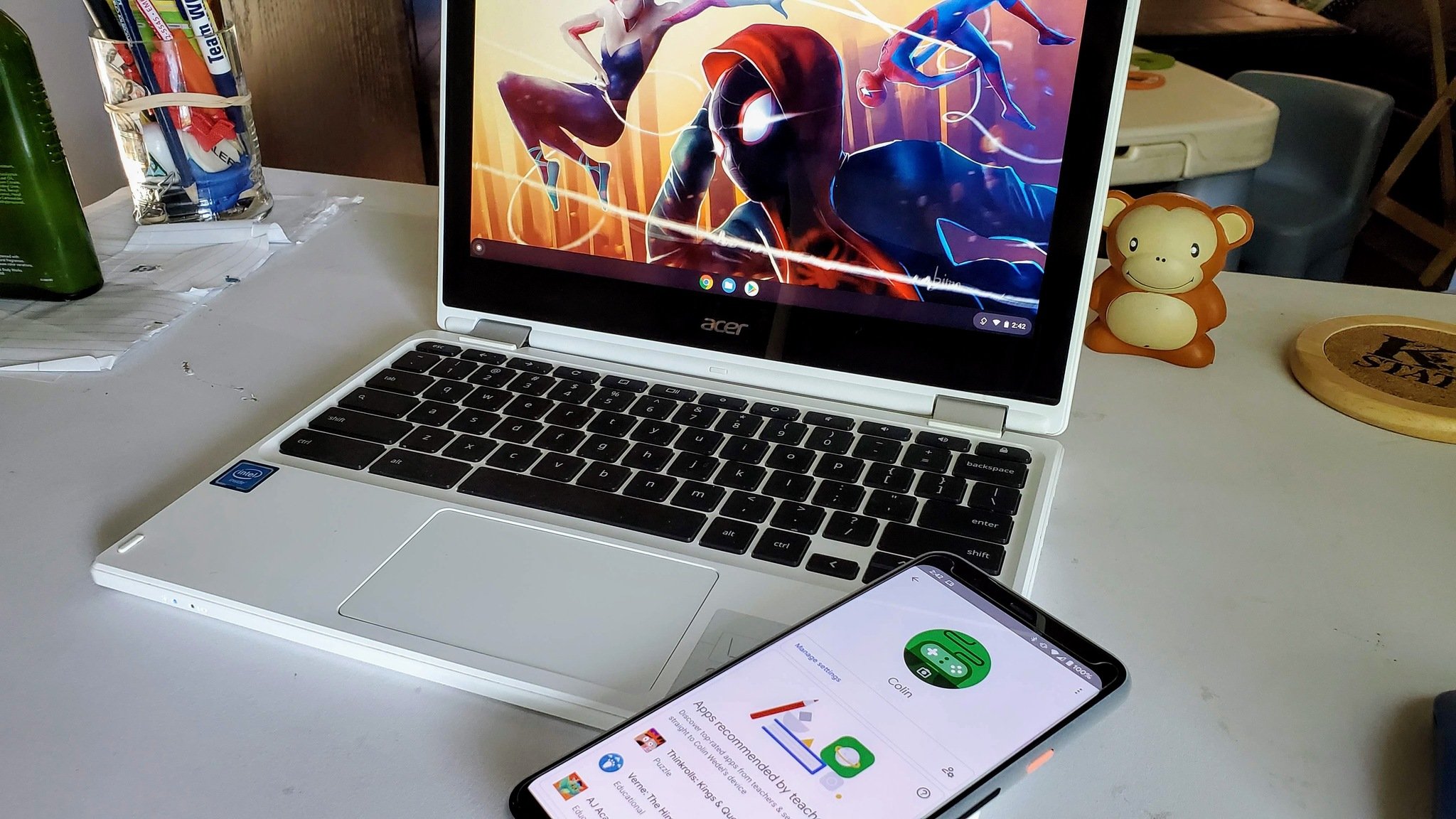
As a parent, I want Google to improve its relationship with brands like Pinwheel and with parents directly. So many children are very familiar with Google from using Chromebooks for educational purposes and parents picking up one of the best Chromebooks for students to for use at home. But then this puts parents squarely into managing and setting up the Chromebook for their kid.

While Google continues to sit still in providing comprehensive software and hardware for families, Pinwheel and others are pushing forward. Creating a product that people will enjoy using isn't easy, but it's far more difficult when kids are involved. So what could make Pinwheel's job easier in its path to create quality products and services? Delayne believe it's simple.

"On our path to create quality products and services and make life better for parents of digital natives, we strive to form relationships with other like-minded companies," Delayne says. "We look forward to the day we can collaborate with industry leaders like Google, who shape so much of the digital environment our children are growing up in."

Brian Bauman, director of engineering for Pinwheel, added that he thinks one of the biggest contributors to the problem is carriers, as they force "manufacturers [to] make very specific changes, like VZ adding screens to their phones that add loopholes."

It's no secret that the internet and devices that connect to it can be a scary situation for kids. Parents are constantly working to find ways to keep their kids safe when online. One way is to find products and services that protect the safety and privacy of children. Google has billions of active users across its Android platform, wearables, smart speakers, and Chromebooks, which includes kids. Though its existing services like Family Link and Kids Space are better than nothing, we should expect the best from the company — but until then, smaller companies are outclassing Google.


from Android Central - Android Forums, News, Reviews, Help and Android Wallpapers https://ift.tt/uyZrw07FM
via IFTTT

AC Podcast 556: Galaxy S22 Spec Leaks; OnePlus Nord 2T

Smartphone season is nearly upon us, which means we have a metric boatload of leaks and rumors to share. Tune in and learn what's coming this year along with other news for Google and Android fans.

Listen now

  • Subscribe in Spotify: Audio
  • Subscribe in iTunes: Audio
  • Subscribe in RSS: Audio
  • Download directly: Audio

Links:

Sponsors:

  • Surfshark: All you need in a VPN — and more. Go to Surfshark.deals/ACP and use code ACP to get 83% off plus 3 extra months for free when you sign up!
  • Indeed: Choose Indeed and join 3 million companies worldwide who use Indeed to hire great people and help grow their teams faster. Get started right now with a free $75 sponsored job credit at indeed.com/acp. Offer valid through March 31. Terms and conditions apply.


from Android Central - Android Forums, News, Reviews, Help and Android Wallpapers https://ift.tt/W8jNTYy9t
via IFTTT

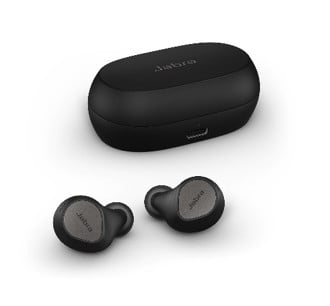
Review: Get the right fit and sound with the Jabra Elite 7 Pro

Jabra finds the right fit for most ears to go with everything else it delivers.

For several years now, Jabra has been consistent in approaching wireless earbuds. The combination of audio performance and reliability has positioned the company in the upper echelon year after year. However, when it's time to refresh things, Jabra usually aims straight for the design to deal with concerns over fit and comfort.

That was clearly a major motivation behind the Elite 7 Pro, arguably the current flagship, despite the ongoing presence of the Elite 85t. The Elite 7 Pro also share the distinction with the Elite 7 Active, which are basically identical in every way save for a couple of design changes. To stand out as among Jabra's best, the Elite 7 Pro had to balance out in all the right ways.

Jabra Elite 7 Pro

Bottom line: Jabra addressed one of its most common challenges by making the Elite 7 Pro one of the most comfortable earbuds you can stick into your ears. With excellent sound quality and a slew of features and customizations, they stand out among the best your money can buy right now.

The Good

  • Excellent audio quality with solid ANC
  • Better fit and comfort
  • Outstanding call quality
  • Pretty good durability
  • Reliable button controls

The Bad

  • Custom ANC shouldn't be mandatory
  • More codecs would've been nice

$200 at Amazon $200 at Best Buy

Jabra Elite 7 Pro: Price and availability

Jabra launched the Elite 7 Pro in October 2021, making them available for $199.99. They came to market simultaneously with the Elite 7 Active, an otherwise identical pair with a slightly lower price. Jabra usually keeps its earbuds in the market for longer stretches, so expect these to be relatively easy to find for a while. Just look out for price drops that may happen from time to time.

They come in black, titanium black, and gold beige.

Jabra Elite 7 Pro: What's good

To find the ideal fit, Jabra claims it mined data from 62,000 ear scans to create "the perfectly shaped bud." The goal was to build something elegant and small enough to fit a wider range of ears without feeling cumbersome or uncomfortable. It's the challenge every vendor making earbuds runs into, but for Jabra, there was more at stake because it's been the one mitigating factor that has stifled the company's progress in the wireless earbud space.

When you boast that your earbuds represent "a design revolution," you'd better be able to back that up. I always felt that the Elite 75t were the pinnacle of Jabra's success that way, only to grow fatter with the Elite 85t. In this case, the Elite 7 Pro use the Elite 75t as a baseline and shed significant girth to come out looking nimble and accessible, regardless of how big or small you feel your ears are. Jabra also did this without changing the ear tips, although if you still have any lying around from the Elite 75t or Elite Active 75t, they will fit like gloves on the Elite 7 Pro.

There are three sizes to choose from out of the box, so you're likely to find the one that suits you. However, it's wise to test them out first before setting everything up because active noise cancelation (ANC) doesn't work until you customize it first.

This is an odd choice for Jabra, who used to make that an elective process. I'll get into more depth about it later, but in any case, feeling the right fit is crucial to getting the best out of these earbuds. I found them to be the most secure fit I've experienced on a pair of Jabra earbuds to date. It was rare for me to wiggle them back into place or feel an itch after longer listening periods. They never felt stuffy or pressed hard on any part of the inner ear. From a design standpoint, it's hard not to see this as a big win.

However, fit doesn't matter if the performance isn't there to take advantage. The 6mm drivers are modest compared to some competitors, and codec support is limited to AAC and SBC, which is unfortunate because aptX or LDAC would've been great to see as options.

Even so, it's hard to argue with how these earbuds sound. I don't know if it's leaps and bounds better than Jabra's prior models, but I felt it was more balanced. What these earbuds do better — and it's an important distinction — is manage to deliver thumping bass, defined mids, and vibrant treble. And it works for pretty much any genre you like listening to. As per usual, Jabra serves up an EQ in its Sound+ app to help you choose how you want them to sound. The presets aren't bad, but you still have flexibility in creating something you truly prefer.

What these earbuds do better — and it's an important distinction — is manage to deliver thumping bass, defined mids, and vibrant treble.

As good as the sound is, it's important it stays that way when things get busy around you. Jabra's forays into ANC have been good, but not exceptional, so this was an excellent opportunity to change that. To start, you need to configure ANC through the Sound+ app before it even becomes active. It's also best to do it in a somewhat loud environment to gauge just how much it muffles all that ambient noise. It's worth playing around with the slider in the Sound+ app after you've set it up to align the noise cancelation with the noise around you. For instance, slide it in one direction, and you can better muffle low-frequency noises, like vehicles, whereas going in a different direction may be better at silencing voices. In either case, high-frequency sounds will leak through, so don't expect to stamp out screams or sirens entirely.

From that standpoint, Jabra didn't make a big enough leap in canceling out noise. The Sony WF-1000XM4 still reign in that department, and I would argue the Samsung Galaxy Buds Pro, as well as the Bose QuietComfort Earbuds, offer better results.

Jabra's HearThrough mode isn't quite as clear as the Elite 85t, owing to the smaller design taking away any passive ability to take in outside sounds. The Elite 7 Pro have a tighter build that relies more on the built-in microphones to pipe in the ambient sounds. I found it adequate and never really had any issues, but I did notice the difference from Jabra's previous earbuds.

There are two other things Jabra excelled at with the Elite 7 Pro, and the first is call quality, courtesy of the company's MultiSensor Voice Technology. These are among the best earbuds I've tested for talking on the phone. Not only were conversations clear, but people I spoke to were also stunned when I told them I wasn't holding the phone.

If not for some background sounds coming in while walking, the clarity would've extended to outdoor calls. When I tried them while riding my bike, the wind did seep through, making it more difficult for callers to hear me, but it was still better than I expected. Plus, it's rare to be able to mute the microphone without touching the phone, and that's readily available here. Not only that, but I also never feared taking them outside because of the IP57 protection, making these earbuds perfectly fine around dust and water (just don't swim with them).

It was always nice having auto-pause to cease playback when I removed one earbud and used only one earbud in mono. Finally, Jabra also rectified the lack of multipoint connections by updating the firmware in January 2022 to bring the feature into the mix. Super easy to listen to tunes or do a video call on a computer and still pick up a call when it comes in from my phone.

Then, there are the onboard controls. Since they're buttons rather than touch-based surfaces, it's hard to get things wrong. You can also configure the buttons through the app, letting you decide exactly what you want them to do. And you get to do that for playback, incoming calls, and active calls separately, which is nice.

A quick note about using a voice assistant with the Elite 7 Pro: You choose between whatever your phone defaults to (Google Assistant, Siri, Bixby) or Alexa, and in the latter's case, you can tell it what to play on Spotify — a super convenient feature if your hands are busy and you want to play something or skip a track.

As for battery life, the Elite 7 Pro hold up fairly well at up to eight hours per charge with ANC on. At about 60% volume, I managed to hit seven hours, so these will hold up well, depending on where you set your volume levels. The case gets you 30 hours total, so close to four full charges. In a pinch, you can plug in for five minutes to get up to an hour's playback. You can also lay the case down on a Qi wireless charging pad or surface to top up, along with USB-C situated way more conspicuously at the front.

Jabra Elite 7 Pro: What's not good

While I understand the process of customizing ANC, I don't get why it has to be mandatory. The default might be fine for some, especially when using the Elite 7 Pro in quieter places. However, in force-feeding the customization, Jabra is also confusing the process. For example, the first step is to use a vertical slider to see how much it kicks in. It's pointless to do unless you have noise in the background. The second step lets you adjust balance from left to right in case you need the effect to be more pronounced on one side over the other. With those done, you are good to go, but it's a hassle to start.

While I understand the process of customizing ANC, I don't get why it has to be mandatory.

The MyFit section is also something you don't need to go through if you feel comfortable with any of the three tip sizes. The Elite 7 Pro were built well for that purpose, and I suspect MyFit will feel like a redundant exercise.

Jabra Elite 7 Pro: Competition

The Jabra Elite 7 Pro compete with the best wireless earbuds, and that means there are compelling choices to think about. If you want to stay in the "family," you can always try the Jabra Elite Active 75t, or if you feel the Elite 7 Pro are too small, the Elite 85t may be a better fit. If you want something ruggedized with an endless array of choices to customize audio playback, the Jaybird Vista 2 won't disappoint. If you want to spend less money, the nearly identical Elite 7 Active are also an option.

When ANC matters, the Sony WF-1000XM4 are still king, while the Anker Soundcore Liberty 3 Pro look to be tough competitors for less money. These are only some options, but you've got options when you're in the performance and pricing range of the Elite 7 Pro.

Jabra Elite 7 Pro: Should you buy?

You should buy these if ...

  • You need something comfortable
  • You care about audio fidelity
  • You want active noise cancelation
  • You want reliable onboard controls

You shouldn't buy these if ...

  • You want to spend less
  • You want even more durability
  • You want more codec support
  • You want even better sound quality
4.5 out of 5

The Elite 7 Pro are what many have been waiting for Jabra to produce going back years now. With each generation, the company seemed to step closer in one regard while stepping back in another. That just didn't happen here, and everyone who wears these will benefit from that. When you get a combination of fit, function, and fidelity like this, it's hard to put them away for something else.

The price is also reasonable for what you get, considering how Jabra covers so many bases. So if your budget has enough for really good and dependable earbuds, look out for these.

Top-class effort

Jabra makes the Elite 7 Pro more comfortable than any of its past earbuds, and that only helps make the other parts contribute to what is an outstanding sum. You can expect fantastic sound, active noise cancelation, plenty of custom options, and solid battery life.

$200 at Amazon $200 at Best Buy


from Android Central - Android Forums, News, Reviews, Help and Android Wallpapers https://ift.tt/vidG62xXy
via IFTTT

Why not upgrade your Wi-Fi? Here's our guide to the best routers!

The best Wi-Fi routers can be lifesavers. The difference between good Wi-Fi in your house and poor connectivity can be the difference between a good day and a bad one. So whether you need something with a ton of speed and connections or just want to make sure you don't drop your connection when you move around your home, there's a router that's right for you. Here's our reliable guide to some of the best wireless routers you can buy today.

What are the best Wi-Fi routers?

The TP-Link Archer AX21 is the best Wi-Fi router thanks to its AX1800 speeds being enough for most people and offering the capacity for future Wi-Fi 6 devices. It also has an easy setup procedure thanks to the TP-Link Tether app for smartphones. So if you're looking for something to keep up with most households without going overboard, the AX21 is a great fit.

The best value option is the TP-Link Archer A7. While cheaper routers are available, the AC1750 speeds should keep up with HD media streaming and browsing without slowing you down. It also has steady support for Wi-Fi 5 devices with up to 1300Mbps on the 5GHz band.

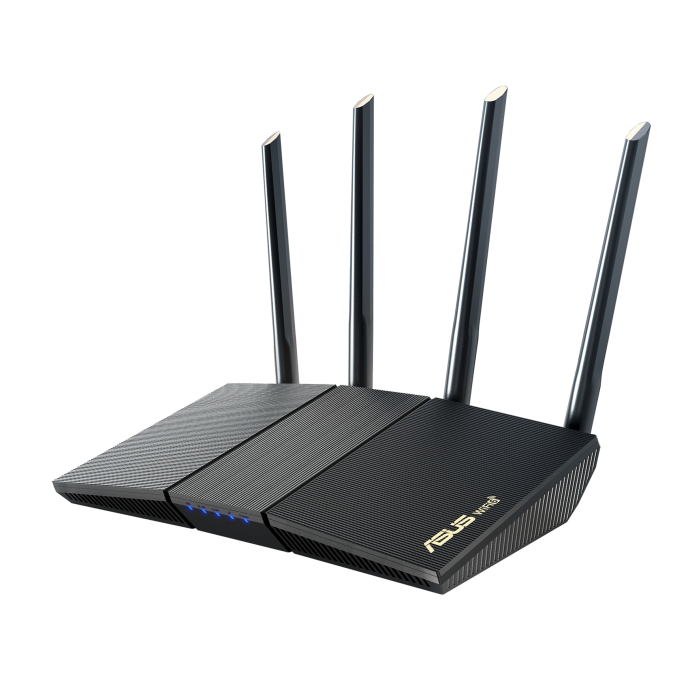
An increasing number of routers are asking for a subscription fee for advanced software features like improved network security and parental control but in routers like the RT-AX1800S, Asus has kept its AiProtection software free making it one of the best options for families. This router is also reasonably inexpensive for an AX1800 Wi-Fi 6 router and since there is no need to sign up for recurring fees, the cost over time is also much lower than other routers offering similar features.
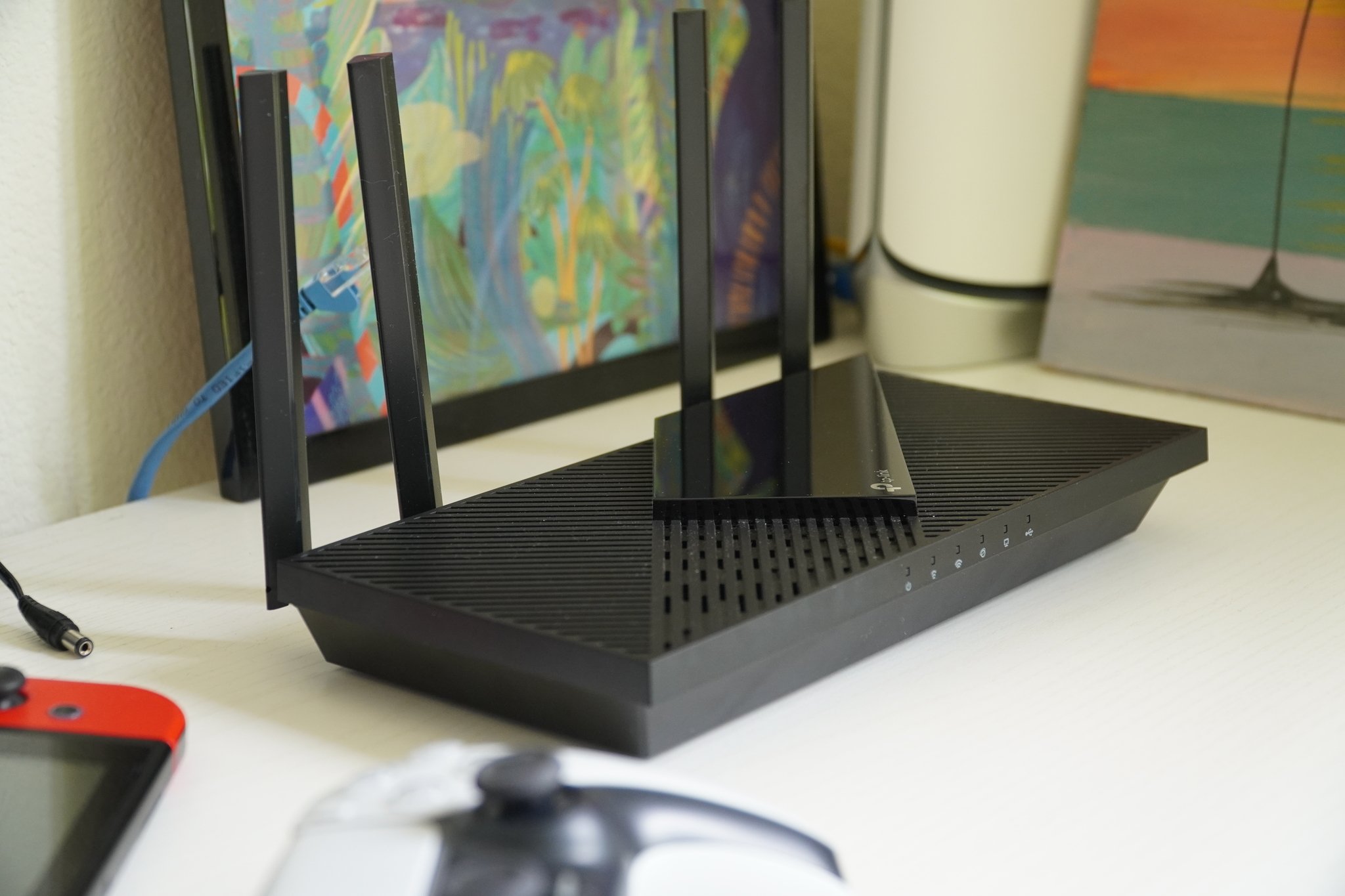
TP-Link Archer AX21

Best Wi-Fi router overall

  • Top speeds: 1201Mbps @ 5Ghz, 574Mbps @ 2.4Ghz
  • Top features: Wi-Fi 6, 4 Ethernet ports

With the Archer AX21, TP-Link delivers affordable Wi-Fi 6 with a spec list that most people should be pretty happy with. A four-stream dual-band wireless setup pushes 574Mbps at 2.4GHz and 1,201Mbps at 5GHz. WPA3 security is supported, and a 1.5GHz quad-core CPU keeps the modern software features running smoothly.

Around the back, there are four gigabit Ethernet ports for wired devices flanked by four antennas. There's also a USB port though speeds are limited to USB 2.0. This should still be enough for HD video streaming in a pinch. It would have been nice to see a few more software features to round out the experience, but TP-Link packs in all of the most important features at this price.

TP-Link keeps the styling traditional, with a relatively large main housing coming in at 10.2 inches wide and 5.3 inches deep. A recent redesign adds some much-needed design flair to this router, but it's still a fairly standard design. Still, it's nice to have a router that manages to look modern without going over the top.

Pros:

  • Modern Wi-Fi 6
  • Inexpensive
  • AX1800 delivers plenty of speed for most people
  • Four Ethernet ports and a USB port
  • Supports WPA3 technology

Cons:

  • Large size for its speeds
  • Missing some software features

TP-Link Archer AX21

The best router for most people

The Archer AX21 has incredible AX1800 Wi-Fi 6 speeds for a low price. With four wired ports, you don't give up any connectivity.
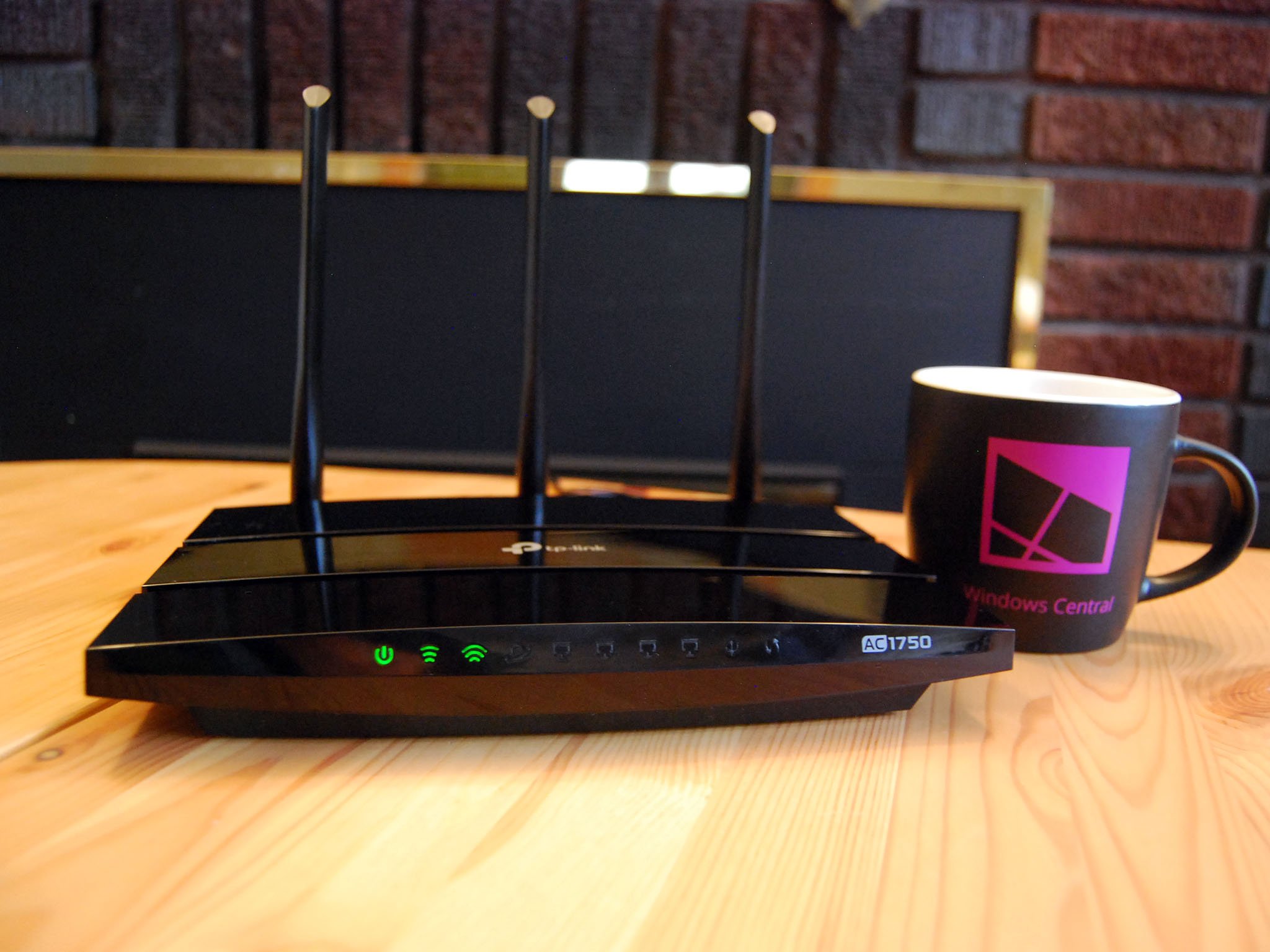
TP-Link Archer A7

Best value router

  • Top speeds: 1300Mbps @ 5Ghz, 450Mbps @ 2.4Ghz
  • Top features: Dual-band, 4 gigabit Ethernet ports, OneMesh

If you're looking for one of the best wireless routers with enough speed for HD streaming and even browsing on a few devices, TP-Link's Archer A7 gets the job done with no frills. The Archer A7's dual-band Wi-Fi 5 connection can deliver up to 1,300Mbps on the 5GHz band and 450Mbps on the 2.4GHz band. Typically, the 2.4GHz band will have a wider range thanks to better wall penetration. While this router lacks support for MU-MIMO, it should be able to handle several devices at once without issue. If you're looking to connect a lot of smart home devices, consider something with greater capacity.

TP-Link estimates this router should provide a signal for a three-bedroom home thanks to its three external antennas. If you need more coverage down the line, you don't need to replace your router. OneMesh allows you to connect other TP-Link routers with OneMesh in a mesh. Unlike a traditional extender, you only use one Wi-Fi name, and your devices will automatically connect to the best available connection.

Basic QoS and parental controls are included with this router if you want to block specific URLs and prioritize a connection. Luckily, this router can be set up and configured with the Tether app on Android or iOS.

Pros:

  • AC1750 speeds are plenty for most homes
  • OneMesh allows for coverage expansion
  • Four Ethernet ports allow for an easy upgrade

Cons:

  • Lacks MU-MIMO support
  • Not for larger homes

TP-Link AC1750 Smart Wi-Fi Router
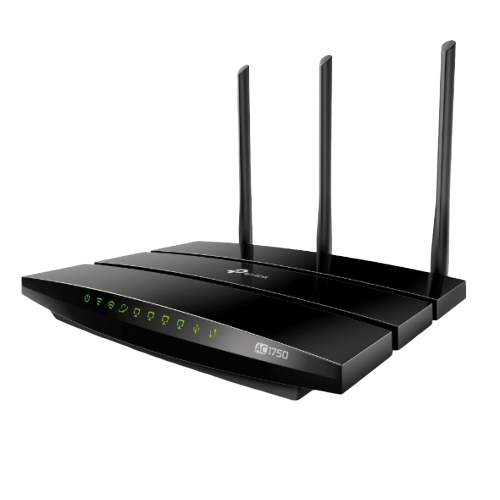
Best router on a budget

The TP-Link Archer A7 delivers more than enough speed for most people with support for future coverage expansion thanks to OneMesh.
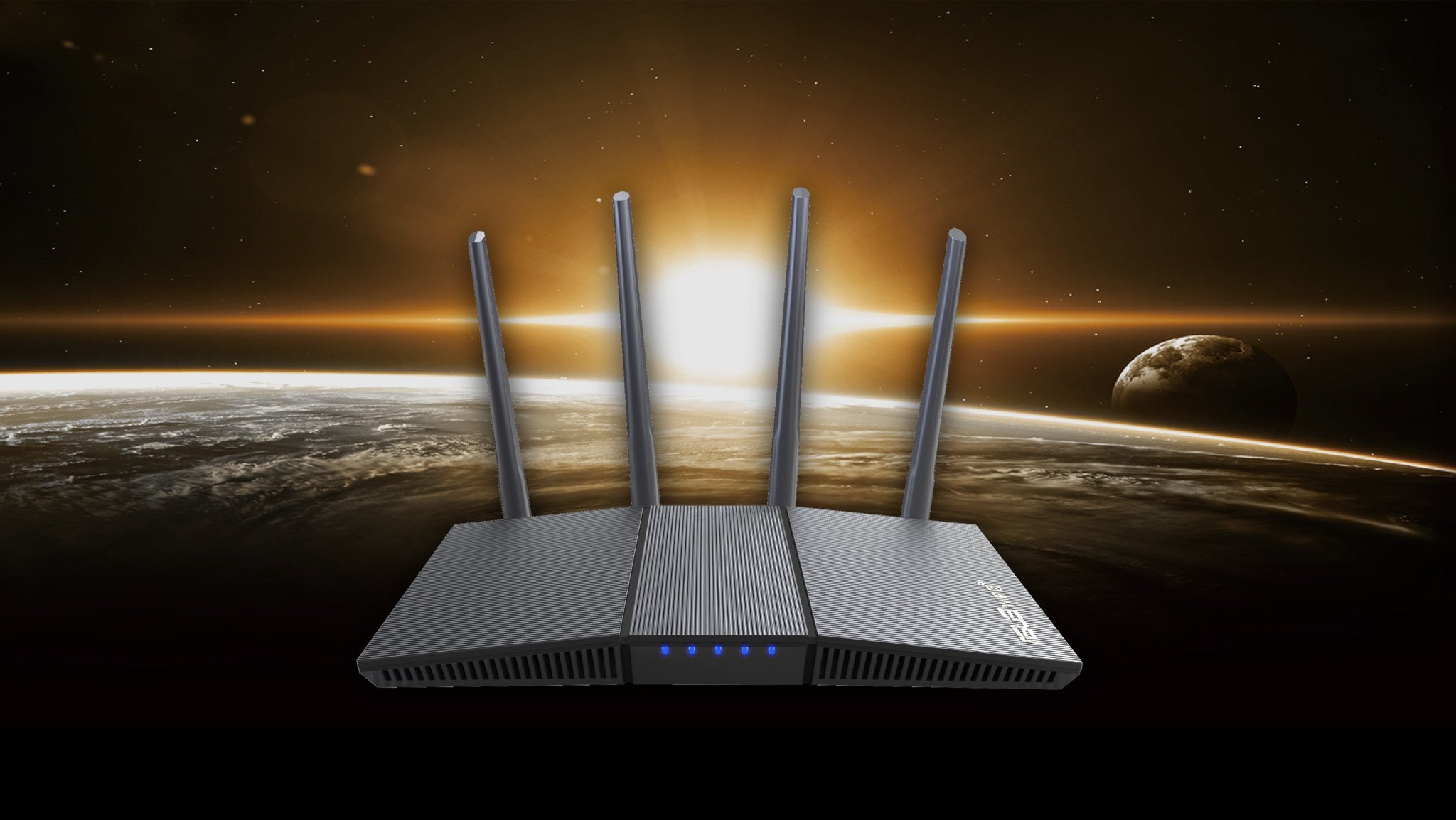
ASUS RT-AX1800S

Best value router for families

  • Top speeds: 1201Mbps @ 5GHz, 574 Mbps @ 2.4GHz
  • Top features: Wi-Fi 6, 4x Ethernet ports, AiProtection Classic software

The ASUS RT-AX1800S isn't the fastest Wi-Fi 6 router you can get, but it has plenty of speed for most families. The 5GHz band can support a 1,201Mbps link, while the 2.4GHz band supports up to 574Mbps. Wi-Fi 5 devices won't get the full speeds, but you'll be ready when your family gets more Wi-Fi 6 capable devices. There are four open Ethernet ports on the back of the router for your wired devices as well.

ASUS recommends this as one of the best wireless routers for large homes, and its array of four external antennas should be able to reach most of your home easily. Unfortunately, this router doesn't support Asus' AiMesh mesh expansion like the similar RT-AX55U but at a lower price, this is still a great pick with enough coverage for most homes.

The thing that makes this a solid choice for families is Asus' AiProtection Classic software. AiProtection comes with antivirus software powered by Trend Micro, as well as advanced parental controls. ASUS includes this software free of charge for the lifetime of the product. This is a great inclusion, whether you are looking to block inappropriate web content or simply set up limited internet hours to keep students on task.

Pros:

  • AiProtection Classic included for the product's lifetime
  • Good coverage for large homes
  • Cheap Wi-Fi 6 speeds
  • Free parental controls included

Cons:

  • AX1800 speeds aren't a great fit for a large family
  • No AiMesh support

Asus RT-AX1800S

Best value router for families

With the Asus RT-AX1800S, you get solid AX1800 Wi-Fi speeds for a reasonable price without giving up things like parental controls.

Netgear Nighthawk RAX48

Best upgrade for a house

  • Top speeds: 4.8Gbps @ 5Ghz 1024 QAM, 460Mbps @ 2.4Ghz 256 QAM
  • Top features: 4x Ethernet ports, USB 3.0 port, 160MHz channel

The Netgear Nighthawk RAX48 is a fast Wi-Fi 6 router with a couple of sacrifices to keep the price in check. The slightly odd AX5200 connection results from 4.8Gbps on the 5GHz band with 160MHz band support plus a 460Mbps 2.4GHz band. A lower 256 QAM on 2.4GHZ means that it won't achieve the 600Mbps seen on other Wi-Fi 6 routers but with most of our devices utilizing 5GHz, this isn't as big of a sacrifice as it seems at first.

In every other way, the RAX48 is a standard Nighthawk router, which is to say, excellent. Four gigabit LAN ports on the back keep your wired devices connected, and a USB 3.0 port can provide network storage in a pinch. In addition, there are four adjustable antennas on the back, so if you're looking to wall mount your router you can. This router also looks nice with a few shades of matte black creating a rugged but modern aesthetic.

This router is easily set up via the Nighthawk app in just a few minutes on Android or iOS. When you sign up, you'll also be able to sign up for Netgear Armor. Netgear Armor is a security package powered by Bitdefender that can provide network security for all devices connected to your router. This also includes smart home devices with previous exploits or out-of-date software.

Pros:

  • Superfast AX5200 speeds
  • 160MHz channel support
  • Great price
  • Works with Alexa and Google Assistant

Cons:

  • Slower 2.4GHz speeds for legacy devices
  • Advanced parental controls are not included

Netgear Nighthawk RAX48
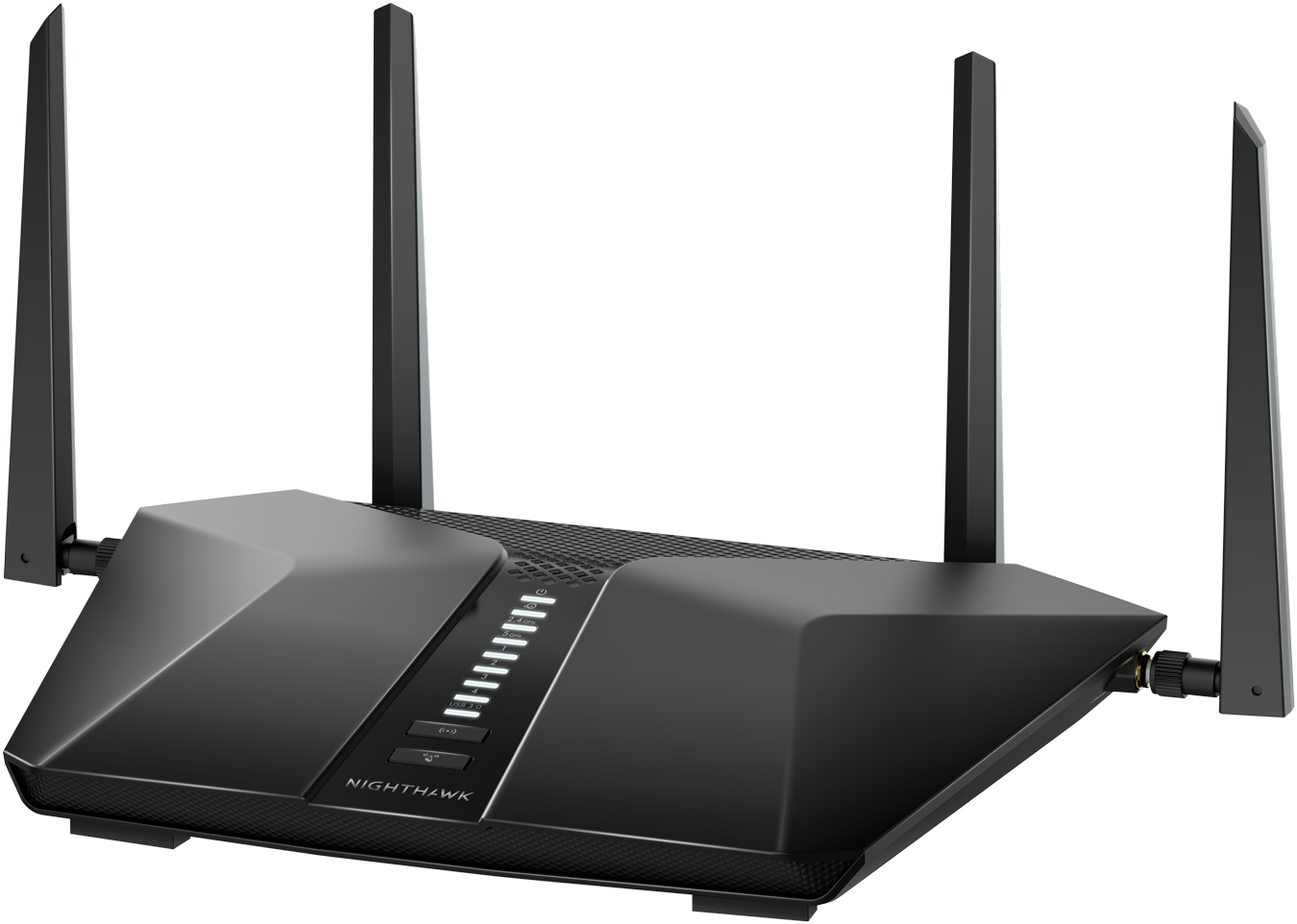
Great for 5GHz devices

The Netgear Nighthawk RAX48 is a fast router for 5GHz devices with 160MHz support and Netgear's outstanding industrial design.
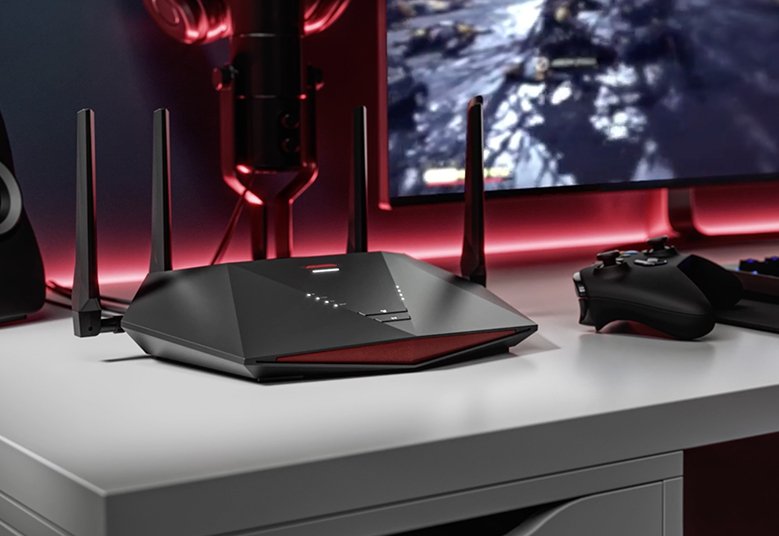
Netgear Nighthawk XR1000

Best gaming router

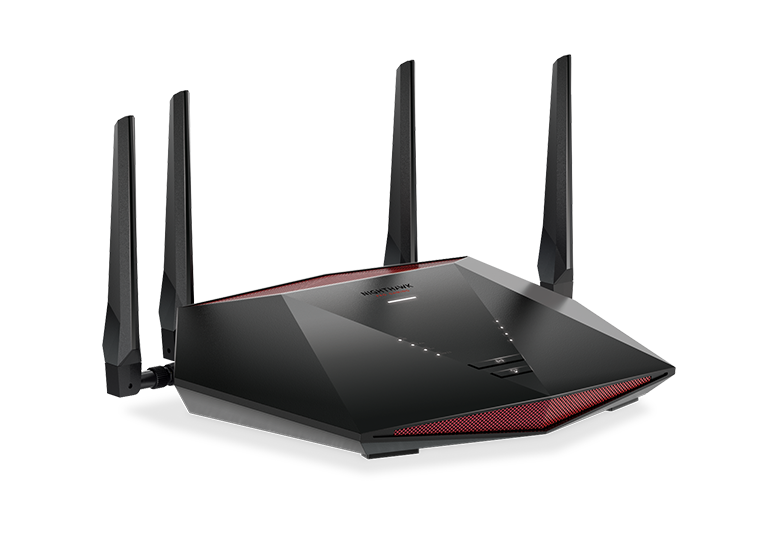
  • Top speeds: 4.8Gbps @ 5Ghz, 600Mbps @ 2.4Ghz
  • Top features: Wi-Fi 6, Updated DumaOS 3.0 gaming software

The Nighthawk XR1000 from Netgear gets everything right for gamers with a fast Wi-Fi 6 router with top-notch hardware and a software package designed to get the most out of it. This router starts with an AX5400 Wi-Fi 6 connection with 600Mbps at 2.4GHz and 4.8Gbps on the 5GHz band. The fast 5GHz speeds are thanks to the 160MHz 5GHz band. There are also four Ethernet LAN ports on the back.

DumaOS 3.0 adds some nice features aimed at gamers. They not only keep game pings low and consistent but make sure you have enough bandwidth left over for live streaming. You also get application QoS so you can prioritize games, no devices. Finally, ping heatmaps and geofencing allow users to find and use the best servers while blocking the worst connections.

Playing a high-resolution PC game with an HD live stream to Twitch or YouTube Gaming will push your home network to the limit, and the Nighthawk was designed to cope with it all.

Pros:

  • Wi-Fi 6 AX5400 speeds
  • Four Ethernet LAN ports
  • DumaOS 3.0 adds geofencing application QoS
  • Easy setup with the Nighthawk app

Cons:

  • No tri-band Wi-Fi

NETGEAR Nighthawk Pro Gaming XR1000

Best gaming router

The Netgear Nighthawk XR1000 is one of the best ways to ensure your internet is fast and consistent for gaming.

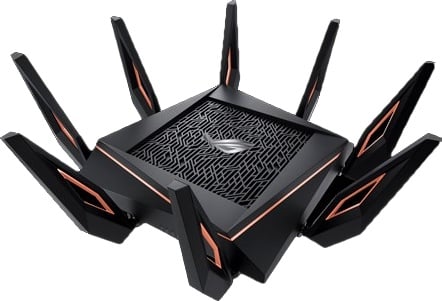
Asus ROG Rapture GT-AX11000

Best Wi-Fi 6 speeds

  • Top speeds: 2x 4804Mbps @ 5Ghz, 1148Mbps @ 2.4Ghz
  • Top features: Tri-band, 2.5Gbps WAN port, 4x Ethernet ports, 2x USB ports,

The Asus ROG Rapture GT-AX11000 is the ultimate gaming router with the fastest speeds possible with a 12-stream tri-band Wi-Fi 6 setup. The speeds break down into two 5GHz channels at 4804Mbps and a 2.4GHz channel at 1148Mbps. Needless to say, this is plenty of speed for pretty much any task. Around the back, there are four gigabit Ethernet ports for wired devices and a 2.5Gbps capable WAN port next to a gigabit WAN port.

Two USB 3.0 ports allow for multiple devices to be connected for storage. Eight red-accented antennas cover the outside of this router. Finally, Asus' gaming prioritization software keeps latency low on games and even finds the fastest possible connection to a server. So if you're looking for the fastest wireless speeds around, this router delivers. If you're looking for the same speed with Wi-Fi 6E support, you can choose the ROG Rapture GT-AXE11000 version for a bit more.

Pros

  • Blazing-fast AX11000 speeds
  • Fast 2.5Gbps Ethernet support
  • Latency reduction with prioritization software
  • Works with Asus' AiMesh expansion

Cons:

  • Huge size
  • No WPA 3

ASUS ROG Rapture WiFi 6 Gaming Router (GT-AX11000)
Best wireless speeds

The ROG Rapture GT-AX11000 has plenty of wireless speed for years to come and even supports 2.5Gbps wired networking.

Eero Mesh

Best mesh Wi-Fi router

  • Top speeds: 866.7Mbps @ 5GHz, 400Mbps @ 2.4GHz
  • Top features: 2x auto-sensing Ethernet ports per unit, Easy setup, Works with all other eeros

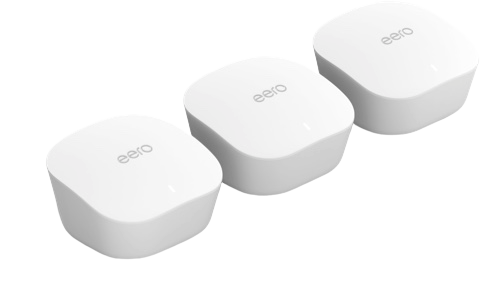
If you're looking to cover your home with a mesh network, The third generation Eero is one of the easiest systems to get up and running. While Eero doesn't disclose the exact speeds of its routers, we typically see speeds max out around 400Mbps. This is not your best option if you have gigabit internet since much of your speed won't be utilized. Still, for most people, Eero is fast enough.

If you're a fan of the Eero platform but need a bit more speed, the Eero 6 and Eero Pro 6 will provide enough speed for internet connections of up to 500Mbps and 1Gbps, respectively. Even without a Wi-Fi 6 device, the increased mesh performance can improve your connection.

Each compact unit measures 3.86 inches wide and 2.36 inches tall and has two Ethernet ports on the back. The Ethernet ports can be used to strengthen the mesh connection or to connect wired devices. The node will be able to switch between modes automatically. If you need more coverage than you get with the included node, you can add any Eero router to your mesh for more coverage, including older units.

Pros:

  • Works with all Eero models
  • Easy setup with an app
  • Compact nodes are easy to place

Cons:

  • Wi-Fi is slow for the price

Amazon eero mesh WiFi system
Best mesh Wi-Fi router

You can add as much coverage as you need with eero. Dual-band Wi-Fi 5 wireless speeds are fast enough for most people.
Netgear Orbi RBK752

Best mesh Wi-Fi router upgrade

  • Top speeds: 1200Mbps + 2400Mbps @ 5Ghz, 600Mbps @ 2.4Ghz
  • Top features: Wi-Fi 6, 3x LAN Ethernet ports (2 per satellite), Netgear Armor

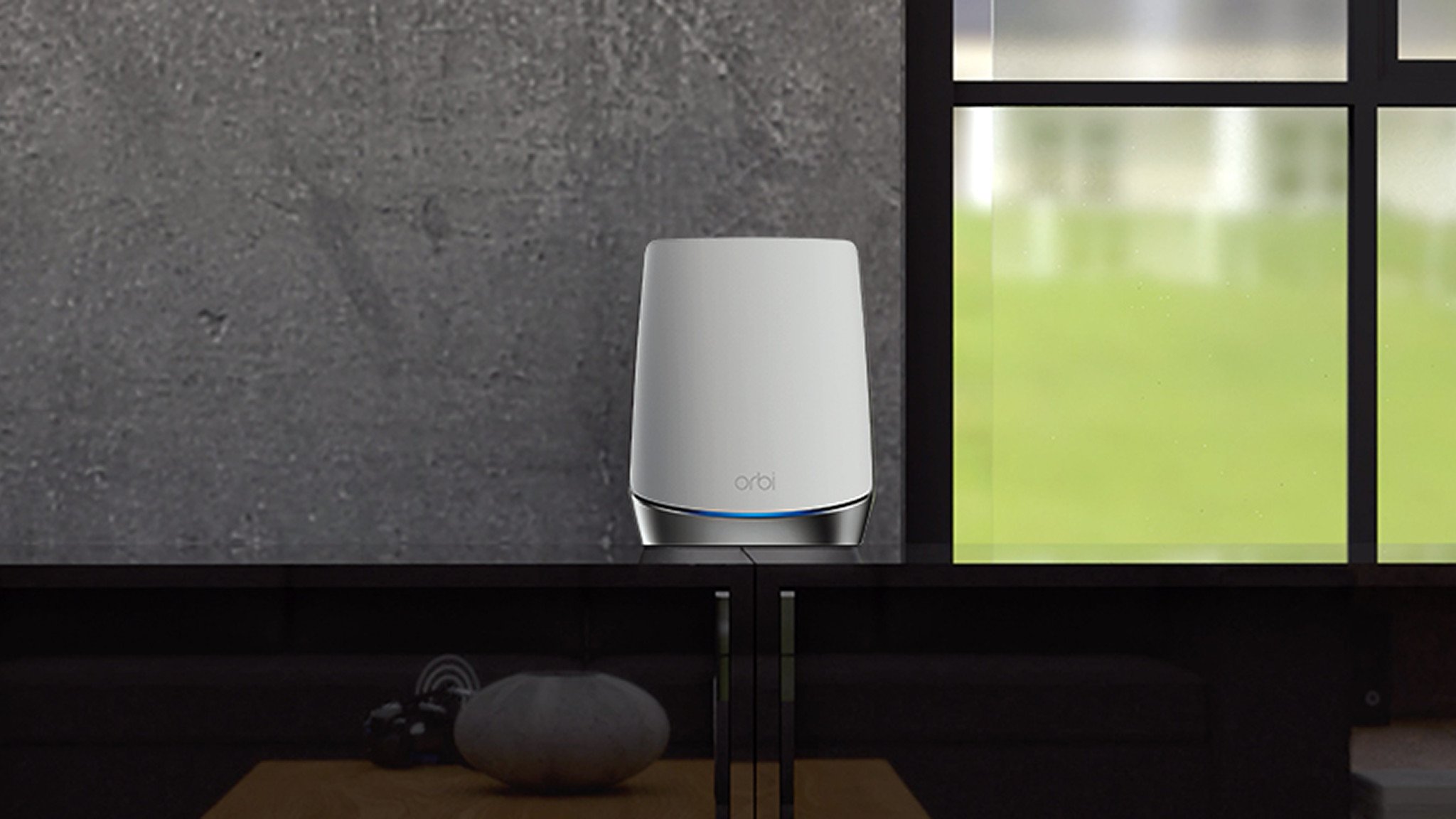
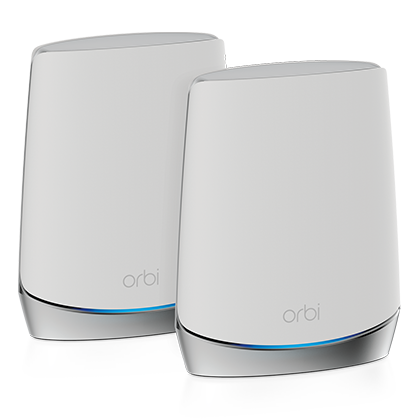
The Netgear Orbi RBK752 is a great mesh system that balances advanced features and simplicity. While the actual settings aren't much more complex than other mesh systems, Netgear allows you to see more information than many other systems, including mesh link speeds and very detailed connection information.

This mesh has AX4200 speeds that break down to 1,200Mbps for devices at 5GHz with 600Mbps at 2.4GHz. The remaining 2,400Mbps is dedicated to the mesh connection. While this only leaves around 1,800Mbps total for devices, you'll be able to get those speeds at both the router and satellite. If you need more device speed than that, the Orbi RBK852 doubles the device speed at both 5GHz and 2.4GHz.

The main router has three open gigabit Ethernet ports, and the satellite has two. Thanks to the fast mesh link, you can achieve very near gigabit Ethernet speeds on the satellite. This router mesh can be expanded with more RBS750 satellites included in this package and the faster RBS850 satellite. The RBS850 has four Ethernet ports and a fast AX6000 connection. Orbis meshes are easily set up with the Netgear Orbi app or via a web browser.

Pros:

  • Fast AX4200 Wi-Fi 6 speeds
  • Tri-band Wi-Fi for a stronger mesh
  • Advanced information available in a web browser
  • Great coverage area at 5,000 square feet
  • Easy to set up in the app

Cons:

  • No multi-gig Ethernet ports
  • Only two Ethernet points on the satellite

Netgear Orbi RBK752
Best mesh Wi-Fi router upgrade

The Orbi RBK752 comes with a router and a satellite covering 5,000 square feet with AX4200 WI-Fi 6 speeds.
Netgear Nighthawk RAX70

Best Wi-Fi router upgrade

  • Top speeds: 1.2Gbps + 4.8Gbps @ 5Ghz, 600Mbps @ 2.4Ghz
  • Top features:Tri-band, Link aggregation, 4x Ethernet ports, USB 3.0 port

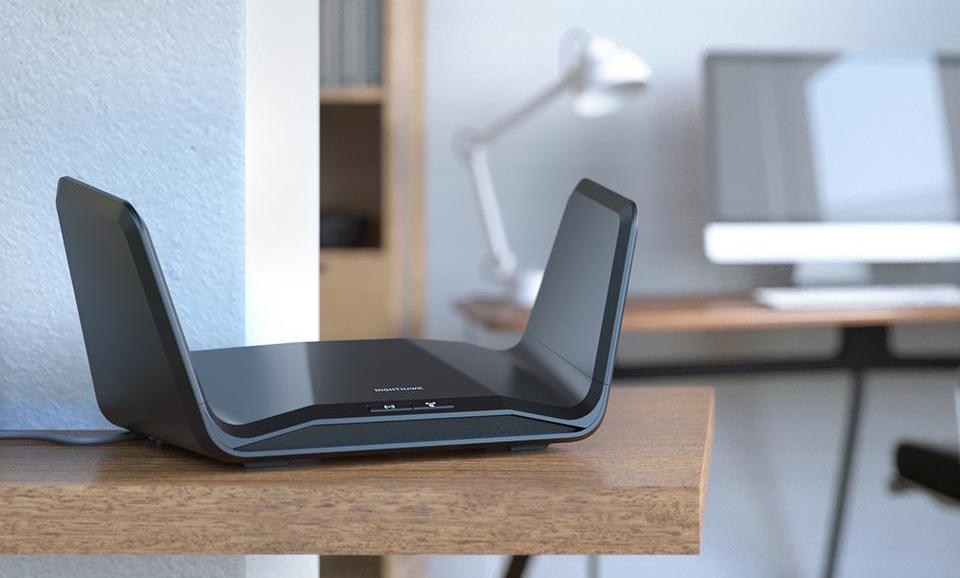
Netgear has been a leader in Wi-Fi 6 and continues with the tri-band RAX70 with AX6600 Wi-Fi 6 speeds. With 1.2Gbps plus 4.8Gbps available on the 5GHz bands and another 600Mbps available at 2.4GHz, this router is ready to handle a large number of connections without breaking a sweat. Your devices will be able to connect to the best possible band automatically, depending on the wireless congestion in your area.

This router follows Netgear's standard Wi-Fi 6 design with a wing on either side of the main body containing the antennas. While it looks nice and provides solid coverage, it won't be ideal for vertical mounting. Still, in most homes, you should have no coverage issues, even with high-speed connections.

Pros:

  • Fast Wi-Fi 6 speeds
  • Tri-band connection
  • Easy setup with the Nighthawk app

Cons:

  • Fixed antennas aren't great for vertical mounts

Netgear Nighthawk RAX70

Best Wi-Fi router upgrade

The Netgear Nighthawk RAX70 is one of the first tri-band routers with incredible speeds no matter which band your devices connect to.
Netgear C6250

Best value Wi-Fi router with a modem

  • Top speeds: 1300Mbps @ 5Ghz, 300Mbps @ 2.4Ghz, up to 680Mbps download with 16x4 channels
  • Top features: DOCSIS 3.0, 2x Ethernet ports, USB port, Works with most ISPs

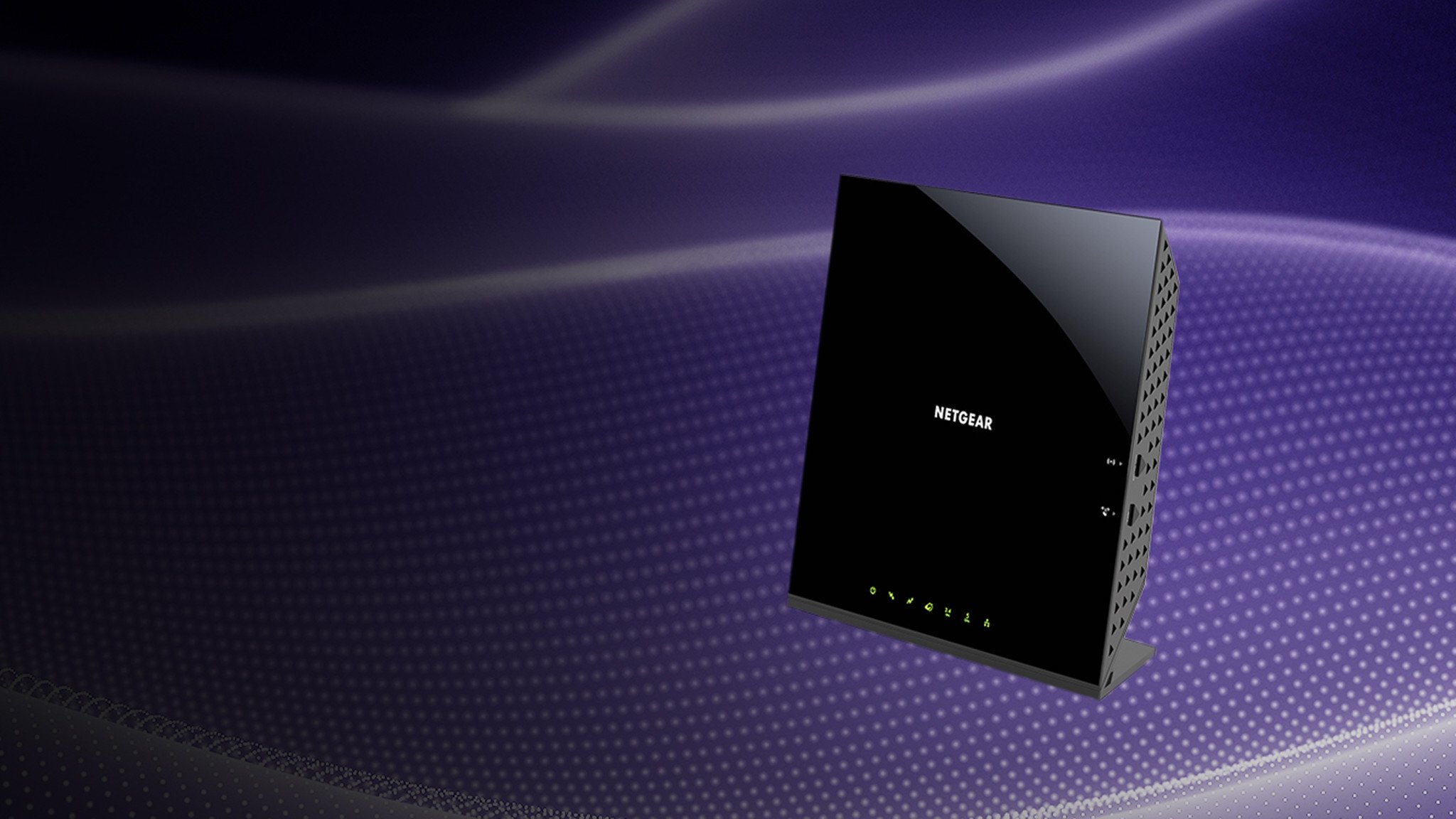
The Netgear C6250 is a cable modem and wireless router in one piece of equipment. With 16 downstream channels and DOCSIS 3.0, this router is capable of a theoretical 680Mbps internet connection. In addition, Wi-Fi 5 delivers AC1600 speeds, which break down to 1300Mbps at 5GHz and 300Mbps at 2.4GHz. While these speeds aren't crazy, the 1300Mbps link speed on the 5GHz band helps it handle fast connections.

This router stands upright in a reasonably compact 7.68 inch wide and 7.79-inch tall black housing. There are only two Ethernet ports on the back, so if you need more than a couple of wired devices, you'll need to add a switch to the mix. This modem works with most cable internet providers, including Xfinity, Spectrum, Cox, and Cablevision. If you're looking to get your wireless devices online with as little equipment as possible, this router is a solid option.

If you're looking to connect with a gigabit connection, you'll need a faster DOCSIS 3.1 modem. Netgear has a wide range of modems available, including the Nighthawk C7800, supporting the quickest internet speed currently available on cable. Keep in mind; it won't pay for itself with rental fees for much longer but still offers great performance, including Wi-Fi in a single box.

Pros:

  • Standalone internet solution
  • AC1600 speed is enough for most people
  • Single compact unit

Cons:

  • Only 2 Ethernet ports make expansion a challenge
  • Modem doesn't support gigabit download speeds

Netgear C6250
Best Wi-Fi router with a modem

The Netgear C6250 combines a modem and router into a single unit to get you online as easily as possible without any rental fees.
Netgear Orbi CBR750

Best upgrade Wi-Fi router with a modem

  • Top speeds: 1201Mbps + 2400Mbps @ 5Ghz, 600Mbps @ 2.4Ghz
  • Top features: Tri-band Wi-Fi 6, Orbi Satellite expansion, 4x Ethernet ports

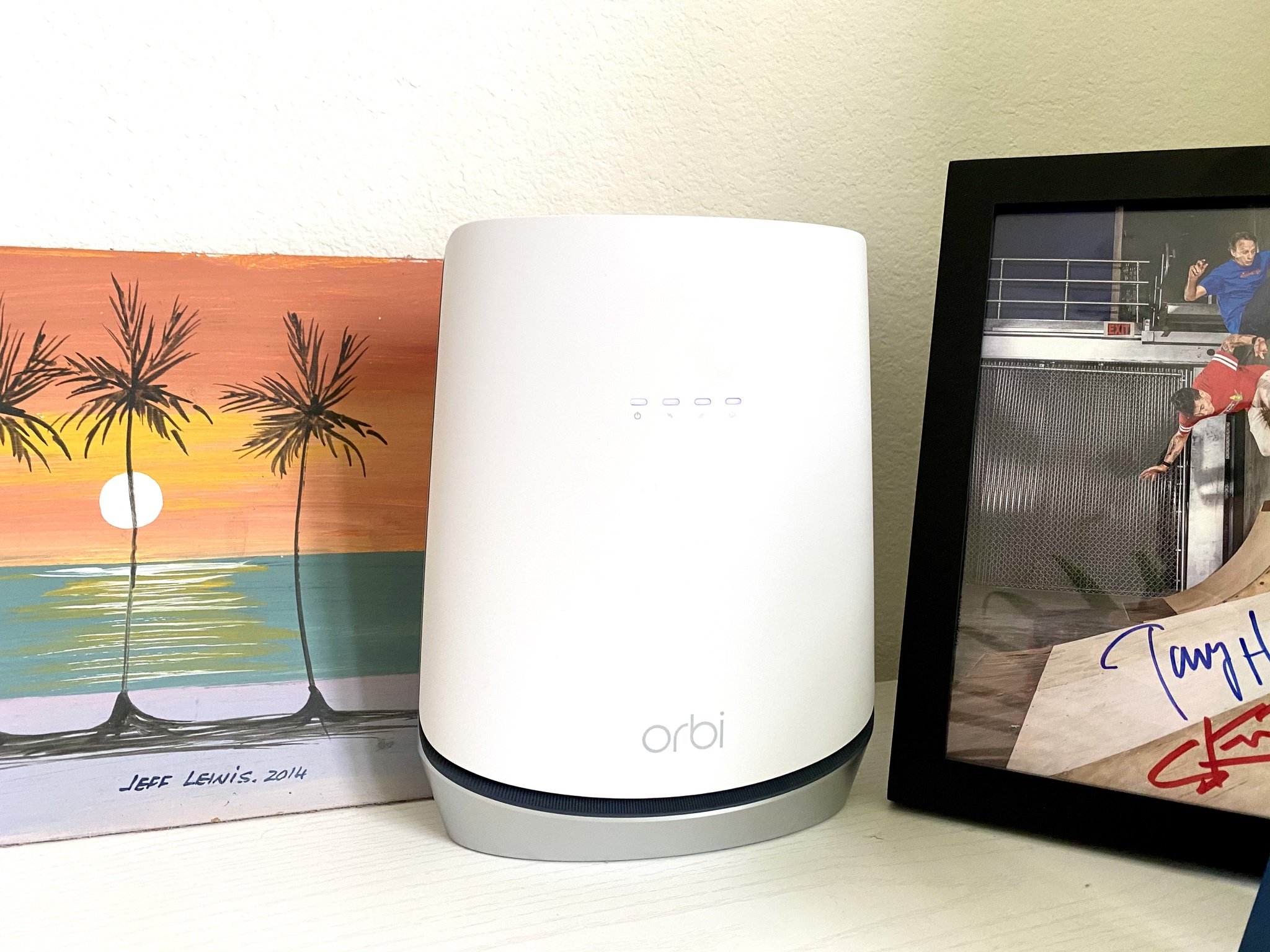
The Netgear CBR750 is one of the fastest cable modems you can have with a solid Orbi Wi-Fi 6 router built-in. The Modem is DOCSIS 3.1, with 32 downstream and eight upstream streams. This means the modem itself has a theoretical max download speed of 10Gbps though most internet service providers (ISP) will only offer gigabit-like rates at best. Still, it's nice to know that if the ISP was to reallocate its resources in the future, this modem could keep up with ease.

The router mirrors the excellent RBR750 often purchased as part of the RBK752 package, including the RBS750 satellite. You must use an RBS750 or RBS850 if you wish to expand your mesh. You cannot use an RBR750 or RBR850 router for expansion, so be sure only to expand your mesh coverage with the satellites. On its own, Netgear expects up to 3,000 square feet of coverage with the single CBR750 router.

Even so, this router has solid specs with an AX4200 connection breaking down to 1201Mbps for the main 5GHz band, 2402Mbps for the mesh connection 5GHz band, and 600Mbps at 2.4GHz. For most people, this will be capable of delivering more than enough speed for a gigabit connection. Four Ethernet ports on the back allow for easy wire connections. This is all set up and managed with the Orbi app and can be paired with a Netgear Armor subscription for greater security and parental controls.

Pros:

  • Fast tri-band AX4200 speeds
  • Wi-Fi 6 and DOCSIS 3.1 compatible
  • Four Ethernet ports make expansion easy
  • Attractive design

Cons:

  • Expensive
  • No 160MHz bands

Netgear Orbi CBR750

DOCSIS 3.1, Wi-Fi 6, and mesh expansion in one

The Netgear Orbi CBR750 is one of the fastest cable modems around, with Wi-Fi 6 mesh expansion and four Ethernet ports built-in.

How to pick the best Wi-Fi router

The fastest routers will work great for anyone, but there's no need for most people to buy something with AX11000 speeds. For most people, internet speeds max out at 1Gbps, and every router on this list will be able to deliver those speeds to a compatible device, except Eero. The real benefits of a more powerful router become apparent when you start adding users. If you know you'll have many people on your connection, a router with greater capacity will ensure each device is given as much speed as possible without dropping the other connections.

1. Do you need Wi-Fi 6?

Wi-Fi 6 is steadily becoming more common, and as the prices continue to come down, these routers are quickly becoming some of the best values around. Wi-Fi 6 gets more done with the same amount of spectrum, allowing even phones to connect to Wi-Fi at speeds faster than 1Gbps.

Of course, these routers are fully backward compatible with Wi-Fi 5 and earlier. Moving up to a Wi-Fi 6 router may be worth it if you want to be ready for the next generation of wireless LANs or want a more consistent connection.

2. Who needs a mesh system?

If you're looking for more consistency and better coverage with little concern for wired connectivity or top speeds, a mesh solution might be the best bet for you. Mesh systems use multiple routers or standalone satellites to add coverage to your network. This is similar to a Wi-Fi extender, except you don't need to connect to multiple Wi-Fi points.

Mesh systems tend to be more expensive than a router alone, but the ability to expand your coverage at any combined with the low-profile and stylish designs will make it worth it to many people. Mesh nodes also need to communicate with each other, meaning a mesh system will need faster hardware to match a standalone router's performance.

3. Does software matter for a router?

Many people would assert that they just want their router to be a box that makes excellent Wi-Fi that they can forget about. However, managing a router's settings and connection in an app has been one of the nicest developments to reach most routers you can get today. Not only that, many routers can automatically update to get the latest security features and fix bugs that may come up with new devices.

Beyond that, managing parental controls easily can go a long way to keeping your family secure. Managing devices can get complex with a whole family connected, so having nicely designed parental controls go a long way. Similarly, a good QoS solution can keep your network running smoothly even with many users, so you can be sure your Teams' meetings aren't interrupted by poor signal even with multiple devices streaming on your router.

4. Do you still need Ethernet?

Ethernet ports can seem a bit old-fashioned in a wireless world, but a copper wire connection will be more stable than wireless even with the best technology. So if you are a competitive gamer or need your connection speed to be as fast as possible at all times, an Ethernet cable is a cheap and reliable way to make sure you stay connected. Ethernet is also much more resistant to interference than Wi-Fi, even at lengths over 50 feet.


When it comes to choosing the right router, there are a ton of options available. Your best bet will be to get a little more speed than you need now, so you'll have room to grow. People are using their home internet more than ever thanks to working from home and increased streaming, making a fast network more important than ever. Even if you're not ready to move up to Wi-Fi 6 routers, there are still a ton of great options to improve your experience, including mesh solutions.

Credits — The team that worked on this guide

Samuel Contreras When Samuel is not writing about networking and carriers, he spends most of his time researching computer components and obsessing over what CPU goes into the ultimate Windows 98 computer. It's the Pentium 3.




from Android Central - Android Forums, News, Reviews, Help and Android Wallpapers https://ift.tt/4hDLOEl5J
via IFTTT