LightBlog

mercredi 30 juin 2021

Check out some of the best 144Hz monitors you can get for your setup

If you're planning on getting the best 144Hz monitor for your PC, there are several options you can choose from. These monitors can update their visual content up to 144 times a second, more than twice what you get with regular 60Hz monitors. As a result, applications with fast-moving graphics (e.g., games) look a lot more fluid. They are also ideal for creative professionals like digital illustrators, who require color-accurate displays for their work. Our top choice is the ASUS TUF Gaming VG249Q. This monitor has a 23.8-inch display, and it even works with consoles such as PS5 and Xbox Series X.

Best overall: ASUS TUF Gaming VG249Q
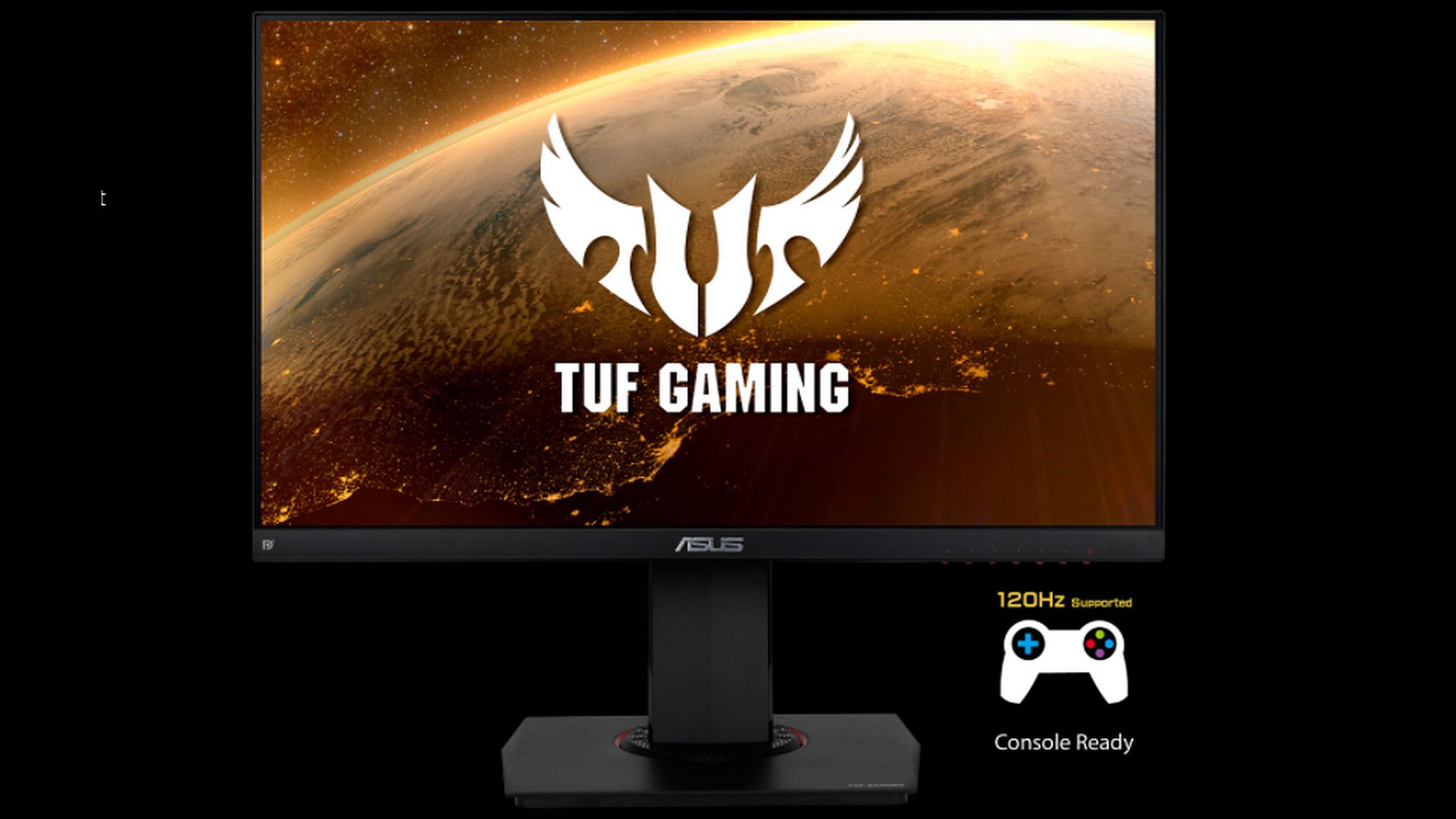
Arguably the best 144Hz monitor out there, the ASUS TUF Gaming VG249Q boasts a laundry list of features. Its 23.8-inch FHD display comes with a resolution of 1920x1080 pixels and provides 100% coverage of the sRGB color gamut. The IPS panel delivers accurate colors and bright pictures, even when viewed from the sides. In addition to the 144Hz refresh rate, the VG249Q includes Extreme Low Motion Blur technology and a 1ms response time for ultra-smooth and lag-free visuals. Then there's FreeSync and Adaptive Sync support, which lets you use the monitor with a wide range of AMD Radeon and NVIDIA GeForce graphics cards.

Talking about connectivity and I/O options, the ASUS TUF Gaming VG249Q packs in HDMI, DisplayPort, VGA, and 3.5mm audio (line-in) ports. Its ergonomic stand allows for extensive tilt, swivel, pivot, and height adjustment, thus making it easy for you to get the best viewing position. Some other notable features include built-in 1.2W stereo speakers and seven display modes that are pre-configured for different types of visual content.

Pros:

  • FreeSync and Adaptive Sync support
  • 120Hz output with PS5 and Xbox Series S/X
  • Multiple adjustment options

Cons:

  • Average sound quality
  • No USB port

Best overall

ASUS TUF Gaming VG249Q

<img src="https://ift.tt/28Enj5O
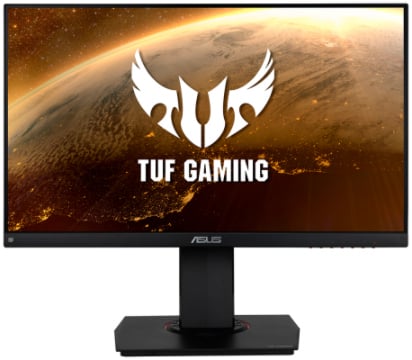
A gaming monitor that everyone will love

The ASUS TUF Gaming VG249Q offers a sharp and accurate 144Hz display that works with PCs and gaming consoles.

Best curved: Samsung Odyssey G5
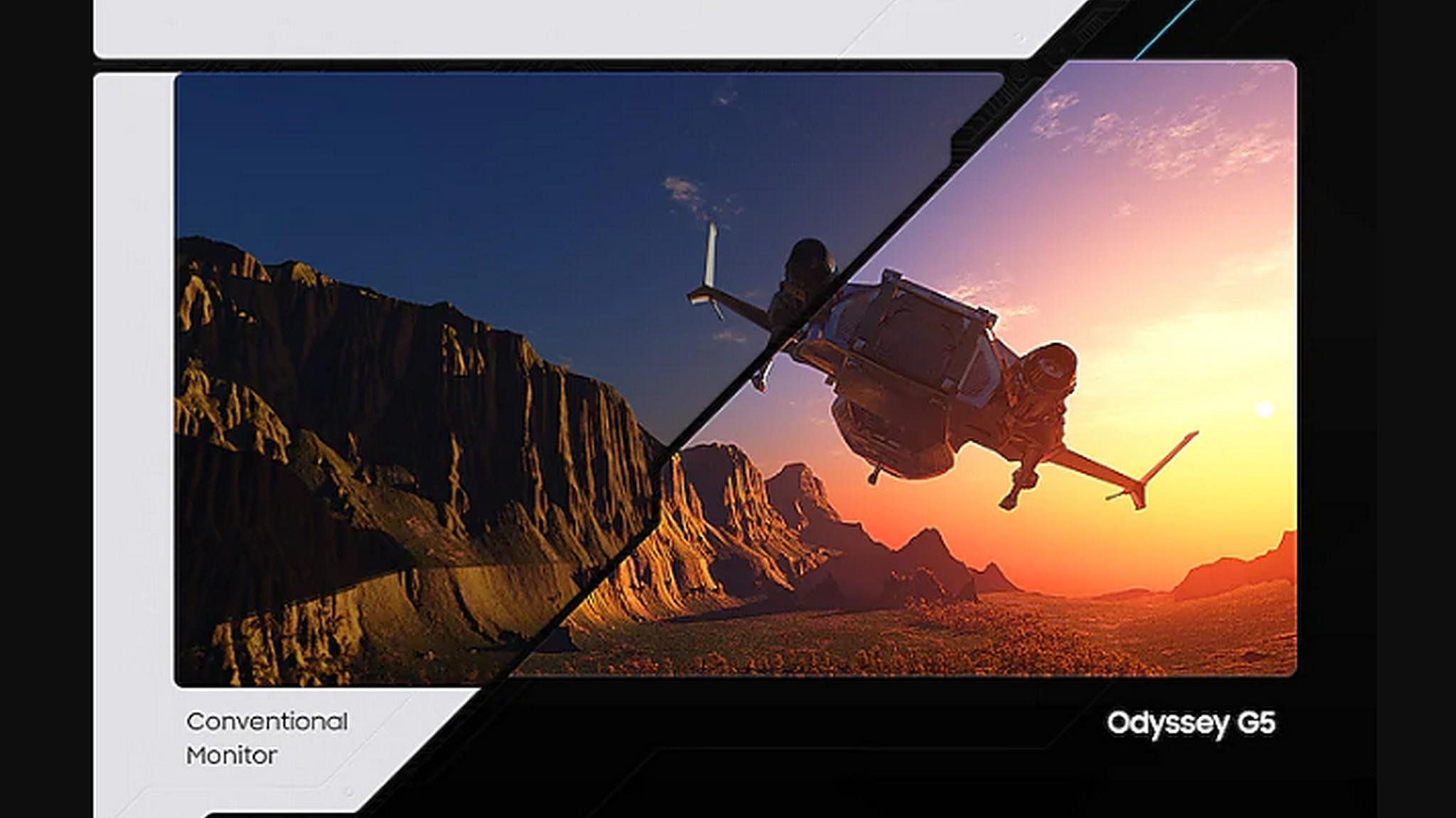
While some may find them gimmicky, there's no denying that curved monitors provide a much more immersive viewing experience than flat screens. If that's something you want, we suggest checking out Samsung's Odyssey G5. Boasting a resolution of 2560x1440 pixels, its 32-inch QHD display looks stunning. Apart from that, the 1000R curved panel also supports HDR10 for deeper blacks and improved contrast levels.

The monitor's 144Hz refresh rate works great for fast-moving visual content like games, with features like a 1ms response time and AMD FreeSync support helping even further to reduce issues such as input latency or the delay between a command and its effect appearing on the display, and screen tearing.

The Samsung Odyssey G5 offers various connectivity and I/O options, including HDMI, DisplayPort, 3.5mm audio ports. There's also a USB Type-A service port for performing software upgrades using flash drives. It's worth mentioning that the G5's stand only comes with tilt (forward and backward) adjustment. However, you do get VESA compatibility for easy wall mounting.

Pros:

  • 1000R curved panel
  • HDR10 support
  • Windows 10 certification

Cons:

  • Can be adjusted for tilt only
  • Some screen flickering issues

Best curved

Samsung Odyssey G5

<img src="https://ift.tt/28Enj5O
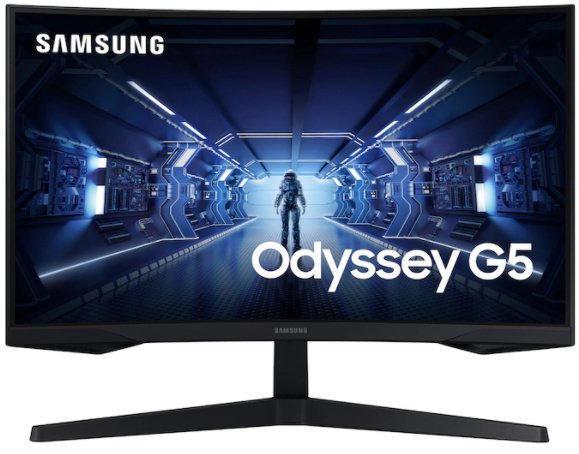
Matches your eyes' field of view

Thanks to its 1000R curved panel, the Samsung Odyssey G5 takes visual immersion to the next level. It also supports HDR10.

Best 4K: Acer Predator XB273K
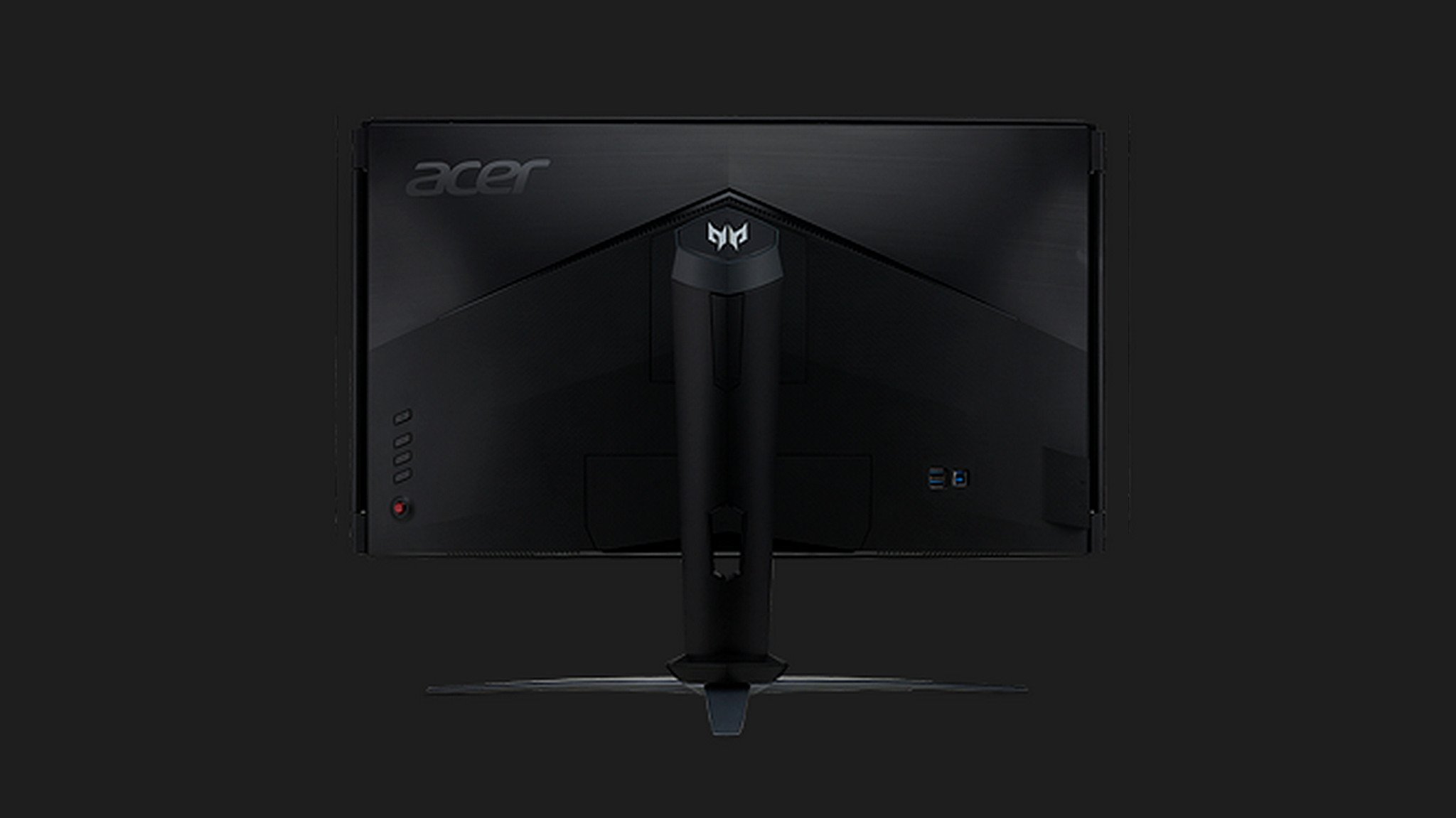
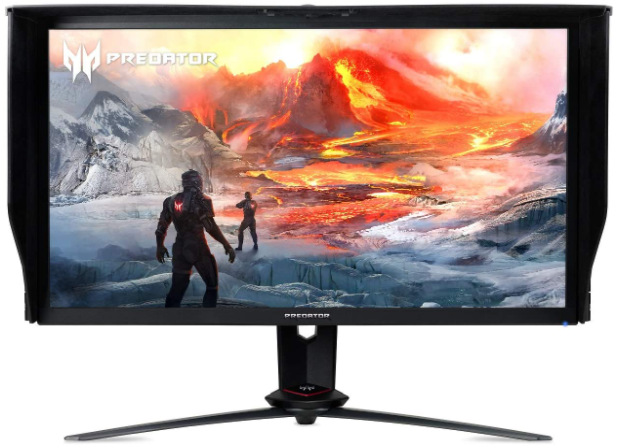
Although there's no dearth of options when it comes to the best 4K monitors, the Acer Predator XB273K still manages to stand out from the crowd. Its 27-inch display sports a resolution of 3840x2160 pixels, giving you four times sharper visuals on FHD screens. The IPS panel complies with VESA's DisplayHDR 400 standard and covers up to 90% of the DCI-P3 color space, which improves brightness and contrast levels and makes colors more accurate.

As a gaming monitor, the XB273K comes with NVIDIA G-Sync support and a 1ms response time, both of which work in conjunction with its 144Hz refresh rate to give you a smooth gaming experience. You can also use the Predator GameView on-screen menu to fine-tune picture quality.

For connectivity and I/O, Acer Predator XB273K features HDMI, DisplayPort, and USB 3.0 (both upstream and downstream) ports. You also get two DisplayPort cables and a USB 3.0 cable in the box. Another interesting addition is an integrated Shade Shield that prevents external lighting from obscuring the on-screen content.

Pros:

  • 4K resolution
  • "Shade Shield" blocks external lighting
  • Refresh rate can be overclocked to 280Hz

Cons:

  • Somewhat chunky
  • Input switching can be frustrating

Best 4K

Acer Predator XB273K

<img src="https://ift.tt/28Enj5O
For the pixel peepers out there

The Acer Predator XB273K's 4K screen is perfect for anyone who likes to enjoy high-definition content in all its glory.

Best budget: Dell S2421HGF
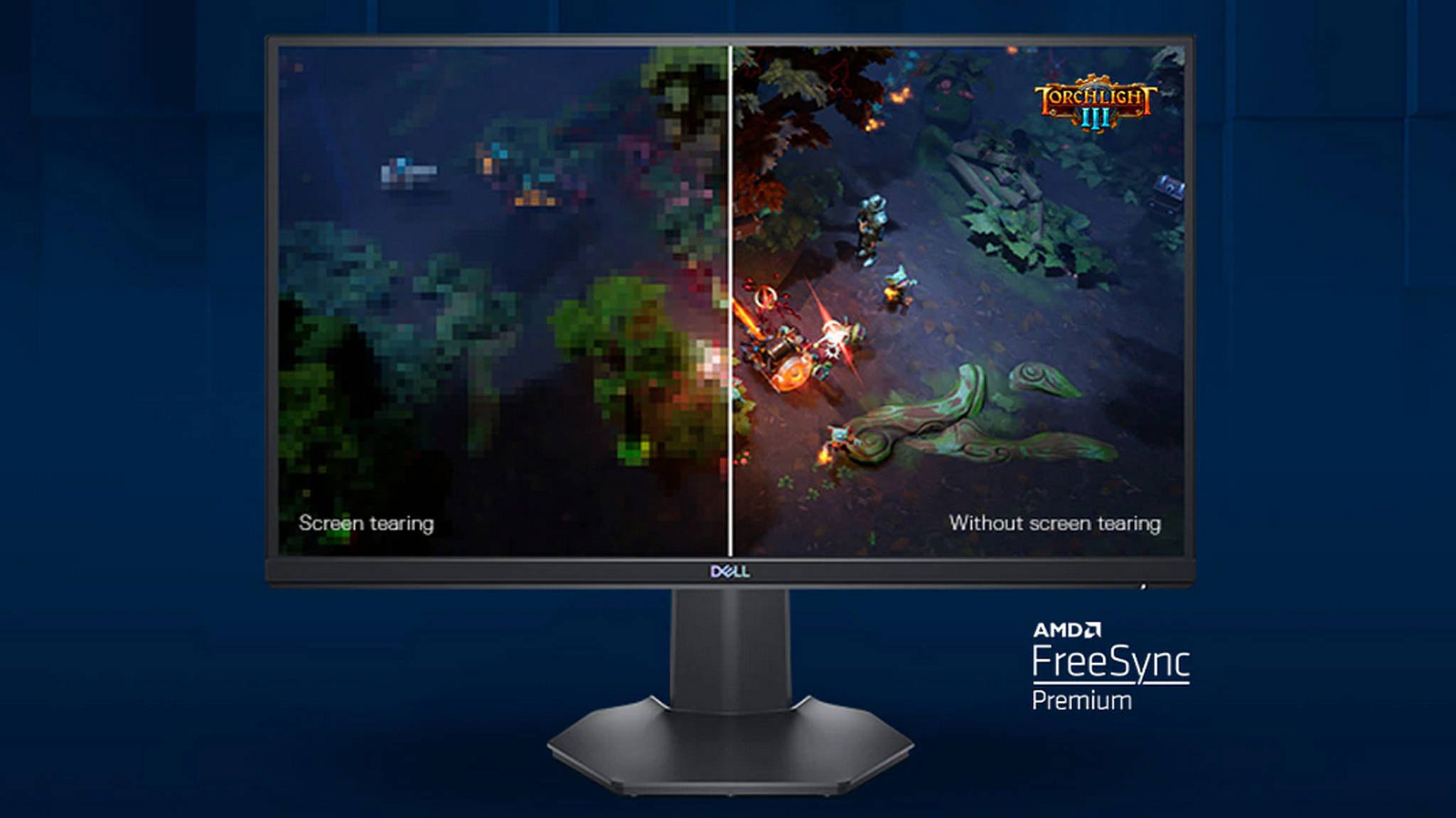
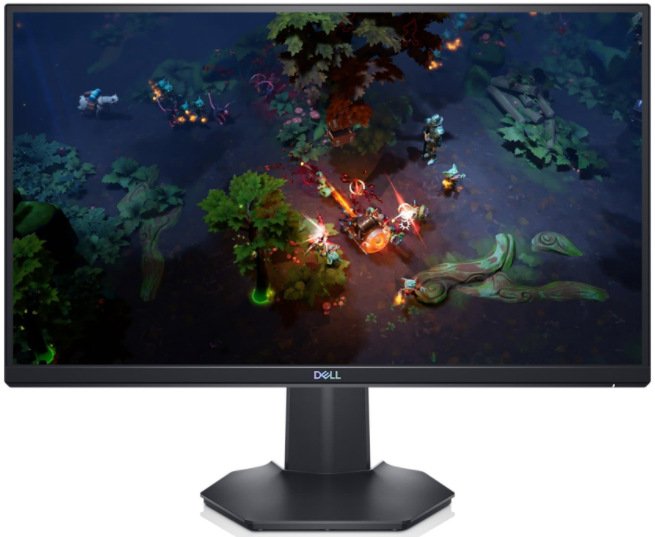
Want the best 144Hz monitor that doesn't cost an arm and a leg? Say hello to Dell's S2421HGF. With a resolution of 1920x1080 pixels, its 23.8-inch FHD display is bordered by a slim three-sided bezel that not only looks great, but helps in reducing the device's overall dimensions as well. The panel's 144Hz refresh rate is complemented by a 1ms response time, and you also get NVIDIA G-Sync and AMD FreeSync compatibility for your favorite graphics cards.

The S2421HGF comes with several gaming-centric features (e.g., FPS counter, user-defined display profiles) that can be easily accessed via an intuitive joystick and shortcut buttons located on the back of the monitor.

Despite its affordable price, the Dell S2421HGF includes all essential connectivity and I/O options like HDMI, DisplayPort, and 3.5mm audio ports. It's also backed by Dell's Premium Panel Guarantee, which allows for a free panel replacement (within the warranty period) even if it has one bright pixel.

Pros:

  • Reasonable price
  • NVIDIA G-Sync and AMD FreeSync support
  • Free panel replacement

Cons:

  • TN panel
  • Display needs a lot of calibration

Best budget

Dell S2421HGF

<img src="https://ift.tt/28Enj5O
Lots of features for a little money

The Dell S2421HGF offers a 144Hz display and compatibility with NVIDIA and AMD graphics cards, all at an affordable price.

Best ultrawide: AOC CU34G2X
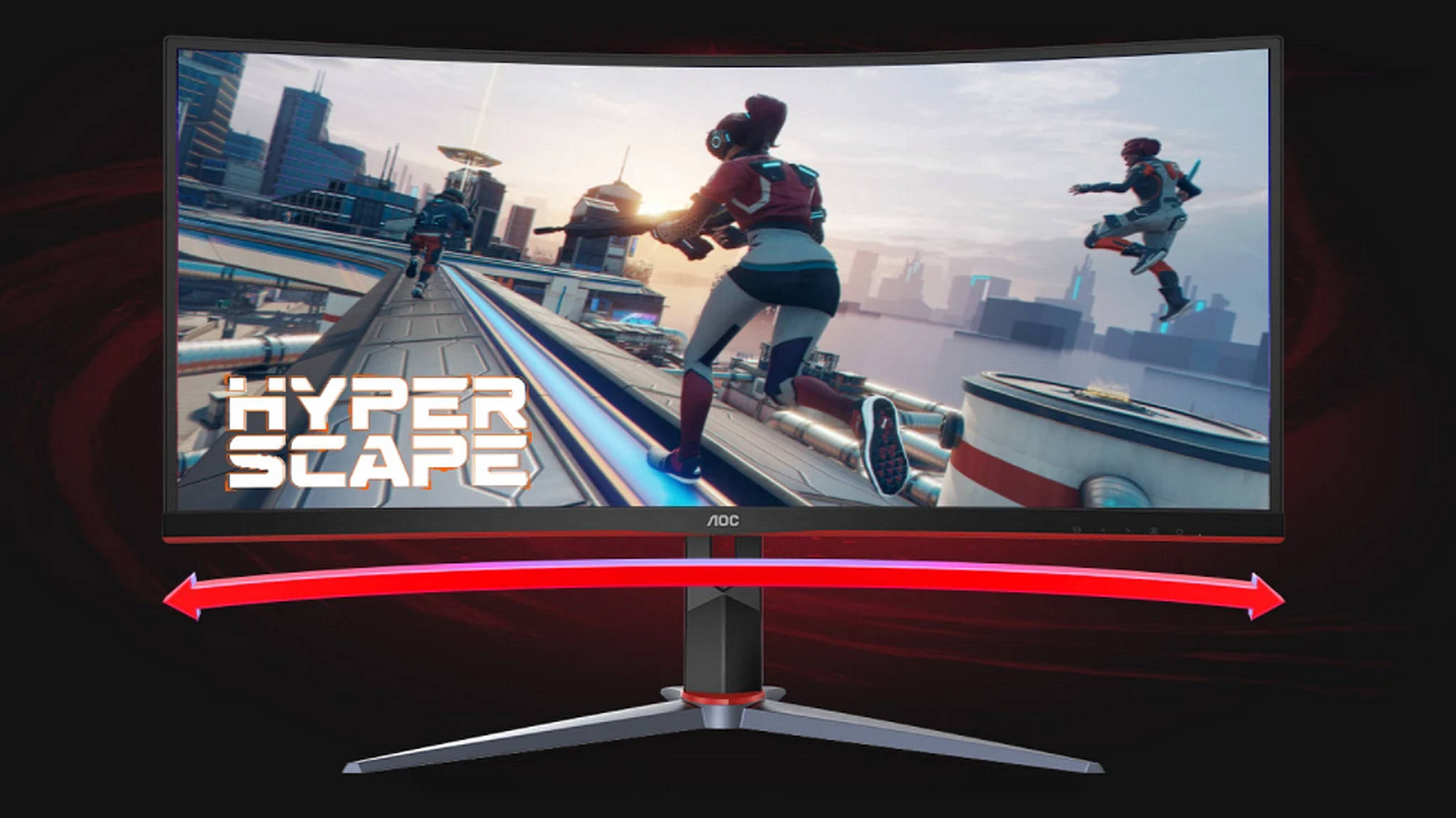
AOC's CU34G2X is hands down one of the best ultrawide monitors currently available in the market. Its 34-inch QHD display boasts a resolution of 3440x1440 pixels and a 21:9 aspect ratio, giving you ample visual real estate for everything from side-by-side multitasking to widescreen gaming.

With its 144Hz refresh rate and a 1ms response time, the 1500R curved panel lets you enjoy games without any motion blur or ghosting (i.e., after-effect of a fast-moving image still being visible after it's no longer displayed) issues, and there's Adaptive Sync support included in the mix as well. Thanks to an all-black matte finish and red accents on its back panel and stand, the monitor also looks quite good.

Speaking of the stand, it comes with tilt, swivel, and height adjustment. Wall mounting isn't a problem either since the monitor is VESA compatible. The AOC CU34G2X features HDMI, DisplayPort, USB Type-A, and 3.5mm audio ports as connectivity and I/O options. You also get a DisplayPort cable and an HDMI cable in the box.

Pros:

  • Expansive curved screen
  • Stylish design with red accents
  • DisplayPort and HDMI cables included

Cons:

  • Buggy firmware
  • Viewing angles aren't the best

Best ultrawide

AOC CU34G2X

<img src="https://ift.tt/28Enj5O
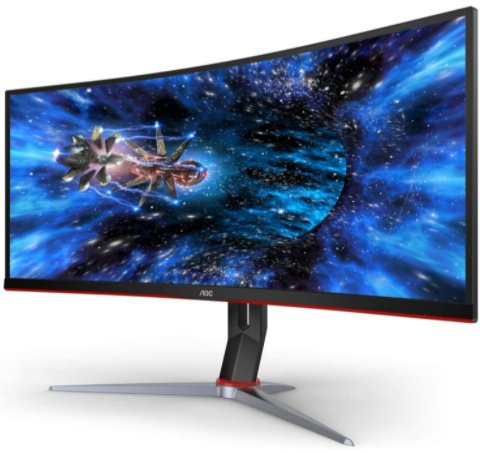
Forget dual-monitor setups and get this

Sporting an ultrawide panel with a 21:9 aspect ratio, the AOC CU34G2X is ideal for things like side-by-side multitasking.

Best for multimedia consumption: BenQ EX2780Q
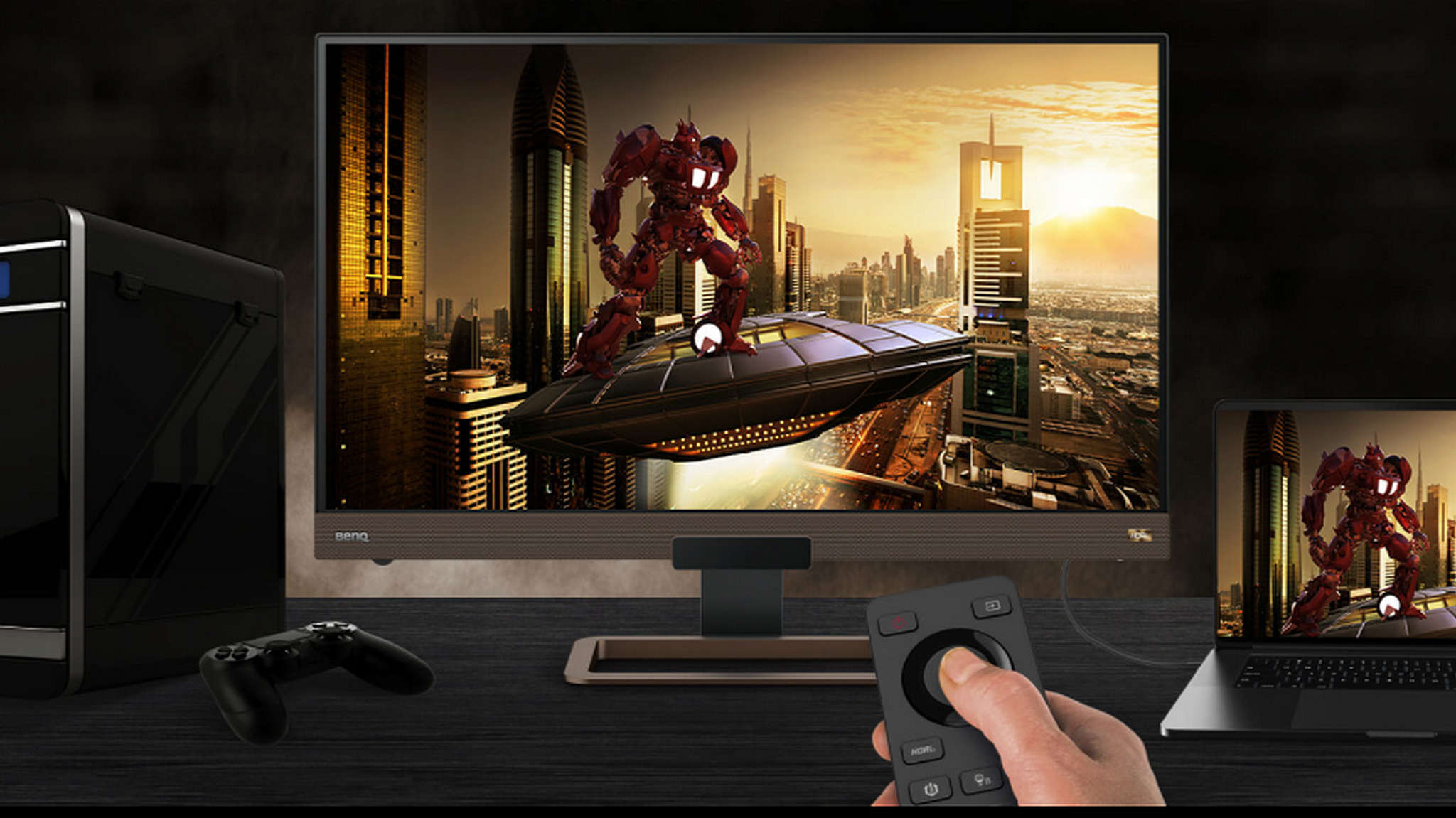
If you often use your computer for watching movies and listening to music, you're going to love the BenQ EX2780Q. Packing a resolution of 2560x1440 pixels and a 16:9 aspect ratio, its 27-inch QHD display is perfect for high-definition streaming video content and games. The 144Hz panel also uses BenQ's HDRi technology and a built-in brightness sensor to automatically adjust HDR settings, resulting in better contrast levels and vibrant colors.

However, what really makes the EX2780Q stand out is its amazing audio quality. Featuring 2W stereo speakers and a 5W subwoofer, the monitor's integrated 2.1 channel audio system delivers powerful yet balanced sound that's much better than what you'd get from small speakers of other monitors. You also get five custom sound modes to choose from.

As far as connectivity and I/O are concerned, the BenQ EX2780Q offers HDMI, DisplayPort, 3.5mm audio, and USB Type-C ports that can be used for power and data transfer. Other noteworthy additions are FreeSync support and three ways, including a dedicated remote control and volume control dial to manage the monitor's settings.

Pros:

  • Built-in 2.1 channel audio system
  • Dedicated remote control
  • USB Type-C port

Cons:

  • Non-HDR content looks washed out
  • Limited adjustment options

Best for multimedia consumption

BenQ EX2780Q

<img src="https://ift.tt/28Enj5O
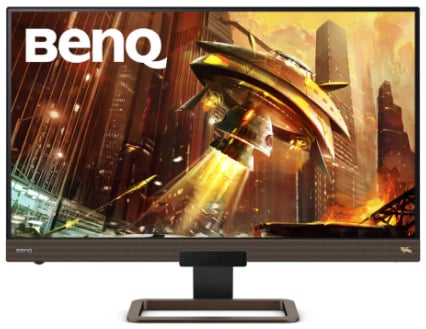
Turn your PC into an entertainment hub

With an integrated 2.1 channel speaker system, BenQ EX2780Q is essentially a TV masquerading as a computer monitor.

Bottom line

When it comes to the best 144Hz monitors, most options available in the market are geared towards PC and console gamers. That said, a high refresh rate display makes sense for pretty much everyone, as it's a lot more future-proof than 60Hz panels. We've selected the ASUS TUF Gaming VG249Q as our top pick because it checks almost all the right boxes. You get a bright and color-accurate FHD display, VESA compatibility, support for both AMD and NVIDIA GPUs, and more, all at a great price.

Credits — The team that worked on this guide

<img src="https://ift.tt/28Enj5O

Rajat Sharma is a freelance contributor at Android Central. With more than seven years (and counting) of experience in covering the ever-changing world of technology, he has reviewed a diverse array of gadgets (including monitors) over the course of his career. He can be reached on Twitter at @the1rajatsharma.


from Android Central - Android Forums, News, Reviews, Help and Android Wallpapers https://ift.tt/3jr3Hiv
via IFTTT

Stadia vs. Shadow: Which is better game streaming services?

Game streaming

Google Stadia

Free w/ Stadia Base or $10/mo. at Google

Pros

  • Free tier allows access to free-to-play games
  • Pro tier gives away games each month and discounts
  • Additional hardware not necessarily required
  • Available in more regions

Cons

  • Must buy or rebuy most games
  • Catalog not as big as other gaming platforms

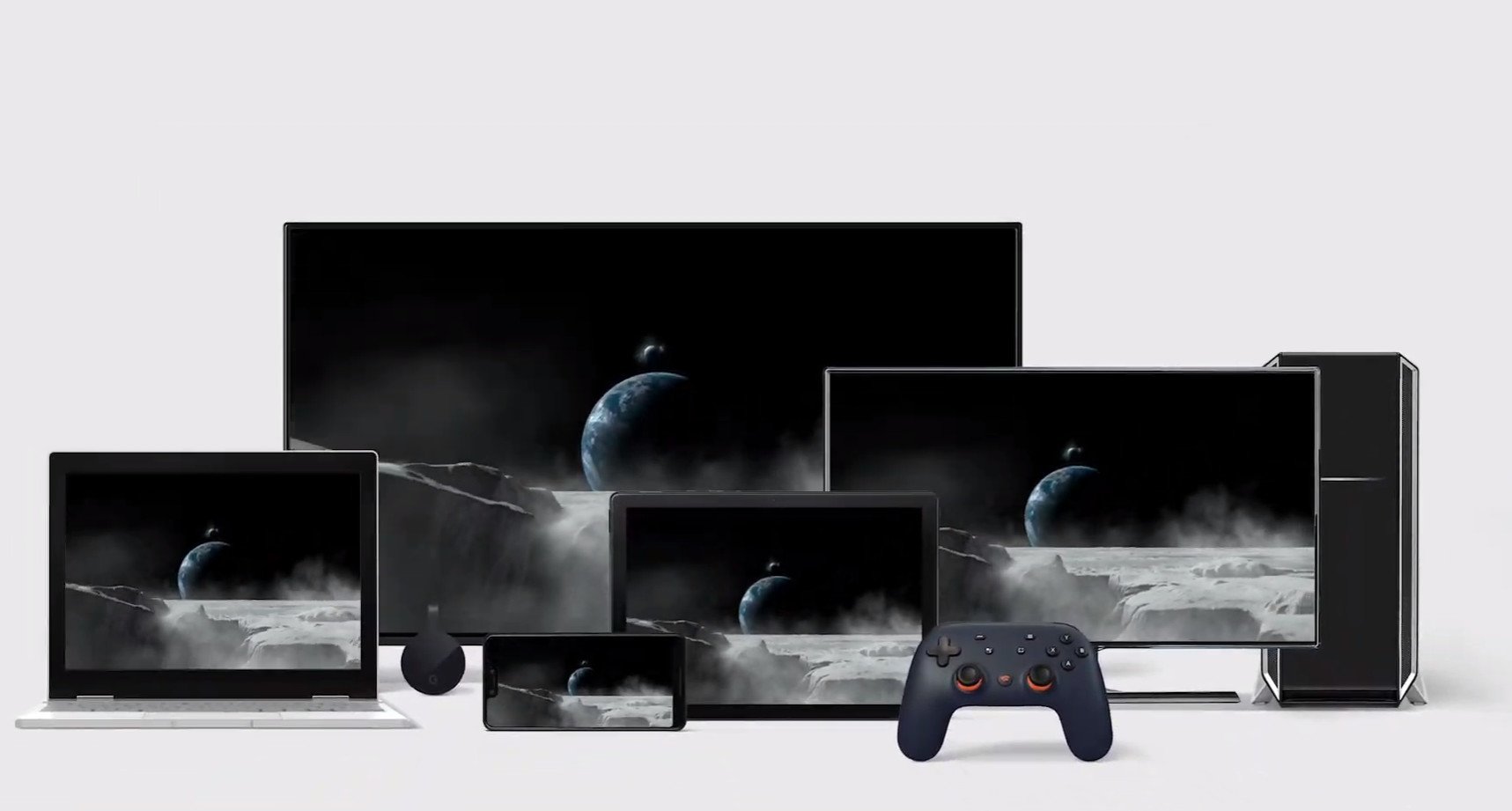
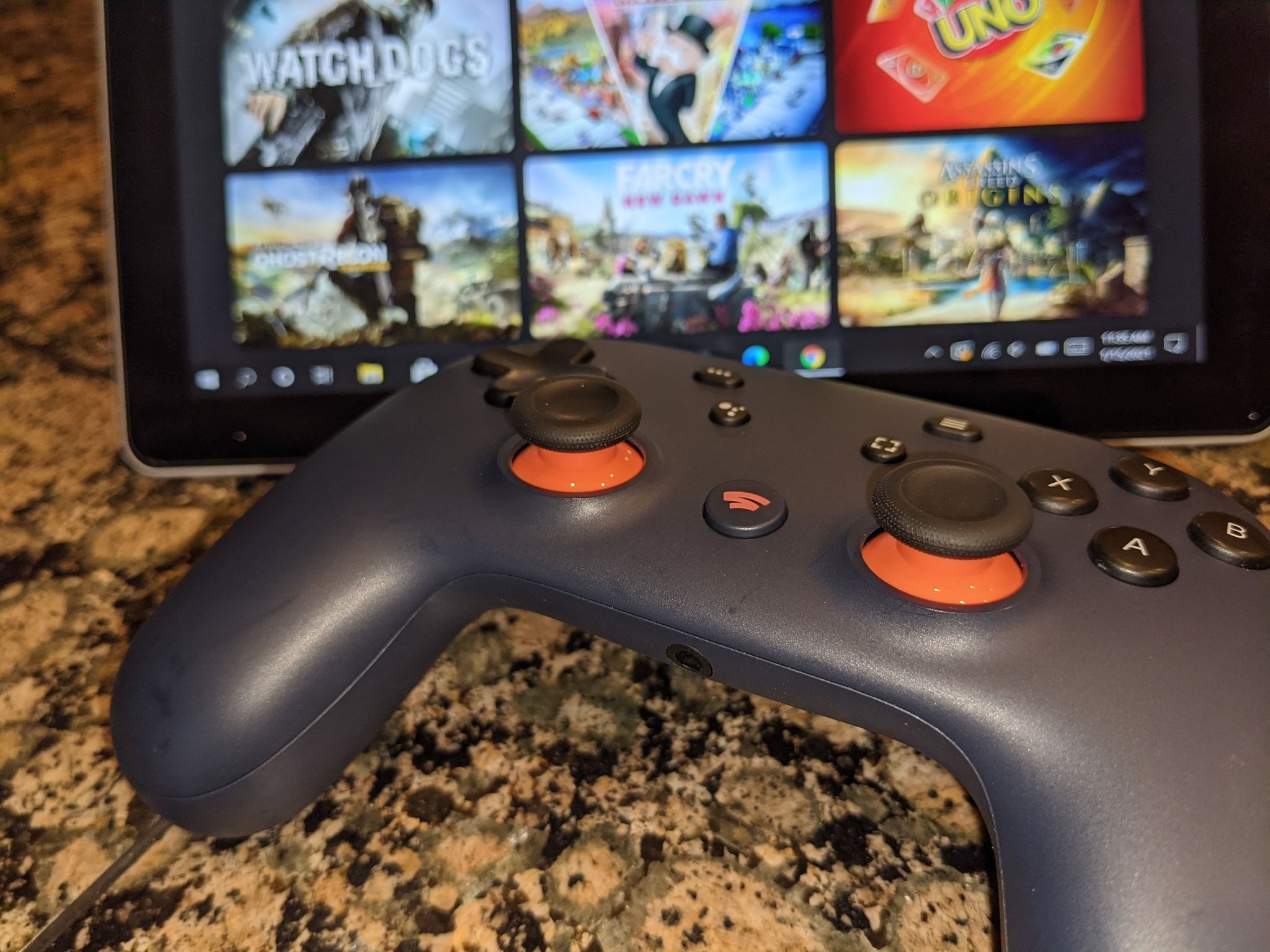
Google Stadia is its own gaming platform that streams games to a variety of devices from the cloud. It works with a keyboard and mouse, touch controls, and Xbox and PlayStation controllers with a catalog of free-to-play and buyable games.

Full PC in the cloud

Shadow

$30/mo. at Shadow

Pros

  • Works with owned games on Steam and other PC launchers
  • Can use Photoshop and other high-end PC programs

Cons

  • Not available in all states and is limited internationally
  • Expensive

Shadow gives you a virtual desktop computer with its own specs to use for games or other PC programs at a flat fee each month. The play/workspace can be used on your computer, television, iOS, and Android devices.

Both Stadia and Shadow offer the same thing: streaming games directly to your various devices that may not be able to support them natively. Both also require an internet connection and offer a subscription plan. That is where the similarities between the two services end as they both differ in how they offer games, pricing, and even availability. So, which is right for you? It depends on what you're looking for in a game streaming service and how much you're willing to pay.

Stadia vs. Shadow: The difference

The biggest difference between the two services is that Google Stadia is a gaming platform in the same vein as Xbox or PlayStation, while Shadow offers a full desktop PC that can be accessed virtually. Stadia offers a digital store and game launcher that directly launches the game, and Shadow rents you a second PC with better specs to play around with. Let's break things down.

Google Stadia Shadow
Price Free w/ Stadia Base or $10/month w/ Stadia Pro $30/month
Resolution up to 1080p (Base) or 4K (Pro) at 60 FPS up to 4K at 60 FPS or 144 FPS in Full HD
Number of games Over 200 Requires existing PC gaming library
Minimum connection speed 10 Mbps or 35 Mbps for 4K 15 Mbps
Compatible devices Chrome browsers on desktop, iPhone, iPad, Android smartphones, Android TV devices, Chromecast Ultra, Chromecast with Google TV Windows PC, macOS, Ubuntu, Android, Android TV, iPhone, iPad, Apple TV
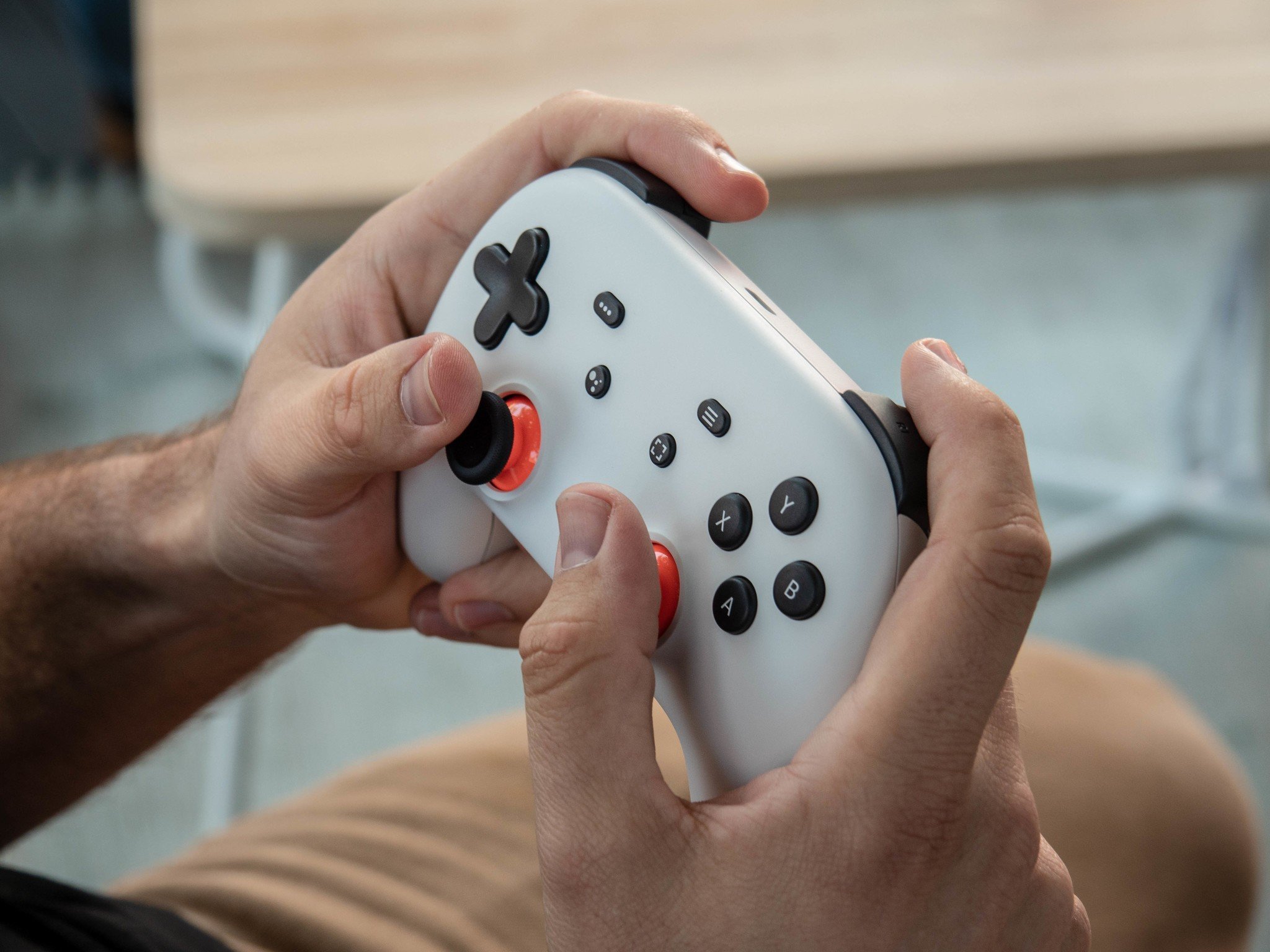
Supported controllers Bluetooth controllers, keyboard and mouse, Nintendo Switch Pro Controller, PlayStation DualShock 4, Stadia, touch controls, Xbox 360, Xbox One Keyboard and mouse, Nintendo Switch Pro Controller, PlayStation DualShock 3 and 4, Stadia, Xbox 360, Xbox One

Stadia is simply another place to build a gaming library that can be streamed to various devices with a consistent internet connection. The least you would need to start is a Google account, Chrome internet browser, and a mouse and keyboard if no PlayStation or Xbox controller is nearby. Games are launched right from the Stadia app or website, though they will need to be purchased from the Stadia store to access them.

Logging into the Shadow app presents you with a Windows 10 home screen, complete with a Start menu and recycle bin. It is like using another computer that possibly has better specs than your actual computer and a lot more than a smartphone. You can browse the internet, watch YouTube, or download and use PC programs like Adobe Photoshop as if it were a normal desktop.

Downloading PC applications are necessary because Shadow does not come with games installed. You have to download game launchers like Steam, the Epic Games Store, or the Xbox app, and any games already purchased on those platforms will work with Shadow. Keep in mind that the games have to be downloaded on the virtual PC's storage limit, similar to a regular computer, before they can be streamed.

Stadia vs. Shadow: Resolution and connection specs

Both services offer up to 4K resolution, but a Stadia Pro subscription is required for 4K resolution at 60 frames per second. Standard users can go up to 1080p at 60 FPS. So, if you'd like the best of the best, you're going to have to pay for it with Stadia.

The backbone of either service to make quality possible is the consistent internet connection.

Shadow offers up to 4K at 60 FPS or 144 FPS in Full HD. Shadow also has internal specs because it is a virtual PC and offers an undefined quad-core CPU, 12 GB of RAM, 256 GB of storage (upgradeable up to two TB), and a GeForce GTX 1080 with 8 GB GDDR5X or graphics card equivalent (P5000 with 16 GB GDDR5X or RTX4000 with 8 GB GDDR6 depending on region).

Although, the backbone of either service to make the quality possible is the consistent internet connection. Stadia requires a minimum internet connection speed of 10 megabits per second (Mbps) or greater, with 35 Mbps or greater necessary for 4K resolution. Shadow, on the other hand, requires a minimum of 15 Mbps or greater connection.

Stadia vs. Shadow: Compatible devices

Shadow has apps for PC, macOS, Ubuntu, iOS devices, Android, and Android TV devices. It also works with most hardware and controllers that work on a regular PC through wired or Bluetooth.

Stadia requires a Chromecast Ultra or other Android TV hardware and a Stadia controller to play on a television. Otherwise, all you need is a computer with Google Chrome installed, keyboard and mouse, or one of the compatible mobile devices below alongside a PlayStation, Stadia, or Xbox controller.

Compatible Google Stadia mobile devices:

  • Pixel 2, 2XL, 3, 3XL, 3a, 3a XL, 4, 4XL, 4a, 4a (5G), 5
  • Samsung Galaxy S8, S8+, S8 Active, S9, S9+, S10, S10+, S20, S20+, S20 Ultra
  • Samsung Note 8, 9, 10, 10+
  • OnePlus 5, 6, 7, 7 Pro, 7 Pro 5G, 8, 8 Pro
  • OnePlus 5T, 6T, 7T, 7T Pro, 7T Pro 5G, 8T
  • OnePlus Nord, N10 5G, N100
  • Apple iPhone and iPad
  • Asus ROG Phones
  • Razer Phone, Razer Phone II
  • LG V50 ThinQ, V50S ThinQ, V60 ThinQ, G7 ThinQ, G8 ThinQ, Wing

So, everything comes down to what you're looking to get out of your game streaming service and availability.

Stadia vs. Shadow: Availability

This might be the final decision maker for most. Google Stadia is available right now in the United States (except Hawaii and Guam), Canada, and 20 countries in Europe. The service is free after signing into a Google account, and there are a few free-to-play games to test out before buying full games or converting to a Stadia Pro monthly subscription.

Meanwhile, Shadow may not even be supported in your state within the United States. You can check with the official Shadow website if the service is available or is in Exploration Mode where it can be used but "the experience may not be optimized."

Also, new subscribers won't have immediate access to the service since users are activated in waves, and the website says it will be "ready-to-use" by December 31, 2021, due to limited stock. International users in the United Kingdom, Germany, and other European countries will have to wait until March 2022 to be potentially activated. While the service existed with different tiers and prices in the past that are no longer available, some users who have pre-ordered months or years ago are claiming to have still not received access.

Stadia vs. Shadow: Which should you buy?

The better game streaming service to buy is Stadia because it is cheaper and available right now. Anyone can sign up for the service and access it today for free. It also runs very well if you have an internet connection better than the minimum recommendation. The service's store does not rival Steam in terms of quantity. Still, there is a sizable catalog of games to purchase with big titles like Cyberpunk 2077, Red Dead Redemption 2, FIFA 21, or claim over a dozen games through the cheap Stadia Pro monthly subscription.

Right now, the uncertainty surrounding Shadow and its availability makes it difficult to recommend. However, if you are in an area with Shadow access and you're looking for more than gaming out of the service, you might want to give it a try.

Streaming games

Google Stadia

Gaming anywhere

Free w/ Stadia Base or $10/mo. at Google

Google Stadia offers game streaming to your PC, television, and mobile devices with no additional hardware necessary. It is free with a Google account, though the Stadia Pro tier offers a few games to claim each month alongside discounts for its store.

Virtual PC

Shadow

A full PC from the cloud

$30/mo. at Shadow

Shadow offers a virtual Windows 10 PC complete with a graphics card, RAM, and storage space without owning the actual hardware. It can be accessed on a desktop, television, or mobile device and can be used to play games through Steam or other gaming accounts.


from Android Central - Android Forums, News, Reviews, Help and Android Wallpapers https://ift.tt/3627qLx
via IFTTT

Get your kid moving more and sleeping better with these fitness trackers

Fitness trackers (also known as activity trackers) are popular with adults who exercise regularly and those who simply want to get an idea of how many steps they take each day. While most fitness trackers are designed for grown-ups, a few are made specifically for kids. The idea isn't necessarily for fitness but more to help motivate kids to get active and have fun doing it. Many activity trackers for kids include even more fun features. But the best kids fitness tracker is definitely the Fitbit Ace 3, which also happens to be the newest on the market. It strips things down to the basics with a simple design, reliable tracking of data, and intuitive app experience, making it the best option you can get for young ones.

Best overall: Fitbit Ace 3

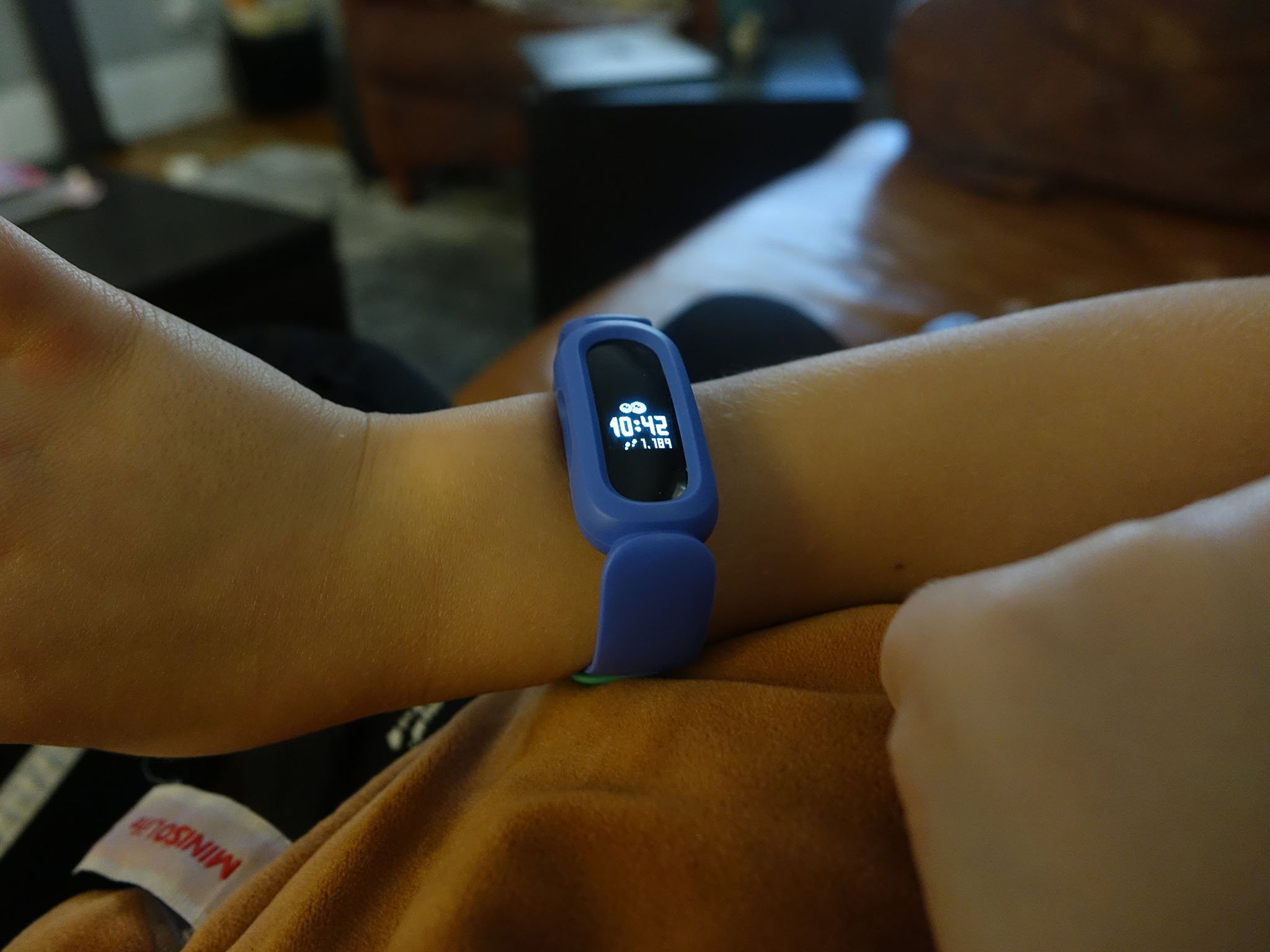
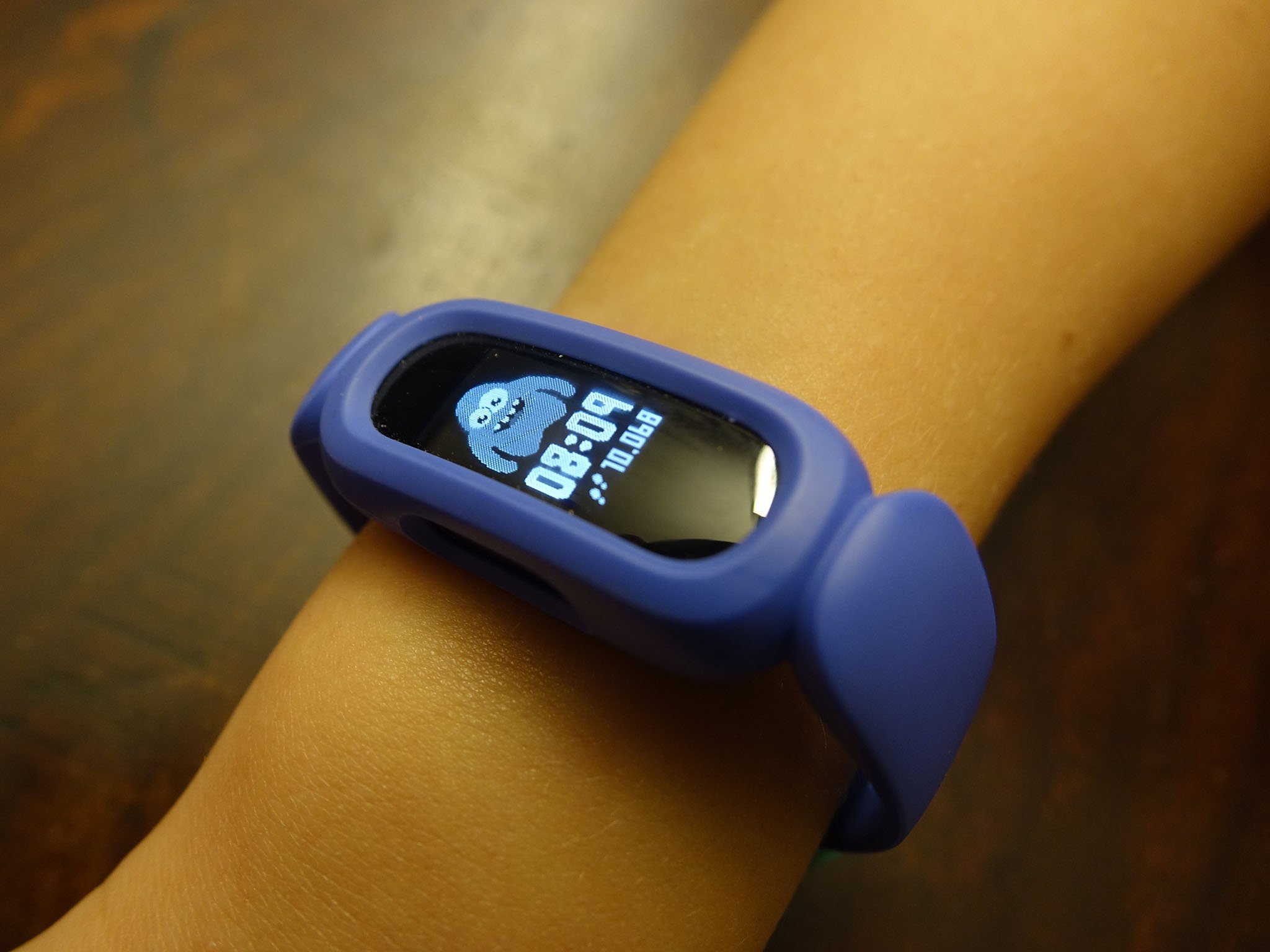
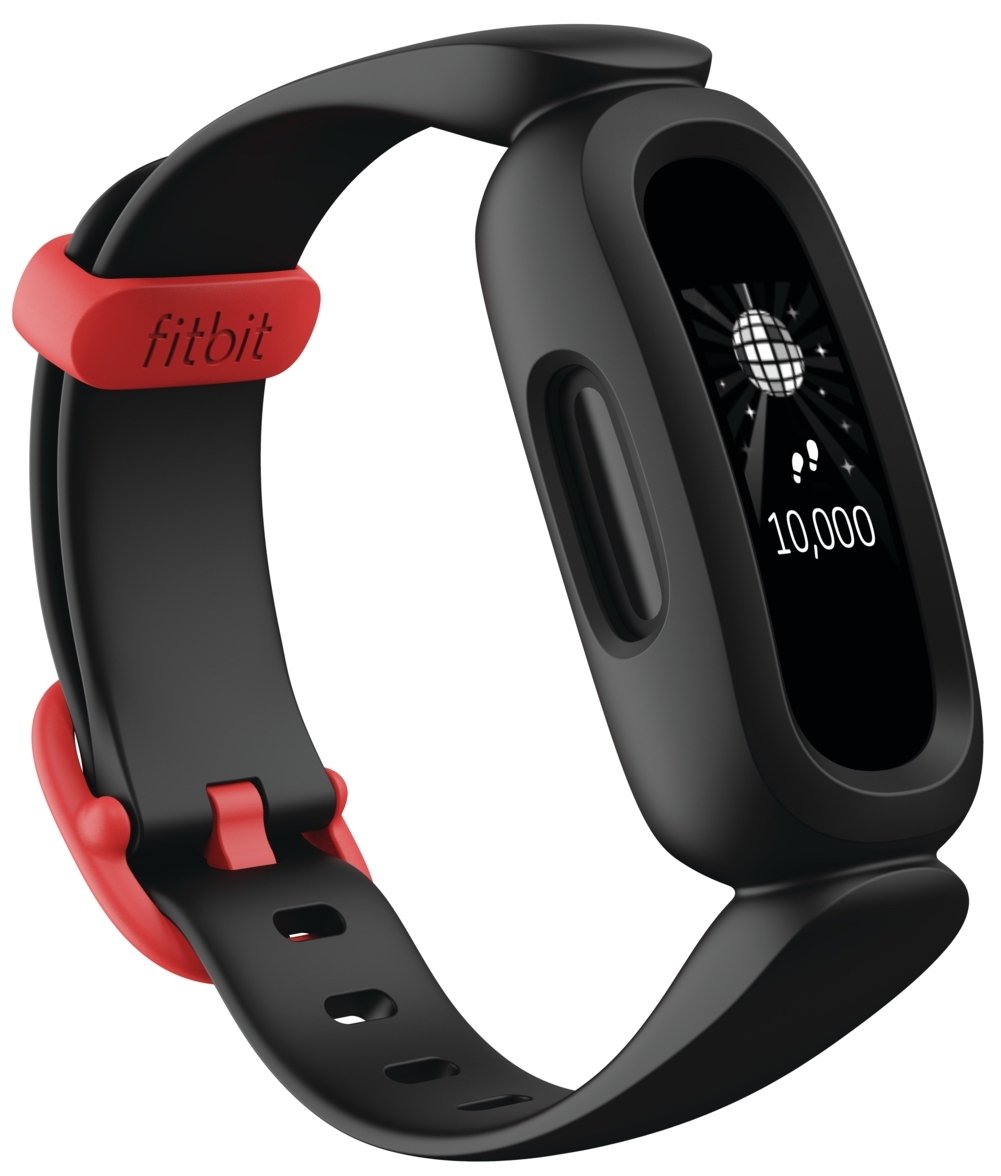
Ideal for kids aged 6-12, the Fitbit Ace 3 boasts two main upgrades over the previous-generation Ace 2: longer battery life at a rated eight days per charge and a greater selection of animated clock faces that change and do different things as the child takes more steps and achieves goals. There are 29 in all, from the monster Fred who grows its body from a single blinking eyeball to a full torso with arms and legs as kids take more steps, to the Martian who dances each time the child gets three lightning bolts, achieved through steps; plus the newest Minions clock face.

With a secure and adjustable silicone band, it comes in black/red or blue/green, but some kids will gravitate right to the special edition Minions-themed trackers, which features an engraved band and the new Minion clock face. Set it up and pair it with the Fitbit app, which shows a parent and kid view. If you already have a Fitbit device, it's easy to add the Ace 3 using the My Family set-up then flip between your view and theirs. But you don't have to have a Fitbit to use it – the account just has to be managed by a parent.

In addition to tracking daily steps and active minutes, the Ace 3 can also display moving reminders, bedtime reminders, and alarms (if you choose to set them up). On the device itself, kids can set timers, use a stopwatch, and activate modes like do not disturb (great for during school hours), sleep (which stops notifications and dims the screen at night), and water lock to deactivate buttons in the shower or pool – yes, the device is completely swim-proof. It logs detailed sleep data so you can see how many hours of sleep your little one got at night, as well as how restless they were. I love that the tracker has Fitbit's reputation for reliable tracking behind it and accomplishes what a kids' tracker should without loading it up with too many bells and whistles.

Pros:

  • Entertaining animated clock faces
  • Kid-friendly design
  • Accurately tracks just the basics
  • Totally swim-proof

Cons:

  • Not the best option for older kids
  • Can't download more apps
  • Greyscale screen

Best overall

Fitbit Ace 3 Activity Tracker for Kids 6+

Best for little ones

The Fitbit Ace 3 reports how much activity and sleep kids get, and kids will love the motivational animations and easy operation.

Best for younger kids: Fitbit Ace 2

While the Ace 3 is worth the extra bucks thanks to the fun clock animations and longer battery life, the Ace 2 is still a solid option if you're really pinching pennies. My nine-year-old wore that one for more than two years now absolutely loves it. Like the Ace 3, it comes with an adjustable silicone band sized to fit little wrists, but in three other finish options: blue/yellow, watermelon/teal, or grape. Also swim-proof, it's best suited to kids aged 6-12 – for older kids, consider other models from Fitbit.

There are fewer customization options and features with the Ace 2 versus the Ace 3, including only a couple of clock faces and no extra modes. But it does still have the timer, reminders to move, bedtime reminders, active goal minutes, and alarms. And it works seamlessly with the Fitbit app, set up with a Kid View, and as part of the My Family if the parent owns a Fitbit device as well.

The battery lasts for a respectable up to five days and, like the Ace 3, the Ace 2 also provides detailed sleep information, including the time the child fell asleep and woke up as well as restless periods throughout the night. Kids receive virtual badges after accomplishing goals, racking them up where they become viewable in the app. If you can find the Ace 2 for a super-cheap price that's significantly cheaper than the Ace 3, it's a good option.

Pros:

  • Simple, kid-friendly design
  • Totally swim-proof
  • Tracks only the basics

Cons:

  • Battery doesn't last as long Ace 3
  • Not a lot of personalization options
  • Only suitable for younger kids

Great option for young ones

Fitbit Ace 2 Activity Tracker for Kids

Save some dough

The Ace 2 is almost – almost – as good as the Ace 3. If you're on a really tight budget, however, it's totally worth grabbing.

Best for more than fitness: Garmin vivofit jr. 2

While the Fitbit Ace 3 and Ace 2 focus primarily on activity and sleep, the Garmin vivofit jr. 2 adds some other elements to the mix, including the ability for parents to set reminders and deliver awards for things like completing chores, finishing homework, brushing teeth, or going to practice if they play sports.

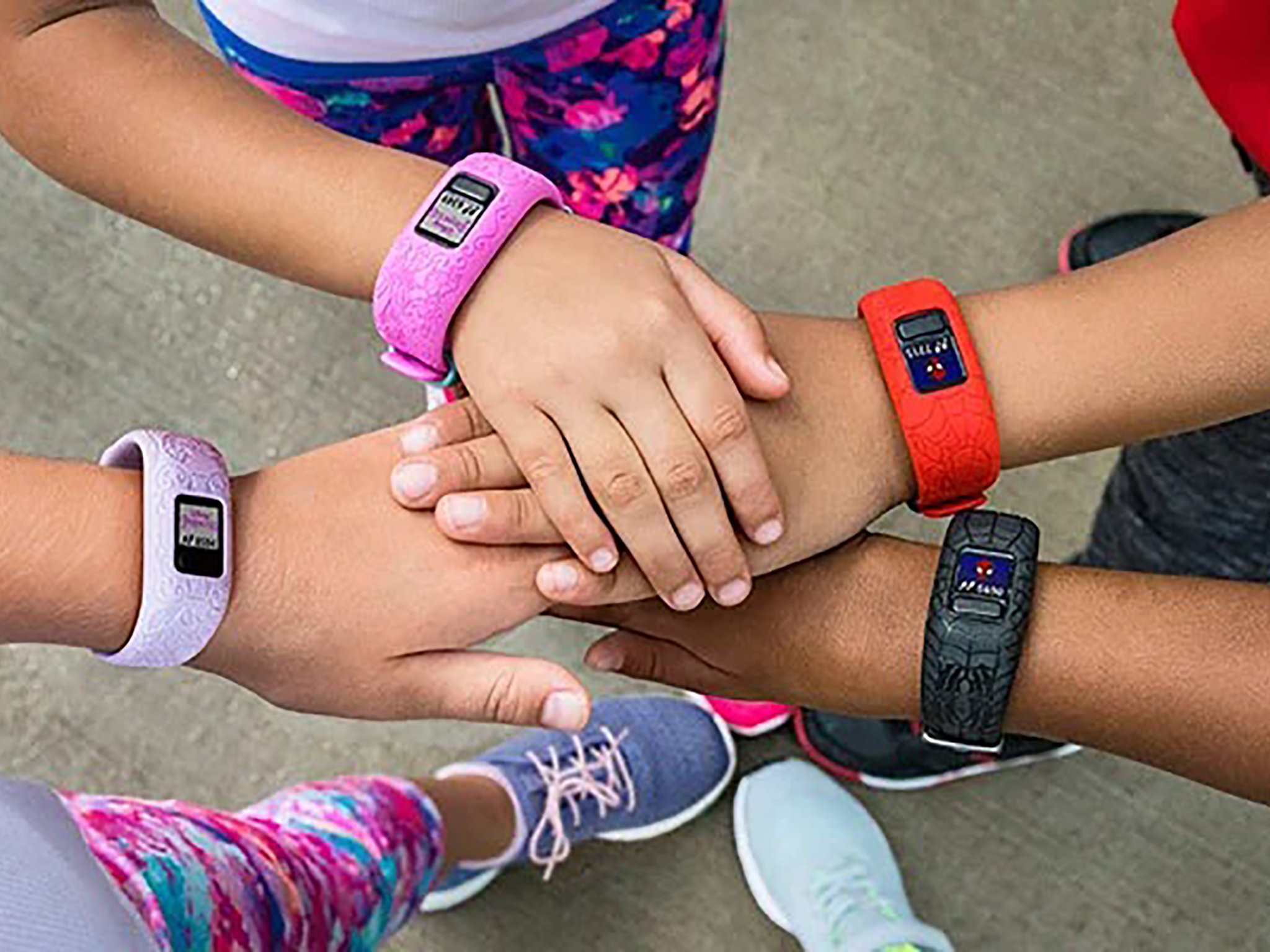
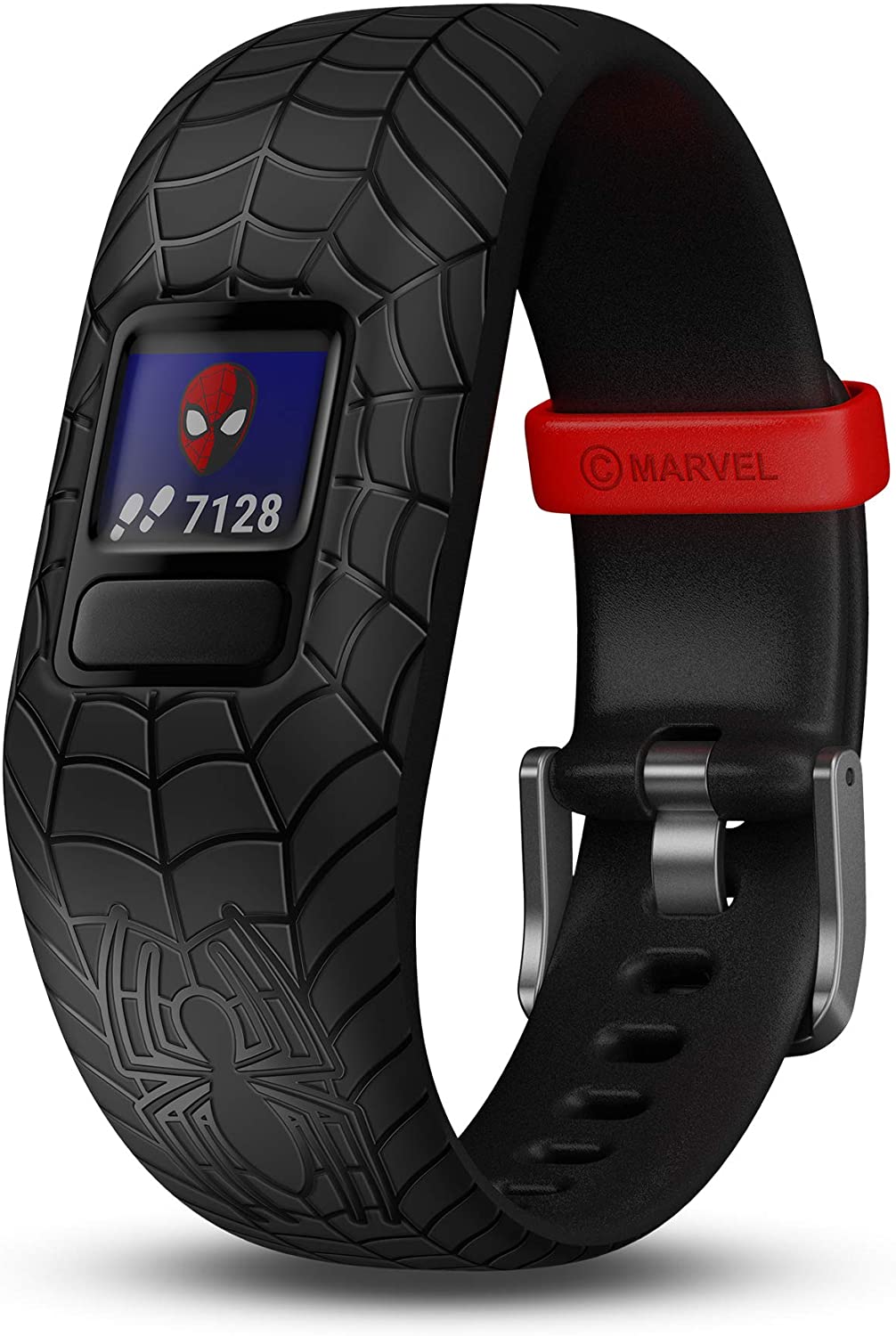
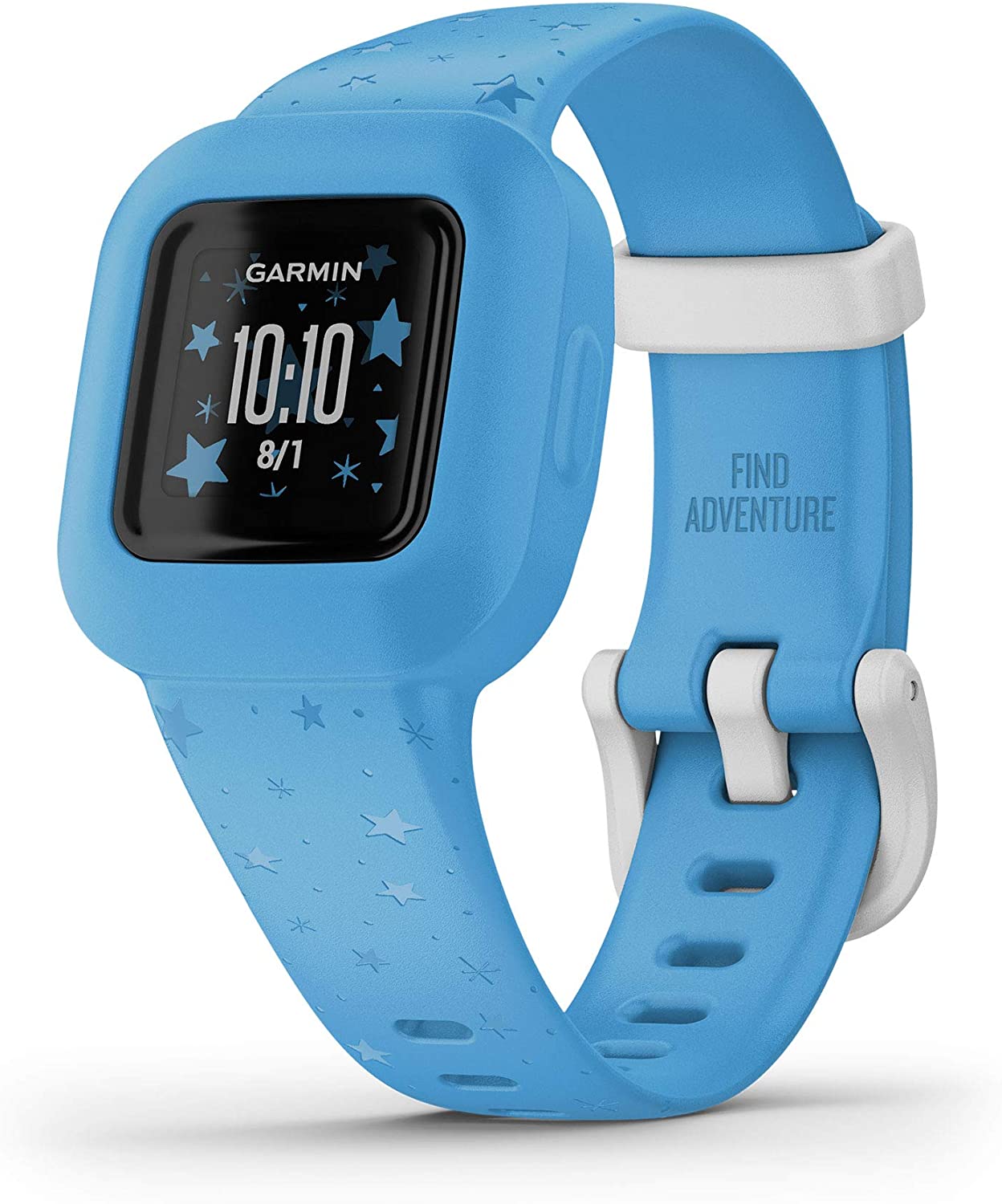
Ideal for younger kids, the tracker comes in a variety of themed bands and faces for popular characters like Spiderman, Frozen 2's Anna or Elsa, Minnie Mouse, Disney Princess, and Star Wars so kids can sport their favorite characters on their wrist, or just choose from basic designs like blue stars. The band is adjustable and the tracker swim-friendly. It has a user-replaceable battery that lasts for up to a year via the replaceable CR2 battery, which means you don't have to worry about recharging it every week.

Kids are motivated to get active minutes and reach goals, unlocking adventures, games, and icons. For the Spiderman tracker, for example, kids explore the Spiderverse, and as they achieve goals, they unlock more of the story. They can also pass the time playing tap challenge games and collect gems through movement to restore missing parts of a city on an adventure map, adding even more gamification to the experience.

Family members and friends can be invited to compete in daily step challenges using the Garmin Connect app, which parents can also use to assign tasks, like taking out the garbage, washing the dishes, cleaning up their rooms, or doing homework, either on the fly or a recurring schedule. A reminder icon shows the child exactly what they need to do and when. With a fun toe-to-toe challenge, kids can sync with someone nearby for a timed step competition, like to see who gets the most steps while raking leaves or going for a short walk around the block. The tracker also logs sleep data.

Pros:

  • Bands and games for popular characters
  • Never have to recharge
  • You can swim with it
  • Use to track chores, homework, and more
  • Elements of gamification

Cons:

  • Really tiny 0.61-inch screen
  • Not ideal for older kids
  • Games could be distracting

Best for more than fitness

Garmin vivofit jr. 2, Kids Fitness/Activity Tracker

Pick your favorite character

Kids can grab the tracker designed with their favorite movie character theme and log activity, sleep, chores, and more.

Best for smartwatch design: Vtech KidiZoom Smartwatch DX2

Technically, the KidiZoom DX2 is more of a fully-featured smartwatch than it is an activity tracker with functions beyond the basics. And by smartwatch, I mean smartwatch tailored to kids with games, a camera, and more versus notifications and calendar invites. That said, it does also keep track of steps via a built-in pedometer and includes some motion-controlled games that encourage kids to keep moving.

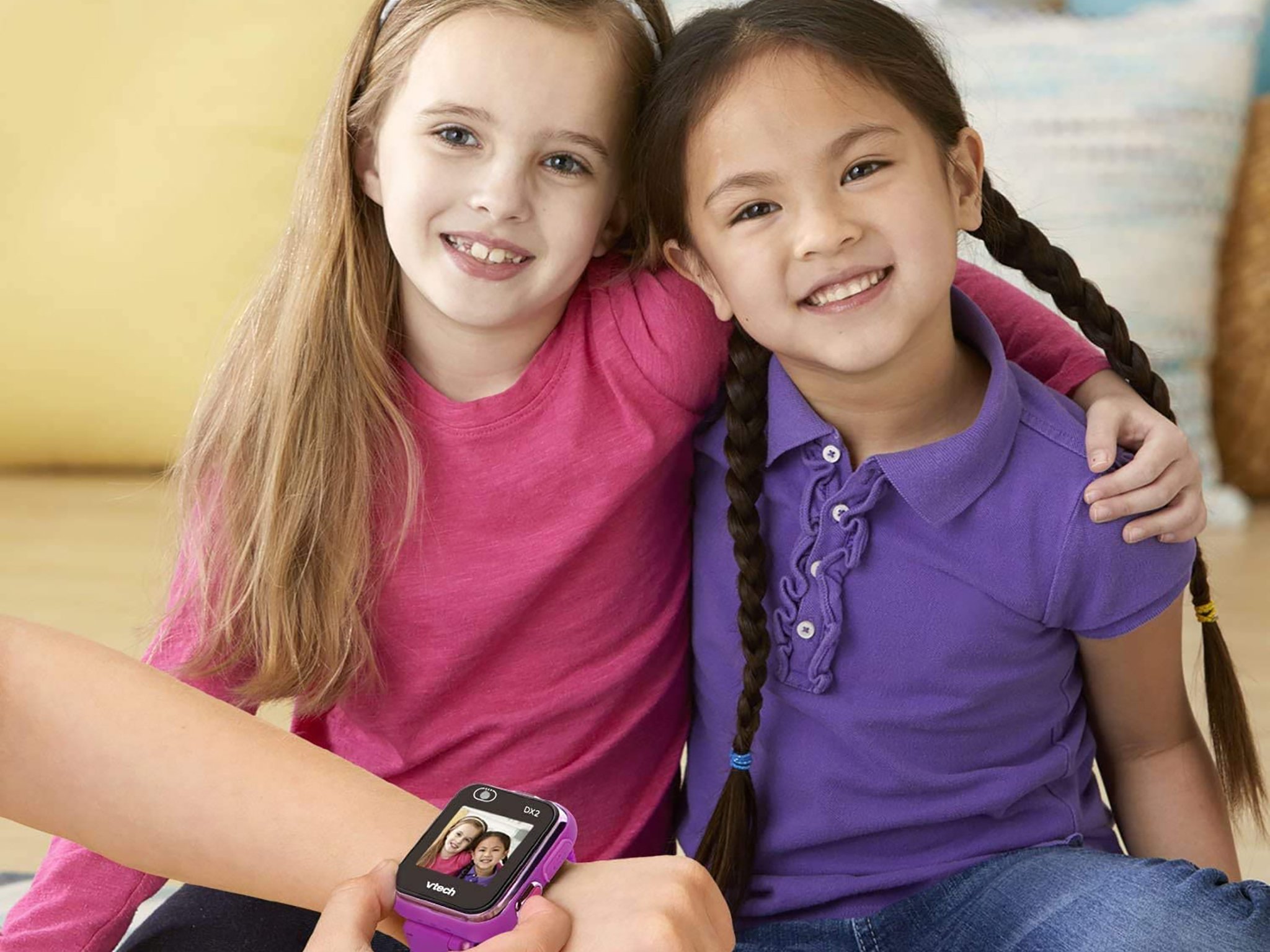
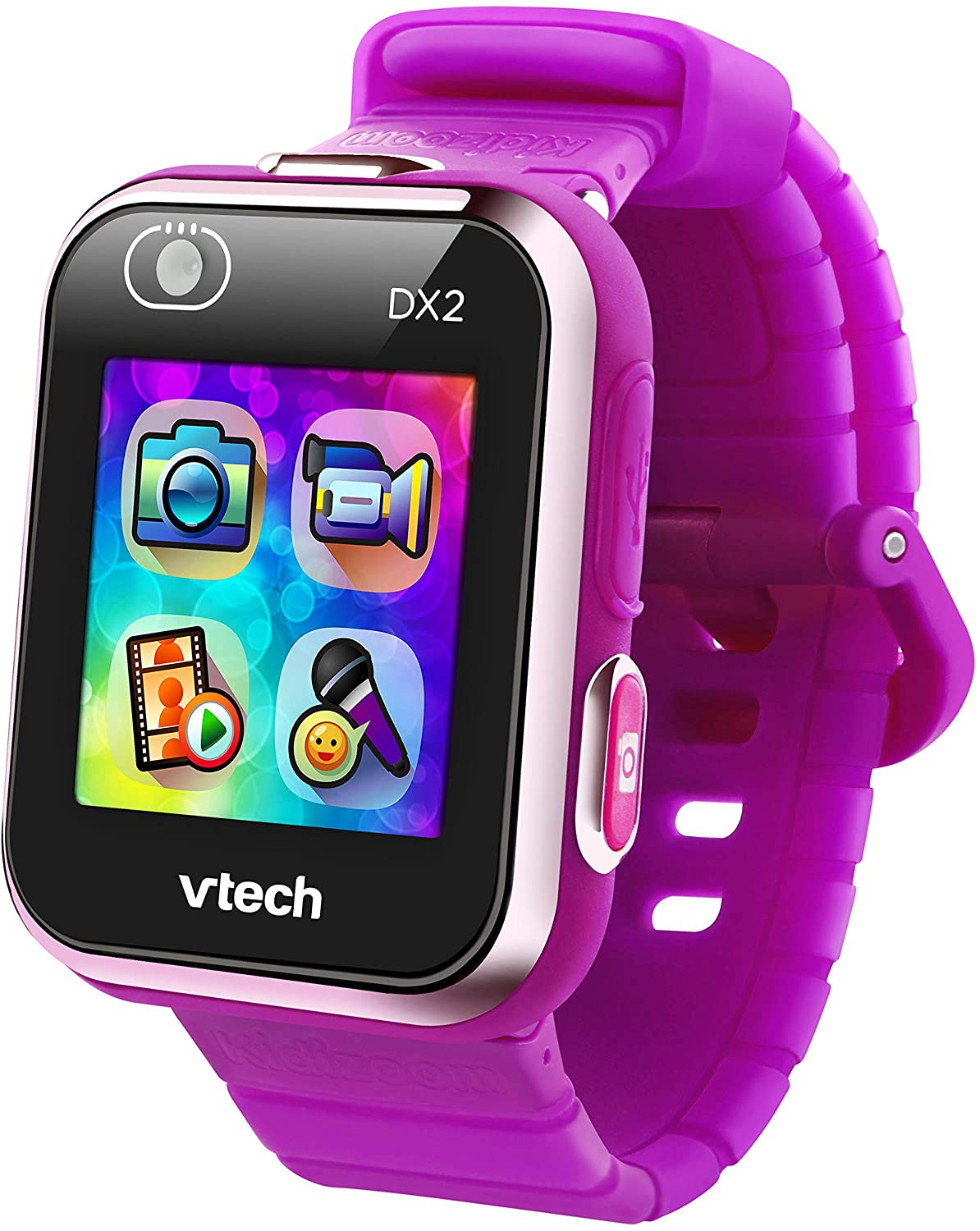
However, fitness isn't the primary focus here. This watch, suitable for kids aged 4 to 12, can take videos and photos, including selfies with funny filters the kids can later turn into watch faces. Kids can also play games like Monster Detector, using augmented reality (AR) experiences to capture monsters in the real world. Parents can add other free games, watch faces, and camera effects in the online Learning Lodge. There are educational elements as well, though, like the Time Master tool that kids can use to learn how to tell him.

The watch has a 1.44-inch color touchscreen and comes equipped with 256MB of internal memory, expandable via an optional microSD card. It is splashproof, not fully waterproof, and comes in five colors: black, blue, camouflage, pink, and purple. The battery lasts for 2 to 3 days, depending on usage, and it has to be plugged into a computer using the included Micro-USB cable.

Pros:

  • Large, color touchscreen
  • Plenty of downloadable games
  • Lots of customization options
  • You can take selfies

Cons:

  • No sleep tracking
  • Not much focus on fitness
  • Has to plug into computer to recharge
  • Not fully waterproof
  • Only suitable for younger kids

Best for smartwatch design

Vtech KidiZoom Smartwatch DX2

More fun on your wrist

The KidiZoom DX2 is a fun watch for kids first and a fitness tracker second, but it still provides basic step counts.

Best for budget: BIGGERFIVE Fitness Tracker Watch

If you're on an extremely tight budget, this fitness tracker is the cheapest of the bunch. While it doesn't have big brand name clout behind it, the watch is highly rated on sites like Amazon, with previous buyers noting that they love its simplicity and saying that it works well.

Interestingly, the BIGGERFIVE even tracks more stats than the others. However, it's unclear how accurate the data is, including activity and sleep and heart rate, distance traveled, and calories burned. It has 10+ activity and sport modes, which is great for kids involved in training or sports, including walking, running, bicycle, dance, basketball, football, tennis, climbing, and workout.

Monitor stats on the device itself or use the VeryFitPro, available for both Android and iOS devices. There, you can also set silent wake-up alarms (though which kid needs an alarm to wake up before their parents?) and call and message notifications from a connected smartphone and social media sites like Facebook, LinkedIn, WhatsApp, Instagram, and Twitter. You can set up to 10 alarm clocks, which is great for reminding kids to get active and do things like drink water, take medications, and more.

The company says the watch is ideal for kids aged 5 all the way up to 18: younger kids might not need the notifications, but they can be turned on for older kids. Available in rose, pink, purple, blue, or black with a flexible strap, the battery lasts for up to seven days per charge, and the watch is completely swim-proof.

Pros:

  • You can swim with it
  • Set up multiple alarm clocks
  • Older kids can get notifications
  • Long battery life
  • Affordable

Cons:

  • Parents might not like heart rate, calorie tracking for kids
  • Might not be as accurate as others

Get you started

BIGGERFIVE Fitness Tracker Watch

Bank for the buck

Get tons of features in this affordable fitness tracker that might not be from a well-known brand but comes highly rated by buyers.

Best for teaching responsibility: Garmin vivofit jr. 3

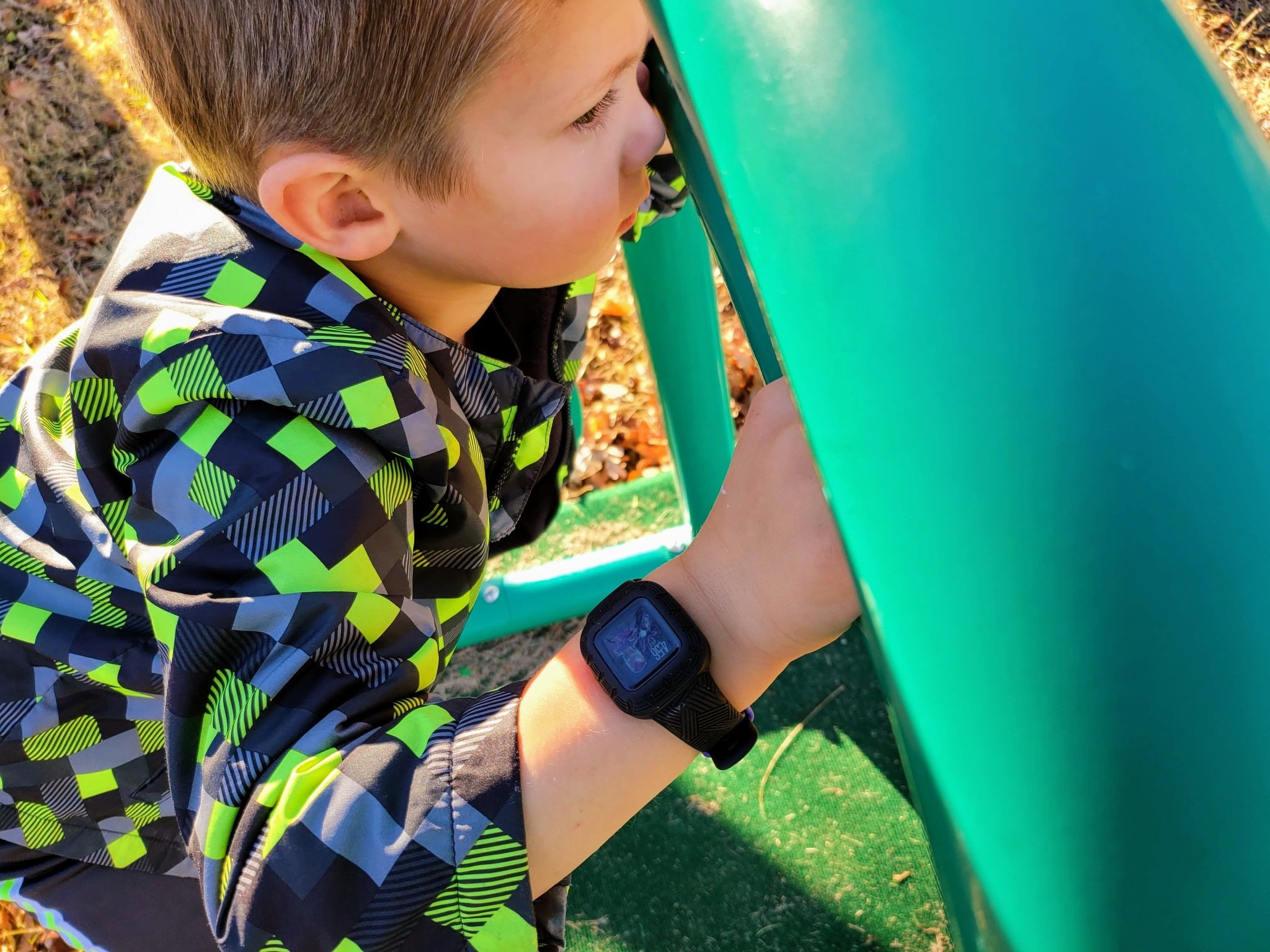
A follow-up to the vivofit jr. 2, the Garmin vivofit jr. 3 features a larger square screen in a design that resembles a mini smartwatch. Available in various character themes, from Black Panther to The Little Mermaid, parents can choose the one they know their kid will absolutely love wearing around their wrist, which is a bonus.

The integrated and interactive games are connected to the watch's theme and managed through the Garmin app, which the parents can load on their phones if they don't already use it for their own smartwatch. Durable and swim-proof, it's also a huge bonus that the battery is replaceable and lasts for up to a year, so you don't have to worry about charging it up every week.

Kids are motivated through the various games to achieve active minute goals, unlock new adventures, get new icons, and gain access to new games. They can also enter toe-to-toe step challenges with others who own a vivofit jr. 3 (or vivofit jr. 2) and are nearby, like siblings, neighbors, and friends.

But the tracker is designed for parents to help teach their kids responsibility and keep track of things like chores and homework. Parents can assign tasks from the app, which will show up on the watch screen. Unfortunately, however, there's no way for the child to check off the task as complete unless they have their own phone, making this device more suitable to older kids with phones, though kids could use a tablet as well. It also tracks sleep, and a nice added feature is quick access to emergency contact information using the ice widget.

Pros:

  • You can swim with it
  • Replaceable battery lasts for a year
  • Can manage chores, homework, and more
  • Gamification of movement
  • Popular movie character themes

Cons:

  • Screen backlight isn't great
  • Can't mark chores as done from watch screen
  • Expensive
  • Games could be distracting

Best for teaching responsibility

Garmin vivofit jr. 3

Chores, homework, and fitness

Kids can keep track of activity and sleep, and parents can use the watch to remind kids to do homework, chores, and more.

Why get a fitness tracker for a child?

Some parents are totally against the idea of fitness trackers for kids, but I'm all for it. First, the name is misleading. They really are activity and sleep trackers (for those who can track sleep), not designed for fitness like wearables for adults. Second, as long as they are introduced the right way and used as a casual, fun, and motivational tool, there's nothing wrong with activity trackers for kids.

My nine-year-old has been wearing an activity tracker on his wrist for more than two years, and he loves it. He mostly loves to learn how much and how well he slept. He also keeps an eye on activity and enjoys seeing clock animations using his Fitbit Ace 3. Some days he won't wear it at all. Some days he will. Sometimes, we'll have fun family challenges to see who can get the most steps. But it's all about fun. There's no pressure or punishment if he doesn't get to his 10,000 steps. Who cares. Did ho go outside and get some active time? That's all that matters.

Especially when kids should be spending lots of time outdoors for the summer and less in front of screens, encouraging and motivating physical activity is a positive thing. As a parent, I feel much better when my son goes out in the backyard for an hour than when he sits in front of the television or tablet. We'll go for daily walks and compare our step counts, too. Knowing that mommy is beating him in the step challenge might be that extra push to convince him to run around a bit outside when we get home and save TV time for the evening.

This is precisely why I really love the Fitbit Ace 3 and consider it to be the best kids fitness tracker. It's pretty simple and doesn't push too much in terms of rewards for getting active: you aren't going to get to stare at the screen playing a game if you make it to 5,000 steps by noon, but you will see your little clock animate in an adorable way. My son simply loves having it on his wrist, so he knows what time it is, and so he can help out by setting timers. He loves being able to swipe through menus and feel like he has his own cool gadget. But nothing is distracting about it. And the Ace 3 features useful reminders to move and bedtime reminders, alarms, and more that you can choose to activate or not.

Fitness trackers — er, activity trackers — aren't really designed to tell kids that they need to get fit. They are designed to encourage them to move and get physical activity that will benefit them in the long run and promote healthy habits they can bring with them going forward as they get older.

Credits — The team that worked on this guide

Christine Persaud resides in Toronto, Ontario Canada with her husband and a talkative and smart 9-year-old son who needs no encouragement to get moving but loves his kids fitness tracker all the same.


from Android Central - Android Forums, News, Reviews, Help and Android Wallpapers https://ift.tt/38ZSe3s
via IFTTT

Slack's new audio-only group chats wants to bring back casual office talk

Slack joins the audio-only club with its new Huddles feature.

What you need to know

  • Slack is introducing several new features to the communication platform.
  • Huddles is an audio-only chat feature integrated into the UI for quick access to group chats.
  • Media such as audio recordings and videos can be captured and shared within Slack with transcriptions and live captioning.

Slack is rolling out several new tools to the telecommunication platform to help keep the work-from-home momentum going. The company hopes that its new features will help make working from home a more casual experience and even get rid of unnecessary scheduled meetings that maybe could have just been an email or a quick chat.

Slack Huddles is Clubhouse for work

The biggest addition to Slack is the new audio-group chat feature, Huddles. It allows users to start quick group chats with the press of a button, allowing anyone in a channel or DM to join. Slack says it designed Huddles to simulate informal conversations with coworkers that you might have at the office "to help re-create those spontaneous moments wherever teams work."

Slack Huddles Audio Chats

The idea is that members can drop in and out of a Huddle as if they're walking by your desk. To achieve this, the feature is built directly into the UI in an unobtrusive way, unlike many of the other platforms adopting audio-only group chats. And when you do need to get more done with a Huddle, you can share your screen with the group.

Slack says that pilot companies like Dell and Expedia have had "great success using this lightweight audio functionality as an alternative to video meetings."

Better media support and scheduled messages

Slack is also gaining better support for media. Now, users can use Slack to create and upload videos, audio clips, and screen recordings directly in the chat so that "anyone can watch whenever and in whatever way works best for them." Slack sees this as another alternative to meetings, where users can share information on the fly, and everyone can watch it or listen when it's most convenient, including on devices like the best Android phones.

Slack Video Recordings

The feature also works with third-party videos, and the content will be automatically transcribed for added convenience. Content made within Slack will benefit from searchable transcriptions so that when a viewer selects part of the text, the video or audio will go to that exact moment. Both Huddles and recordings will include live captioning.

And regardless of the content, Slack allows users to schedule messages so that they can publish when it's most convenient for the recipients.

Company directory

Lastly, Slack is making it easier for employees to get to know each other a little better. Slack Atlas is a new directory tool that enhances profiles to make it easier to find out about employees' roles and navigate your organization.

Slack Atlas

Slack Atlas enhances profiles with rich, dynamic information—including your company's org structure, employee start dates and custom fields.

This should make it easier for workers to figure out who best to go to based on their responsibilities within an organization, especially when new employees are involved.

Work from anywhere

Slack says it envisions a virtual headquarters for a "digital-first way of working," which will move companies and workers away from the standard 9-to-5 and enable better flexibility and collaboration. Even as the COVID-19 pandemic winds down and employees start returning to the office, Slack hopes to help businesses adapt to a "work-from-anywhere" world of in-person, remote, and hybrid operation.

Slack Atlas will be available for select Business+ and Enterprise Grid plans. Slack Huddles is rolling out to paid teams starting today, while enhanced media recordings will arrive in the coming months. Scheduled messages rolls out today now for all Slack users.


from Android Central - Android Forums, News, Reviews, Help and Android Wallpapers https://ift.tt/360NBo3
via IFTTT

These are the best wireless chargers for wireless earbuds and smartwatches

Charging your true wireless earbuds usually involves placing them inside their included charging case, but how do you charge the case itself? Usually, it's via microUSB or USB-C cable, but wireless charging is often another option. As for charging your Android smartwatch, some models can be charged wirelessly. It's easy to place your wireless earbuds or smartwatch atop the charging surface, and you'll be ready to charge without wires. We've rounded up some of the best small wireless chargers for earbuds and smartwatches.

Extra-long cable

Ventev Wireless Charger Qi Chargepad+

Staff Pick

This small, circular-shaped wireless charger offers rapid charging for most Qi-enabled devices. Place your wireless earbuds or smartwatch in the center, and it will charge up in no time. You'll love the stylish design that allows you to place it anywhere in the home, and it won't stick out like a sore thumb. It's MFi certified to work with Apple (7.5W) and Samsung (10W) devices. One of the best features is the extra-long 5-foot charging cable that allows you to place it anywhere and tuck the cord out of sight.

$45 at Amazon

Stand up!

Belkin Boost Up Wireless Charger 10W

Optimized for Qi devices, this charger can charge at 5W of power for devices like true wireless earbuds, including the Apple AirPods 2, or 7.5W for the iPhone and 9W for Samsung devices. With a 4-foot cable included along with a two-year warranty, you can grab the wireless stand as well for charging smartphones upright. It's a great option for charging both phones and earbuds that will adjust the wattage based on the device placed atop it. It comes in black or white.

$40 at Amazon

Check your status

Anker Wireless Charger PowerWave Pad

With this wireless charger, you can check the charging status with the LED indicator. If it's flashing blue, an object might be in the way of successful charging. If it flashes green, you might not be using a compatible 5V/2A or higher adapter. A solid blue light means your device is actively charging. You get a 4-foot cable, 10W max charging power, and cool color options such as black, white, and navy. There are multi-pack options, too.

From $12 at Amazon

Super pocketable

Spigen SteadiBoost Compact Wireless Charger

Super compact, this wireless charger can fit in the palm of your hand and can easily be tucked away on your office desk, nightstand, or even in your backpack or purse. It is Qi-certified and supports up to 10W charging, ideal for both smartwatches and wireless earbuds. The charger itself charges via USB-C and has useful Control Heat Technology that helps prevent overheating.

$17 at Amazon

Two-for-one

Samsung Duo Pad Wireless Charger

Using this convenient wireless charger, you can charge your wireless earbuds and smartwatch at the same time! It also offers Fast Charge technology for Samsung Galaxy smartphones, which means Galaxy S10 and newer devices can charge up to 12W. Most people buy this for their phone and watch, but keep in mind that it's Qi-certified to charge any Qi-enabled device. It comes with a one-year warranty, too.

$70 at Amazon

Wide compatibility

OIUSHYO 3-in-1 Wireless Charging Station

Perhaps you need to be able to charge all of your devices at once, including your smartphone, smartwatch, and wireless earbuds. If that's the case, the OIUSHYO 3-in-1 wireless charging station will fit the bill. It's relatively compact and won't take up too much space. It even comes with an 8W quick charge 3.0 wall plug. You'll enjoy over-current protection, over-voltage protection, and over-temperature protection for a safe charging experience.

$39 at Amazon

Best small wireless chargers for earbuds and smartwatches: Make a choice

If you want to cut the cords and be able to plop your wireless earbuds case or smartwatch down on a wireless charging surface, there are plenty of options. Out of all the best small wireless chargers for earbuds and smartwatches, our favorite is the Ventev Wireless Charger Qi Chargepad+. First and foremost, it has an attractive design that makes it a versatile choice for placement anywhere in the home. Not to mention that you get a super-long cord that can be easily tucked away out of sight.

If you want to charge two devices simultaneously, the official Samsung Duo Pad Wireless Charger is the better way to go. It's especially a good option if you own a Samsung Galaxy smartphone and Galaxy earbuds since it can fast charge the phone. It might be the most expensive, but it's the most reliable and efficient option for Samsung users.

When you're seeking a wireless charger that allows you to be truly unstoppable, look no further than the OIUSHYO 3-in-1 Wireless Charging Station. Reduce the number of chargers and cables on your nightstand or workspace. This charger makes it possible to charge your earbuds, smartwatch, and smartphone simultaneously. It offers wide compatibility for numerous devices, including iPhones, Apple Airpods, Samsung Galaxy phones, and Samsung smartwatches.


from Android Central - Android Forums, News, Reviews, Help and Android Wallpapers https://ift.tt/3aZVBXC
via IFTTT