LightBlog

jeudi 1 juillet 2021

Garmin Forerunner 945 LTE review: Peace of mind comes at a cost

Safety and support for those epic training sessions and even more epic races.

I've been slowly getting back into running after years of relative inactivity, and thankfully for me, this period of increased movement has coincided with the release of a number of awesome smartwatches and fitness trackers that I've been able to test out. Of course, I'm miles away from being an elite runner (literally and figuratively), but I nevertheless was excited to be assigned this Garmin Forerunner 945 LTE to review.

To this day, I'm still learning and diving into the amazing number of training modes, metrics, and analyses that Garmin provides with its advanced fitness wearables, but what really intrigued me with this device was the new LTE option. Not because it has cellular connectivity — many smartwatches have this feature — but because it is unapologetically focused on safety, and that's pretty much it. Aside from a ton of fitness features, there are no unnecessary "smart" extras here. To many, this may seem like a huge reason not to get such an expensive wearable, but for elite athletes, it may be just the reason why they run out to buy one.

Bottom line: The Forerunner 945 LTE is a fantastic fitness-first smartwatch for elite athletes, as well as those who aspire to be. It delivers top-of-the-line training, analysis, and support, along with the peace of mind of safety monitoring when you're without your phone. Just don't expect to call, message, or stream with that LTE connection.

The Good

  • Built-in LTE for workout sharing and emergency support
  • Battery life is strong
  • Extremely comfortable and lightweight on the wrist
  • Button navigation is great for when you're sweaty and dirty
  • Visibility outdoors is excellent

The Bad

  • You can get LTE-enabled smart fitness watches for hundreds less
  • LTE model is pricier than the standard version and requires service plans
  • LTE doesn't support media streaming, voice calls, or outbound messaging

$650 at Amazon $650 at Walmart $650 at B&H

Garmin Forerunner 945 LTE: Price and availability

The Forerunner 945 LTE was announced in early June 2021 along with Garmin's entry-level running watch, the Forerunner 55. The 945 LTE is not a new watch per se but rather an update to the existing Forerunner 945 that adds LTE connectivity (with a monthly service plan) to provide phone-free live tracking and emergency assistance. The watch is retailing for $650, and LTE service can be purchased (and renewed) in six or 12-month blocks. The six-month contract runs $6.99/month, while the 12-month contract costs $5.99/month. The Forerunner 945 LTE is available through retailers like Amazon, Walmart, and B&H, as well as on Garmin's website.

Garmin Forerunner 945 LTE: LTE explainer
As I noted above, the LTE version of the Forerunner 945 retails for approximately $50 more than the non-LTE version. Why is this significant? Well, right now, the price difference between the standard and non-LTE versions of what I consider the watch's two biggest competitors — the Samsung Galaxy Watch Active 2 and the Apple Watch Series 6 is $100-$180. Now, the Forerunner 945 LTE starts substantially higher than those other two watches, but at least the "upgrade" to LTE is not as tough of a pill to swallow. That, and the LTE service on the 945 is less than the other watches (which can run $10 or more per month, depending on the carrier). Furthermore, once you acquire your Forerunner 945 LTE, you can choose which LTE plan you prefer, set it up, and pay all from the Garmin Connect app. It's super easy and only takes a minute or two.

LTE on the Forerunner 945: What it can do

The Forerunner 945 LTE is designed for serious, hard-core runners, cyclists, and triathletes who spend hours per day/week training for their next big race or personal challenge. These people are not likely to want to carry any extra weight or distractions, like a smartphone, for example. However, they likely do want to have access to help should they need it. That's what the Forerunner 945 LTE offers.
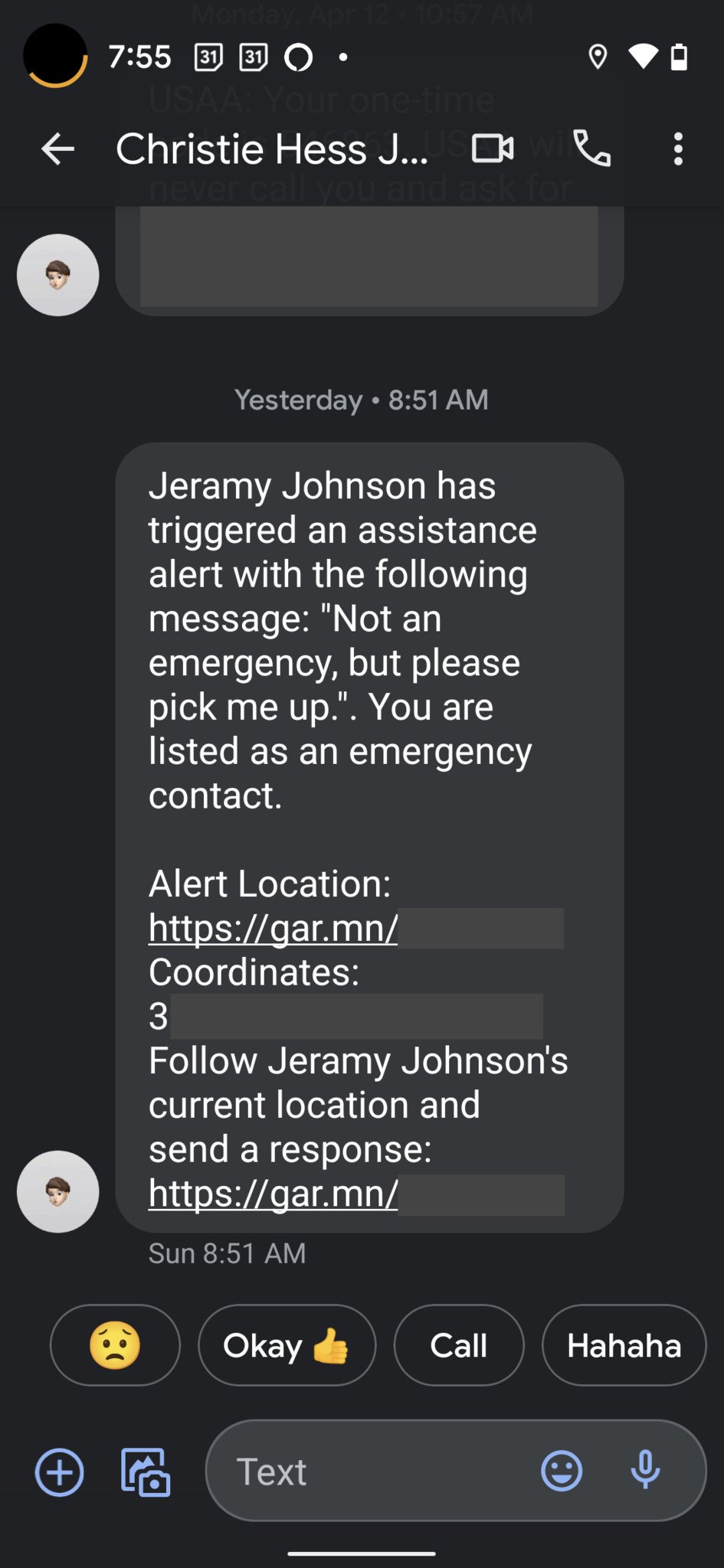
Once you set up the Forerunner 945 LTE with the Garmin Connect App, you can designate personal emergency contacts to notify in case you get into trouble or need assistance while out on your workout. You can also take advantage of Garmin's Assistance Plus feature to automatically send your name and location to a professionally monitored 24/7 call center, which can then immediately coordinate with your local emergency services. Additionally, the Incident Detection feature (which premiered on other connected Garmin smartwatches last year) can automatically trigger these Assistance Plus features if it detects that you've fallen or injured yourself on your exercise activity, whether that be a run, ride, walk, or hike.

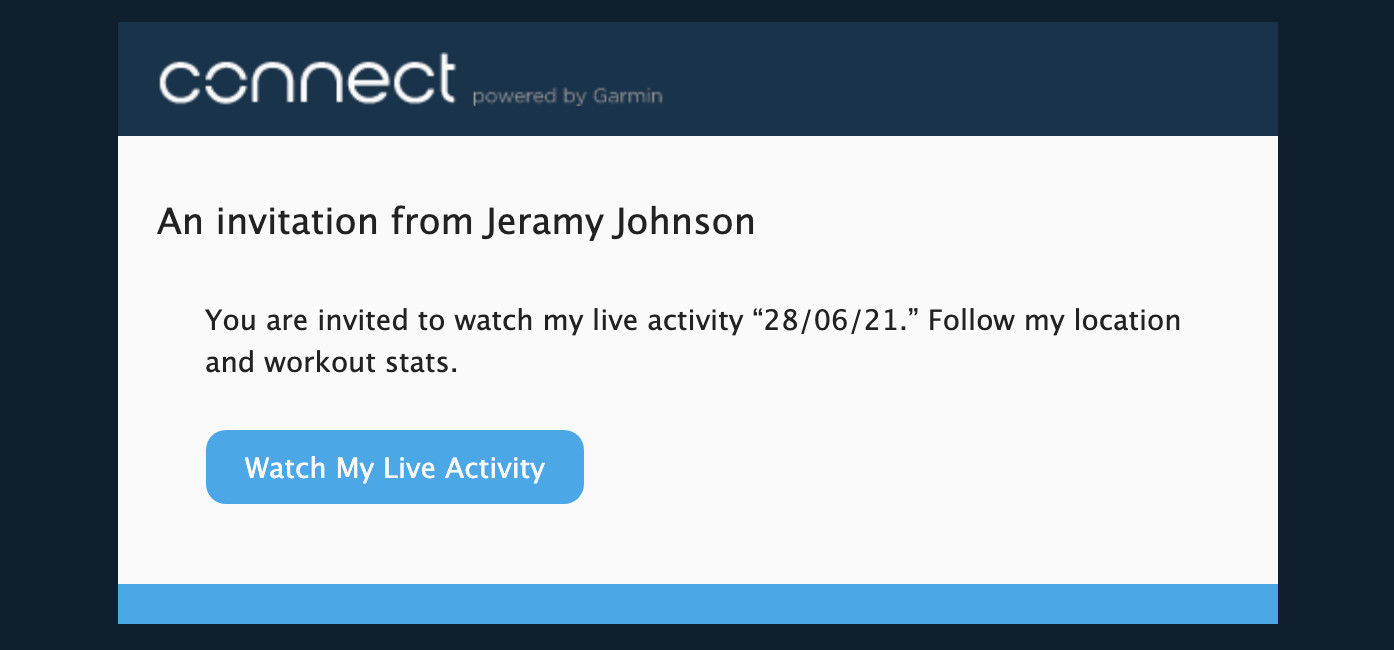
Additionally, the LTE signal allows you to share your location via Garmin's LiveTrack feature, which lets approved friends and family follow your run/ride in real-time. They can also send you motivational audio and text messages to help motivate you and keep you progressing towards your end goal. Plus, they can see your pace and mileage as you go — pretty cool stuff.

LTE coverage is currently available in a handful of countries worldwide, including the United States, Canada, New Zealand, France, Germany, Spain, Singapore, Japan, Isreal, and Mexico, though not all countries have access to the Assistance Plus features. Garmin has a detailed coverage map on its website if you want to check whether you can take advantage of these features where you live.
LTE on the Forerunner 945: What it can't it do

Part of the reason that Garmin's LTE service price is lower than the competition, however, is that it doesn't do as much with that LTE connection; in other words, you pay for what you get here. While you can receive motivational messages from loved ones on your wrist, you cannot respond to those messages, send new messages, or make calls. You can download offline music to play through your Bluetooth earbuds, but you cannot stream music from Spotify, Pandora, or any other streaming service. Nor can you order an Uber to drive you back home post-workout or use any common smartwatch apps on the go. LTE on the Forerunner 945 is primarily a safety feature and not much more. But for many elite athletes, that's not only enough; it's just perfect.

Ok, now that we know what LTE on the Forerunner 945 can and cannot do, let's get into what I thought of the smartwatch and who I think it's best suited for.

Garmin Forerunner 945 LTE: What's good
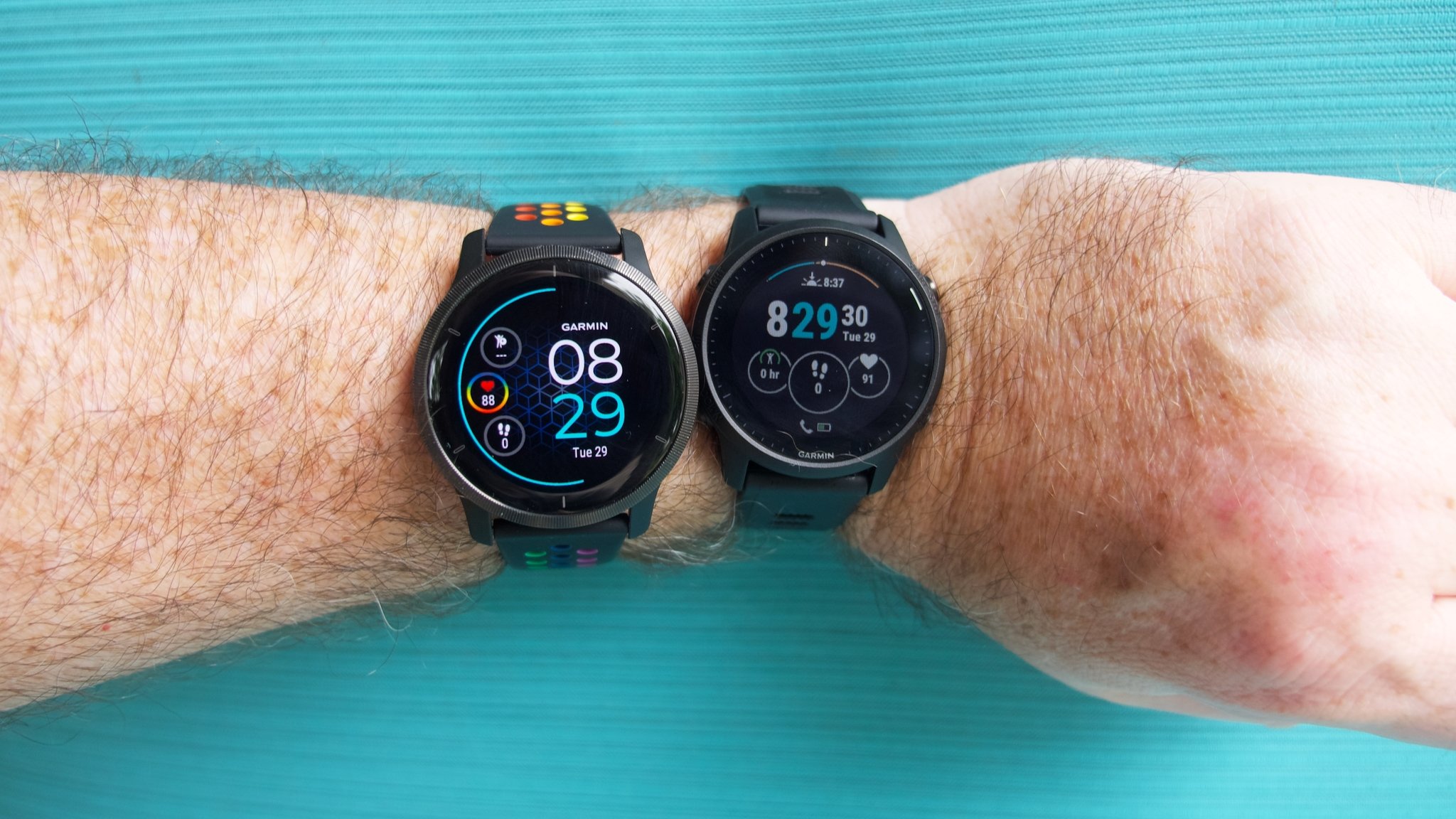
Venu 2 left; 945 LTE right

Like other watches in the Forerunner series that I've worn, I found the 945 LTE to be quite lightweight and comfortable on my wrist. Its casing is just slightly smaller than the Venu 2 that I recently reviewed (44.4mm to 45.4mm), but it's a noticeable difference that I can definitely feel. As much as I like the Venu 2, it's pushing the limits of what I'm comfortable having on my wrist, and it would constantly bump against my hand when it was flexed backward. Not so with the 945 LTE.

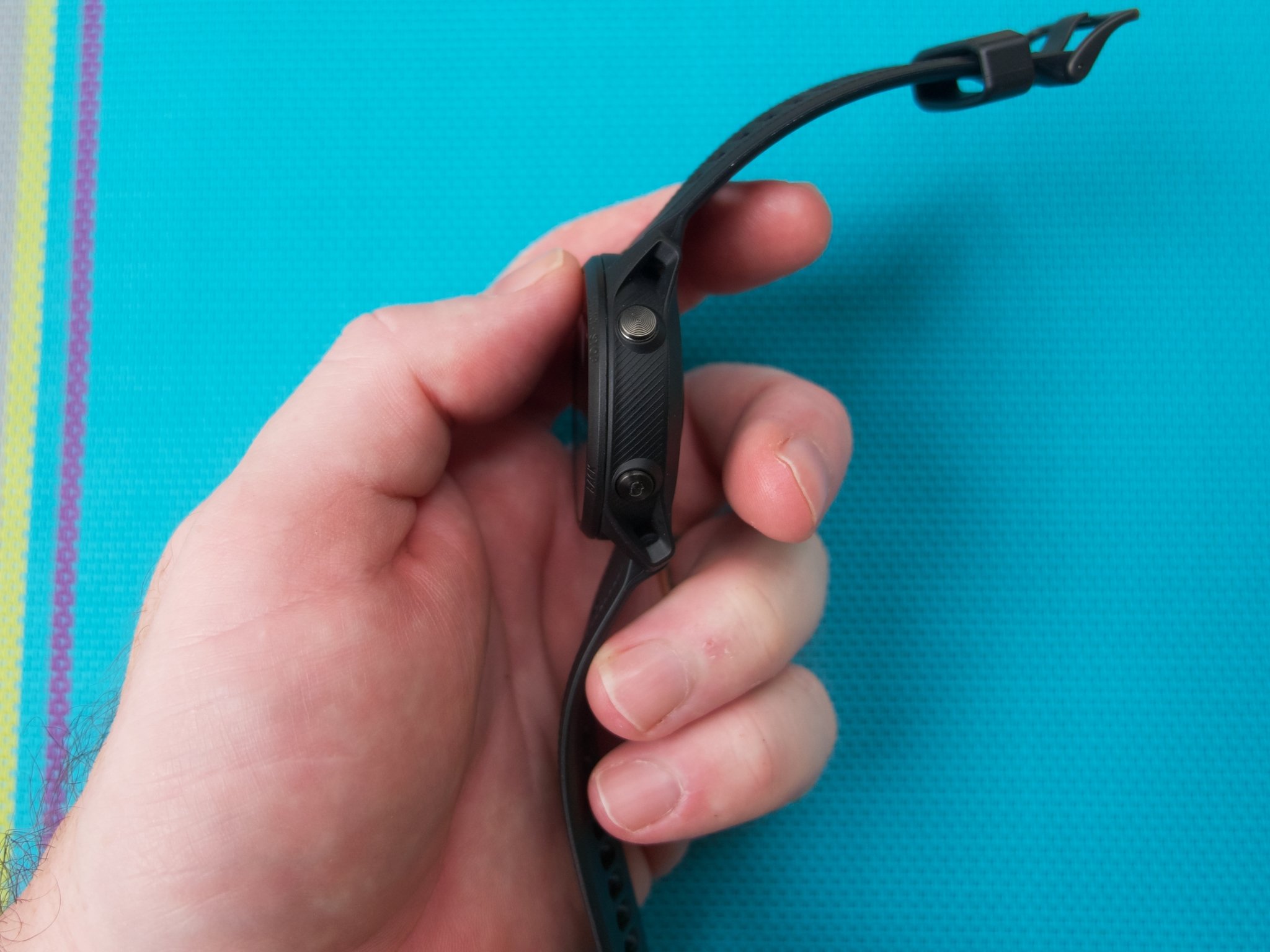
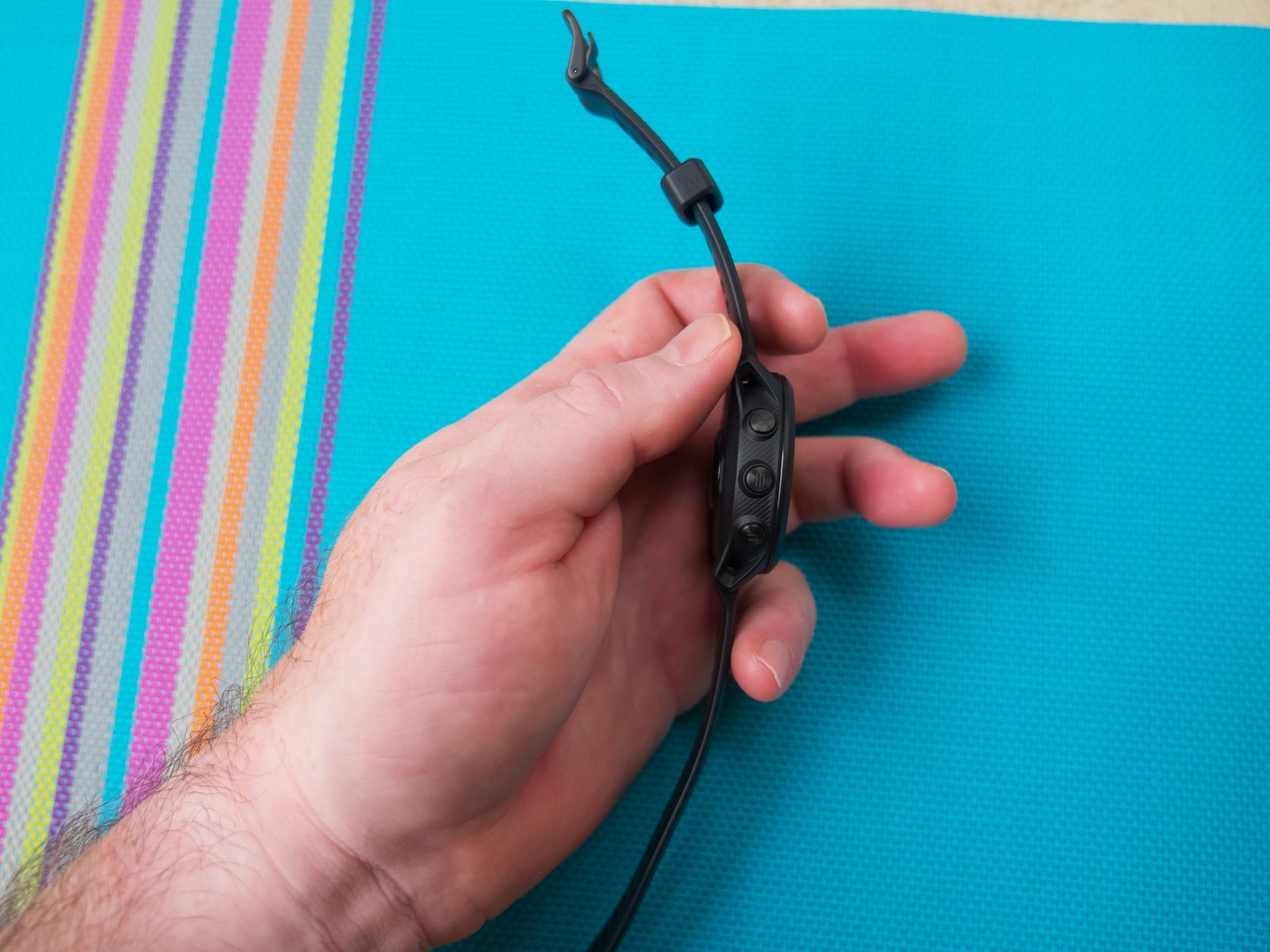
As someone who sweats a lot during workouts, I appreciated the consistent reliability of the pushbutton navigation. The buttons do exactly what you expect of them, every time, which is more than can be said for a slippery touchscreen. I also enjoyed just how easy it was to read the 945 LTE outdoors in bright sunlight. I didn't have to squint or crank up the brightness to see my meager workout stats, which is something I often have to do with AMOLED displays.
I've started to run without music lately (I know, I'm a weirdo), but it was nice to have my workout music downloaded and available on my wrist for those times when I wanted to listen while running without my phone. The 945 LTE can hold up to 1,000 songs, which is more than enough for even the longest of races or training sessions.

It offers over 30 different workout modes and on-device guided workouts, but what really impressed me were all the extra tracking features and analytics on offer. For example, by measuring things like your daily activity, sleep, and body battery, the 945 LTE can offer you daily suggested workouts. The training effect feature can show you how your workouts can affect your endurance, speed, and power, and the training load focus feature provides you with a graphical breakdown of how intense your workouts are. If you're someone who is really trying to maximize an endurance workout plan, this kind of information can be super helpful.

The 945 LTE's battery life is solid, lasting up to two weeks in GPS mode with music, and up to 12 hours if you have LTE LiveTrack enabled in addition to GPS. Even if you keep GPS mode going and don't use music, you can still get more than a day (up to 35 hours).

The connectivity features on the Garmin Forerunner 945 LTE may not be as extensive as on other smartwatches, but they deliver what matters — peace of mind.

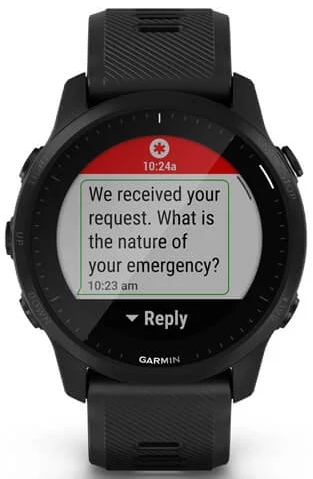
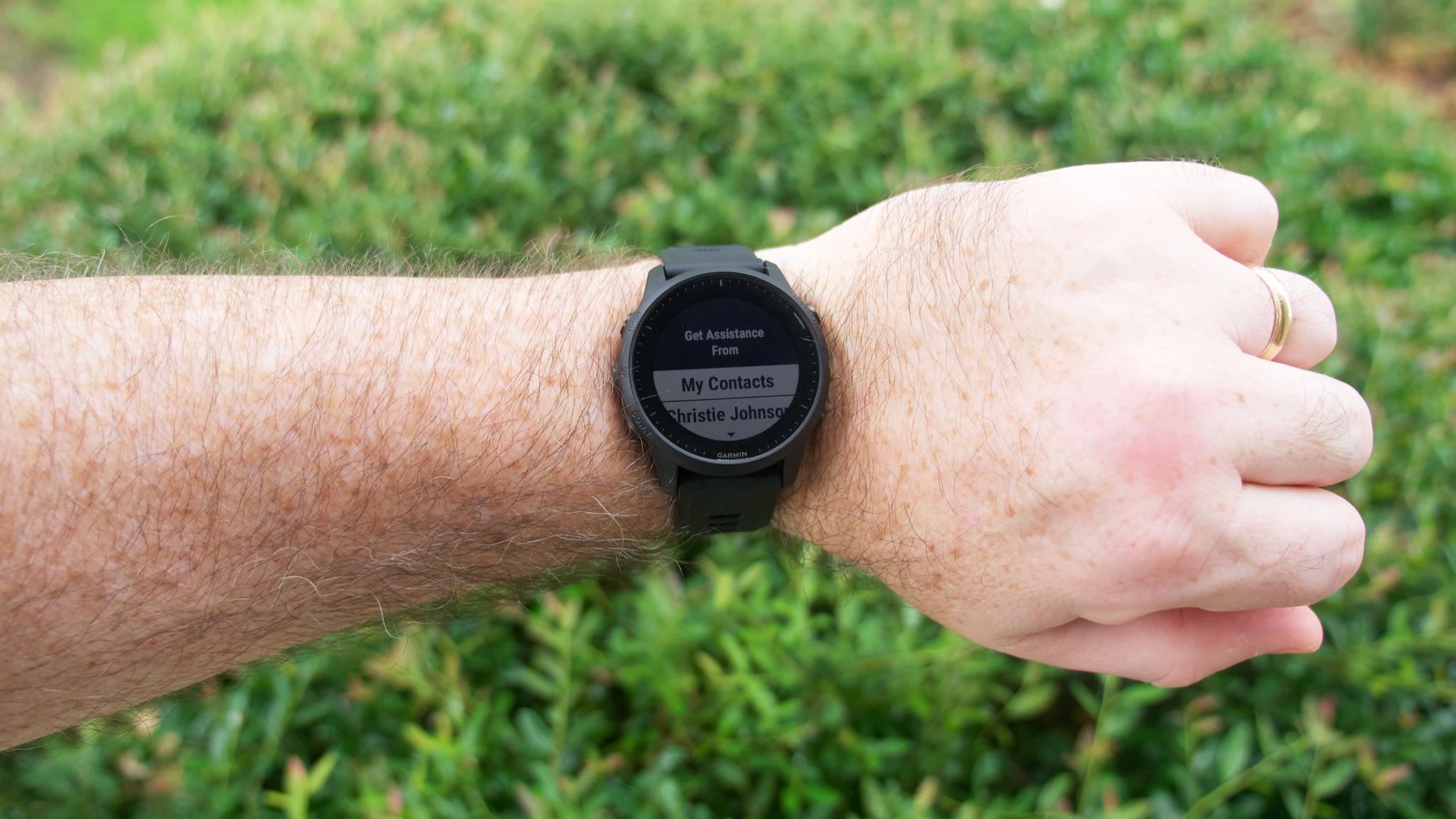
Now let's talk about the LTE features again. As I mentioned earlier, it's really easy to get this feature set up from within the Garmin Connect app, and it's pretty easy to use while you're out on your workout. Holding down on the top left button brings up the Assistance Plus feature, which allows you to select whether you want to contact emergency services or your personal contacts. From there, you can select from preset messages like "It's an emergency. Please get help" or "not an emergency, but please pick me up. There is even a rudimentary keyboard feature that allows you to compose your own message with the on-device buttons, but it's a little like trying to send a text message from a rotary phone. It's challenging, and even a bit frustrating, but at least it's there.

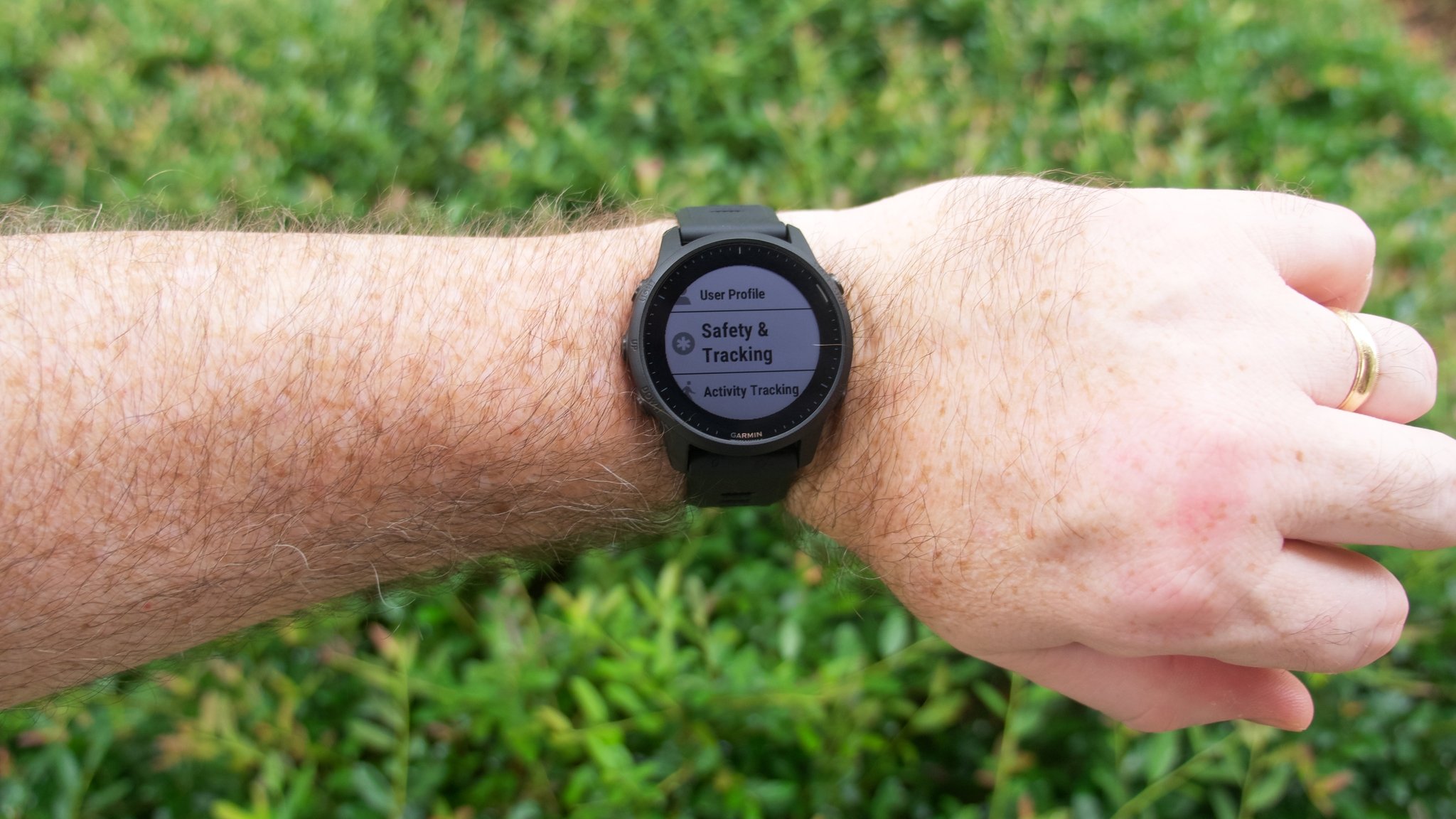
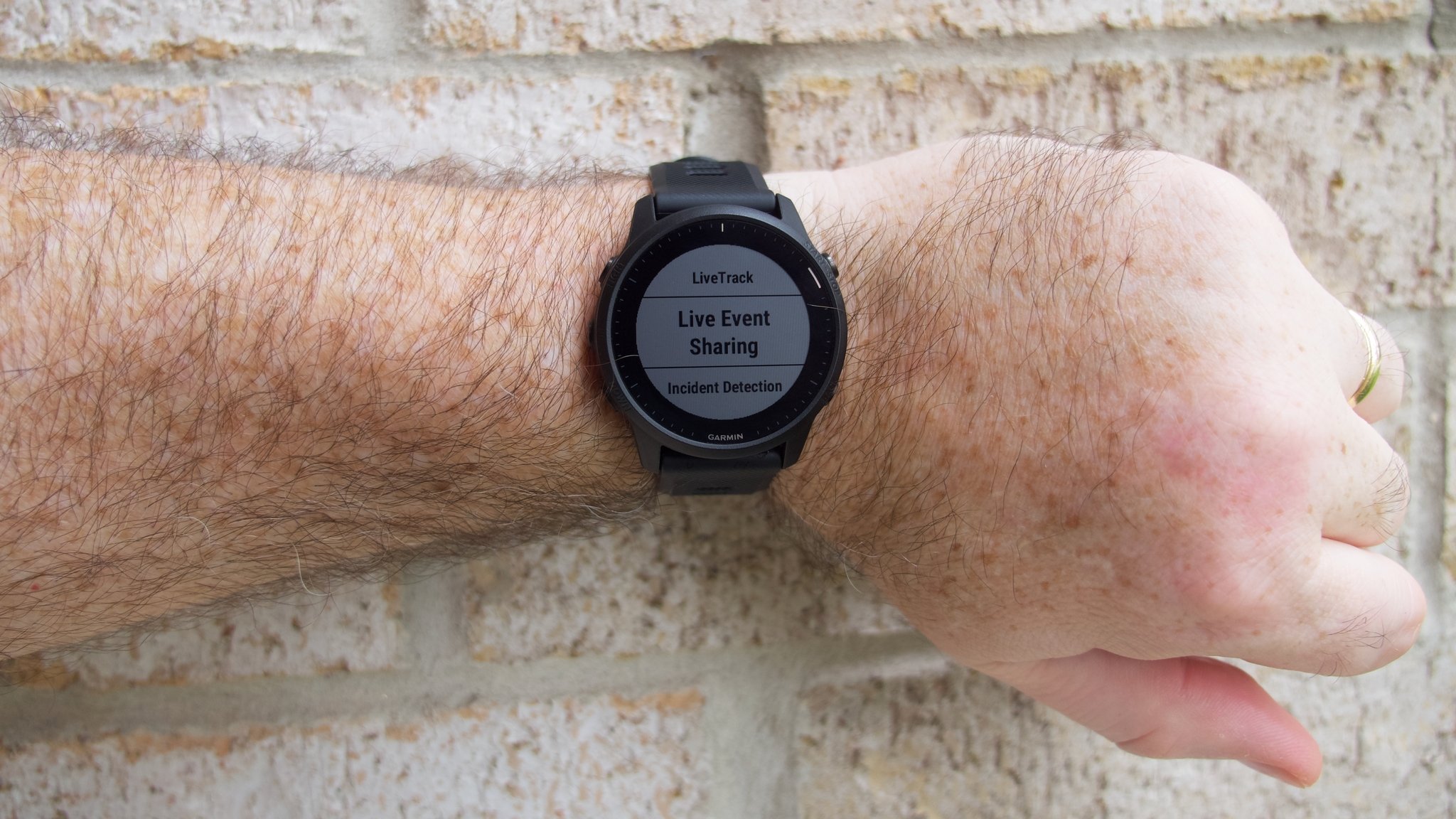
LiveTrack and Live Event Sharing can be accessed through the settings menu by holding down the middle left button and navigating through the settings. This can take several button presses, but it's not too difficult to figure out. You can add up to five recipients to share your location with, and you can even set up certain events to trigger messages to your contacts, though this has to be done in advance from the Connect app.

The 6-month contract is just long enough to keep you on track for that next big race, without saddling you with a huge commitment.

I like that you have the option of signing up for a year of LTE for a reduced rate or signing up for just six months if you're not sure if you'd use the feature for an entire year. Obviously, a month-to-month plan would be better (if more expensive) if you're not sure you'll need LTE, but having it for at least half a year should help keep you on your training plan. Then, of course, if after that big race you don't need it anymore, that's fine, you can cancel it. At least you benefitted from the service when you needed it most.

Finally, I appreciate that Garmin continuously updates and supports its fitness watches. In the weeks preceding this review, the 945 series received updates to improve V02 max tracking, rate of perceived exertion, intensity minutes, and fitness age. It also saw improvements to its sleep analysis, and it received additional animated on-screen workouts, among other updates. One thing is for sure — Garmin watches will last you a long time and be useful during their entire lifespan (which beats just about any other wearable I've tested).

Garmin Forerunner 945 LTE: What could be better
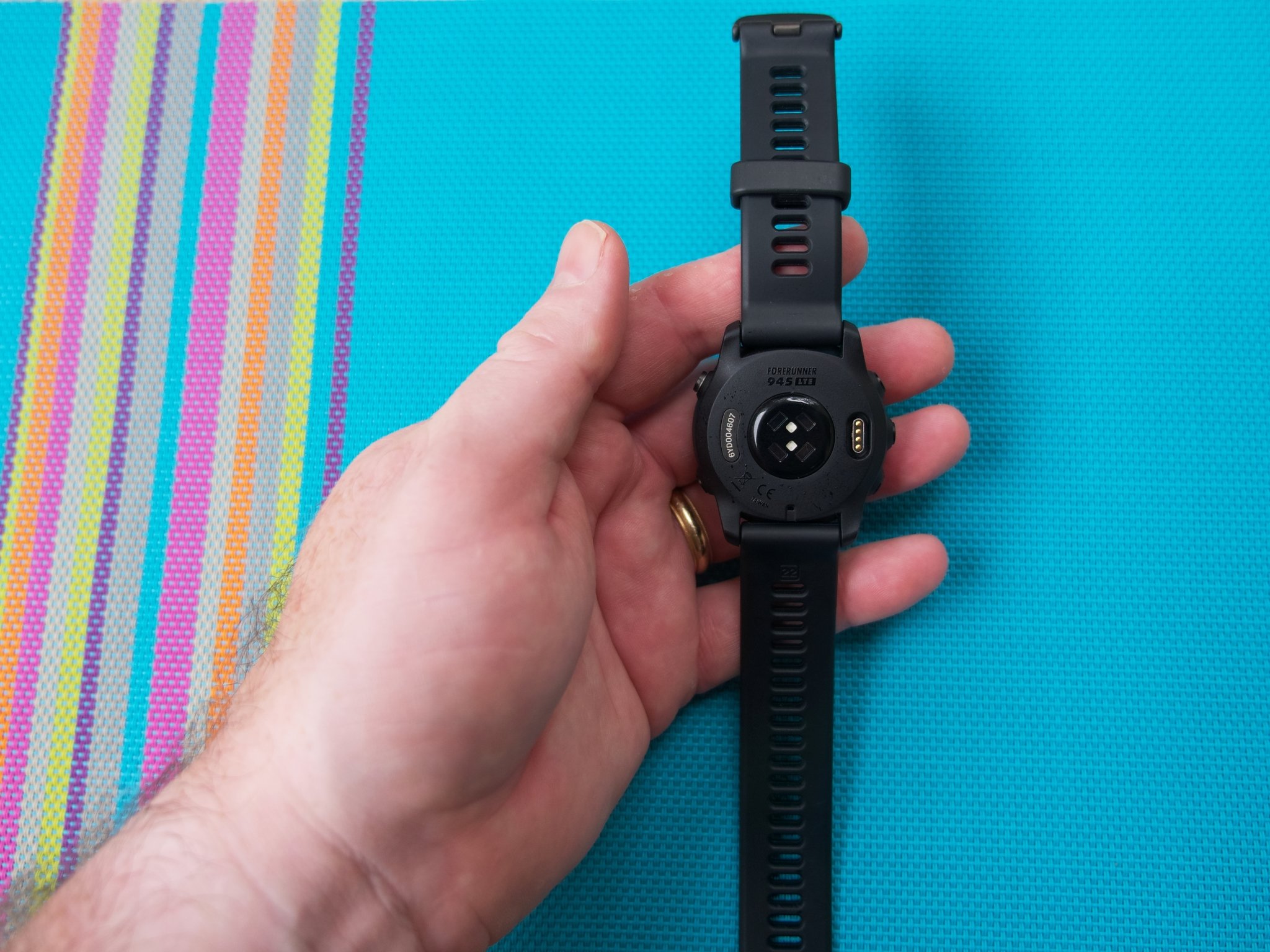
There is an awful lot to like about the Forerunner 945 LTE, for sure, but there are also a few areas where I think it could improve.

To begin with, I know why Garmin chose the particular LTE implementation that it did, and I also believe that hardcore athletes will mostly be fine with the tradeoffs of not being able to proactively call or message from the watch or stream music to it. But that doesn't mean that those same elite athletes wouldn't want those features if they were available, nor does it mean that they wouldn't be willing to pay slightly more — even market rate — for those features. I kind of think that's a missed opportunity for Garmin. It's true that the upgrade price to LTE is less than for other smartwatches and that the monthly fee is less, but the watch is already so much more expensive than those devices that I think that's kind of a moot point here. It might be different to offer sub-optimal LTE on something like the Forerunner 245 or 745, but a top-of-the-line watch deserves top-of-the-line services.

The 945 LTE is a pricey piece of equipment.

And while we're on the topic of price, at $650, the Forerunner 945 LTE is $120 more expensive than the next expensive competitor to it, the Apple Watch Series 6. I know plenty of hardcore athletes that are perfectly happy to stick with an Apple Watch for their endurance training or even switch to a non-LTE Garmin watch to save some money.

Finally, while I like the way the device looks and feels, I know a lot of you will think it too utilitarian for a smartwatch. It doesn't have an AMOLED screen, nor does it have the touchscreen navigation many smartwatch fans are used to and want. If you detest using buttons to get things done, you're not going to enjoy the Forerunner experience.

Garmin Forerunner 945 LTE: Competition

When comparing the best Android smartwatches, even I was a bit surprised to discover that there aren't really a ton of LTE-enabled options; at least, certainly not in the fitness-focused category. Even if you expand the search to include the Apple Watch (which I did), the pickings are pretty slim.

For our audience, I think the best overall LTE-enabled smart fitness watch alternative is the Samsung Galaxy Watch Active 2. It has impressive hardware and battery life, a smooth touchscreen experience, and it also includes NFC for contactless payments. LTE is, of course, an optional upgrade, but even then, it costs less than half the price of the Forerunner 945 LTE.

While it won't work with an Android phone, we'd be remiss if we didn't include the latest Apple Watches in this section, as there are no doubt plenty of iOS users who might consider the Forerunner 945 LTE against the Series 6 or SE. Both Apple Watches have LTE options that run $100 or so above the price of the base models, but even the Series 6 with LTE is over $100 less than the Forerunner 945 LTE. And while it may not have quite as many advanced training modes and metrics as the 945 LTE, you do get more smart functionality with Apple's wearables, including phone-free messaging, calls, and streaming media. Plus, your family and friends can monitor your real-time location through the FindMy app if you share it with them.

There's actually another decent Garmin with LTE, and this one has a touchscreen.

The Garmin vivoactive 3 Music (Verizon) edition smartwatch is a more affordable alternative for those who wish to reap the phone-free benefits of the Forerunner 945 LTE and stay in the Garmin ecosystem. Just like the 945 LTE, this device allows you to have emergency access at the push of a button, but it costs less than half the price. The LTE plan is through Verizon, but it exists separately from your existing phone plan, so you don't have to change carriers to use it. Even though there is a newer vivoactive 4 out, you can still pick this device up from Garmin, as well as retailers like Amazon and Walmart.

There is also a non-LTE version of the Forerunner 945, but if you want to stay connected to friends, family, or emergency services, you'll need to run/ride with your phone. The non-LTE 945 costs $50 less than the LTE version, plus you don't have to mess with another monthly subscription.

Finally, there are also app-based safety tracking solutions that work on Android and iOS. For example, Strava Beacon lets you share your live location with friends and family. MapMyRun has a similar feature, as does Runkeeper. None of these require you to have a specific smartwatch with an LTE plan, though you do need to carry your smartphone with you.

Garmin Forerunner 945 LTE: Should you buy it?
You should buy this if ...

  • You spend hours per week on intense training away from your phone
  • You or your loved ones want to make sure you're able to access emergency help when needed
  • You love the Garmin experience and ecosystem

You shouldn't buy this if...

  • You're not an elite (or aspiring) elite-level athlete
  • You want a more typical touchscreen smartwatch
  • You want to be able to stream music or place calls or texts from your wrist without a phone

The Garmin Forerunner 945 LTE is a fantastic piece of tech, but it is most definitely not for everyone. It is clearly a fitness device, first and foremost. You can certainly find advanced fitness smartwatches (even from Garmin), and there are definitely more comprehensive options for always-on phone-free connectivity.

4 out of 5

However, this watch is meant for elite athletes who want to focus on their training and recovery and who also want the assurance and support of family and emergency services when it's needed. So if you're someone who just wants a standard smartwatch with fitness features, steer clear; this isn't the device for you. But if you're working towards a marathon, triathlon, or ultra race, strap this baby on and go!

Bottom line: The Garmin Forerunner 945 LTE is the perfect fitness watch for the elite athlete, but the rest of us will want to stick with the company's other excellent and less expensive smartwatches.

$650 at Amazon $650 at Walmart $650 at B&H


from Android Central - Android Forums, News, Reviews, Help and Android Wallpapers https://ift.tt/3h74eEH
via IFTTT

Google Photos is working on a new ‘Memories’ homescreen widget for Android

The widget will cycle through photos from your "Memories" albums.

What you need to know

  • The Google Photos app for Android may soon get a new "Memories" homescreen widget.
  • It will allow users to "rediscover moments from Google Photos."
  • Google added a similar widget to the Photos app on iOS last year.

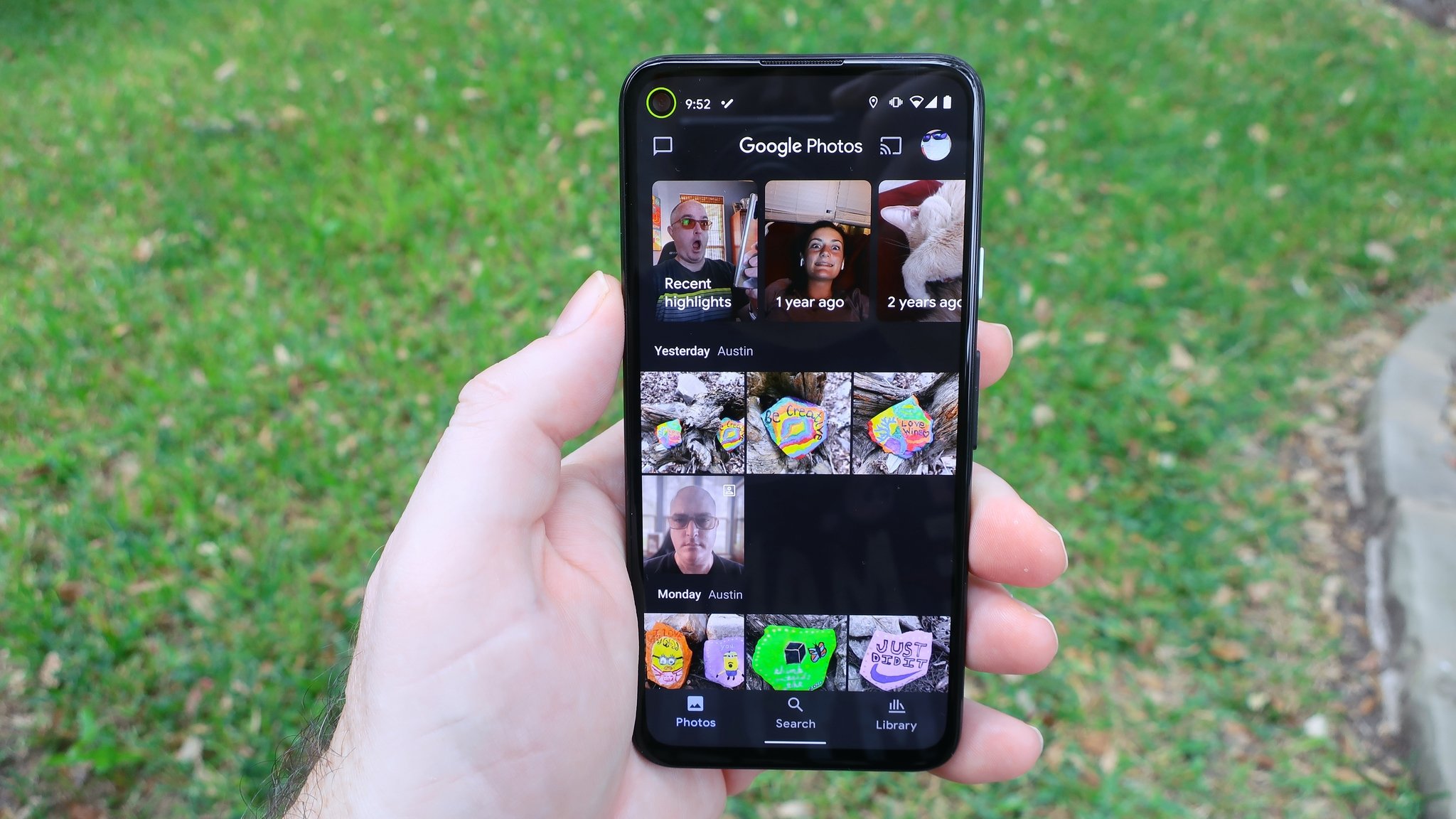
Google rolled out a bunch of new widgets for iOS in October last year — including a Google Photos widget that cycles through the 'Memories' albums to allow users to relive their best moments right on the homescreen. A teardown of the latest Google Photos update by XDA Developers has now revealed that a similar widget could soon be released for Android users.

Version 5.49 of the app includes references to a new "Google Photos widget" that will let users "rediscover moments from Google Photos." Unlike the iOS Google Photos widget, however, it looks like the Android widget will only show you photos from "this week last year."

Unsurprisingly, the widget cannot be added to the homescreen right now, even if you have the latest Google Photos version installed on your phone. The feature will likely be enabled via a server-side switch sometime in the coming weeks. We expect the widget to be compatible with most Android phones — including the best cheap Android phones.

As revealed earlier this week, Google is also working on a new "quick action search widget" for Chrome on Android. The widget will be similar in design to the two-tile search widget that was released for Chrome on iOS in May. In addition to a search bar, the widget could include shortcuts to open a new incognito window, voice search, QR code scanner, and the Chrome Dino game. The widget is currently in development, so it may take a while before it becomes available for everyone.

Additionally, Google is working on a Material You-inspired Google Photos redesign with larger text in the image gallery and some other minor tweaks. The redesign is expected to begin rolling out to the best Android phones sometime later this year.


from Android Central - Android Forums, News, Reviews, Help and Android Wallpapers https://ift.tt/36jQ5OB
via IFTTT

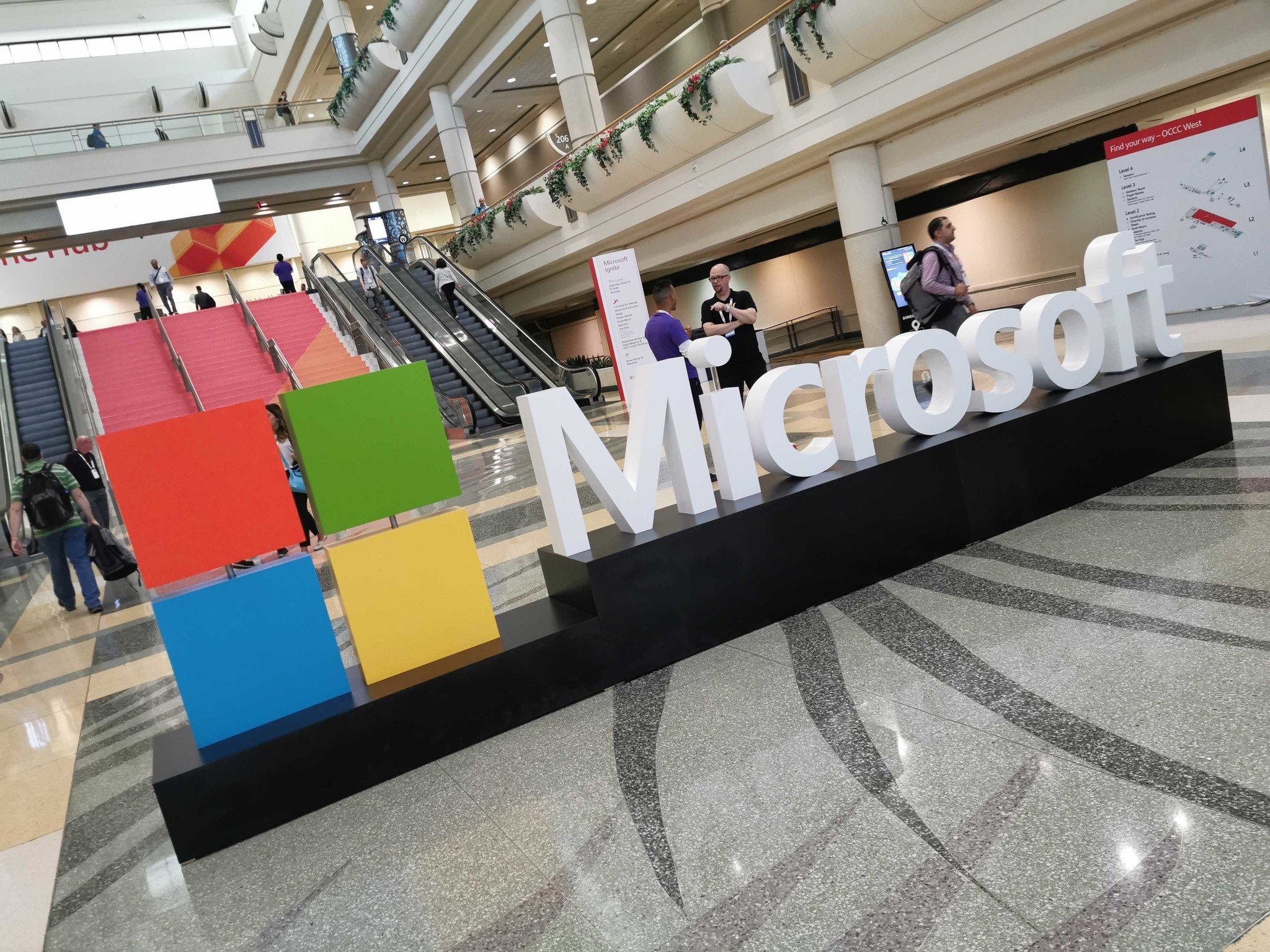
Microsoft cares about Android almost as much as Google

Microsoft doesn't sell phones anymore, but it has a vested interest in Android's future.

One of the more interesting announcements around Windows 11 is the fact that the operating system can run Android apps. Microsoft has teamed up with Amazon to bring the Amazon Appstore to Windows 11 using Intel Bridge, a run-time post compiler that allows Android apps built for Arm devices to function on the x86 platform.

What's particularly interesting is that you can even sideload Android apps on Windows 11, opening the doors for the best Android apps on the desktop platform. Although Microsoft doesn't sell phones anymore — the Surface Duo is more a technical showcase than a mainstream consumer device like the best Android phones — it cares deeply about Android.

Microsoft pivoted to a cloud-first strategy under Satya Nadella's leadership, ensuring its core services are available on all platforms. It also entered into a "long term commitment" with Samsung to pre-install the Office productivity suite, OneDrive, and LinkedIn on all Galaxy devices, and that partnership has paid off handsomely. Samsung sells over 250 million phones a year, and that means Microsoft automatically gets the same number of installs for its core services.

Microsoft essentially treats Android as a first-party platform.

Microsoft failed to turn Windows Phone into a viable mobile ecosystem, but it succeeded in creating a model that lets you use all of its services on Android and iOS as if they were first-party platforms. You can essentially turn your Android phone into a Microsoft phone as it were, using OneDrive in lieu of Google Drive, Edge instead of Chrome, the excellent SMS Organizer instead of Android Messages, Outlook instead of Gmail, Office suite for productivity needs, and Microsoft Launcher.

According to Neil Shah, partner and vice president of research at Counterpoint Research, Microsoft is now doubling down on creating these experiences that tie your phone and PC together; until now, Apple was the only manufacturer that was able to do so with any modicum of success.

"There is a dearth of tightly connected, seamless experiences between a personal computer and a personal phone. Apple is vertically integrated and growing cloud expertise is getting closer to providing one. However, in the Windows and Android space, both leaders in PC and mobile respectively, it is driven by several OEMs but the experiences are siloed and thus fragmented."

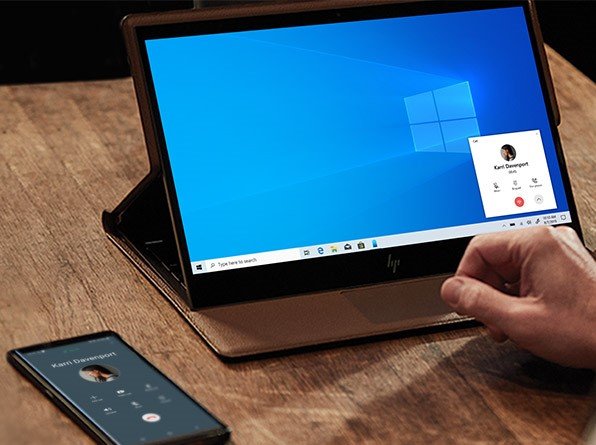
A key pillar in achieving this goal is Microsoft's partnership with Samsung. Back in 2019, Samsung started bundling Microsoft's Your Phone service into Galaxy phones out of the box, paving the way for these interconnected experiences. The service lets you take calls, view notifications and texts, copy and paste text between your phone and PC effortlessly.

"Samsung is the only vendor which is close enough to replicate what Apple has been doing with MacBook and iPhone working diligently with Microsoft to bring a tighter seamless Galaxy smartphone continuity experience to Windows," said Shah. "This not only aids to seamlessly traverse between the two environments but also reduces a lot of cognitive load."

The continuation of these efforts is the integration of Android apps within Windows 11, notes Shah. "This has prompted Microsoft to see value in deeply integrating Android with Windows and offer native apps, control, notifications, and continuity experiences between the two platforms. With Windows 11, we are seeing the second step taken by Microsoft to welcome Amazon's Android App Store to the platform building upon the Cortana-Alexa partnership announced a year ago."

Shah points to the introduction of Android apps to Windows 11 as another lever for Microsoft to bolster its storefront. "What this also does is bringing tons of apps to Microsoft's store which has been insipid, revamping Microsoft's application store strategy. This is a good way for Microsoft to indirectly court Google's ecosystem via partnerships such as Samsung and Amazon."

As for why Microsoft didn't just partner with Google to bring the Play Store to Android, Shah referred to the ongoing rivalry between the two organizations on several fronts, including browsers, cloud platforms, and operating systems. "The rivalry between Microsoft and Google is even fiercer – from Chrome OS vs. Windows to Azure vs. Google Cloud to Google Docs vs. Microsoft Office 365 to Google Search vs. Bing and so forth. So a direct integration or partnership doesn't seem to be happening anytime soon."

It's clear that Microsoft has a long-term interest in Android. Alongside offering its services and releasing phones powered by Google's mobile OS, Microsoft actively contributes to the development of Android, making hundreds of code commits to the platform. Bringing Android apps to Windows 11 is a natural extension of this strategy; it allows Microsoft another gateway into the mobile ecosystem, and paves the way for thousands of new apps to debut on Windows at the same time.

While Microsoft doesn't seem willing to team up with Google to bring the Play Store to Windows at this moment, it is doing the next best thing.


from Android Central - Android Forums, News, Reviews, Help and Android Wallpapers https://ift.tt/3qLjx9p
via IFTTT

mercredi 30 juin 2021

Synology DSM 7.0: All the new features you need to know

The latest version of DiskStation Manager is here, and you should install it right now.

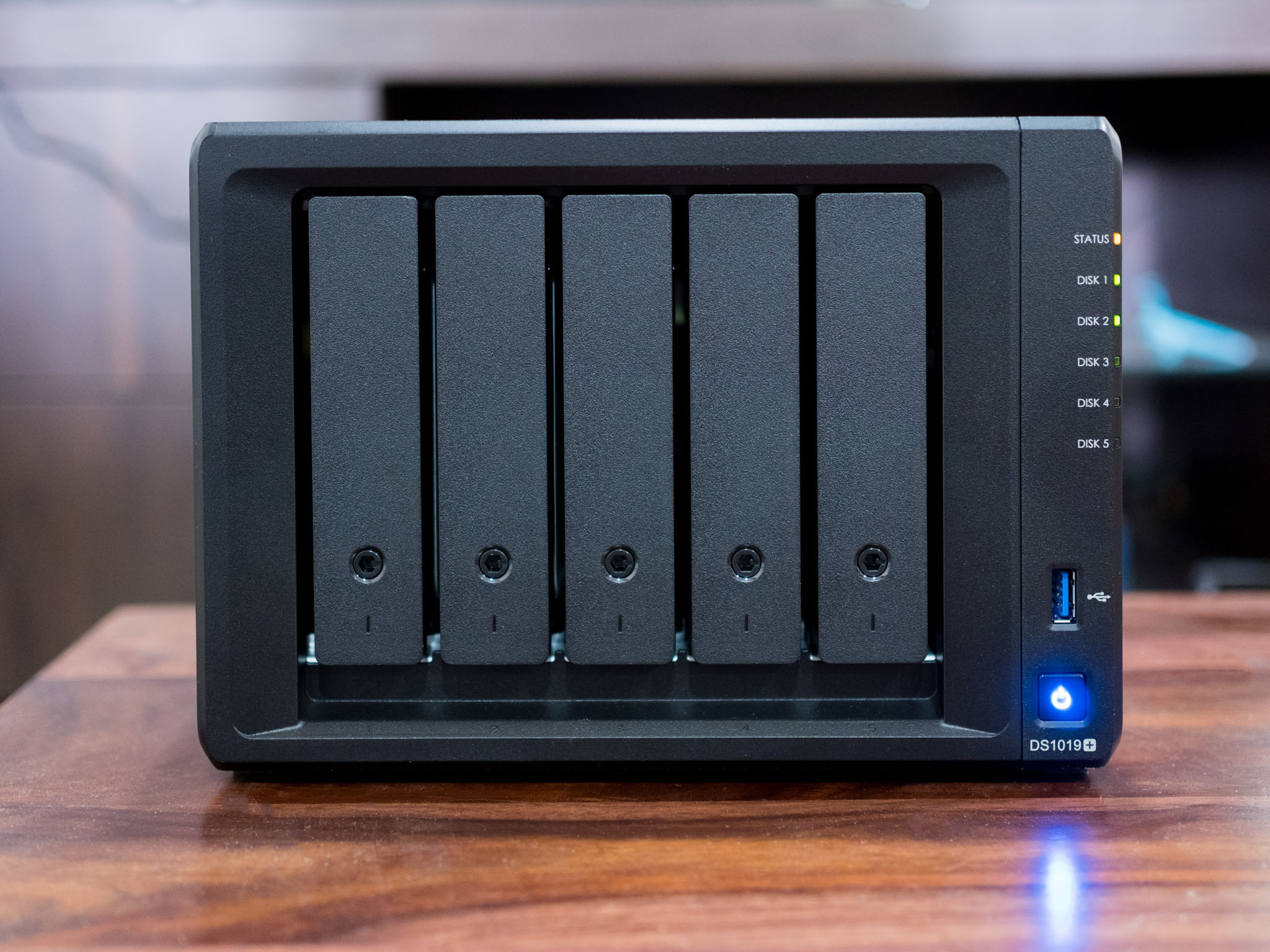
Synology makes the best NAS enclosures you can buy today, and the brand's main differentiator is the software. DiskStation Manager (DSM) has powerful features that let you easily back up data, host your own mail, office, and VPN server, and so much more.

DiskStation Manager 6.0 launched back in 2016, and while the software picked up a lot of updates in the last four years, the core features have remained unchanged for the most part. That's why it's exciting to see that Synology is now rolling out the stable version of DiskStation Manager 7.0. DSM 7.0 brings a ton of new features, including a unified photo management service, fresh user interface, better system monitoring tools, new sharing and collaboration features, and more.

Here's everything you need to know about all the new features in DiskStation Manager 7.0, what NAS enclosures are eligible for the beta, and how you can install DSM 7.0 on your NAS right now.

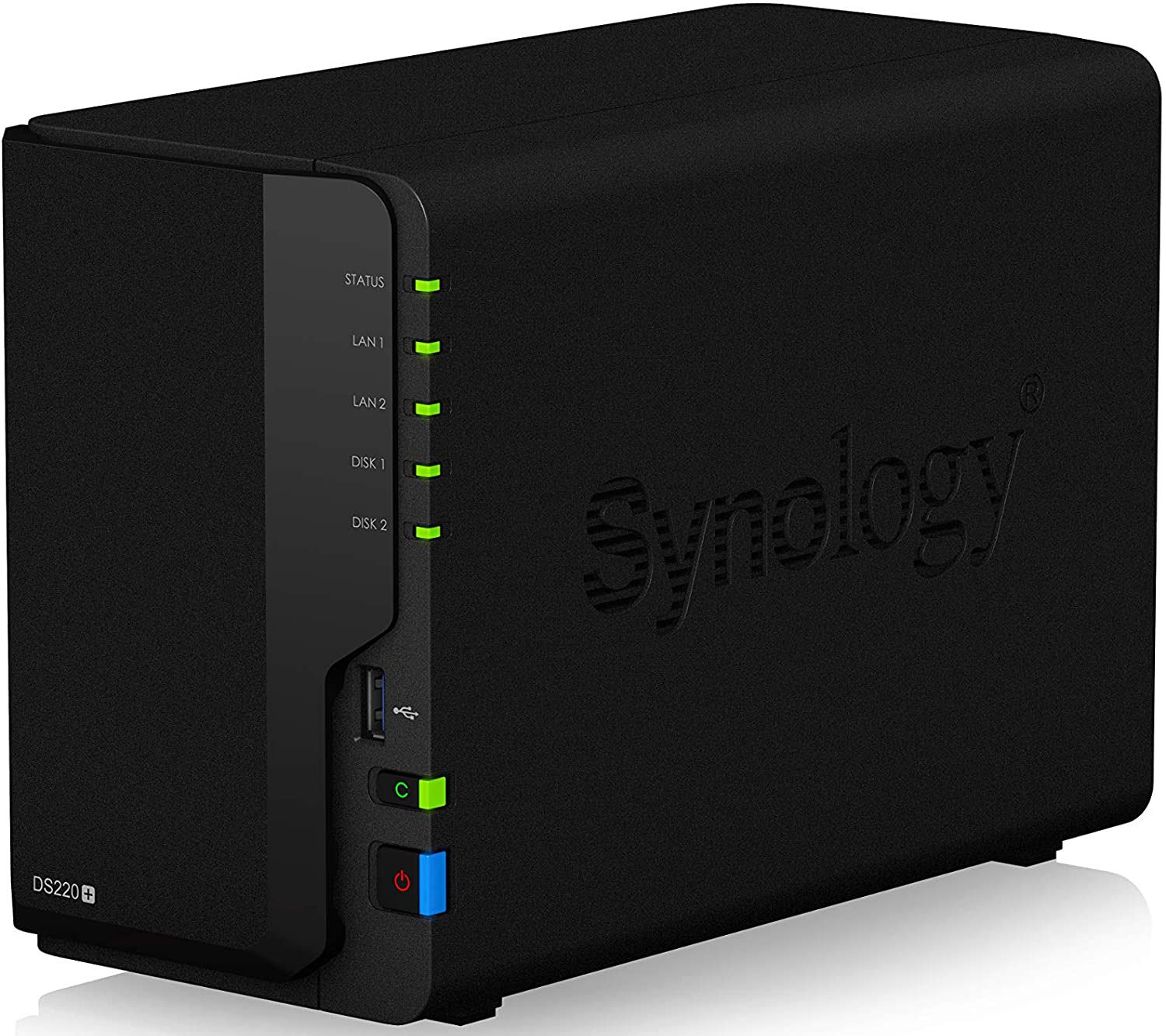
Synology DiskStation DS220+

Everything you need

The DS220+ is a standout NAS that delivers everything you're looking for in a home server. The robust hardware means it is a great Plex server, it holds up to 32TB of storage, and has all the latest features that DSM has to offer.

What are the new features in DSM 7.0?

DSM 7.0 comes with redesigned storage management features that make it easier than ever to configure storage volumes and switch out hard drives. You can now see just how much data every individual DSM package is using, identify issues with any drives in the storage pool, and there are welcome enhancements to SSD caching.

Synology Photos is an interesting new addition that merges the Moments service with Photo Station, with the package now being the default photo management service on DSM. The service relies on AI to automatically sort and categorize images into albums, and it offers a seamless way to back up photos from all the phones connected on your home network to your NAS.

Active Insight is a centralized dashboard that lets you control all Synology NAS enclosures registered under the same account, so if you remotely manage a NAS, the feature definitely comes in handy. Synology Drive is getting an admin console that monitor file transfers, usage trends, and much more. And there's Hybrid Share, a useful tool for small businesses that hooks into Synology's C2 cloud service and backs up data, making it accessible across different locations.

There are also exciting changes around file sharing, security, and virtualization. The detailed release notes list all the new additions in DSM 7.0:

Storage

  • A new revision of Storage Manager:
    • Added visuals of Synology NAS models with their drive slots, expansion units, and built-in M.2 slots to help users view drive status.
    • Enhanced usability with a clearer display of the relationship between storage pools, volumes, and SSD caches.
    • Enhanced the setup process of Hot Spare and Data Scrubbing.
    • Added a feature to guide users through configuring newly inserted drives.
    • New features of storage pools, volumes, and drives:
    • Supports performing different tasks on different storage pools simultaneously.
    • Supports updating the firmware for Synology drives.
    • Enhanced the access performance of RAID 6 by 80% on Broadwell (FS1018, SA3400, RS1619xs+, DS3018xs) and Grantley (FS3017) CPUs.
    • Enhanced the access performance of degraded RAID 6 by 70%.
    • Added display of the storage usage of each category item on Btrfs volumes.
    • Added a new Fast Repair mechanism to reduce the time needed for RAID repair based on storage usage and thus reduce the time of RAID degradation.
    • Added the ability to replace a drive in a healthy storage pool with an unused one without interrupting services or causing storage pool degradation.
    • Added the ability to automatically replace Critical or Failing drives in protected storage pools with Hot Spare.
    • Added the Auto Repair feature to automatically run a RAID repair when a malfunctioned drive is replaced with a healthy one in the same drive slot.
    • Added the ability to eject a storage pool on an expansion unit to ensure the safe removal of drives without interrupting system services.
    • Added the ability to mount storage pools from drives that are inserted after the device has been powered on without interrupting system services.
    • Added support for Western Digital Device Analytics (WDDA) health analytics service for compatible WD Purple, Red, and Red Pro drives.
  • New features of SSD Cache:
    • Added the ability to create and remove SSD caches without interrupting system services.
    • Added the new SSD Cache Advisor to monitor I/O accesses and provide more accurate capacity recommendations.
    • Added the ability to pin all Btrfs metadata to SSD caches to enhance the performance of accessing small files and shorten the response time when accessing files regularly.
    • Added the ability to activate automatic protection on SSD read-write caches with multi-drive fault tolerance.
    • Added support for the quick write-back mechanism, delivering a 30% faster synchronization from SSD caches to HDDs when automatic protection is activated.

Resource Monitor

  • Revamped the display of recorded performance metrics with a finer granularity of data points and the ability to focus on certain time points.
  • Enhanced monitoring transparency of system services by separating larger, unrelated processes.
  • Added the ability to manage currently accessed files and their connected users to better handle locked files.

File System/File Services

  • Supports enabling/disabling file compression for shared folders created on DSM 7.0.
  • Enhanced file compression ratio and added display for the current ratio for each shared folder.
  • Added support for cross-protocol locking between SMB and AFP.
  • Supports accessing encrypted shared folders via NFS.
  • Enhanced Btrfs performance and lowered I/O latency.
  • Modularized the SMB file service into a package.
  • Allows users to enable/disable SMB transfer logs for permission changes, providing more flexible transfer logs.
  • Enhanced the encryption performance by up to 10% on certain models with the x86 platform.

User Management

  • Enhanced the password policy. Passwords must exclude username and description, include both upper-case and lower-case letters as well as numerical digits. The minimum password length is 8 characters.
  • Added the ability to delegate predefined administrator roles to non-administrator user accounts and allow them to manage certain services and system settings, offering more flexible permission management.
  • Added the ability to require imported users to change their passwords after their initial DSM logins.
  • Added the ability to assign user accounts from import lists to specific groups.

Domain/LDAP Integration

  • Enhanced LDAP client authentication performance by reducing the number of queries sent with a caching mechanism.
  • The following services and packages now support UPN logins: Synology Assistant, Hyper Backup, Synology Mail Server, Synology Calendar, and Shared Folder Sync.
  • Enhanced domain database synchronization performance by syncing only altered data.

Security

  • Added the ability to block USB and console ports.
  • Enhanced QuickConnect connection process to strengthen security.
  • Provides only TLS 1.3 support for the Modern Compatibility option for TLS/SSL profile level.
  • Added the ability to set 2-factor authentication as mandatory for specific users or groups.

User Experience

  • Enhanced user experience for DSM first-time installation and Synology Account related service setup (e.g. QuickConnect).
  • Added information and usage tips about security, notification, and other recommended settings in DSM Help.
  • Added the ability to back up DSM system configuration to a connected Synology Account.
  • Added support for application webhook integration to send system notifications to Synology Chat and other third-party applications.
  • Added severity levels to notifications for better categorization of events.
  • Enhanced user interface responsiveness to launch installed packages and services faster.
  • Enhanced login performance when connecting from external networks.
  • Enhanced user experience for package update processes by displaying the update status with package icons on the DSM desktop.
  • Resetting the passwords of all user accounts in the administrators group by pressing the RESET button on Synology NAS for 4 seconds.
  • Enhanced Control Panel usability by reorganizing related functionality together:
    • Added a new Synology Account tab to consolidate future services provided through Synology Account.
    • Consolidated Domain/LDAP options to be configured in a new unified wizard.
    • Consolidated QuickConnect settings into the External Access tab.
    • Consolidated User and Groups settings.
    • Consolidated Theme and Application Portal options into Login Portal tab.
    • Consolidated email notification options into Notification > Email tab.
    • Consolidated WS-Discovery into File Services > SMB.
    • Consolidated Network > DSM Settings into Login Portal > Web Services.
    • Relocated the SMB Server Signing option to File Services > SMB > Advanced Settings.
    • Moved Shared Folder Sync into the File Services tab.
    • Moved the Enforce 2-factor authentication option into the Security tab.
    • Modularized DHCP Server into a package.

What NAS enclosures are eligible for DSM 7.0?

Synology has shared the full list of NAS enclosures that can install the DSM 7.0 stable version. Most NAS enclosures released within the last seven years — from the DiskStation DS220j to the 2013 DS213j — are eligible to install the latest version of the operating system. These are the Synology NAS enclosures that can install the DSM 7.0 right now:

21-series:

  • DS1621+
  • RS1221+
  • DS1821+
  • RS2421RP+
  • RS2421+
  • RS1221RP+
  • RS2821RP+

20-series:

  • DS120j
  • DS220j
  • DS220+
  • DS420j
  • DS420+
  • DS620slim
  • DS720+
  • DS920+
  • DS1520+
  • RS820+
  • RS820RP+

19-series:

  • DS119j
  • DS419slim
  • DS1019+
  • DS1819+
  • DS2419+
  • DS2419+II
  • RS819
  • RS1219+

18-series:

  • DS118
  • DS218j
  • DS218play
  • DS218
  • DS218+
  • DS418j
  • DS418play
  • DS418
  • DS718+
  • DS918+
  • DS1618+
  • RS818+
  • RS818RP+
  • RS2418+
  • RS2418RP+
  • RS2818RP+

17-series:

  • DS1517
  • DS1517+
  • DS1817
  • DS1817+
  • RS217

16-series:

  • DS116
  • DS216j
  • DS216se
  • DS216
  • DS216play
  • DS216+
  • DS216+II
  • DS416j
  • DS416
  • DS416slim
  • DS416play
  • DS716+
  • DS716+II
  • DS916+
  • RS816
  • RS2416+
  • RS2416RP+

15-series:

  • DS115j
  • DS115
  • DS215j
  • DS215+
  • DS415+
  • DS415play
  • DS715
  • DS1515
  • DS1515+
  • DS1815+
  • DS2415+
  • RS815
  • RS815+
  • RS815RP+

14-series:

  • DS114
  • DS214
  • DS214se
  • DS214+
  • DS214play
  • DS414j
  • DS414slim
  • DS414
  • RS214
  • RS814
  • RS814+
  • RS814RP+
  • RS2414+
  • RS2414RP+

13-series:

  • DS213j
  • DS713+
  • DS1513+
  • DS1813+
  • DS2413+

Note that the full list of eligible models includes Synology's business-focused enclosures. These models aren't getting the DSM 7.0 build just yet, so if you're running a RackStation or a DiskStation model that's targeted at businesses — like the DS1621xs+ — you will have to wait a little while. Here's the list of all NAS enclosures that are eligible for DSM 7.0:

21-series:

  • DS1621+
  • DS1621xs+
  • RS1221+
  • DS1821+
  • RS2421RP+
  • RS2421+
  • RS1221RP+
  • RS2821RP+

20-series:

  • DS120j
  • DS220j
  • DS220+
  • DS420j
  • DS420+
  • DS620slim
  • DS720+
  • DS920+
  • DS1520+
  • FS6400
  • FS3600
  • SA3400
  • SA3600
  • RS820RP+
  • FS3400
  • RS820+
  • SA3200D

19-series:

  • DS119j
  • DS419slim
  • DS1019+
  • DS1819+
  • DS2419+
  • RS819
  • RS1219+
  • RS1619xs+

18-series:

  • DS118
  • DS218j
  • DS218play
  • DS218
  • DS218+
  • DS418j
  • DS418
  • DS418play
  • DS718+
  • DS918+
  • DS1618+
  • DS3018xs
  • FS1018
  • RS818+
  • RS818RP+
  • RS2418+
  • RS2418RP+
  • RS2818RP+
  • RS3618xs

17-series:

  • DS1517
  • DS1517+
  • DS1817
  • DS1817+
  • DS3617xs
  • FS2017
  • FS3017
  • RS217
  • RS3617xs
  • RS3617xs+
  • RS3617RPxs
  • RS4017xs+
  • RS18017xs+

16-series:

  • DS116
  • DS216j
  • DS216se
  • DS216
  • DS216play
  • DS216+
  • DS216+II
  • DS416j
  • DS416
  • DS416slim
  • DS416play
  • DS716+
  • DS716+II
  • DS916+
  • RS816
  • RS2416+
  • RS2416RP+
  • RS18016xs+

15-series:

  • DS115j
  • DS115
  • DS215j
  • DS215+
  • DS415+
  • DS415play
  • DS715
  • DS1515
  • DS1515+
  • DS1815+
  • DS2015xs
  • DS2415+
  • DS3615xs
  • RS815
  • RS815+
  • RS815RP+
  • RC18015xs+

14-series:

  • DS114
  • DS214
  • DS214se
  • DS214+
  • DS214play
  • DS414j
  • DS414slim
  • DS414
  • RS214
  • RS814
  • RS814+
  • RS814RP+
  • RS2414+
  • RS2414RP+
  • RS3614xs
  • RS3614xs+
  • RS3614RPxs

13-series:

  • DS213j
  • DS713+
  • DS1513+
  • DS1813+
  • DS2413+
  • RS3413xs+
  • RS10613xs+

Others:

  • VirtualDSM

How to install DSM 7.0 on your NAS

Before you install DSM 7.0, there are a few points to consider. There's no way to downgrade to DSM 6.2 following the switch, so make sure you're ready to take the plunge. To install DSM 7.0, you'll have to make sure that your NAS is currently running DSM 6.2 or above. Head to Control Panel > Update & Restore to see if your NAS is on DSM 6.2, and install any updates available.

DSM 7.0 is rolling out as a stable build, so it should be available as an OTA update for your NAS. But if it isn't available on your enclosure just yet, you can easily install it manually. Here's how you can install the stable version of DSM 7.0 on your NAS:

  1. Go to the Synology Download Center to download the DSM 7.0 package for your NAS.
  2. In the Select product type menu, select NAS.
  3. Enter your NAS model name or scroll down the list to locate it.
  4. You should see all the OS packages for your NAS. To see the DSM 7.0 build, you will have to change the OS Version (it's located on the right of the page) from the default 6.2 series to 7.0 series.
  5. You should now see the DSM 7.0 RC build package show up. Hit the Download button to start the download. The build will save as a .pat file.
  6. Once the build is downloaded, you'll have to head over to your NAS to initiate the update. Within DSM 6.2, navigate to Control Panel.
  7. Choose Update and Restore within the System section.
  8. Select Manual DSM Update.
  9. You can use the Browse button to locate the DSM 7.0 build that you downloaded earlier. This will be the .pat file.
  10. Once you've found the file, hit OK to start updating your NAS to DSM 7.0.

It should take anywhere from 10 to 20 minutes to install DSM 7.0. The new visual design combined with exciting new features like Photos and Active Insight make DSM 7.0 a noteworthy update, and if you've been waiting to install the build on your NAS, now is the time to do so.

The ideal NAS

Synology DiskStation DS220+

Everything you need in a NAS

The DS220+ is a standout NAS that delivers everything you're looking for in a home server. The robust hardware means it is a great Plex server, it holds up to 32TB of storage, and has all the latest features that DSM has to offer.


from Android Central - Android Forums, News, Reviews, Help and Android Wallpapers https://ift.tt/39XIqIy
via IFTTT

Samsung Galaxy Watch 4 Classic leak shows off popular design feature

Alongside the Galaxy Watch 4 Active, Samsung might be releasing a Galaxy Watch 4 Classic.

What you need to know

  • New leaks purport to show the upcoming Samsung Galaxy Watch 4 Classic.
  • The phone is rumored to be launching alongside the Galaxy Watch 4 Active.
  • Both are to make an appearance at Unpacked later this summer.

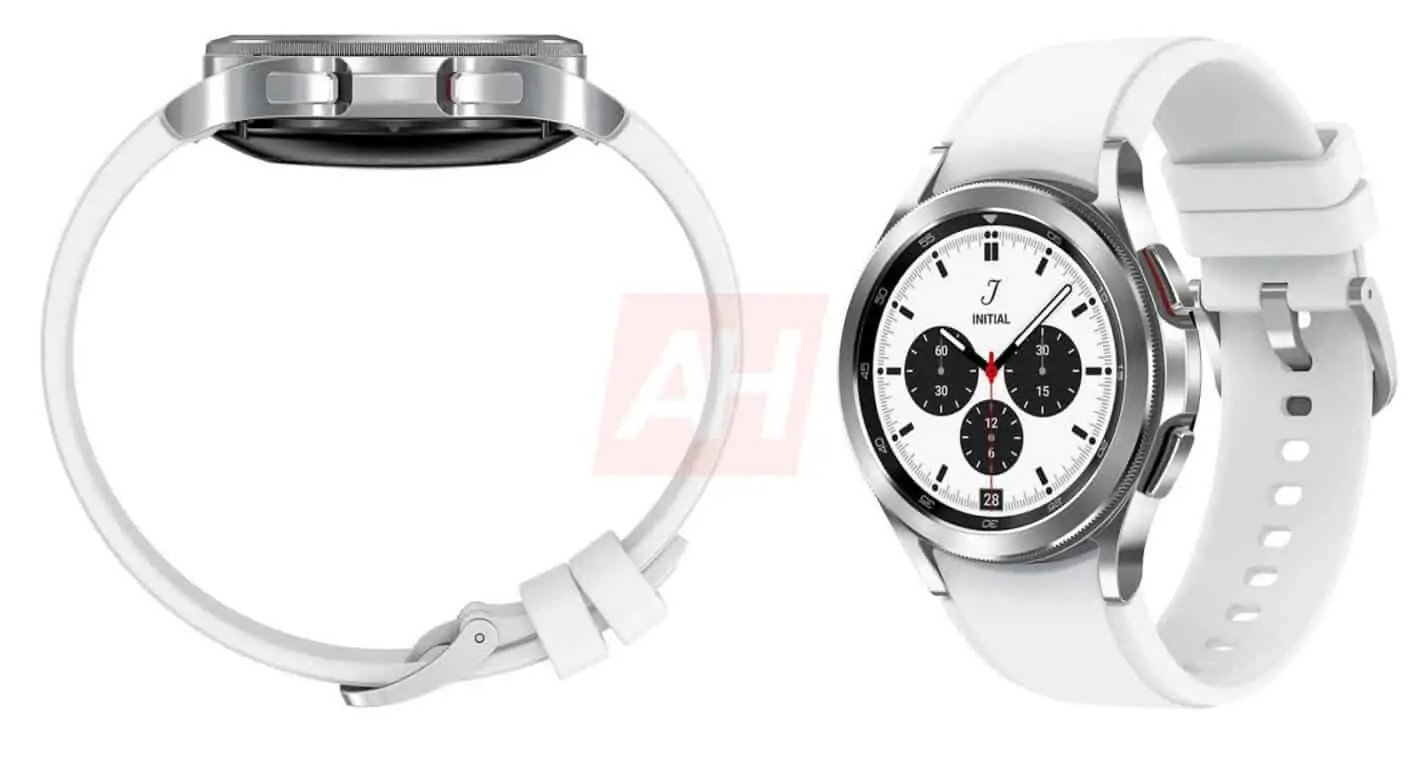
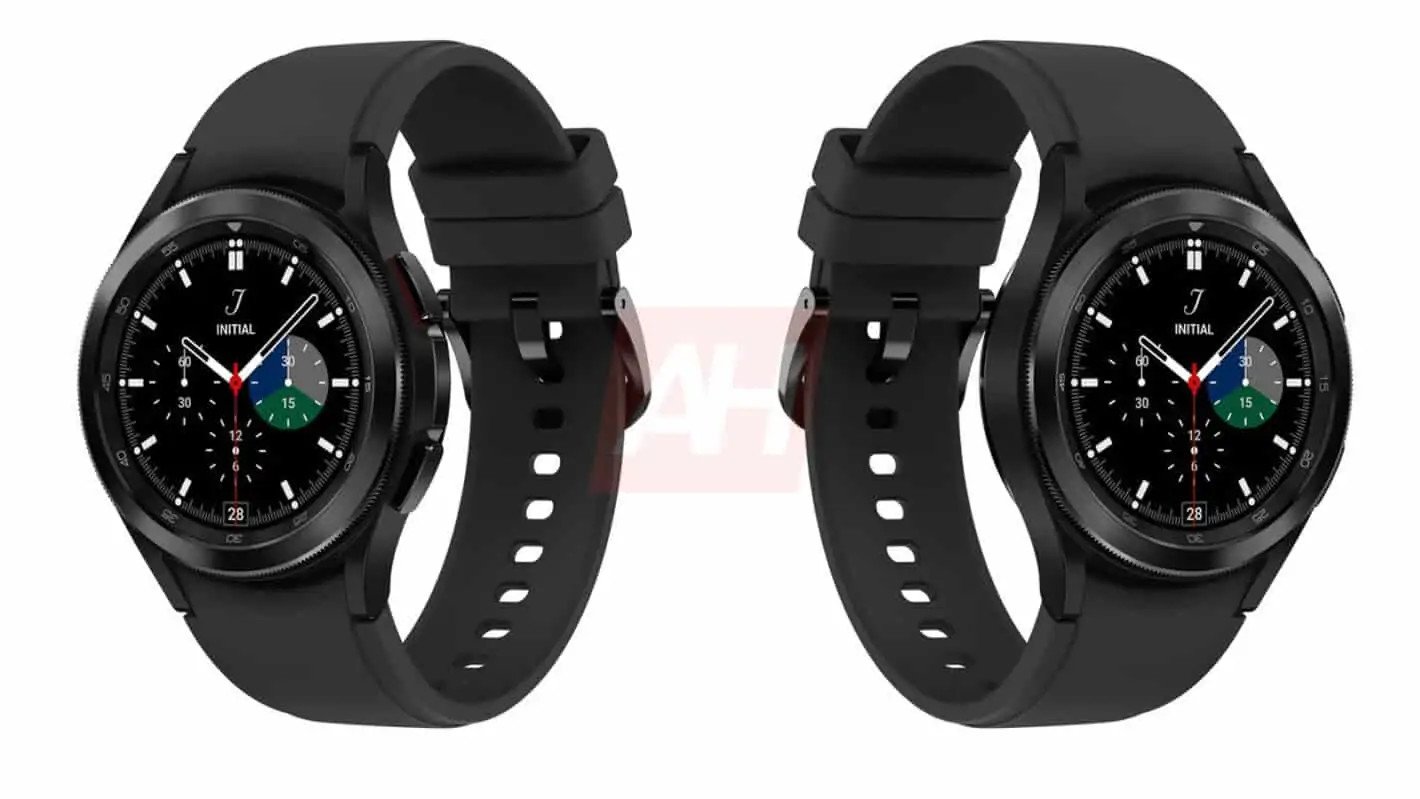
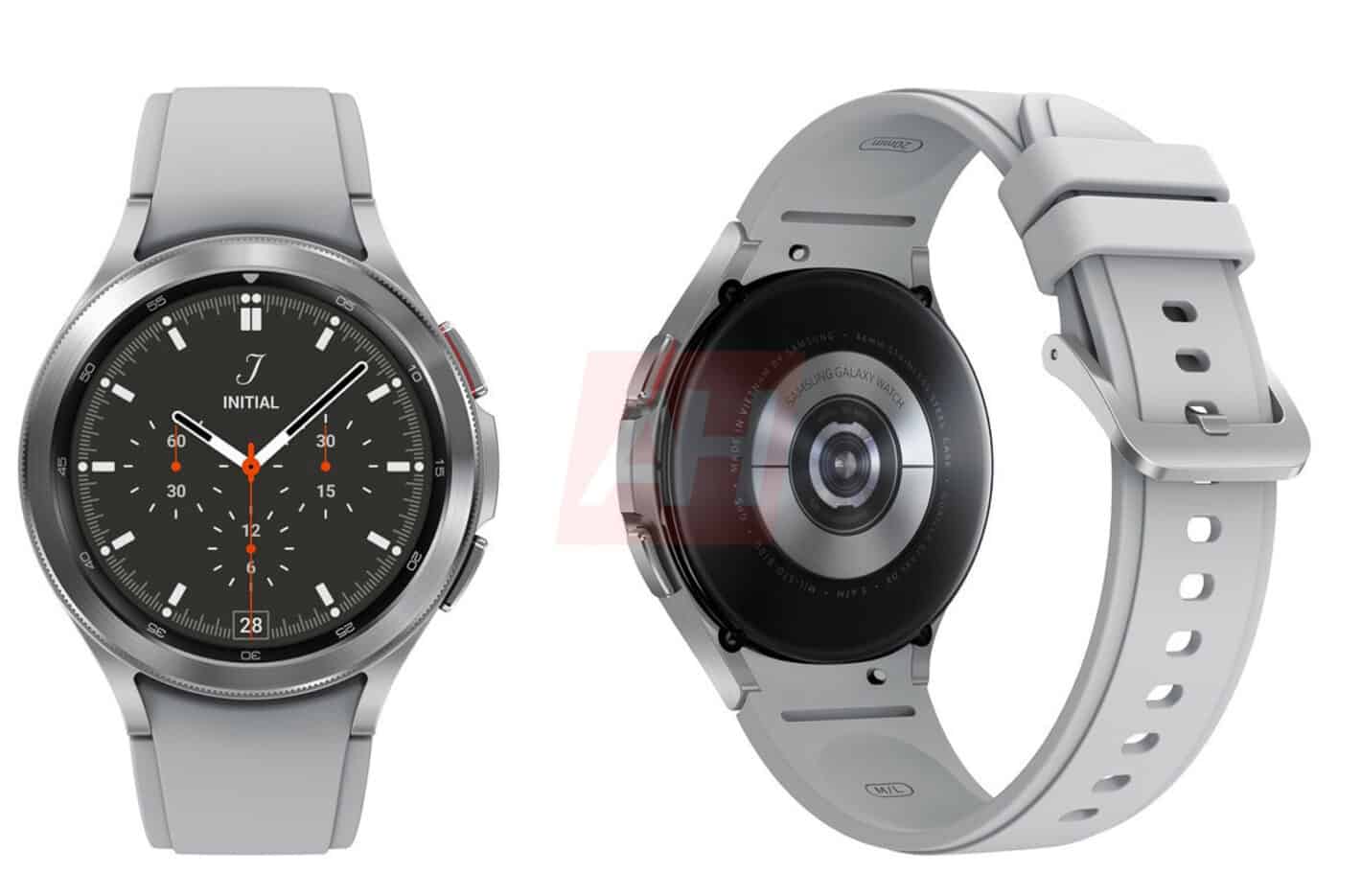
Samsung has been working on the new Galaxy Watch 4, as it's presumed to be called, and leaked renders from Android Headlines give us a look at one of the models.

Aside from the Galaxy Watch 4 Active, which might actually just be the regular Galaxy Watch 4, the company is launching a more conventional Samsung Galaxy Watch 4 Classic. Both will run the new One UI-based Wear experience co-developed by Google, but the Classic model would be aimed at a more mainstream audience than the fitness-focused Active model.

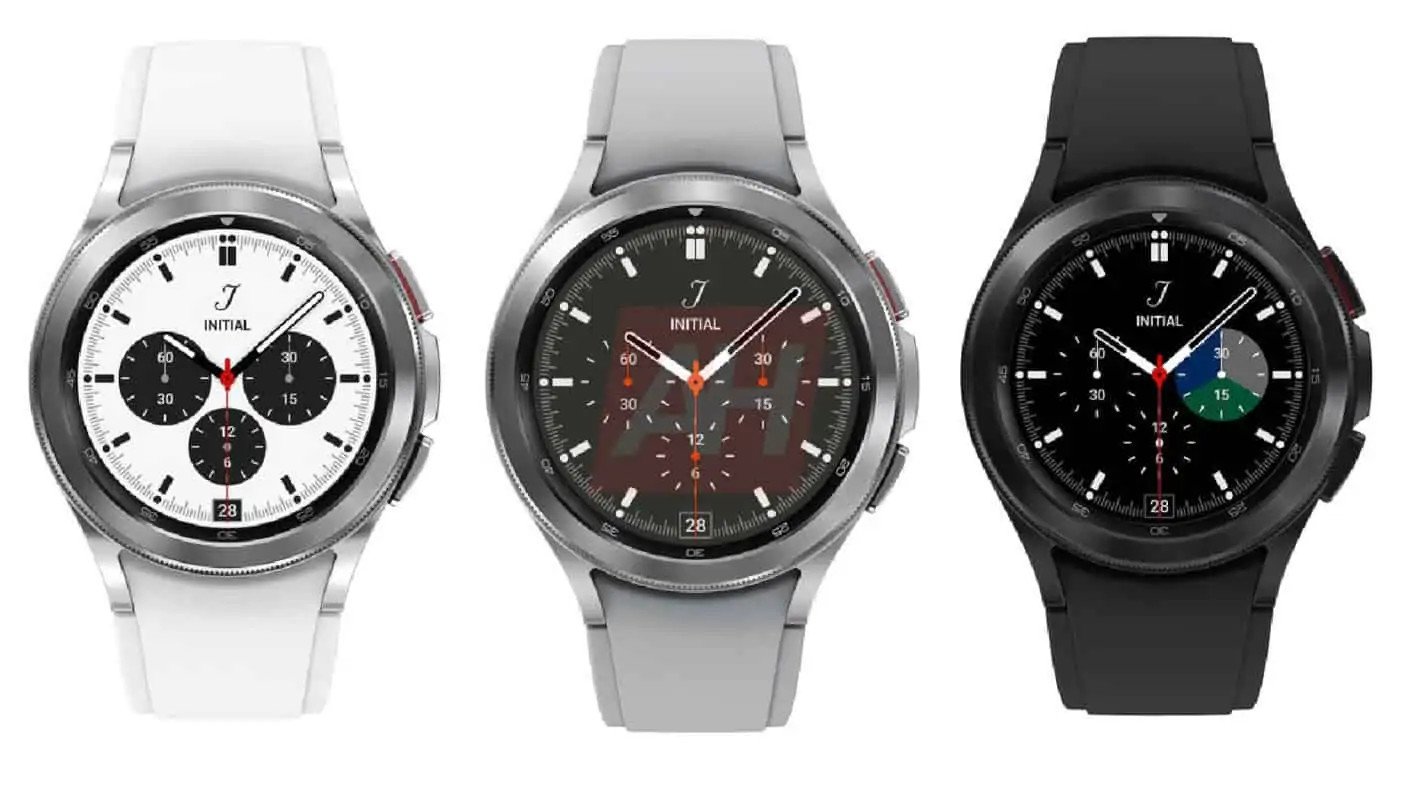
Android Headlines reports that the Galaxy Watch 4 Classic will come in three sizes and three colors. A 42mm size, a 44mm size, and a 46mm size will offer variety to customers who may be enthralled by its sleek design and the presence of a rotating bezel. As for colors, the Watch 4 Classic will come in white, gray, and black.

Samsung will reportedly offer this in either stainless steel and aluminum models. For protection, the company will cover these with Gorilla Glass DX or DX+ for the steel or aluminum models, respectively. It'll also be 5ATM rated for shower and pool use, much like the Samsung Galaxy Watch 3 and features MIL-STD-810G certification.

Samsung is expected to announce the new Galaxy Watch 4 models at an Unpacked event this August, where they will be the first to run the new Wear OS update. It is also predicted to be releasing the Galaxy Z Flip 3 5G, the Galaxy Z Fold 3, and the Samsung Galaxy S21 FE at the same launch event.

Still Good

Samsung Galaxy Watch 3

$250 at Amazon $250 at Best Buy $250 at Walmart

A well balanced option

So you might not be getting the new Wear with this older watch, but it's a good-looking and durable smartwatch that integrates well with your Samsung phone and tablet.


from Android Central - Android Forums, News, Reviews, Help and Android Wallpapers https://ift.tt/3Ae1Y6j
via IFTTT

These are the best movies on HBO Max right now

All the best movies streaming on HBO Max today.

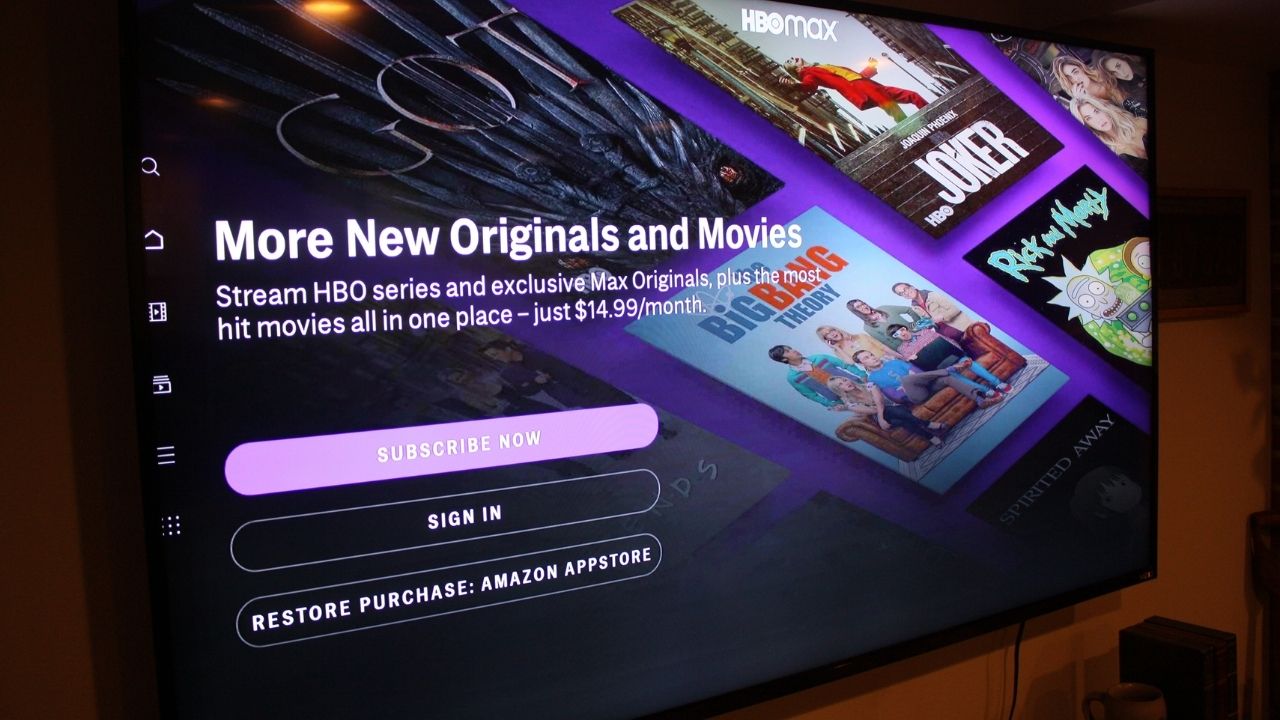
HBO Max launched in 2020 as the digital hub for all of HBO's exclusive content. It features a rotating lineup of hundreds of television series and movies from Warner Bros., DC, Studio Ghibli, and more. HBO Max will also launch brand new films from WarnerMedia in 2021 without waiting for them to play in theaters first. Here are the best movies on HBO Max right now, from new drama and comedy films to the best in action franchises and classic films.

The best movies on HBO Max

Movies and more

HBO Max

$15 at HBO Max

Find new releases and old favorites on HBO Max

HBO Max provides streamers with access to film and television content from HBO, WarnerMedia, and DC, among other studios. Subscribe now to check out new blockbusters or your longtime faves.

WarnerMedia announced at the end of 2020 that it would be releasing its entire slate of blockbusters in theaters and on HBO Max simultaneously in 2021. In addition to those blockbuster releases, HBO Max boasts a rotating lineup of fan-favorite films, which are refreshed regularly. With that in mind, here are the best new releases and additions on HBO Max right now.

2 Fast 2 Furious (2003)

Revisit a fan-favorite installment in the Fast and Furious franchise with 2 Fast 2 Furious. The standalone sequel to 2001's The Fast and the Furious introduces fans to Tej Parker (Chris "Ludacris" Bridges), Monica Fuentes (Eva Mendes), and Suki (Devin Aoki) to La Familia.

Fatale (2020)

Fatale stars Michael Ealy as sports agent Derrick Tyler, whose perfect life is turned upside down after a one-night stand with a mysterious woman named Valerie (Hilary Swank), who also happens to be a cop.

In the Heights (2021)

Jon Chu's film adaptation of Lin-Manuel Miranda's In the Heights musical follows bodega owner Usnavi (Anthony Ramos) regarding the changes occurring within his neighborhood, New York City's Washington Heights. The musical leaves HBO Max on July 11.

Space Jam: A New Legacy (2021)

Hitting theaters and HBO Max on July 16, Space Jam: A New Legacy finds LeBron James teaming up with Bugs Bunny to save both his son and the Tune Squad. The film also features the voice of Don Cheadle as Al G. Rhythm and Zendaya as Lola Bunny.

Young Hearts (2021)

A modern love story in the age of Time's Up and Me Too, Young Hearts follows the unlikely romance between high school freshman Harper and her upperclassmen boyfriend, Tilly, who also happens to be her brother's best friend.

Action on HBO Max

HBO Max is also the place to go for action-packed movies full of adventure that has been licensed for streaming. Whether suspenseful, fast-action flicks or sci-fi thrillers are your thing, here are the top action movies and franchises on HBO Max to watch before they're gone.

Aquaman (2018)

Get amped for the upcoming Aquaman 2 by rewatching 2018's Aquaman. The film follows Jason Momoa's Arthur Curry as he sets off on a mission to retrieve the legendary Trident of Atlan and save both the underwater city of Atlantis and the surface world — from his power-hungry brother (Patrick Wilson). The film also stars Amber Heard and Willem Dafoe.

Blade franchise

The Blade franchise stars Wesley Snipes as the titular vampire hunter, who sets out on a dangerous mission to avenge his mother's death at the hands of ruthless bloodsuckers. The three-part story unfolds in 1999's Blade, 2002's Blade II and 2004's Blade: Trinity.

Dune (1984)

While Denis Villeneuve's remake of Dune is set to hit HBO Max and theaters in October, the original Dune is streaming now on the platform. The 1984 version stars Kyle MacLachlan as Paul Atreides, who leads a group of desert warriors against the galactic emperor following the assassination of his father.

Mad Max: Fury Road (2015)

Mad Max: Fury Road serves as a prequel to the Mad Max film trilogy starring Mel Gibson. Fury Road follows Tom Hardy as a younger version of Max Rockatansky, who joins a group fleeing across the Wasteland and led an elite Imperator named Furiosa (Charlize Theron).

No Sudden Move (2021)

Directed by Steven Soderbergh, No Sudden Move follows a group of small-time criminals in 1954 Detroit who are hired to steal a document. However, when the heist goes horribly wrong, the team must track down the person who hired them. The ensemble cast includes Brendan Fraser, Don Cheadle, Benicio del Toro, and Jon Hamm. The film hits HBO Max on July 1.

Comedy on HBO Max

13 Going on 30 (2004)

Starring Jennifer Garner, 13 Going on 30 tells the story of a bullied tween who makes a wish on her 13th birthday to be a successful 30-year-old woman. Things get wild when she wakes up the next morning to find her wish has come true.

How to Be Single (2016)

How to Be Single follows a group of young New Yorkers as they attempt to navigate dating in the Big Apple in the time of texting and dating apps. The ensemble cast includes Rebel Wilson, Dakota Johnson, Alison Brie, and Leslie Mann.

Shazam! (2019)

Get ready for the highly-anticipated Shazam! sequel by watching the original film. Released in 2019, Shazam! follows a 14-year-old named Billy Batson, who can magically transform into the adult superhero Shazam (Zachary Levi) simply by shouting out one word. His newfound powers get put to the ultimate test when he comes face-to-face with the evil Dr. Thaddeus Sivana.

This Is 40 (2012)

Directed by Judd Apatow, This Is 40 stars Paul Rudd and Leslie Mann as a couple trying to balance their marriage and being parents while also dealing with a milestone birthday.

An American Pickle (2020)

An American Pickle stars Seth Rogen as a struggling laborer named Herschel Greenbaum, who reemerges in the present day after being trapped in a vat of pickles for 100 years. Rogen also stars as Greenbaum's only living relative in modern-day Brooklyn, his mild-mannered great-grandson Ben.

Documentaries on HBO Max

After Truth: Disinformation and the Cost of Fake News (2020)

In After Truth: Disinformation and the Cost of Fake News, filmmaker Andrew Rossi examines the rising phenomenon of fake news and how it actually impacts the average United States citizen.

Alabama Snake (2020)

Alabama Snake explores the true story of a Pentecostal minister named Glenn Summerford, who remains in prison after being accused in 1991 of attempting to murder his wife with a rattlesnake.

Banksy Does New York (2014)

Banksy Does New York documents the infamous artist Banksy during his month-long residency in New York City through social media content and curated video shot by local fans.

LFG (2021)

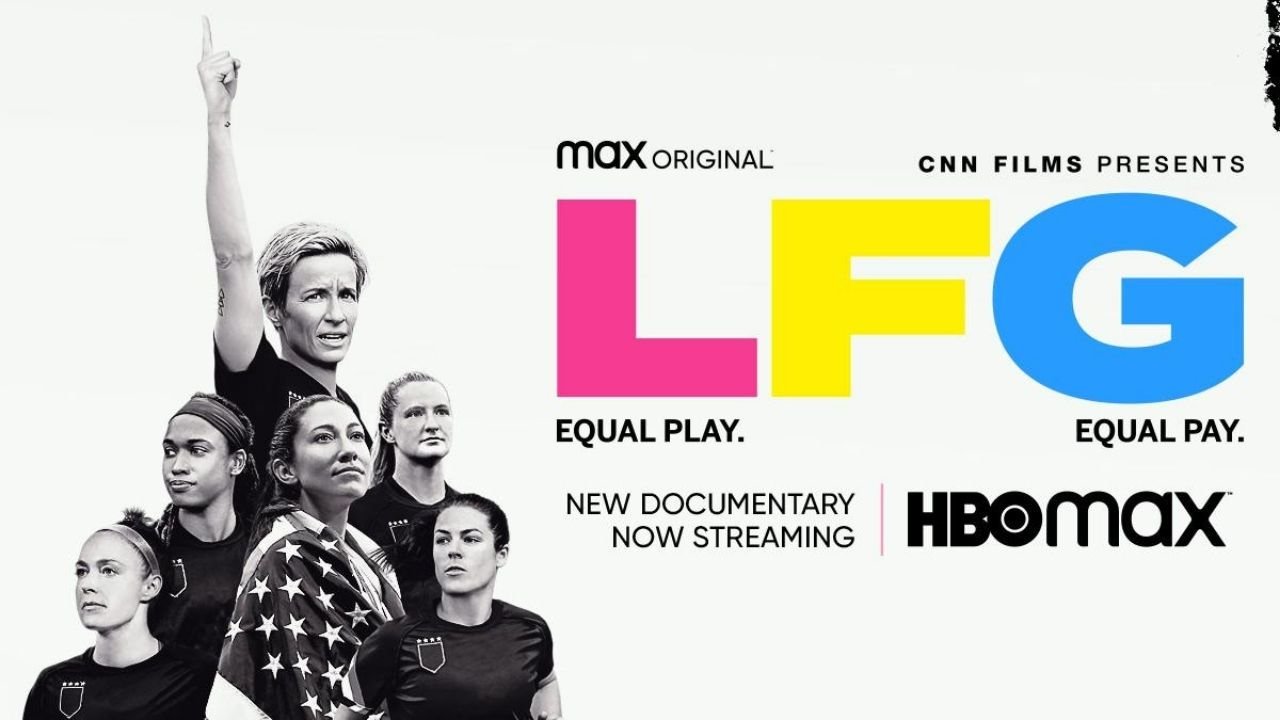
LFG gives viewers an inside look at the U.S. Women's National Soccer Team's ongoing battle for equal pay. The film features new interviews and insights from World Cup champions Megan Rapinoe, Jessica McDonald, Becky Sauerbrunn, Kelley O'Hara, and Sam Mewis.

Tina (2021)

Described as Tina Turner's swan song, Dan Lindsay and T.J. Martin's Tina reflects on the rock-and-roll legend's tragedies and triumphs in five incredible acts.

Classic films on HBO Max

HBO Max also offers various award-winning and history-making films that you probably grew up being told to watch. If you want to revisit a favorite or view a Hollywood classic for the first time, HBO Max is the place to go. Here are five classic films available on HBO Max.

Cabaret (1972)

Cabaret stars Liza Minelli as an ambitious singer and master of ceremonies who tries to bring happiness to the patrons at her club amidst the rise of Nazism in 1931 Berlin.

Lethal Weapon (1987)

Lethal Weapon stars Mel Gibson as Los Angeles police detective Martin Riggs, who has become reckless following the death of his wife. When Riggs is partnered with Roger Murtaugh (Danny Glover), the two immediately start to clash.

National Lampoon's Vacation (1983)

In National Lampoon's Vacation, the Griswold family set out on a road trip from Chicago to a West Coast theme park called Walley World. With patriarch Clark (Chevy Chase) at the helm, things go wildly off the rails.

Rebel Without a Cause (1955)

Starring James Dean as rebellious teenager Jim Stark, Rebel Without a Cause follows a group of emotionally confused suburban, middle-class teenagers living in Los Angeles. The film also stars Natalie Wood, Sal Mineo, and Jim Backus.

The Wedding Singer (1998)

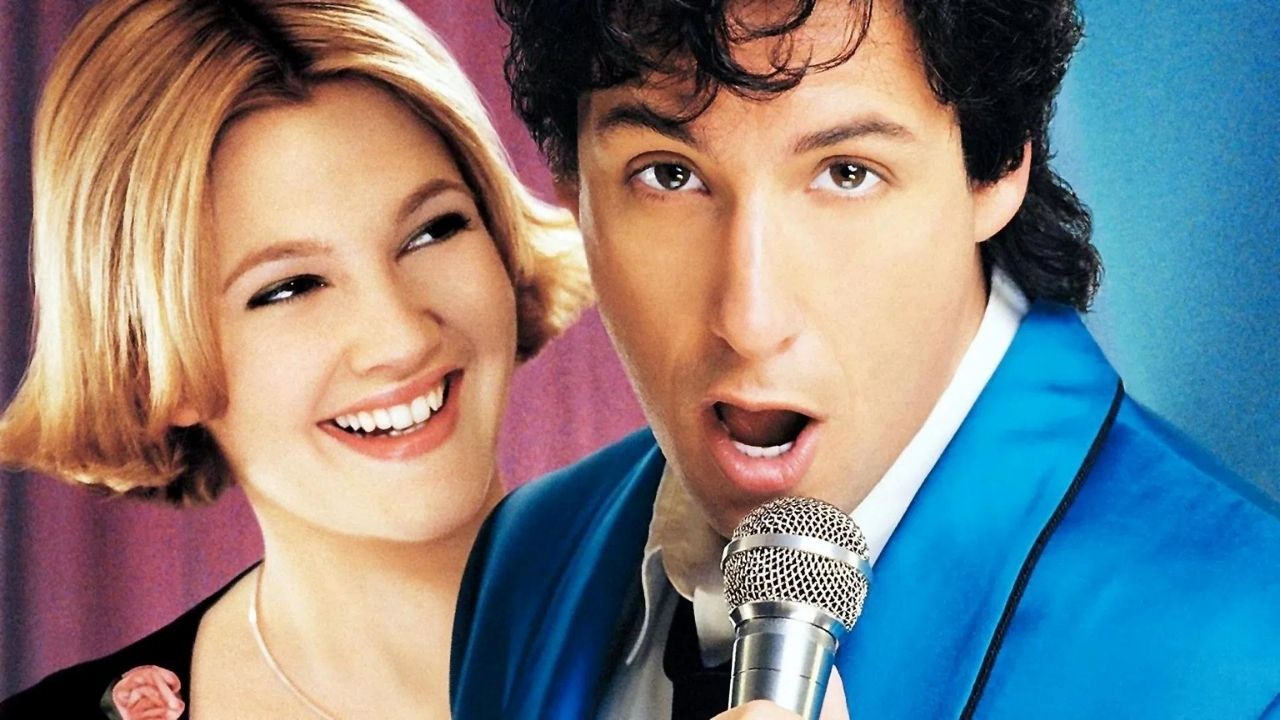
Set in 1985, The Wedding Singer stars Adam Sandler as a broken-hearted nice guy named Robbie, who's stuck in one of the most romantic jobs in the world: a wedding singer. After being dumped by his fiancée, Robbie falls for a young named Julie (Drew Barrymore), who enlists him to help plan her wedding to another man.

More exclusives on HBO Max

HBO Max is also the exclusive home for the Studio Ghibli Collection. As part of the partnership, the entire Studio Ghibli catalog can stream now via HBO Max. This includes award-winning animated titles such as My Neighbor Totoro, Kiki's Delivery Service, and Spirited Away.

Outside of the Studio Ghibli projects, HBO Max offers a wide selection of family-friendly content perfect for your next family backyard theater experience, including favorites like The Wizard of Oz, The Witches (2020), Happy Feet, and Free Willy.

There's a lot to consider when choosing what to stream these days, especially when you're presented with the amount of content available on HBO Max versus Peacock versus Disney+ and so on. And like its competitors, HBO Max regularly updates its expansive media library with fresh content and brand new releases.

Among the most-anticipated releases on HBO Max is James Gunn's Suicide Squad, which will hit the platform for a limited time on Aug. 6, and Denis Villeneuve's highly-anticipated Dune remake, which is scheduled to debut on Oct. 1. Meanwhile, the Hugh Jackman-led sci-fi thriller Reminiscence is scheduled to bow on August 20, and a fourth installment in the Matrix franchise is scheduled to debut in theaters and on HBO Max on Dec. 22.

Movies, movies, movies

HBO Max

$15 at HBO Max

HBO Max has all the new movies

The HBO Max streaming library boasts more than 10,000 hours of exclusive film and television content from HBO and WarnerMedia. Check out new releases, all-time classics, and your personal favorites.


from Android Central - Android Forums, News, Reviews, Help and Android Wallpapers https://ift.tt/37D2e1O
via IFTTT